

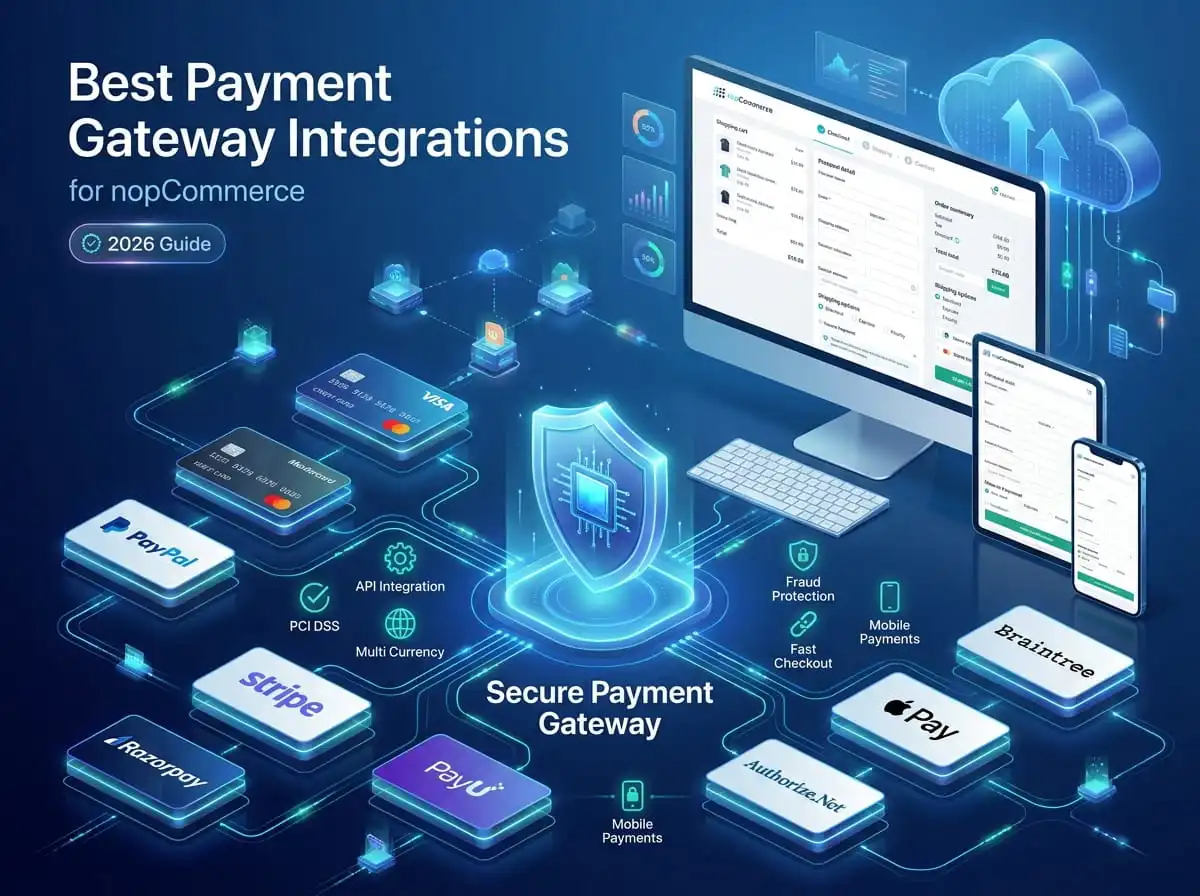
A checkout page is where intent turns into revenue, or where it quietly falls apart. Most store owners spend months getting product pages, catalog structure, and marketing right, then bolt on a payment gateway almost as an afterthought. That's a mistake I've seen play out the same way dozens of times: traffic looks healthy, add-to-cart numbers look fine, and then conversion rates stall right at the payment step.
The reason usually isn't pricing or product-market fit. There's friction at checkout, a redirect that feels sketchy, a card form that doesn't support the customer's preferred wallet, or a gateway that simply isn't available in the customer's country. For a platform like nopCommerce, which powers everything from boutique D2C brands to large B2B catalogs, the choice of payment gateway has a direct line to revenue, chargebacks, and how much a customer trusts you with their card details.
This guide walks through the best payment gateway integrations for nopCommerce from the perspective of someone who has actually wired these systems into live stores, not just read their marketing pages. We'll look at how gateways work under the hood, what to evaluate before committing to one, and how each major provider stacks up depending on your market, business model, and technical requirements.
What Is a Payment Gateway?
At a technical level, a payment gateway is the layer that sits between your nopCommerce store and the banking networks that actually move money. It doesn't hold funds itself, that's the job of a payment processor and the acquiring bank but it's responsible for securely capturing payment details, encrypting them, and passing them along for authorization.
Authorization is the first step: when a customer submits their card or wallet details, the gateway sends a request to the card network (Visa, Mastercard, etc.) asking whether the customer has sufficient funds or credit available. This happens in under a second in most cases, and the response comes back as either an approval or a decline.
Transaction processing follows once authorization succeeds. Depending on the gateway's settings, the transaction can either be captured immediately (funds move right away) or held as an authorization-only transaction to be captured later, useful for stores that ship in stages or need to confirm stock before charging the customer.
Refunds run through the same rails in reverse. A well-built integration exposes refund functionality directly inside the nopCommerce admin panel, so store managers aren't logging into a separate gateway dashboard to issue money back.
Webhooks are how the gateway talks back to your store asynchronously. When a payment succeeds, fails, gets disputed, or a subscription renews, the gateway fires an event to a URL on your server. If webhook handling is built poorly, orders can get stuck in a pending state even after the customer has actually paid one of the more common support headaches I've had to fix on other developers' implementations.
PCI DSS compliance governs how card data is handled, stored, and transmitted. Most modern gateways reduce your PCI burden significantly by using tokenization and hosted fields, meaning raw card numbers never touch your server at all.
Hosted vs. embedded checkout is a decision every store has to make. Hosted checkout redirects the customer to the gateway's own payment page; embedded checkout keeps the customer on your domain using an iframe or tokenized fields. Each has trade-offs we'll cover in more detail further down.
Why Choosing the Right Payment Gateway Matters
The gateway you pick shapes more than just the technical architecture of your store it shapes business outcomes.
Conversion rates are affected by how many steps stand between add to cart and order confirmed. Every redirect, every unfamiliar payment page, and every unsupported payment method is a chance for a customer to abandon the purchase.
Cart abandonment climbs sharply when a customer's preferred payment method isn't available. A UK shopper expects Apple Pay or a card. An Indian shopper often expects UPI. A B2B buyer in the Gulf may expect an invoice-based flow rather than instant card capture. Gateways that don't support local preferences quietly cost you sales you'll never see in your analytics as payment failure they just leave.
Security isn't optional, and it isn't just about avoiding fraud. A gateway with weak fraud tooling exposes you to chargebacks, which cost real money in fees and can eventually get your merchant account flagged or suspended.
Settlement speed varies by provider and region some gateways settle funds to your bank account in 1–2 days, others take a week or more. For businesses managing tight cash flow, this matters more than most owners realize until they hit it.
International payments and multi-currency support determine whether you can sell comfortably to customers outside your home market, or whether every cross-border sale becomes a manual currency-conversion headache.
Customer experience ties all of this together. A checkout that feels fast, familiar, and secure builds trust and trust is what gets a first-time visitor to become a repeat customer.

Key Features to Look for in a nopCommerce Payment Gateway
Not every gateway needs every feature on this list, but knowing what's available helps you match the tool to the business.
Credit & debit card support the baseline requirement for nearly every store
UPI support essential for Indian merchants, where UPI has overtaken cards as the dominant payment method for many categories
Digital wallets PayPal wallet, Amazon Pay, and regional wallets depending on target geography
Apple Pay and Google Pay increasingly expected on mobile checkout, and they tend to reduce friction dramatically on phones
Recurring payments required for subscription boxes, SaaS-style storefronts, or membership models built on nopCommerce
Tokenization storing a secure token instead of raw card data, which both improves security and enables one-click repeat purchases
Refund support ideally manageable directly from the nopCommerce order screen
Webhook support for keeping order status in sync automatically
Fraud detection built-in risk scoring, 3D Secure, and velocity checks
Multi-currency support letting customers see and pay in their local currency
Subscription billing automated retry logic, dunning management, and proration
Mobile checkout optimization since a large share of nopCommerce traffic for most stores now comes from phones
Top Payment Gateway Integrations for nopCommerce
nopCommerce supports a wide ecosystem of payment methods through official plugins, marketplace extensions, and custom-built integrations. Below is a practical breakdown of the providers we're asked about most often, along with where each one genuinely fits.
Stripe
Overview: Stripe is a developer-friendly gateway known for its clean API, strong documentation, and flexible checkout options. It's one of the more common choices for nopCommerce stores that want a modern, embedded checkout experience.
Best For: Tech-forward businesses, SaaS-style subscription stores, and international sellers who want a single gateway across many countries.
Key Features: Hosted and embedded checkout, strong recurring billing engine, built-in fraud tooling (Radar), extensive webhook support, native Apple Pay and Google Pay.
Supported Countries: 40+ countries directly, with broader reach through Stripe's local acquiring partnerships.
Supported Payment Methods: Cards, Apple Pay, Google Pay, several regional wallets, bank debits in select markets.
Advantages: Excellent developer experience, reliable uptime, strong dispute-management tools, transparent pricing.
Potential Limitations: Not available for merchants in every target country (India requires specific eligibility), and payout timelines vary by region.
Ideal Business Type: Subscription businesses, SaaS-adjacent stores, and international D2C brands.
PayPal Commerce
Overview: PayPal remains one of the most recognized payment brands globally, which gives it a trust advantage that's hard to replicate. PayPal Commerce Platform extends beyond the classic PayPal button into a fuller checkout suite.
Best For: Stores targeting customers who prefer a familiar, trusted payment brand — particularly in the US, UK, and Australia.
Key Features: Buyer and seller protection, PayPal wallet, Pay Later options, card processing without requiring a PayPal account.
Supported Countries: 200+ markets.
Supported Payment Methods: PayPal wallet, cards, Pay Later/installments in supported regions.
Advantages: High brand recognition improves checkout trust, broad global reach, minimal setup friction.
Potential Limitations: Fee structure can be less competitive for high-volume merchants, and account holds/reserves are a known pain point some businesses run into.
Ideal Business Type: General eCommerce stores prioritizing broad customer trust over the lowest possible fees.
Authorize.Net
Overview: A long-established gateway, particularly common among US-based merchants who want a stable, bank-agnostic processing layer.
Best For: US businesses that already have a merchant account or want flexibility in choosing their own acquiring bank.
Key Features: Customer Information Manager (tokenization vault), recurring billing, fraud detection suite, virtual terminal for phone orders.
Supported Countries: Primarily US, Canada, UK, Europe, and Australia.
Supported Payment Methods: Cards, eChecks, digital wallets through added integrations.
Advantages: Mature, well-tested platform with strong reliability and a large support ecosystem.
Potential Limitations: Interface and checkout experience feel dated compared to newer gateways; fewer native wallet integrations out of the box.
Ideal Business Type: Established US merchants who value stability over cutting-edge checkout design.
Braintree
Overview: Owned by PayPal but operating as its own gateway, Braintree combines a modern developer toolkit with access to the PayPal and Venmo networks.
Best For: Businesses that want PayPal's reach with more flexibility in checkout design than the standard PayPal button offers.
Key Features: Drop-in UI or fully custom checkout, native Venmo support (US), strong recurring billing, vaulting for saved payment methods.
Supported Countries: 45+ countries.
Supported Payment Methods: Cards, PayPal, Venmo, Apple Pay, Google Pay.
Advantages: Combines PayPal's trust factor with a more modern, customizable checkout.
Potential Limitations: Slightly steeper integration curve than Stripe for teams new to payment APIs.
Ideal Business Type: Mid-market to enterprise stores wanting flexibility without giving up PayPal network access.
Square
Overview: Square built its reputation in physical point-of-sale, and its online payment tools now extend that same simplicity to eCommerce.
Best For: Omnichannel businesses running both a physical storefront and a nopCommerce site, since inventory and payment data can align across channels.
Key Features: Unified reporting across online and in-person sales, straightforward flat-rate pricing, built-in fraud protection.
Supported Countries: US, Canada, UK, Australia, Japan, Ireland, France, Spain.
Supported Payment Methods: Cards, Apple Pay, Google Pay, Afterpay/Cash App Pay in select regions.
Advantages: Simple pricing, good for businesses already using Square hardware in-store.
Potential Limitations: Narrower country coverage than Stripe or PayPal, less depth in subscription tooling.
Ideal Business Type: Retail brands with a physical presence expanding into online sales.
Razorpay
Overview: One of the leading gateways for Indian merchants, Razorpay supports the full range of local payment preferences, including UPI, which now dominates online transactions in India.
Best For: Indian nopCommerce merchants and businesses selling primarily to Indian customers.
Key Features: UPI, net banking, EMI options, wallets, strong recurring billing (Razorpay Subscriptions), Smart Collect for B2B use cases.
Supported Countries: Primarily India, with limited international acceptance.
Supported Payment Methods: UPI, cards, net banking, wallets (Paytm, PhonePe, etc.), EMI.
Advantages: Deep coverage of Indian payment preferences, fast settlement, strong developer documentation.
Potential Limitations: Not a fit for merchants primarily selling outside India.
Ideal Business Type: D2C and B2B businesses based in or selling heavily into the Indian market.
PayU
Overview: PayU operates across multiple emerging markets, with particularly strong footprints in India, Latin America, and parts of Central and Eastern Europe.
Best For: Merchants operating across several emerging markets rather than a single country.
Key Features: Local payment method support tailored per region, fraud protection tools, flexible settlement options.
Supported Countries: 50+ markets, with strength in India, Poland, Latin America, and the Middle East.
Supported Payment Methods: Cards, local bank transfers, regional wallets, buy-now-pay-later in select markets.
Advantages: Strong regional payment method coverage where global gateways often fall short.
Potential Limitations: Documentation and support quality can vary by region.
Ideal Business Type: Businesses expanding across multiple emerging markets simultaneously.
Cashfree
Overview: Another strong India-focused gateway, Cashfree is known for competitive settlement speed and a broad set of payout and collection tools beyond standard checkout.
Best For: Indian merchants who need fast settlement and additional tools like vendor payouts or bulk refunds.
Key Features: UPI, instant settlements, subscription billing, split payments for marketplace-style stores.
Supported Countries: Primarily India.
Supported Payment Methods: UPI, cards, net banking, wallets.
Advantages: Fast settlement cycles, strong developer tooling, good for marketplace-style nopCommerce implementations.
Potential Limitations: Limited relevance outside India.
Ideal Business Type: Indian marketplaces and subscription-based stores.
CCAvenue
Overview: One of the older payment aggregators in India, CCAvenue supports a very wide range of local banks and payment instruments, which makes it a reliable fallback option for reaching customers on smaller or regional banks.
Best For: Indian merchants who want maximum bank and payment-method coverage, even at the cost of a less modern interface.
Key Features: Broad bank network support, multi-currency processing, EMI options.
Supported Countries: Primarily India, with multi-currency processing for international cards.
Supported Payment Methods: Cards, net banking, wallets, UPI.
Advantages: Very wide bank coverage, established track record.
Potential Limitations: Checkout experience and dashboard feel less modern than newer competitors like Razorpay or Cashfree.
Ideal Business Type: Merchants prioritizing bank coverage over checkout polish.
Adyen
Overview: Adyen is built for scale, offering a single platform that unifies online, in-store, and mobile payments across a large number of countries and local payment methods.
Best For: Enterprise nopCommerce implementations with significant international volume.
Key Features: Unified commerce across channels, deep local payment method support, advanced risk management, real-time reporting.
Supported Countries: Broad global coverage across Europe, North America, APAC, and the Middle East.
Supported Payment Methods: Cards, dozens of local payment methods per region, wallets, bank transfers.
Advantages: Enterprise-grade infrastructure, strong local payment method depth, unified reporting across markets.
Potential Limitations: Higher setup complexity and typically better suited to larger transaction volumes rather than early-stage stores.
Ideal Business Type: Enterprise retailers and large-scale international sellers.
nopCommerce's plugin architecture means that beyond these ten, additional regional gateways can be added through custom development — something worth discussing directly with a development partner if your target market has a dominant local processor not listed here.
Comparison Table
Hosted Checkout vs Embedded Checkout
This is one of the first architectural decisions we walk clients through, because it affects everything from PCI scope to conversion rate.
Hosted checkout redirects the customer away from your nopCommerce store to a payment page controlled by the gateway. The gateway handles the entire form, styling included, and sends the customer back once the transaction completes.
Advantages: Minimal PCI compliance burden since card data never touches your server, faster to implement, and the gateway handles form validation and security updates automatically.
Disadvantages: The redirect breaks visual continuity, which can feel jarring or, for less well-known gateways, slightly untrustworthy to first-time customers. It also limits how much you can customize the checkout experience.
Embedded checkout keeps the customer on your domain, using iframes or tokenized hosted fields that visually blend into your store's design while still keeping raw card data out of your server's direct custody.
Advantages: Seamless brand experience, generally better conversion rates because there's no jarring handoff, and more control over the checkout flow and upsell opportunities.
Disadvantages: Slightly more complex to implement and maintain, and depending on implementation choices, can carry a marginally higher PCI compliance scope (usually still SAQ A or A-EP with tokenized fields, not the full burden of handling raw card data).
Security implications: Both approaches can be equally secure when implemented correctly, since the actual card data handling still routes through the gateway's infrastructure either way. The difference is mostly about compliance scope and customer perception, not underlying risk.
When to choose each: Early-stage stores or those without dedicated development resources often start with hosted checkout for speed and simplicity. Stores that have hit meaningful transaction volume, or where brand consistency at checkout materially affects conversion, tend to move to embedded checkout as they scale.
Custom Payment Gateway Integration in nopCommerce
Not every business fits neatly into an off-the-shelf plugin, and this is where custom integration work comes in.
API integration starts with mapping the gateway's API — authorization, capture, refund, and void endpoints — against nopCommerce's payment processing pipeline, typically by implementing the IPaymentMethod interface and related plugin scaffolding.
Plugin development follows nopCommerce's standard plugin architecture, meaning a custom gateway integration behaves like any other installed payment method in the admin panel, configurable without touching code after deployment.
Webhook implementation needs to be built carefully. A common mistake is assuming webhooks always arrive in order or exactly once — in reality, they can arrive out of sequence or be retried by the gateway, so idempotency checks matter.
Secure token handling means never persisting raw card data on the nopCommerce server. Tokens returned by the gateway get stored instead, keeping the store largely out of PCI DSS's stricter requirements.
Refund workflows should be built to work both ways — refunds initiated from the nopCommerce admin panel, and refund status updates coming back via webhook if the gateway's dashboard is used directly.
Error handling is where a lot of integrations fall short. Declined transactions, network timeouts, and partial failures all need distinct, customer-readable messaging rather than a generic payment failed that leaves the shopper unsure whether to retry.
Version compatibility matters more than people expect. nopCommerce releases updates regularly, and a gateway plugin that isn't maintained against current versions can break silently during an upgrade — something we specifically test for during our own upgrade projects.
Common Payment Integration Mistakes
A few patterns show up again and again in stores that come to us after a rocky gateway implementation:
Choosing only on transaction fees a slightly cheaper rate rarely offsets the revenue lost to a checkout experience customers don't trust or can't complete.
Ignoring international payments building only for one currency or region when the store's actual traffic (or growth plans) span several markets.
Poor webhook implementation missing or duplicate event handling that leaves orders stuck in the wrong status.
Weak error handling vague failure messages that leave customers guessing whether their card was charged.
No fallback payment options relying on a single gateway with no backup if it experiences downtime, which does happen even with major providers.
Inadequate testing going live without thoroughly testing edge cases like partial refunds, currency conversion rounding, or subscription renewal failures.
How to Choose the Right Payment Gateway
Startups generally benefit from gateways with fast onboarding and simple pricing — Stripe or PayPal are common starting points because they minimize setup time while you're still validating the business.
SMBs should weigh settlement speed and support quality alongside fees, since cash flow predictability matters more at this stage than shaving a fraction of a percent off processing costs.
Enterprise businesses typically need a gateway like Adyen or a multi-gateway setup that can handle high volume, complex reporting, and deep local payment method coverage across several countries at once.
Subscription businesses should prioritize gateways with mature recurring billing engines — Stripe, Braintree, and Razorpay Subscriptions all handle retries and dunning well.
International sellers need multi-currency support and broad country coverage as non-negotiables; Stripe, PayPal, and Adyen tend to lead here.
Indian merchants are usually best served by Razorpay, Cashfree, or PayU given their UPI support and local banking integrations, though CCAvenue remains relevant where maximum bank coverage matters.
B2B stores often need features that general gateways don't emphasize invoice-based payment flows, purchase order handling, or ACH/bank transfer support, which sometimes points toward a custom integration rather than a purely off-the-shelf plugin.
Why Businesses Choose Shivaay Soft for Payment Gateway Integration
Payment integration work is unforgiving, get it wrong and you're either losing sales or losing customer trust, sometimes both at once. Our team at Shivaay Soft approaches every gateway integration the way we'd want one built for our own store.
Our certified nopCommerce developers have hands-on experience integrating Stripe, PayPal, Braintree, Authorize.Net, Razorpay, PayU, Square, Apple Pay, Google Pay, and a number of region-specific providers across the markets our clients sell into. Where an off-the-shelf plugin doesn't exist or doesn't fit the business requirements, we build custom payment plugins from the ground up, following nopCommerce's plugin architecture so they remain upgrade-safe.
That work covers the full technical picture: API development against the gateway's endpoints, reliable webhook implementation with proper idempotency handling, PCI-conscious practices that keep raw card data off your servers, refund and capture workflows built directly into the nopCommerce admin experience, and ongoing maintenance through version upgrades so a gateway integration that works today doesn't quietly break on your next nopCommerce update.
As one example of this work, we've published a Simplify Commerce payment plugin for nopCommerce, a concrete reference point for the kind of integration quality we bring to gateway projects, rather than just a claim on a services page.
Conclusion
There's no single best payment gateway for nopCommerce. There's a best gateway for your specific mix of geography, business model, customer expectations, and growth plans. A subscription SaaS store selling primarily to the US and UK has very different requirements from an Indian D2C brand built around UPI, or an enterprise retailer running unified commerce across a dozen countries.
What matters is starting from your actual business requirements rather than a generic top 10 ranking, then evaluating gateways against conversion impact, security, settlement speed, and how well the integration will hold up as your store grows. Get that foundation right, and the payment gateway becomes something customers never have to think about which is exactly the point.