Blog posts tagged with 'nopcommerce theme'

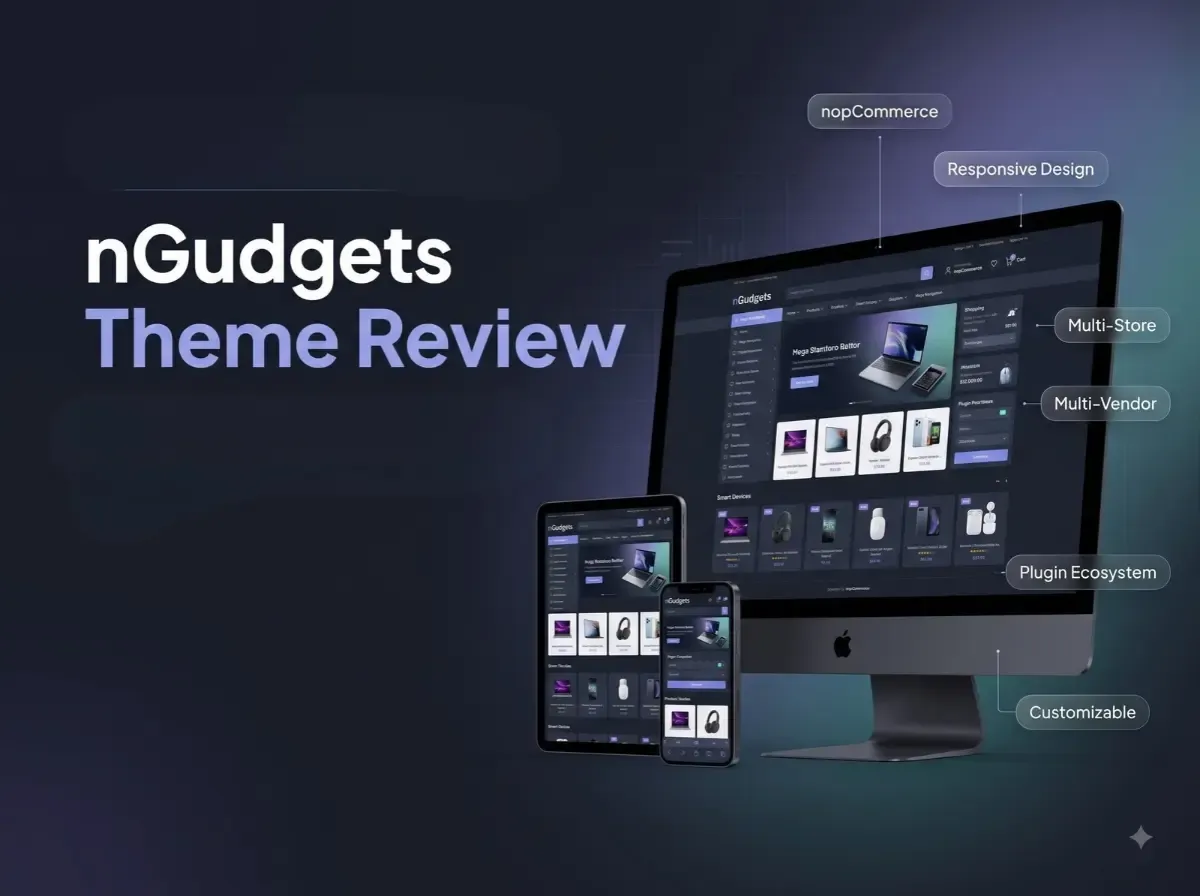
nGudgets Theme Review: Best Responsive MegaStore Theme for nopCommerce 2026

The theme is more than a coat of paint. It controls how shoppers find categories, compare products, read details and reach the cart. On a small catalog, a basic layout can do the job. In a store with thousands of products, dozens of categories and many brands, the storefront has to carry much more weight.

That is where a MegaStore-style layout earns its place. Large catalogs need deep navigation, clear product grids, promotional space and layouts that hold up on a phone. Many businesses also look for bundled plugins, so common storefront sections don't have to be built one by one.

The nGudgets Theme by Shivaay Soft is a responsive theme built for this kind of store. This review looks at what the official product page documents, where the nGudgets responsive theme may fit, and what you should verify before you buy. We won't claim it will lift sales, rankings or conversions. No theme can promise that.

What Is the nGudgets Theme for nopCommerce?

According to the official product page, nGudgets is a full-width premium responsive theme for mega eCommerce stores. It is positioned as a modern, classy design, and the page names electronics, tools, mobile, auto parts and sports as suitable categories. It also states that the theme is integrated with a bundle of plugins.

Those industries are examples, not limits. Whether the nGudgets nopCommerce theme suits your store depends on your catalog, branding, required functionality and customization needs. A store selling home products or accessories could also evaluate it, as long as the layout matches the catalog.

Click for Demo

Why Choose a Responsive MegaStore Theme for nopCommerce?

A large storefront has a long list of practical needs:

  • Category-heavy navigation that stays usable

  • Product grids that scan quickly

  • Product detail pages with clear information

  • Promotional banners and featured product areas

  • Brand visibility

  • Content sections such as blog or news

  • A shopping experience that works well on mobile

A nopCommerce MegaStore theme gives you a stronger starting point than designing each of these pieces from scratch. You still need to configure, test and refine it. A theme alone does not fix slow hosting, messy category structures or poor product data. It gives you a foundation, nothing more.

Key Features of the nGudgets nopCommerce Theme

The list below separates what the product page documents from what depends on nopCommerce, plugins or custom work.

Responsive Design

The page describes nGudgets as a responsive theme. In practice, you should still check it on real phones and tablets, since responsive behavior varies with your content and plugins.

Full-Width Storefront Layout

The theme uses a full-width approach. This suits wide product grids and banner sections. Check how your own images and content sit inside that width.

MegaStore-Oriented Design

The page positions the theme for mega eCommerce stores. That is a design direction. Your navigation depth and catalog structure still need planning in nopCommerce.

Multi-Store Support

The product page lists multi-store support. Multi-store is a nopCommerce platform capability, where one installation runs several stores. The theme is documented as supporting that setup.

Multi-Vendor Support

Multi-vendor support is also listed. Vendor management is native to nopCommerce at a basic level. The theme supports the storefront side. It does not build a full marketplace on its own.

RTL Support

Right-to-left support is documented, which helps if you serve Arabic, Hebrew or similar language audiences.

Localization

The page says the theme is fully localizable and can be used in any language. Translations of your own content and resources still need to be added in nopCommerce.

Customizable HTML and CSS

The page lists a clean HTML and CSS structure for easy customization. This is helpful for developers adjusting branding and layout.

Modifiable .cshtml View Files

Public view (.cshtml) files are open to modification. That gives developers deeper control than CSS alone, though changes need care during upgrades.

Cross-Browser Testing

The theme is listed as tested with all major browsers. Test your final configuration yourself, especially with extra plugins.

Bundled Plugin Ecosystem

The theme comes integrated with a bundle of plugins. They are covered in the next section.

Support and Upgrade Policy

The page lists one year of free support and upgrades from the purchase date. Ask what happens after that period and how upgrades are delivered. Note too that the license is tied to the domain you enter at purchase.

10 Plugins Included with the nGudgets Theme

These are bundled plugins, not native nopCommerce features. The product page describes them only as a bundle with the required functionality, so the purposes below are inferred from the plugin names. Confirm exact behavior in the demo or with Shivaay Soft.

Nop Anywhere Banner

Likely used to place banners in different storefront positions. Useful for promotions and campaigns.

Nop Latest Blog

Likely displays recent blog posts on storefront pages. It can support content sections beyond products.

Nop Latest News

Likely shows recent news items. It may suit announcements or store updates.

Nop Our Brand

Likely a brand display section. For stores carrying many manufacturers, brand visibility matters.

Nop Quick Info

Likely a section for short store information such as services or highlights.

Nop Quick Tab

Likely a tabbed content area. Tabs can organize product groups on the homepage.

Nop Quick View

Likely lets shoppers preview product details without leaving a listing page.

Nop Sales Of the Day

Likely highlights time-based or daily offers.

Nop NewsLetter Subscription

Likely a subscription form for email sign-ups. Email delivery still depends on your nopCommerce and email service setup.

Nop Product Collection

Likely groups products into collections for display. (The name is spelled this way on the product page.)

nGudgets Theme Design and Storefront Experience

The product page shows three design areas: category design, product detail design and cart design. A reviewer should look at how they work together.

Category pages matter most for large catalogs. Look at the grid density, sorting area and how clearly products stand out.

Product detail pages should present images, price, availability and descriptions without clutter.

The cart should be simple and clear on every screen size.

Beyond those, check the navigation, promotional areas, brand presentation and content sections on the demo. A consistent design across these areas can make the store feel coherent. It does not guarantee better conversion rates. Real results depend on your products, pricing, traffic and checkout.

Is nGudgets a Good Theme for Large eCommerce Stores?

It may be a fit when your store has:

  • A large product catalog across many categories

  • Multiple product brands

  • Electronics, mobile, auto parts, sports or tools ranges

  • Multi-vendor or multi-store requirements

There is an important difference, though. A theme that suits a large catalog has the layout for it. A platform that scales a large catalog is an architecture matter. Actual performance depends on:

  • Hosting and infrastructure

  • Database design and tuning

  • Catalog size

  • Number of plugins

  • Customizations

  • Image sizes and formats

  • Caching

  • Search configuration

  • Traffic

nGudgets can give you the storefront. Scaling is a separate engineering task.

nGudgets Theme for Electronics and Mobile Stores

Electronics, phones, accessories, computer products and gadgets are product-heavy. Shoppers want to filter, compare and reach products quickly.

Useful storefront needs include category organization, brand navigation, quick product access, promotional banners and clear product detail presentation. The theme's bundled plugins, such as Quick View, Our Brand and Anywhere Banner, may help with some of these.

Product comparison is a different matter. It is not listed as a theme feature on the product page. nopCommerce has its own comparison functionality, but how it looks and behaves depends on configuration. Anything beyond that may need a plugin or custom development.

nGudgets Theme for Auto Parts, Tools and Sports Stores

Auto parts, tools and sporting goods stores share a few needs. They depend on:

  • A clear category hierarchy

  • Product filtering

  • Detailed product information

  • Brand organization

  • Mobile browsing

  • Easy product discovery

The product page names these industries as suitable, but it does not document industry-specific functionality. Auto parts stores, for example, often need vehicle fitment search (make, model, year). That is not listed for nGudgets, so treat it as a separate requirement that may need a plugin or custom work.

nGudgets Theme and Multi-Vendor / Multi-Store nopCommerce

Multi-store means running more than one storefront from a single nopCommerce installation, often with different branding, domains or catalogs.

Multi-vendor means several sellers list products in one store.

These matter for businesses with regional brands, separate product lines or marketplace plans. The theme is documented as supporting both. The underlying logic lives in nopCommerce itself. A theme controls how the storefront looks and behaves for shoppers.

The theme does not create a complete marketplace. Vendor onboarding, commissions, settlements, payouts and vendor dashboards may need platform configuration, plugins or custom development.

nGudgets Theme Customization Options

The official page documents clean HTML and CSS plus modifiable public .cshtml files. In practical terms, a developer can adjust:

  • Branding, colors and typography

  • Homepage sections

  • Layout details

  • Navigation

  • Custom storefront components

Simple customization covers logos, colors, fonts and spacing, mostly through CSS. View file changes go deeper and need nopCommerce knowledge. Custom development covers new functionality, such as special pricing displays or integrations. Complex needs to call for an experienced nopCommerce developer.

nGudgets Theme Version Compatibility

The product page lists support for nopCommerce 4.50, 4.60, 4.70, 4.80 and 4.90. No compatibility with future versions should be assumed unless Shivaay Soft confirms it.

Version matching matters because nopCommerce changes its view structure, plugin APIs and dependencies between releases. Before production, verify compatibility with:

  • Existing plugins

  • Customizations

  • Payment integrations

  • Shipping integrations

  • Third-party services

How to Evaluate the nGudgets Theme Before Buying

  1. Identify your nopCommerce version. Match it against the supported list.

  2. Review the demo. Browse it as a shopper would.

  3. Check the homepage layout. Look at banners, sections and loading order.

  4. Check category pages. Test grids, filters and sorting.

  5. Check product detail pages. Look at images, variants and descriptions.

  6. Review the cart. Make sure it is clear on all screens.

  7. Test responsive behavior. Resize and rotate.

  8. Review the bundled plugins. Decide which ones you will use.

  9. Check required integrations. List your payment, shipping and ERP needs.

  10. Review customization requirements. Mark what needs developer time.

  11. Test existing plugins. Look for conflicts.

  12. Confirm support requirements. Understand the one-year terms.

  13. Validate your deployment environment. Check hosting and server setup.

  14. Test on real devices. Emulators miss details.

  15. Run a staging implementation. Never go live untested.

nGudgets Theme vs Custom nopCommerce Theme Development

Factor

nGudgets (ready-made)

Custom theme

Development Time

Shorter starting point

Longer

Initial Cost

Typically lower

Typically higher

Customization

Within theme structure

Very high

Branding

Adaptable

Fully unique

Design Flexibility

Moderate

High

Existing Storefront Components

Pre-designed

Built from scratch

Plugin Integration

Bundled plugins included

Planned per project

Maintenance

Shared theme updates

Owned by your team

Development Effort

Lower

Higher

Best For

Fast, structured launches

Unique UX and workflows

Neither approach wins everywhere. A ready-made theme gives a faster start and lower design effort. A custom theme gives design freedom, business-specific UX and unique workflows, at the cost of more effort.

nGudgets Theme vs a Basic nopCommerce Theme

A basic theme can be enough for a small catalog. Consider these points when choosing:

  • Store size and product catalog

  • Navigation complexity

  • Branding needs

  • Responsive requirements

  • Plugin needs

  • Multi-store and multi-vendor needs

  • Customization needs

A more feature-oriented theme such as nGudgets can help businesses that need a stronger starting storefront structure, including promotional areas and content sections.

Performance Considerations for nGudgets and nopCommerce Stores

A responsive theme does not automatically mean a fast store. Performance depends on:

  • Image optimization

  • CSS and JavaScript management

  • Caching and CDN

  • Database optimization

  • Catalog size

  • Third-party scripts

  • Plugin count

  • Hosting and server configuration

  • Mobile performance

Test Core Web Vitals, page load behavior, mobile responsiveness, category pages, product pages, the cart and checkout. No specific scores or improvements should be promised.

Common Mistakes When Choosing a nopCommerce Theme

  • Choosing from screenshots only. Test the live demo.

  • Ignoring version compatibility. Confirm your version first.

  • Ignoring mobile UX. Use real phones.

  • Ignoring plugin compatibility. Test existing plugins together.

  • Overlooking customization needs. List them before buying.

  • Installing too many plugins. Keep only what you use.

  • Not testing checkout. Run complete test orders.

  • Skipping category navigation checks. Test deep category paths.

  • Not planning for growth. Think about future catalog and store counts.

  • Not using staging. Always test there first.

Who Should Consider the nGudgets Theme?

It may suit:

  • Electronics, mobile, auto parts, sports and tools stores

  • Businesses with large product catalogs

  • Multi-store and multi-vendor businesses

  • Businesses wanting a responsive storefront

  • Teams wanting a ready-made starting point

A custom theme may be more appropriate for highly unique UX, complex product configuration, highly customized checkout, brand-specific interaction patterns, custom marketplace workflows or advanced third-party integrations.

Why Choose Shivaay Soft for nopCommerce Theme Customization?

Shivaay Soft works across nopCommerce development, custom development, theme development and customization, and plugin development. The team also handles multi-vendor and multi-store builds, API, payment gateway, shipping and ERP integration, performance optimization, upgrades and technical support.

That range matters because theme work rarely stays only about design. It often touches plugins, integrations and upgrades. You can review the nopCommerce themes page for other options.

Conclusion

The nGudgets Theme is a full-width responsive theme for nopCommerce, documented for electronics, tools, mobile, auto parts and sports stores. The nGudgets responsive theme gives a mobile-friendly base. As a nopCommerce MegaStore theme, it may suit large catalogs that need structured navigation and promotional areas. It comes with a plugin bundle, lists multi-store and multi-vendor support, RTL, localization and editable HTML, CSS and .cshtml files.

Check version compatibility, test performance and verify integrations on staging. Choose a ready-made theme when you want a faster start. Choose custom development when your UX or workflows are truly unique.

Frequently Asked Questions

It is a full-width responsive premium theme by Shivaay Soft for mega eCommerce stores.

Yes. The official page describes it as responsive. Test it on your own devices.

The page names electronics, tools, mobile, auto parts, and sports. Other stores can evaluate it too.

The page lists multi-vendor support. Marketplace workflows may need extra configuration or development.

Yes, multi-store support is listed.

Ten bundled plugins, from Nop Anywhere Banner to Nop Product Colletion, are covered in this review.

Yes. It has clean HTML and CSS and modifiable .cshtml files.

This article lists 4.50, 4.60, 4.70, 4.80, and 4.90. Confirm on the product page.

It may suit the storefront needs of large catalogs. Performance depends on hosting, database, caching, and configuration.

Choose nGudgets for a faster, structured start. Choose custom for unique UX or workflows.
Wednesday, October 7, 2026

Best nopCommerce Theme for Selling Games, Consoles & Accessories

A gaming retailer rarely sells one kind of product. One shopper wants a new release for PlayStation. Another is comparing controllers. A third needs a headset that works with both a console and a PC. If your storefront treats all of these the same way, shoppers struggle to find what they came for.

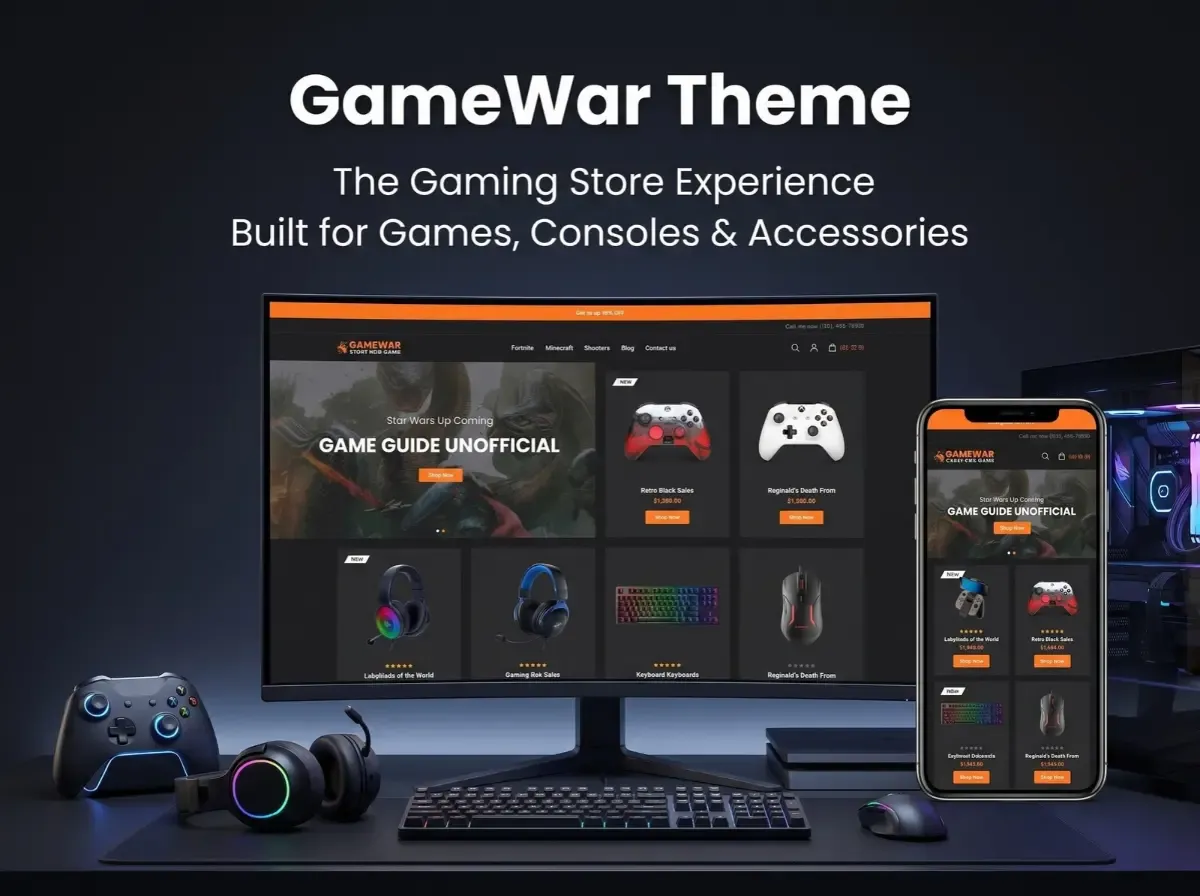
That is why theme choice matters for a gaming eCommerce website. The GameWar Theme is a gaming-focused option for nopCommerce that is worth evaluating if you are building or redesigning a video game online store.

Looks are only part of the decision. You also need to check product discovery, layout flexibility, version compatibility, performance and how easily the theme can be customized later. This guide covers each of these using details from the official product pages.


What Is the GameWar Theme?

A nopCommerce theme controls how your store looks and feels. It shapes layout, typography, navigation, product listings and branding. It does not replace the platform's core features, and it does not automatically add business logic like ERP sync or custom filters. Those come from nopCommerce itself, plugins or custom development.

According to Shivaay Soft, GameWar is a premium nopCommerce theme with a modern design, a dark mode layout and a customizer option. The official pages describe it as suitable for video games, puzzle and sports products, movies, PlayStation items, digital items, electronics, mobile products and other gaming accessories.

Here are the specifications confirmed on the official product page:

  • Supported nopCommerce versions: 4.60 and 4.70

  • Eight plugins included

  • Multi-store and multi-vendor support

  • RTL (right-to-left) support

  • Clean HTML and CSS structure

  • Public view (.cshtml) files open to modification

  • Fully localizable for any language

  • Tested with all major browsers

  • One year of free support and upgrades from the purchase date

The license is tied to the domain you enter at purchase, so confirm your production domain first. The nopCommerce Marketplace lists the theme as "Dark Digital Store-GameWar." The two pages show different prices (see the note at the end), so check the current price before budgeting.

Why Choose a Gaming-Focused nopCommerce Theme?

A generic retail theme can sell games. But a gaming storefront has different needs, and a purpose-built theme gives you a more relevant starting point.

Gaming shoppers tend to browse visually. They respond to bold product art, clear category paths and prominent promotional areas for launches and bundles. A dark layout also suits the category, and it can make cover art and hardware photography stand out.

A gaming-focused theme can help with:

  • Gaming-oriented branding that feels native to the audience

  • Product-focused layouts where imagery leads

  • Organized categories for platforms, genres and hardware

  • Promotional areas for releases, offers and seasonal campaigns

  • Consistent branding across desktop and mobile

A theme does not guarantee more sales or higher conversion. It gives you a stronger foundation. The results depend on your catalog, pricing, content and execution.

What Products Can You Sell With a Gaming eCommerce Store?

Here are common catalog categories for a gaming store website design. These are examples of what a store can sell, not features built into GameWar.

Video games. Organize by platform, genre, publisher and release date. Platform is usually the most important filter, because a PlayStation buyer should not wade through Xbox titles.

Gaming consoles. Console pages need clear specifications, storage size, included items and bundle details. Compatibility notes save support time.

Controllers and accessories. Think controllers, charging docks, cables and storage add-ons. Shoppers often buy these alongside a console, so related-product links matter.

PC gaming hardware. Keyboards, mice, headsets and other peripherals fit here. Listing connection type and platform support helps buyers avoid mistakes.

Gaming chairs and merchandise. A broader catalog can include furniture and branded goods. These products need different attributes, such as dimensions or materials.

Essential Features of a Gaming Store Website

When you evaluate any nopCommerce gaming theme, look at these areas. Note which come from core nopCommerce, which from the theme and which need plugins.

Product catalog and categories. Core nopCommerce supports category hierarchies. Your job is to design a logical tree: games, consoles, accessories and PC gaming, with sensible subcategories.

Search, filters and sorting. nopCommerce provides search and catalog filtering. Filters by platform, brand, price or compatibility depend on how you set up product attributes and specifications. Advanced filtering may need a plugin or custom work.

Product detail pages. Strong pages show multiple images, specifications, compatibility, availability, delivery information, warranty details and variations. The theme controls presentation. You supply the data.

Promotional merchandising. Banners and featured sections announce launches, bundles and offers. Check how the theme presents them and how easily your team can update them.

Mobile-friendly shopping. Look for readable product cards, easy tap targets and a simple checkout. Always test on real devices.

Cart and checkout. Hardware buyers want clarity on price, shipping and delivery. nopCommerce provides the checkout engine, and the theme styles it. The official page shows a dedicated cart design.

How the GameWar Theme Supports Gaming Store Design

Based on the official documentation, GameWar offers a dark-mode design and a customizer for adjusting the look of the store. Its clean HTML and CSS structure and modifiable .cshtml files give developers room to adapt layouts.

In practice, that supports several goals:

  • Product presentation: a dark layout suits cover art and hardware shots

  • Brand identity: the customizer lets you adjust the look to match your brand

  • Product browsing and category navigation: you can shape this through your catalog structure and layout edits

  • Responsive storefront experiences: confirm this on the live demo and on your own devices, since the official pages mention browser testing but do not detail responsive behavior

If you need something not listed above, such as a compatibility checker or a bundle builder, treat it as a customization or compatible plugin, not an included feature.

How to Build a Gaming eCommerce Store With GameWar

Here is a practical roadmap for gaming eCommerce website development.

Step 1: Define the product range. Decide whether you will focus on consoles, PC gaming, video games, accessories or a mix. This drives your categories and attributes.

Step 2: Set up nopCommerce. Arrange hosting, install the platform, configure store settings and set up administrator access.

Step 3: Check GameWar compatibility. The official page lists versions 4.60 and 4.70. Confirm your nopCommerce version matches before you buy.

Step 4: Install and configure the theme. Follow the official installation instructions, then set up the storefront to match your brand.

Step 5: Organize the catalog. Build categories, product attributes, images, specifications and related-product links. This step takes the most time and has the biggest effect on usability.

Step 6: Configure payments and shipping. Choose providers for your market and test each workflow.

Step 7: Add plugins and integrations. Evaluate ERP, inventory sync, marketing tools and reporting. Check each plugin's compatibility with your nopCommerce version and theme.

Step 8: Test the store. Run through search, navigation, product pages, cart, checkout, mobile layouts and order notifications.

Step 9: Launch and monitor. Watch performance, errors, customer feedback, inventory accuracy and technical SEO.

GameWar Theme vs a Generic nopCommerce Theme

Evaluation Area

Gaming-Focused Theme

Generic eCommerce Theme

Visual direction

Designed around gaming retail

General-purpose design

Product presentation

Can be tailored to gaming products

May need additional adaptation

Category organization

Depends on theme and configuration

Depends on theme and configuration

Branding

Gaming-oriented starting point

Requires brand-specific design

Customization

Depends on theme architecture

Depends on theme architecture

Best fit

Depends on business requirements

Depends on business requirements

Neither option wins in every case. The right choice depends on your catalog, brand, user experience needs, integrations and customization budget.

Customization and Integrations for Gaming Stores

Most serious gaming stores outgrow a theme's defaults. These are common areas where extra development may help. None are promised by GameWar by default.

  • Custom product filters

  • Console and accessory compatibility information

  • Product comparison

  • Bundle management

  • ERP and inventory integration

  • Shipping integration

  • Customer-specific pricing

  • Custom promotional landing pages

  • Product notifications

  • Custom reporting

nopCommerce's plugin architecture lets you add many of these without editing core files, which makes later upgrades easier. A good custom nopCommerce theme or nopCommerce theme customization project starts with a clear list of required features, so you only pay for what you need.

SEO Best Practices for a Gaming eCommerce Website

A theme gives you a clean front end. It does not guarantee rankings. Build the foundation yourself:

  • Descriptive titles for categories and products that include platform and product type

  • Unique product descriptions instead of copied manufacturer text

  • Clean URLs that reflect your category structure

  • Internal linking between related games, consoles and accessories

  • Breadcrumbs to show hierarchy to users and search engines

  • Optimized images in compressed formats with descriptive filenames

  • Descriptive alt text for product images

  • Mobile usability checked on real devices

  • Page speed and Core Web Vitals monitored regularly

  • XML sitemap submitted to search engines

  • Canonical URLs to handle duplicate or filtered pages

  • Product structured data that matches visible page content

Performance and Compatibility Considerations

Before you commit, work through this checklist:

  • Supported versions: the official page lists nopCommerce 4.60 and 4.70

  • Plugin compatibility: test every plugin together with the theme

  • Image optimization: gaming stores are image-heavy, so compress and size images properly

  • Page weight: limit heavy sliders, scripts and unused assets

  • Caching and performance settings: configure them for your hosting setup

  • Mobile and browser testing: the official page notes testing with major browsers, but run your own checks

  • Upgrade testing: retest the theme after every platform or plugin update

  • Staging environment: apply changes there first, never on the live store

  • Documentation and support: the official page mentions one year of free support and upgrades from purchase

We have not listed benchmark figures because none are published on the official pages. Measure your own store with your own data.

Who Should Consider the GameWar Theme?

GameWar may suit:

  • Video game retailers

  • Gaming console sellers

  • Gaming accessory businesses

  • PC gaming stores

  • Businesses launching a specialized gaming storefront

  • Existing nopCommerce stores planning a visual redesign

If your business has complex requirements, such as unusual workflows, heavy integrations or a very distinct brand, you may need extra development or a different theme approach.

Why Consider Shivaay Soft for nopCommerce Theme Customization?

Shivaay Soft is a Surat-based company that works with nopCommerce and is listed as a nopCommerce Gold Solution Partner. Its services include theme development and customization, plugin development, third-party integrations, store development and migration and upgrade work.

Before starting any project, confirm the scope, supported versions, compatibility, customization requirements and maintenance arrangements in writing. That protects both sides and avoids surprises later.

Conclusion

Theme selection shapes how shoppers find and judge your products. For a gaming store with games, consoles and accessories, a gaming-focused design can be a sensible starting point.

The GameWar Theme is worth evaluating as that kind of option. Final suitability still depends on verified features, version compatibility, your catalog needs, customization plans and budget.

Your next step: review the official GameWar product details, then list the features your store requires. Compare that list against what the theme includes and decide what needs plugins or custom work.

Frequently Asked Questions

GameWar is a premium nopCommerce theme from Shivaay Soft. It combines a modern design with a dark mode layout and a customizer option. It is aimed at stores selling video games, PlayStation items, digital products, electronics, mobile products, and gaming accessories.

Yes. Official sources describe it as suited to video games, gaming accessories, and related digital and electronics products. It uses a dark-mode design suited to gaming retail. Check the live demo to confirm it fits your brand and catalog before purchase.

You can sell video games, consoles, controllers, headsets, keyboards, mice, chairs, merchandise, and digital items. The catalog structure comes from nopCommerce, so you can create categories and attributes for each product type. The theme controls how those products look to shoppers.

Yes. The official page lists a customizer option, clean HTML and CSS, and public view (.cshtml) files that are open to modification. Developers can adjust layouts and styling. Larger changes, such as new features, usually need plugins or custom development.

The official Shivaay Soft page lists support for nopCommerce 4.60 and 4.70. If you run another version, confirm with the developer before buying. Always test the theme with your plugins on a staging site first.

Yes. nopCommerce handles physical product catalogs, variations, inventory settings, shipping, and checkout. For consoles and accessories, add clear specifications and compatibility details to each product page. A suitable theme then presents that information attractively.

Yes, though the approach varies. nopCommerce supports catalog filtering, and you can use product attributes and specifications to filter by platform, brand, or price. More advanced filters, such as compatibility-based filtering, may need a plugin or custom development.

Often yes. nopCommerce's plugin architecture supports integrations with inventory and ERP systems. The work depends on your software and its API. GameWar does not list ERP integration as a theme feature, so treat it as a separate integration project.

The official pages mention browser testing and multi-language and RTL support, but they do not describe mobile responsiveness in detail. Check the live demo on your phone and tablet, and confirm with Shivaay Soft before relying on specific mobile behavior.

Write unique product descriptions, use clean URLs and breadcrumbs, link related products, compress images, add descriptive alt text, and monitor Core Web Vitals. Submit an XML sitemap, set canonical URLs, and add accurate structured data. A theme alone will not guarantee rankings.
Friday, October 2, 2026

How to Build an Online Pharmacy Store with the MedicareHub nopCommerce Theme

Opening an online pharmacy looks simple until you start on the catalog. A typical medical store sells hundreds or thousands of products: vitamins, first-aid supplies, personal care items, medical devices, and other permitted healthcare goods. Customers need to find the right one quickly, read clear product details, and check out on a phone without friction. Behind the scenes, you still have to manage stock, orders, and customer data securely.

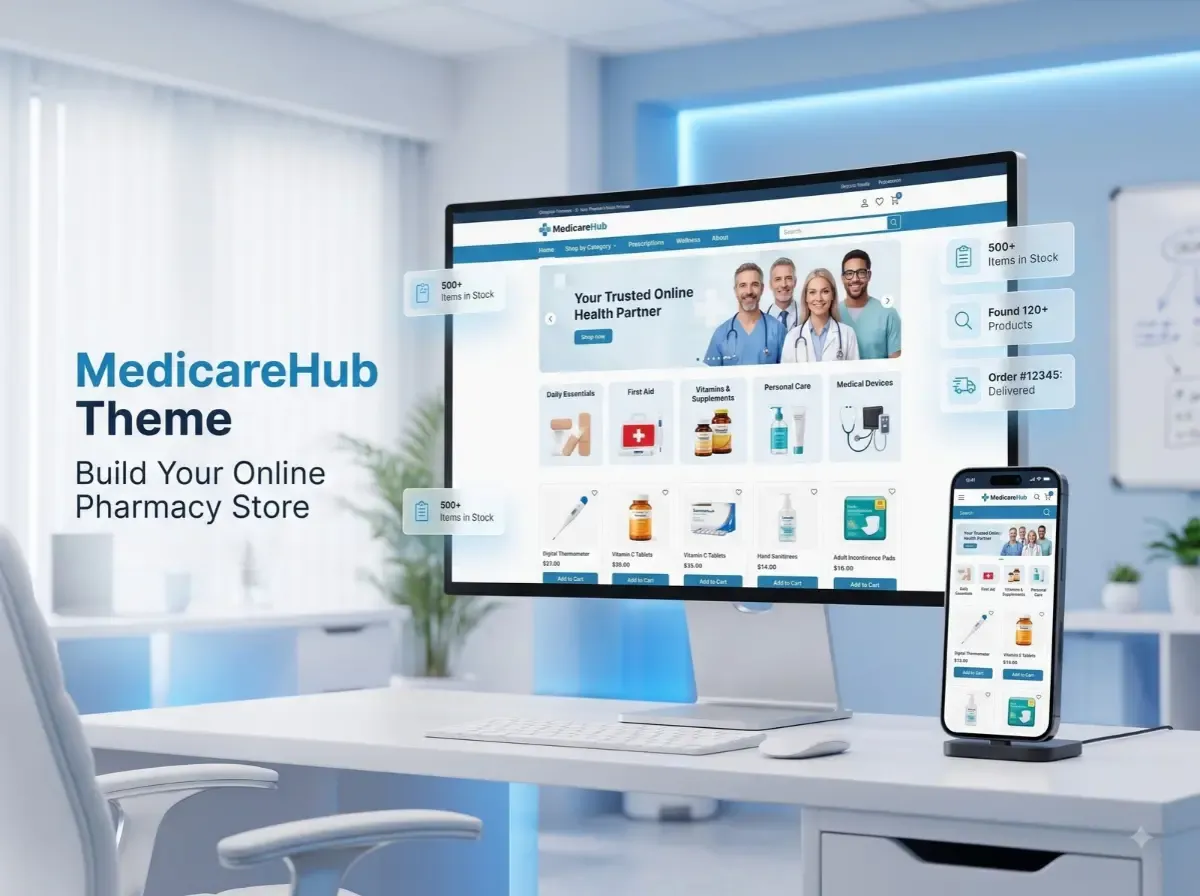
The MedicareHub Theme is a healthcare-focused nopCommerce theme that can give you a starting point for that storefront. According to the nopCommerce Marketplace listing, it is designed for healthcare and medical stores, with a responsive design, product filtering, quick view, and navigation features.

Still, a good online pharmacy store needs more than attractive design. Product data, inventory, integrations, security, fulfilment, and local regulations all need careful planning. This guide covers what to plan, where a healthcare theme helps, and where you will need plugins or custom work.


What Is the MedicareHub Theme?

A nopCommerce theme controls how your store looks and feels. It shapes the homepage, category pages, product pages, navigation, colours, typography, and overall layout. It does not replace the platform's core commerce engine, and it does not automatically add business logic such as prescription checks.

It helps to separate three layers:

  • Core nopCommerce features: catalog, customers, cart, checkout, orders, and administration.

  • Theme design: the visual layout and storefront experience.

  • Plugins and custom development: extra workflows, integrations, and business rules.

The MedicareHub Theme was created by Shivaay Soft for healthcare and medical stores. The official Marketplace listing describes it as having:

  • A clean, responsive design

  • Advanced product filtering

  • Quick view

  • Seamless navigation

The listing is titled "MedicareHub Theme + 12 plugins," so the package includes a set of plugins alongside the theme. The listing also shows support for nopCommerce 4.70, 4.80, and 4.90. Because versions and pricing change, check the listing for current details before you buy. A user guide is available in the MedicareHub documentation, and you can review the theme on the official MedicareHub page.

Why Use nopCommerce to Build an Online Pharmacy Store?

nopCommerce is an established eCommerce platform, and many of its core capabilities suit a pharmacy eCommerce website:

  • Product catalog management: create products, attributes, images, and stock information.

  • Category organization: build a clear category tree for browsing.

  • Customer accounts: let shoppers save addresses and review past orders.

  • Shopping cart and checkout: support a familiar purchase flow.

  • Order management: track and process orders from the admin area.

  • Payments and shipping: connect through plugins and providers.

  • Store administration: manage content, users, and settings in one place.

  • Customization: extend the platform through plugins and themes.

Be realistic about pharmacy-specific needs. Prescription upload, pharmacist review, age or purchase-limit rules, batch and expiry tracking, and regulatory reporting are not something you should assume come by default. Depending on your model, they may need third-party plugins, integrations, or custom development.

Key Features an Online Pharmacy Website Should Have

Treat this section as an evaluation checklist for any online pharmacy website. It is not a list of guaranteed MedicareHub features.

Clear Product Categories

Group products in a way customers already think: personal care, wellness, medical devices, first-aid, baby care, and other permitted healthcare items. Keep the depth manageable. Three levels is often enough for a healthcare product catalog.

Search and Product Filtering

Shoppers rarely browse a long catalog page by page. They search by product name, brand, or need, then narrow results by category, price, brand, or attributes such as pack size or form. The listing mentions advanced product filtering for the theme, but the filters you can actually offer depend on the attributes you set up in your catalog.

Detailed Product Pages

A strong product page includes:

  • A precise product name and clear images

  • Pack size and variants

  • A useful description

  • Ingredients, where applicable

  • Usage information and warnings

  • Any legally required labelling

Accuracy matters more than volume here. Have a qualified person review medicine-related content.

Mobile-Friendly Shopping

Many customers shop for health products on their phones. Use readable text, large tap targets, simple forms, and a short checkout. Test on real devices, not only in a browser preview.

Inventory and Order Management

Show stock status accurately, send order confirmations, and give customers a way to track deliveries. If you already run a pharmacy management system, plan how stock and orders will sync with the store.

Customer Support

Make contact details, delivery times, and return and refund policies easy to find. Healthcare buyers often want reassurance before they order.

How the MedicareHub Theme Helps Shape Your Pharmacy Storefront

The main value of a healthcare-focused theme is a faster, more relevant starting layout. Instead of adapting a general fashion or electronics design, you begin with a structure meant for medical retail.

Confirmed by the official listing: a clean, responsive design, advanced product filtering, quick view, and seamless navigation. The listing also mentions 12 bundled plugins .

General design considerations (apply these whatever theme you choose):

  • Homepage layout: lead with category entry points, search, and trust information such as contact details and delivery policy.

  • Product listing pages: keep filters visible and product cards consistent.

  • Category navigation: use clear labels and avoid crowded mega menus.

  • Product detail pages: put the information customers need to make a safe choice near the top.

  • Promotional sections: use them sparingly and follow advertising rules for health products.

  • Responsive presentation: check every template on phones and tablets.

  • Brand consistency: apply your logo, colours, and tone throughout.

Review the live demo linked from the Marketplace listing to judge whether the layout fits your catalog.

Step-by-Step Guide to Building an Online Pharmacy Store

Step 1: Define Your Business Model

Decide what you will sell, who you will serve, and how you will fulfil orders. Clarify early whether prescriptions or regulated products are involved. This decision affects almost everything that follows.

Step 2: Review Applicable Regulations

Identify the licensing, prescription-handling, product-sale, privacy, and delivery requirements in your jurisdiction. Do this before you build, not after.

Step 3: Set Up nopCommerce

Choose reliable hosting, install nopCommerce, configure store settings, and set up administrator accounts. Secure the environment from the start with HTTPS, restricted access, and a backup routine.

Step 4: Install and Configure the MedicareHub Theme

Confirm that your nopCommerce version matches the supported versions on the Marketplace listing. Then follow the official documentation. Install on a staging site first so you can test safely.

Step 5: Organize the Product Catalog

Plan categories, product attributes, descriptions, images, and inventory data before importing products. Clean data saves time later, and it improves search, filtering, and SEO.

Step 6: Configure Payments and Shipping

Choose providers that support your business model and product types. Some payment processors restrict health-related products, so read their policies first.

Step 7: Configure Required Plugins and Integrations

Identify what you need beyond the theme: ERP or inventory synchronization, customer notifications, analytics, and other workflows. Check plugin compatibility with your nopCommerce version.

Step 8: Test the Complete Customer Journey

Walk through the full path as a customer: navigation, search, product pages, cart, checkout, payment, order emails, inventory updates, and mobile use. Then test as an administrator.

Step 9: Launch and Monitor

After launch, watch for errors, speed problems, abandoned checkouts, customer feedback, fulfilment delays, and technical SEO issues. Fix small problems early.

Essential Integrations for an Online Pharmacy Store

Which integrations you need depends on your operations. Common categories include:

  • Payment gateways for card and local payment methods

  • Shipping and logistics for rates, labels, and tracking

  • ERP and inventory systems for stock and order synchronization

  • CRM and customer support tools for enquiries and follow-up

  • Accounting systems for invoicing and reconciliation

  • Analytics and reporting for traffic and sales insight

  • Email notifications for order and account messages

  • Product information management for large or frequently changing catalogs

Availability depends on the provider, your existing systems, version compatibility, and possible custom development. Do not assume any particular integration is part of the MedicareHub package unless the official documentation says so.

Security, Privacy, and Compliance Considerations

Pharmacies can handle sensitive personal and, depending on the model, prescription information. Security needs ongoing attention. Consider these basics:

  • Use HTTPS and a secure server configuration.

  • Require strong administrator authentication, ideally with multi-factor authentication where available.

  • Apply least-privilege access so staff only see what they need.

  • Keep nopCommerce, plugins, and the server up to date.

  • Handle customer information carefully and collect only what you need.

  • Plan backup and recovery, and test restores.

  • Follow your payment provider's security requirements.

  • Publish a clear privacy policy and define data-retention practices.

Installing a theme does not make a website secure or compliant. Those outcomes depend on configuration, hosting, processes, and people.

Legal Requirements for Selling Medicines Online

Rules for selling medicines online differ widely between countries, states, and product categories. What is allowed in one place may be prohibited in another.

Verify the following for your situation:

  • Pharmacy licences and business permissions

  • Prescription requirements

  • Rules for restricted or controlled medicines

  • Pharmacist involvement, where required

  • Product labelling and information requirements

  • Delivery and geographic restrictions

  • Customer privacy and data protection obligations

  • Advertising and promotional restrictions

This article is not legal advice. Consult the relevant regulator and qualified legal or pharmacy-compliance professionals before you accept orders.

SEO Best Practices for a Pharmacy eCommerce Website

A theme can support good SEO with clean markup and responsive layouts, but it will not rank a store on its own. Build the foundation deliberately:

  • Descriptive titles: write clear product and category titles for people first.

  • Unique descriptions: avoid copying manufacturer text across many products where practical.

  • Logical URLs: use short, readable paths that reflect the category structure.

  • Internal linking: connect related categories, products, and guides.

  • Breadcrumbs: help users and search engines understand hierarchy.

  • Images: compress them and add descriptive alt text.

  • Mobile responsiveness: check layouts on real devices.

  • Page speed and Core Web Vitals: measure them and fix slow templates or heavy scripts.

  • XML sitemap and crawlability: make sure important pages can be found.

  • Canonical URLs: reduce duplicate-content issues from filters and variants.

  • Structured data: use Product, BreadcrumbList, and Organization markup where appropriate.

Health content also benefits from clear authorship, accurate information, and reliable sources. No one can promise rankings, so focus on quality and technical health.

MedicareHub Theme vs a Generic nopCommerce Theme

Evaluation Area

Healthcare-Focused Theme

Generic Theme

Visual direction

Designed around healthcare-related storefronts

Broad, general-purpose design

Starting layout

May better match medical retail needs

May need more adaptation

Branding

Can be customized for the pharmacy

Can be customized for the pharmacy

Specialized workflows

May require plugins or development

May require plugins or development

Compatibility

Must be verified

Must be verified

Best fit

Depends on the store's requirements

Depends on the store's requirements

Neither option is automatically better. The right choice depends on your product catalog, required workflows, design preferences, technical requirements, and budget. A healthcare-focused theme can shorten the design phase, but a generic theme with heavy customization may suit unusual requirements.

When Should You Consider Customization?

The base theme may not cover everything. Consider additional work for:

  • Custom product attributes

  • Specialized search and filters

  • Inventory synchronization

  • ERP integration

  • Custom order workflows

  • Customer-specific pricing

  • Additional admin functionality

  • Custom reporting

  • Brand-specific storefront changes

These are examples of possible customization, not promises of built-in MedicareHub functionality. nopCommerce theme customization and nopCommerce plugin integration should be scoped, tested, and documented, particularly when they touch orders or customer data.

Why Consider Shivaay Soft for nopCommerce Development?

Shivaay Soft is the developer behind the MedicareHub Theme. Its nopCommerce partner profile describes a team that builds customized themes, plugins, APIs, and third-party integrations on .NET and ASP.NET, and that also handles nopCommerce upgrades.

Relevant services for a pharmacy project may include:

  • nopCommerce theme implementation and customization

  • nopCommerce plugin development 

  • Third-party integrations

  • Store customization

  • nopCommerce upgrades 

  • Technical support

Before starting, discuss your requirements, version compatibility, implementation scope, testing, and ongoing support. You can reach the team through the Shivaay Soft contact page. Ask for a clear scope and timeline, and compare it with your own feature list.

Conclusion

A healthcare-focused design can be a sensible starting point for an online pharmacy store, but design is only one layer. Strong product data, dependable integrations, mobile usability, security, SEO, and legal compliance decide whether the store works in practice.

Evaluate the MedicareHub Theme against your actual requirements and its verified specifications, including supported nopCommerce versions. A practical next step: review the official MedicareHub Theme details, explore the demo, and prepare a written list of required features before implementation begins.

Frequently Asked Questions

The MedicareHub Theme is a nopCommerce theme by Shivaay Soft, designed for healthcare and medical stores. The Marketplace listing describes a clean, responsive design with product filtering, quick view, and navigation features. It is sold as a theme with 12 plugins. Review the listing for current details.

Yes, it is intended for healthcare and medical retail storefronts, so it can serve as a starting point. However, the theme alone does not handle licensing, prescriptions, or compliance. You will still need suitable product data, integrations, and processes that meet your local regulations.

The Marketplace listing shows support for nopCommerce 4.70, 4.80, and 4.90. If you run a different version, confirm compatibility with Shivaay Soft before purchase, and test on a staging site. Supported versions can change, so always check the current listing and documentation.

At minimum, plan for clear categories, search and filtering, detailed product pages, mobile-friendly checkout, inventory and order management, and visible customer support and policy pages. Depending on your model, you may also need prescription handling and pharmacist review. These are requirements to evaluate, not guaranteed theme features.

Like other nopCommerce themes, it can be customized for branding, layout, and functionality through development work. Shivaay Soft lists theme customization among its services. Scope any changes carefully, test them, and confirm that customizations remain compatible with future nopCommerce and theme updates.

Often yes, through plugins, APIs, or custom development. Feasibility depends on your ERP or inventory system, the data you need to synchronize, and your nopCommerce version. Discuss stock, pricing, and order flows with a developer before you commit to a solution.

It can be. nopCommerce offers catalog management, customer accounts, checkout, order management, and extensibility. Healthcare stores usually add plugins or custom work for regulated workflows. Suitability depends on your product types, jurisdiction, and how well the setup meets legal and security requirements.

Use HTTPS, strong administrator authentication, least-privilege access, regular updates, and tested backups. Follow your payment provider's requirements and handle customer data carefully. Consider a security review by a qualified professional. No theme or plugin makes a site secure by itself.

In most jurisdictions, selling medicines requires licences or permissions, and rules vary by country and product category. Prescription medicines are often more heavily regulated. Check with your local regulator and a qualified legal or pharmacy-compliance professional before accepting orders.

Yes. nopCommerce lets you manage page titles, descriptions, URLs, and other on-page elements, and extensions can add more. Good results still depend on quality content, site speed, mobile usability, and technical health. No platform or theme can guarantee rankings.
Wednesday, September 30, 2026

Liquor nopCommerce Theme - Fresh, Trendy & Powerful Theme for Wine & Liquor Stores

A wine or liquor store needs more than a basic product grid. Shoppers want to browse by type, compare bottles, read what is on the label, and move through the site without friction. Most of that experience is shaped by the storefront theme long before a customer reaches the checkout.

That is where a Liquor nopCommerce Theme comes in. It is a storefront design built around stores that sell wine, whisky, spirits, beer and related products. The goal is not just to make a website look different. A good industry-specific theme lines up the navigation, product presentation and branding with how a beverage retailer actually sells.

This guide explains what such a theme does, what to check before choosing one, how Shivaay Soft's Liquor theme fits in, and what a realistic customization path looks like.


What Is a Liquor nopCommerce Theme?

A nopCommerce theme controls how your store looks and how visitors move through it. It defines layouts, styling, navigation patterns, product cards, banners and the overall visual identity. It sits on top of nopCommerce itself.

That distinction matters. Core nopCommerce provides the commerce engine: catalog management, orders, customers, payments, shipping, discounts and more. The theme controls presentation. A theme does not automatically add features like age verification, ERP sync or special tax rules. Those come from nopCommerce settings, plugins or custom development.

A liquor-focused theme starts with a visual direction suited to wine and spirits retail. That can affect how categories are presented, how product imagery is treated, how promotions are placed, and how the brand feels from the first screen.

Why Use a Specialized Theme for Wine & Liquor Stores?

A generic eCommerce template is built to suit many industries. That flexibility is useful, but it often means you spend time reshaping the design to fit your catalog. A category-specific design starts closer to your needs.

Practical reasons a specialized theme can help:

  • Industry-appropriate visual identity. Wine and spirits buyers respond to a certain look and tone, and a fitting starting point saves design effort.

  • Product-focused layouts. Bottles are often photographed on plain backgrounds and shown in tall formats. Layouts should give them room.

  • Clearer category presentation. Beverage catalogs branch quickly by type, region, brand and price.

  • Easier discovery. Well-placed navigation and search reduce the effort to find a specific bottle.

  • Promotional merchandising. Seasonal collections, gift ideas and new arrivals need visible homepage space.

  • Responsive shopping. Many customers browse on phones.

  • Consistent branding. Typography, color and imagery should feel like one brand across every page.

None of these outcomes is automatic. They depend on how well the theme is configured and how good your product content is.

Key Things to Look for in a Liquor Store nopCommerce Theme


Product Presentation

Product images, prices, sizes, variants and descriptions need to be readable at a glance. A 750 ml bottle and a 1 L bottle of the same spirit should be easy to tell apart. Check that the product cards and detail pages handle long product names, multiple images and attribute selectors cleanly.

Category Navigation

Logical structure matters more than visual polish. Typical examples a retailer might organize include Wine, Whisky, Vodka, Rum, Gin, Beer, Champagne and Spirits, with sub-levels by brand, region or price band. These are examples of catalog structure, not features of any particular theme. Test whether the menu can handle your actual depth without becoming cluttered.

Search & Product Discovery

Stores with large catalogs live or die on search, filtering and sorting. Confirm that the theme styles these elements well, including filter panels, sort dropdowns and search suggestions. Remember that the underlying functionality often comes from nopCommerce or plugins, so check that both work together.

Promotional Sections

A liquor retailer may want to highlight new arrivals, featured bottles, seasonal collections, offers and popular categories. Look for flexible banner and homepage sections you can update without a developer.

Responsive Design

Test the theme on real phones and tablets. A layout that looks fine in a resized desktop browser can still have tap targets that are too small.

Branding

Typography, imagery, colors, banners and spacing should carry your identity. Check how easily you can change these without breaking the layout.

Liquor nopCommerce Theme by Shivaay Soft

(Documented information, based on the official nopCommerce Marketplace listing)

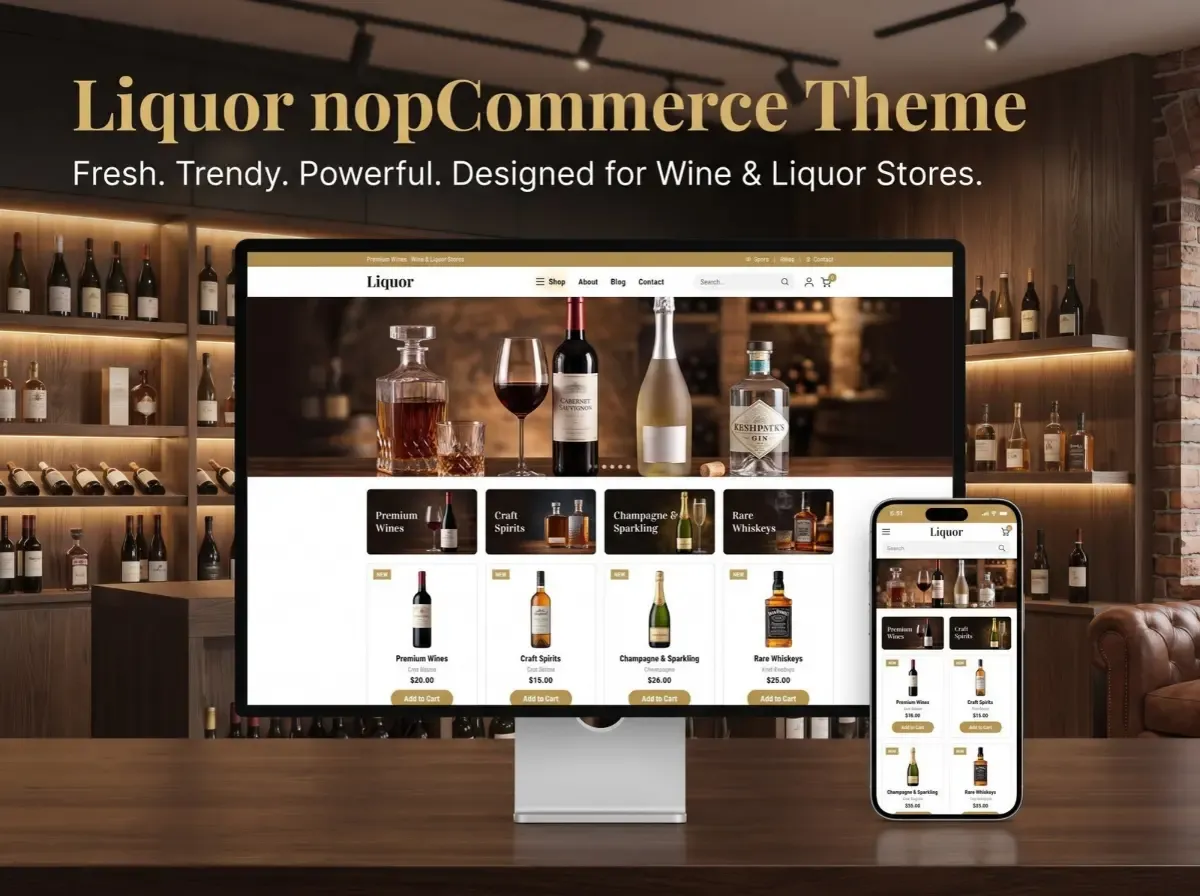
Shivaay Soft offers a Liquor theme for nopCommerce, also listed on the official nopCommerce Marketplace as "Liquor Theme + 07 plugins". The listing describes it as a fresh, trendy and powerful theme meant to help customers shop on any device, and suggests it suits online wine shops, whiskey and beer stores, wine stewards, and food and wine blogs.

Here is what the listing documents, and what it means for a store owner:

  • Seven bundled plugins. These are Anywhere Banner, Latest Blog, Latest News, Our Brand, Quick Info, Mega Menu and Newsletter Subscription. In practice, that points to flexible banner placement, content sections on the homepage, a brand showcase, a mega menu for larger catalogs, and email signup. Confirm the exact behavior in the documentation.

  • Designed pages beyond the homepage. The listing shows design previews for category, product detail, cart and checkout pages, so the styling covers the main shopping path.

  • Multi-store and multi-vendor support, useful if you plan more than one storefront or a marketplace model.

  • RTL (right-to-left) support and full localization, relevant for stores serving multiple languages.

  • Clean HTML and CSS structure, and openly modifiable public view (.cshtml) files, which make developer customization more straightforward.

  • Testing on major browsers.

  • One year of free support and upgrades from the purchase date, according to the listing.

Version compatibility needs a careful check. At the time of review, the listing's header showed supported versions 4.60, 4.70, 4.80 and 4.90, while the specifications list mentioned 4.60, 4.70 and 4.80. The listing was last updated in December 2025. Before buying, confirm which nopCommerce version you run and ask Shivaay Soft to confirm compatibility. Price and support terms can also change, so check the current listing.

The listing links to a live demo and to documentation at docs.shivaaysoft.com, both worth reviewing.

How the Liquor nopCommerce Theme Can Shape the Storefront Experience

Think of the storefront as a journey: Homepage → Category → Product Listing → Product Details → Cart → Checkout. A theme influences every step.

  • Homepage. Visual hierarchy decides what a visitor notices first. Promotional banners, featured collections and clear category entry points give people a direction.

  • Category and listing pages. Consistent product cards, readable pricing and sensible sorting help shoppers scan quickly.

  • Product details. Images, size options, descriptions and the add-to-cart button need clear prominence.

  • Cart and checkout. Simple, uncluttered styling reduces distraction.

  • Across all steps. Mobile behavior, consistent branding and clear calls to action tie the journey together.

Good layout supports these steps, but no layout guarantees higher conversions. Measure your own results with analytics and testing.

Important Features to Evaluate Before Choosing the Theme

Use this checklist before you commit to any nopCommerce theme:

Item

Why it matters

Responsive design

Shoppers use phones, tablets and desktops.

Product listing layout

Determines how quickly people can scan and compare.

Product detail layout

Handles images, variants and key buying information.

Category navigation

Must scale with your catalog depth.

Search and filtering

Critical for larger catalogs.

Banner and promotional areas

Let marketing update the store without code.

Homepage sections

Define how flexible your landing experience is.

Mobile usability

Tap targets, menus and checkout on real devices.

Browser compatibility

Avoids broken layouts in older or less common browsers.

Performance

Heavy scripts and images slow down the store.

SEO fundamentals

Heading structure, markup and image handling.

Customization options

Determines how far you can adapt it.

Plugin compatibility

Themes can conflict with plugins that override views.

nopCommerce version compatibility

Prevents upgrade surprises.

Documentation

Speeds up setup and developer handover.

Support and updates

Themes need maintenance as nopCommerce evolves.

Also plan for security and maintenance. Keep nopCommerce, plugins and the theme updated, and test upgrades on a staging copy first.

Liquor nopCommerce Theme vs Generic eCommerce Theme

Area

Industry-Specific Liquor Theme

Generic eCommerce Theme

Visual direction

Designed around a specific retail category

Broad, general-purpose

Product presentation

Can be tailored to category needs

Usually more generic

Branding

Industry-oriented starting point

Requires more adaptation

Store setup

Potentially faster starting point

May require more design adjustment

Customization

Depends on theme architecture

Depends on theme architecture

Use cases

Wine, liquor and beverage stores

Multiple industries

Neither approach is universally better. The right choice depends on your catalog, branding, integrations and how much customization you need. A specialized theme can shorten the path to a suitable design. A generic or fully custom theme can be the better fit when your requirements are unusual.

Mr. K's Liquor eCommerce Solution – nopCommerce Case Study

(Documented case-study information)

The official nopCommerce case study, Mr. K's Liquor Success Shifting Online with nopCommerce, is credited to Shivaay Soft. It describes an online craft beer platform founded in 2015 that moved online to reach customers beyond its local area, and to offer round-the-clock access, product recommendations and faster checkout.

Requirements documented in the study:

  • Payment gateway integration

  • Inventory control

  • Local and international shipping that follows differing regulations

  • Mobile responsiveness across screen sizes

Solution elements documented in the study: nopCommerce as the foundation, with PayPal and Stripe as payment options, nopCommerce's inventory management to reflect real-time availability, a mobile-optimized design, and a user-friendly interface for browsing and purchasing.

Outcomes as reported by the case study: a notable increase in online sales in high-demand categories, a 20% increase in traffic attributed to improved SEO capabilities and user experience, and a 12% increase in conversion rate attributed to checkout optimization. The study also says the store planned to add a blog and a customer forum.

Two points of balance are worth making. First, these figures are the case study's own claims, and the study does not publish the measurement period or baseline. Treat them as one documented example, not a prediction. Second, the page does not state that the Liquor theme was used on this project, so it should be read as evidence that nopCommerce can support liquor eCommerce, not as a result of the theme itself.

Customizing a Liquor nopCommerce Theme

(Potential customizations, depending on requirements and implementation)

Few stores launch with a theme exactly as delivered. Common customization areas include:

  • Brand colors and typography

  • Homepage sections and layout

  • Product card design

  • Category page layouts

  • Promotional banners

  • Custom landing pages, such as gift guides or seasonal campaigns

  • Product attributes, such as volume, ABV, region or vintage

  • Checkout experience

  • Integrations with ERP or CRM systems

  • Payment gateways and shipping systems

  • Analytics and marketing tools

What is feasible depends on the specific requirement, the theme's architecture, the nopCommerce version and any plugins involved. The listing notes clean HTML/CSS and modifiable view files, which generally makes developer-led changes easier. Scope custom work carefully and test on staging.

SEO Considerations for a Liquor eCommerce Website

(General recommendations)

The theme influences technical SEO, but it does not decide rankings. A theme alone cannot guarantee search visibility. Review these areas during selection and implementation:

  • Mobile responsiveness and usability

  • Page speed and Core Web Vitals, including image weight, scripts and layout shifts

  • Clean HTML structure and a logical heading hierarchy

  • Image optimization, with sensible file sizes, descriptive filenames and alt text

  • Product schema and breadcrumbs

  • Canonical URLs to avoid duplicate content from filters and sorting

  • Internal linking between categories, products and guides

  • Crawlability and indexable product and category pages

Unique product descriptions, useful category content and good site architecture matter at least as much as the theme.

Mobile Experience for Wine & Liquor Stores

Mobile shopping deserves its own review. Evaluate:

  • Responsive layouts that adapt cleanly

  • Touch-friendly navigation and menus

  • Product images that stay visible and clear

  • Search that is easy to use with a thumb

  • Filters that do not swamp a small screen

  • Add-to-cart buttons within easy reach

  • A checkout that works smoothly on a phone

  • Loading performance on average mobile connections

Test on real devices, not only a resized desktop browser. Emulators miss things like touch accuracy, keyboard behavior and real-world speed.

Legal & Compliance Considerations for Online Liquor Stores

Online alcohol sales are governed by jurisdiction-specific laws and regulations, which can differ significantly by country, state and locality. This section is general information, not legal advice.

Areas a business may need to review:

  • Age verification

  • Licensing

  • Delivery restrictions

  • Geographic restrictions

  • Tax requirements

  • Payment provider policies

  • Shipping regulations

  • Responsible marketing requirements

A theme does not make a store compliant. Check the rules that apply to you, and get professional legal or compliance advice where needed.

Who Should Consider a Liquor nopCommerce Theme?

It can be a sensible fit for:

  • Existing liquor retailers moving online

  • Wine stores launching eCommerce

  • Spirits retailers

  • Beverage businesses

  • Businesses replacing an outdated storefront

  • nopCommerce stores that want an industry-focused visual foundation

A generic or fully custom theme may be a better choice if you have highly unusual workflows, a heavily customized UX, or a design language that differs sharply from a typical beverage storefront.

Why Choose Shivaay Soft for nopCommerce Theme Customization?

Shivaay Soft is listed on the official nopCommerce site as a Gold solution partner and describes its work as nopCommerce themes, plugins, APIs, third-party integrations, upgrades and custom eCommerce development. It is also the publisher of the Liquor theme and the author of the Mr. K's Liquor case study, so there is a documented link between the theme, the platform and liquor eCommerce experience.

That is useful when you need changes beyond the base theme: theme customization, plugin work, integrations, upgrades or ongoing technical support. Judge any agency on its documented work, references and how well its process fits your project.

Conclusion

A Liquor nopCommerce Theme gives wine and spirits retailers a category-focused starting point for their storefront. Its value shows up in how well it supports navigation, product presentation, promotions and branding, not in the label on the box.

Before you choose, check responsive behavior on real devices, search and filtering, version compatibility, plugin conflicts, performance and SEO fundamentals. Confirm how much customization you need and who will handle it. Review the legal requirements for your market. The Mr. K's Liquor case study shows that nopCommerce can support a liquor business online, with its reported results as one example rather than a promise.

The practical next step is simple: open the demo, review the documentation, and test the storefront against your own catalog and workflow.


Frequently Asked Questions

It is a storefront design for nopCommerce made for wine, liquor, and beverage retailers. It controls layout, styling, navigation, and product presentation. It works on top of nopCommerce, which supplies the commerce features.

It can be. nopCommerce offers catalog, order, payment, and shipping tools, and the Mr. K's Liquor case study documents a beverage store built on it. Suitability still depends on your regulations, integrations, and requirements.

Look for responsive layouts, clear product cards, scalable category navigation, search and filter styling, promotional banner areas, mobile usability, clean markup, plugin compatibility, documentation, and ongoing support. Confirm each on a live demo.

The Marketplace listing for Shivaay Soft's Liquor theme says it is designed to help customers shop on any device. Still, test the demo on your own phones and tablets, and check your own customizations after they are applied.

Yes, generally. The listing notes clean HTML and CSS and modifiable .cshtml view files. How far you can go depends on the theme architecture, your nopCommerce version, and the specific changes you want.

nopCommerce supports payment and shipping through plugins and integrations. The Mr. K's Liquor case study mentions PayPal and Stripe. Availability depends on your region, provider, and the alcohol policies of the provider.

Usually yes. Homepage sections, banners, and featured areas can be adjusted through theme settings, included plugins, or developer customization. The extent depends on how the theme is built and what you want to change.

Not always. A specialized theme can give a closer starting point for wine and spirits stores. A generic or custom theme may suit complex requirements better. Compare based on catalog, branding, integrations, and customization needs.

Yes, nopCommerce includes SEO-related capabilities, and the theme and content also matter. Focus on speed, mobile usability, clean markup, unique descriptions, and structure. No platform or theme guarantees rankings.

Start with brand colors, typography, and homepage sections, then move to product cards, category layouts, and integrations. Work on a staging copy, keep changes in a maintainable structure, and involve a nopCommerce developer for deeper work.
Monday, September 28, 2026

How to Add Custom Banners Anywhere in Your nopCommerce Store

Banners are one of the simplest tools a store owner has for communicating with shoppers. A well-placed banner can announce a seasonal offer, introduce a new product line, promote a specific category, or simply remind visitors that orders over a certain amount ship free. Retailers use banners for limited-time offers, brand campaigns, and trust messaging  things like return policies or delivery timelines  because a banner sits in the shopper's field of view without requiring them to read a full page of copy.

The trouble most nopCommerce store owners run into isn't whether to use banners. It's how to place them. In a typical nopCommerce setup, adding a banner to a new spot on the site, a footer zone, a category page, a specific widget zone, often means asking a developer to touch the theme templates. That's fine for a one-time change. It becomes a bottleneck when a marketing team wants to run five campaigns a month across different sections of the store.

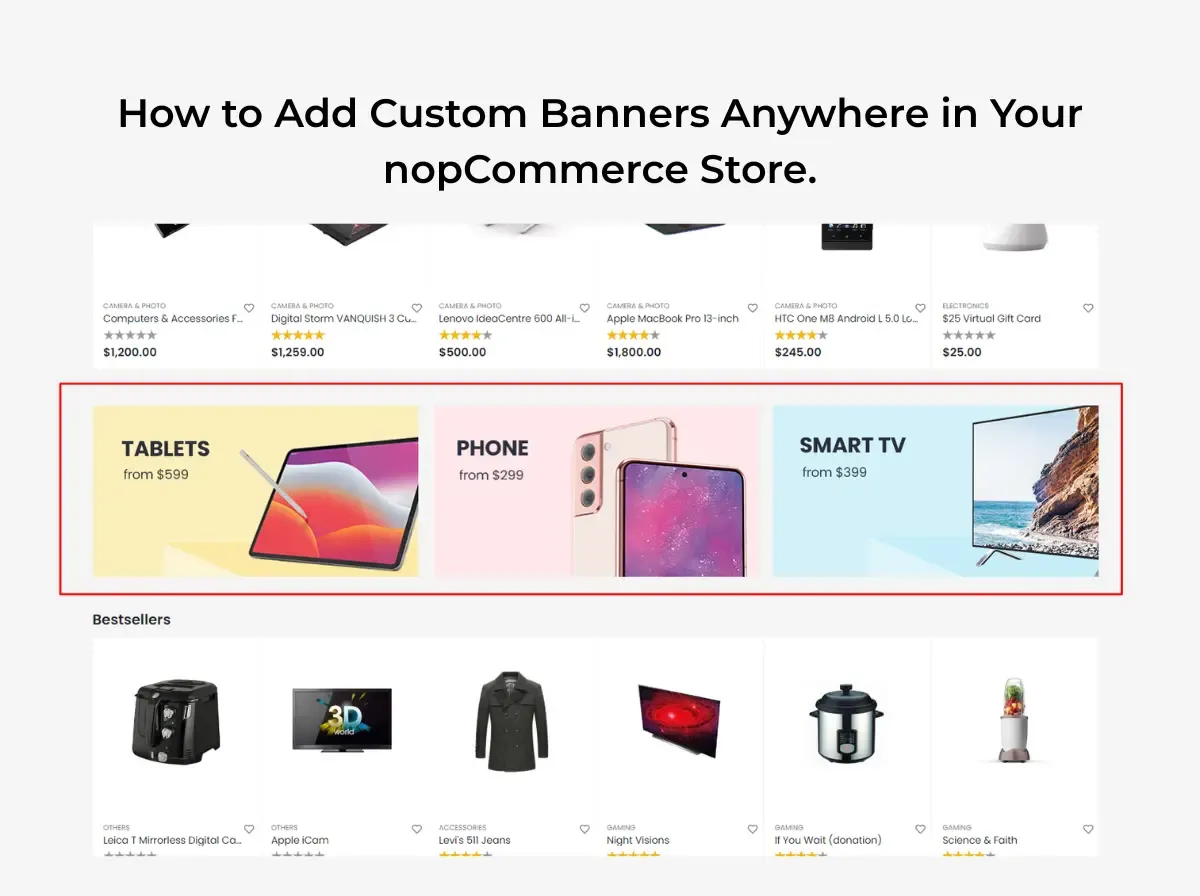
This is where a nopCommerce banner plugin becomes relevant. Instead of hardcoding banner markup into .cshtml files every time a campaign changes, a banner plugin gives store administrators a way to manage banner content from the admin panel and place it in supported areas of the store. Shivaay Soft - own contribution to this space is the nopCommerce Anywhere Banner Plugin, a plugin included across several of its nopCommerce theme packages. This article walks through where banners are commonly used in a nopCommerce store, how to approach adding them, and where a banner plugin fits into that workflow. It won't claim that banners automatically drive more sales that depend entirely on relevance, design, and where a banner sends the visitor. What it will do is lay out a practical, technically grounded approach to banner placement in nopCommerce.

Why Custom Banners Matter for a nopCommerce Store

Banners serve more than one purpose, and it helps to be specific about which job a given banner is doing before deciding where to put it.

  • Promotions a discount, bundle offer, or flash sale.

  • Merchandising drawing attention to a specific product line or collection without redesigning the homepage.

  • Product discovery surfacing items a shopper might not find through normal browsing or search.

  • Category navigation helps shoppers understand what a category contains or how it's organized.

  • Seasonal campaigns aligning the storefront with a holiday, event, or time-limited push.

  • Brand communication reinforcing tone, values, or a brand story.

  • Customer education explaining shipping policies, return windows, or how a loyalty program works.

It's worth distinguishing between banner types, because they behave differently:

  • Decorative banners exist mainly to make a page feel finished. They carry little or no call to action.

  • Promotional banners exist to drive a specific action tied to a specific offer.

  • Informational banners communicate policy or service details, shipping thresholds, return windows, security badges.

  • Navigation banners help shoppers move toward a category, collection, or curated set of products.

  • Campaign banners are time-bound and tied to a specific event, launch, or seasonal push.

The common thread across all five is that banner placement should support the shopping journey, not interrupt it. A banner that competes with the product grid for attention, or sends a shopper somewhere unrelated to what it promised, works against the store rather than for it.

What Is a nopCommerce Banner Plugin?

A banner plugin, in general terms, is an admin-manageable tool for creating and placing banner content across a storefront without editing the underlying theme code for every change. Typical functionality found in this category of plugin includes:

  • Creating banner records (image, and often a linked destination).

  • Managing that content from the admin panel rather than a code editor.

  • Selecting where a banner appears, depending on what the plugin supports.

  • Linking a banner to a relevant internal or external page.

  • Where supported, scheduling a campaign to start and end automatically.

  • Where supported, managing separate visuals for desktop and mobile.

  • Updating or swapping a campaign without a developer editing theme templates.

It's important to be clear that not every banner plugin supports every item on that list. Scheduling, device-specific visuals, analytics, and drag-and-drop placement are advanced features that some banner tools offer and others don't. The general description above is what the category of plugin typically aims to do; it isn't a feature list for any one specific product, including Shivaay Soft.


What Is the nopCommerce Anywhere Banner Plugin?

The Nop Anywhere Banner plugin is developed by Shivaay Soft and is included as part of several of the company's nopCommerce theme packages, including themes such as Loom, ShopJunction, Store Box, Cosmetic, Liquor, SuperMarket, and Jewellery. According to Shivaay Soft, it functions as a widget for placing promotional banners in configurable zones across the storefront, and banner placement can be adjusted without touching the store's core theme logic.

The underlying problem it addresses is a familiar one for anyone who has run a nopCommerce store for more than a few months: a marketing team wants to introduce a banner in a new area of the site, and doing that safely usually means a developer opening theme files, adding markup, and redeploying. Multiply that across a handful of campaigns a month, on a handful of theme sections, and it turns into a steady stream of small development tickets.

An "anywhere" banner concept is useful precisely because it decouples banner placement from template editing. Rather than a banner being hand-coded into one specific spot, the plugin exposes configurable zones where a banner can be placed and swapped through the admin panel. That's a meaningfully different workflow from asking a developer to insert an <img> tag into a Razor view every time a campaign changes.

To be precise about scope: this article is not claiming the plugin can place a banner in literally every conceivable location in a nopCommerce store. Its exact list of supported zones, and which specific nopCommerce versions each theme bundle supports, should be confirmed directly with Shivaay Soft or through the plugin's own documentation before it's used to plan a specific campaign calendar.


Where Can You Use Custom Banners in nopCommerce?

Homepage

The homepage is the most common banner location because it's the first thing most visitors see. Typical uses include a seasonal campaign hero, a new collection announcement, a sitewide promotional offer, or a simple free-shipping message near the top of the page.

Category Pages

Category pages benefit from banners that are specific to what's actually in that category: a category-specific promotion, a collection campaign tied to that category's products, a short buying guide, or a seasonal push relevant to that category (winter coats in a clothing category, for example).

Product Pages

Product pages can carry a related promotion, shipping information specific to that product type, a campaign tied to that individual product, or a cross-sell message pointing toward complementary items. These banners work best when they're short; a product page's primary job is still to sell the product in front of the visitor.

Shopping and Cart Areas

Cart and checkout-adjacent areas are a natural place to communicate shipping thresholds ("Free shipping over $75"), active promotional codes, or other purchasing information the shopper needs before completing an order. Whether a specific plugin supports placement in these exact areas depends on that plugin's supported zones, so this should be verified against the plugin's own documentation rather than assumed.

Content and Informational Pages

Blog posts, brand story pages, and other content pages can use banners to promote related blog content, highlight a brand campaign, share a store announcement, or point toward educational material like a sizing guide or care instructions.


How to Add a Custom Banner in nopCommerce

Step 1: Create the banner design. Start with correct dimensions for the intended zone, a message that can be read in a few seconds, clear visual hierarchy (headline, supporting text, CTA), readable typography at the banner's actual display size, and a CTA that matches the offer.

Step 2: Prepare the destination URL. Decide exactly where the banner should send visitors - a specific product page, a category page, a curated collection, or a dedicated promotional landing page. This should be settled before the banner goes live, not after.

Step 3: Upload or configure the banner. In a plugin-managed workflow, this generally means uploading the banner image and entering its destination through the admin panel rather than editing template files directly. The exact screens and labels will depend on the specific plugin in use.

Step 4: Select the required placement. Which zones are available depends entirely on what the plugin supports. Some zones are widget-based and configurable through the admin; others may require developer involvement if they fall outside the plugin's supported areas.

Step 5: Configure the campaign. If the plugin supports scheduling or visibility rules, this is where they'd be set. If it doesn't, campaigns will need to be manually activated and deactivated on the intended dates.

Step 6: Preview and test. Check the banner on desktop, mobile, and tablet breakpoints, in more than one browser, and confirm the link destination, image quality, and that the surrounding page layout hasn't shifted or broken.

Step 7: Publish and monitor. Once live, keep an eye on the banner for the duration of the campaign; broken links and expired offers left running are more common than they should be.


Best Practices for Designing nopCommerce Banners

Keep the Message Clear

A visitor should understand the offer within a second or two of seeing the banner. If it takes longer than that, the message is too dense for a banner format.

Use One Primary CTA

Pick one action Shop Now, Explore Collection, View Products, Learn More and build the banner around it. Multiple competing CTAs dilute the whole thing.

Match the Banner to the Destination

If the banner promises 20% Off Summer Collection, it should send the visitor to that collection, not the general homepage. Mismatched banners create friction and erode trust quickly.

Optimize Banner Images

Compress images before upload, use dimensions appropriate to the zone rather than oversized originals, use modern formats where the store's setup supports them, serve responsive images where possible, and avoid unnecessarily large file sizes that slow down page load.

Design for Mobile

A banner that looks sharp on a 1920px desktop screen can be unreadable or awkwardly cropped on a phone. Mobile layouts need their own design pass, not an assumption that the desktop version will scale down cleanly.

Avoid Banner Overload

Stacking multiple promotional banners on the same page competes for attention and can make a store feel cluttered rather than helpful. A page with one clear banner usually outperforms one with three fighting for the same eyeballs.


How Banner Placement Can Improve the Shopping Experience

Good banner placement follows a simple chain: banner → message → relevant page → customer action. Each link in that chain needs to hold up.

For example, a banner reading "20% Off Summer Collection" should lead directly to the Summer Collection category page - not the store's homepage, and not an unrelated category. Sending a visitor to a generic landing page after a specific promise forces them to search for what was advertised, and some will simply leave instead.

Relevance matters more than volume. One well-targeted banner that sends shoppers to exactly what it promised will generally serve the shopping experience better than several loosely related banners scattered across a page.


Manual Banner Development vs. nopCommerce Banner Plugin

Factor

Manual Theme Development

Banner Plugin

Development Effort

Higher each new placement or layout change typically needs a developer

Lower for standard placements within the plugin's supported zones

Flexibility

Very high any custom layout or logic is possible

Bound by the plugin's supported zones and configuration options

Marketing Team Control

Limited usually requires a dev request

Higher for changes within supported zones

Theme Code Changes

Required for most changes

Reduced for placements the plugin already supports

Campaign Management

Manual, often ad hoc

More centralized, depending on plugin capabilities

Maintenance

Can accumulate technical debt if banners are hardcoded across many templates

Centralized banner records are generally easier to maintain

Developer Dependency

High

Lower for supported placements, still needed for anything outside plugin scope

Long-Term Management

Can become harder to track as more one-off banners are added over time

Easier to audit and update from a single admin area

Neither approach is universally better. Manual development still makes sense for highly customized placement logic, complex conditional display rules, or layouts that fall outside what any general-purpose banner plugin supports. A banner plugin tends to be the more practical choice when a store team needs reusable banner management and doesn't want every placement change to become a development ticket.


Benefits of Using the nopCommerce Anywhere Banner Plugin

Based on Shivaay Soft own description of the plugin, and consistent with what an anywhere banner concept is designed to solve, the plugin is positioned around a few specific advantages:

  • Reduced dependence on theme code changes banner placement can be adjusted without touching the store's core theme logic, according to Shivaay Soft.

  • Configurable placement zones the plugin is described as a widget for placing promotional banners in configurable zones across the storefront.

  • Consistency across theme packages the plugin ships as part of multiple Shivaay Soft theme bundles, which means stores built on those themes get a consistent banner-management approach out of the box.

Beyond these specific, verifiable points, the broader benefits of adopting any appropriately matched banner-management approach faster campaign turnaround, less developer back-and-forth, more centralized oversight of active banners are general advantages of moving away from hardcoded banners, not claims specific to this plugin's feature set. Anyone evaluating the plugin for a specific use case should confirm its exact supported zones and configuration options directly with Shivaay Soft.


Common Banner Management Mistakes to Avoid

  • Oversized images  slow page loads and hurt Core Web Vitals.

  • Too many text banners aren't the place for paragraphs; save detail for the landing page.

  • Weak CTA vague or missing calls to action reduce clarity about what to do next.

  • Poor mobile design, a banner that only works on desktop fails a large share of visitors.

  • Sending users to irrelevant pages breaks the promise made by the banner's message.

  • Too many banners competing messages dilute attention rather than adding value.

  • Forgetting expired campaigns and a live banner for a sale that ended two weeks ago damages trust.

  • Not testing links broken destination URLs is an easy, avoidable mistake.

  • Ignoring page speed, unoptimized banner images are a common, overlooked source of slow page loads.

  • Depending on hard-coded theme changes for every campaign turns routine marketing updates into recurring development work.


How to Use Banners for Seasonal eCommerce Campaigns

Seasonal campaigns are one of the most common reasons stores add or swap banners. A few examples of where banner messaging needs to line up with the actual campaign and landing page:

  • Black Friday :- a clear discount message linking straight to the discounted collection, not the general homepage.

  • Christmas :- gift-guide or holiday-collection banners linking to curated gift categories.

  • New Year :- clearance or "new arrivals" messaging depending on the store's actual New Year strategy.

  • Valentine's Day :- banners tied to relevant gift categories rather than the whole catalog.

  • Summer Sale :- seasonal category banners linking to summer-specific collections.

  • Back-to-School :- banners aligned with relevant product categories (stationery, electronics, apparel, depending on the store).

  • Product Launches :- a dedicated banner pointing to the new product or collection page.

  • Clearance Sales :- banners linking directly to the clearance category, not a general sale page that requires further filtering.

None of this requires inventing performance numbers to justify it the logic is simply that a banner's message and its destination should match the actual campaign being run.


Banner SEO and Performance Considerations

Banners sit on pages that still need to perform well in search and load quickly for visitors. A few technical points worth keeping in mind:

  • Image ALT text - every banner image should have descriptive ALT text, both for accessibility and because banners often carry meaningful visual information.

  • Image compression - banners are frequently among the largest images on a page; compress them properly before upload.

  • Page speed - an unoptimized banner can meaningfully affect Largest Contentful Paint, especially when it appears above the fold.

  • Lazy loading where appropriate - banners further down the page can be lazy-loaded; a hero banner above the fold generally should not be, to avoid delaying its render.

  • Responsive design - banners should adapt to different screen sizes rather than relying on a single fixed-size image.

  • Accessible text - where possible, keep key messaging as real text rather than only baked into the image, which also helps with any assistive technology reading the page.

  • Avoiding text embedded entirely inside images - this limits accessibility and means the message can't be indexed as text.

  • Descriptive links - the destination link behind a banner should point somewhere genuinely relevant to its message.

  • Relevant landing pages - the page a banner sends visitors to should be optimized in its own right; a banner cannot compensate for a weak or thin landing page.

Banners support a page's presentation, but they aren't a substitute for solid page content and technical SEO underneath them.


How to Test a New Banner Before Publishing

Before a new banner goes live, run through a short checklist:

  • ✓ Correct image

  • ✓ Correct placement

  • ✓ Correct destination URL

  • ✓ Mobile display

  • ✓ Desktop display

  • ✓ CTA visibility

  • ✓ Image loading correctly

  • ✓ No layout shift where avoidable

  • ✓ Accessibility (ALT text, contrast, readable type)

  • ✓ Campaign dates, if scheduling is supported

  • ✓ No overlap with navigation or product content

A few minutes spent on this checklist catches most of the common mistakes listed earlier before they reach live traffic.


When Should You Use a nopCommerce Banner Plugin?

A banner plugin tends to make sense when a store:

  • Runs frequent promotional campaigns.

  • Needs banners across multiple sections of the store, not just the homepage.

  • Has a marketing team that needs to update content faster than a development queue allows.

  • Regularly requires multiple banners live at once.

  • I want more flexible, self-service banner management.

  • Has developers who are repeatedly asked to change banner placements as a routine task.

Custom development may still be the better fit when a store needs:

  • Highly specialized placement logic that doesn't map to a plugin's supported zones.

  • Complex personalization (banners that change based on customer segment, browsing history, or other conditional logic).

  • Advanced targeting requirements beyond what a general banner plugin offers.

  • Custom business workflows tied to banner display.

  • Integrations that go beyond what the plugin's functionality covers.

The right choice depends on matching the store's actual requirements to what a given plugin documents, rather than assuming either approach is automatically correct.


Why Choose Shivaay Soft for nopCommerce Customization?

Shivaay Soft is a nopCommerce development and customization company with experience across nopCommerce Development, Custom nopCommerce Development, nopCommerce Plugin Development, nopCommerce Theme Development, nopCommerce Upgrade, eCommerce Customization, API Integration, Performance Optimization, and Technical Support.

For stores evaluating banner-management options, the Nop Anywhere Banner Plugin is a relevant option when its documented functionality of configurable banner zones and reduced dependence on theme code changes matches what the store actually needs. It's included as part of several Shivaay Soft theme packages, so stores already running on one of those themes have it available without a separate installation.

For requirements that fall outside a bundled plugin's scope, Shivaay Soft plugin development and custom nopCommerce development services can address more specific placement logic, custom widget zones, or banner behavior tied to other parts of the store.


Conclusion

Custom banners are a practical tool for merchandising, promotions, and communicating store information but only when placement is intentional. A banner's value comes from matching its message to a relevant landing page, working properly on mobile, and loading quickly, not from simply adding more of them to a page.

For nopCommerce stores that run frequent campaigns across multiple sections of the site, a nopCommerce banner plugin can reduce the repetitive development work that comes with hardcoding banners into theme templates. Shivaay Soft nopCommerce Anywhere Banner Plugin is one option worth evaluating for stores already using a Shivaay Soft theme, provided its supported zones match what the store needs. As with any plugin decision, it's worth reviewing the store's actual banner-management requirements: how often campaigns change, how many sections need banners, and how much control the marketing team needs  before choosing between manual development and a plugin-based approach.

If you're weighing banner placement options for your nopCommerce store, or need a placement that goes beyond what a bundled plugin supports, Shivaay Soft development team can help assess the right approach for your setup.


Frequently Asked Questions

It's an admin-manageable tool that lets store owners create and place banner images across a nopCommerce storefront without editing theme template code for every change.

It's a plugin developed by Shivaay Soft, included in several of its nopCommerce theme packages, described by Shivaay Soft as a widget for placing promotional banners in configurable zones across the storefront without requiring core theme code changes.

Common areas include the homepage, category pages, product pages, cart or checkout-adjacent zones, and content pages such as blog or brand pages—though exact supported zones depend on the theme and any plugin in use.

Yes, category-page banners are a common use case for promoting category-specific offers, collections, or seasonal campaigns relevant to that category.

Product-page banners are commonly used for cross-sell messages, shipping information, or product-specific promotions, provided the theme or plugin supports that placement.

When a banner's message matches a relevant landing page, it helps shoppers find what they're looking for faster. Mismatched or overloaded banners tend to hurt the experience rather than help it.

Yes. A banner designed only for desktop can display poorly, get cropped awkwardly, or become unreadable on smaller screens, so mobile layouts need their own design consideration.

Compress images before upload, use dimensions appropriate to the display zone, use modern image formats where supported, and consider lazy loading for banners that appear below the fold.

It depends on the store's requirements. A plugin is often more efficient for standard, repeatable banner placements, while custom development suits highly specific placement logic or advanced personalization that a general plugin doesn't support.

Start with the goal of the banner - promotion, information, or navigation—match its message to a genuinely relevant landing page, and confirm the placement is supported by your theme or plugin before building the campaign around it.
Wednesday, September 16, 2026

Advance Store Box Theme: One of the Best Feature-Rich nopCommerce Themes in 2026

A storefront is usually the first real interaction a customer has with a business. Before they read a product description or check a price, they form an impression from layout, navigation, and how easily they can find what they came for. For a nopCommerce store, that impression is shaped largely by the theme running underneath it.

Choosing the right nopCommerce theme is not just a design decision. It affects how customers browse categories, how quickly they locate products, and how comfortable they feel completing a purchase. Businesses evaluating nopCommerce themes 2026 are typically looking for something that already covers common storefront needs, so they are not rebuilding the same layout components - menus, product grids, cart pages  from zero.

This is where the Advance Store Box Theme by Shivaay Soft fits in. It is positioned as a feature-rich storefront theme for nopCommerce, built to give store owners a working, professional-looking foundation without starting from a blank canvas. This article looks at what the theme actually offers, based on its official listing and product page, and where it may or may not be the right fit for a given store. No claims here are guarantees of sales growth or conversion improvement a theme is one part of a much larger storefront equation.


What Is the Advance Store Box Theme?

The Advance Store Box Theme is a premium storefront theme built for the nopCommerce platform, developed by Shivaay Soft, a nopCommerce solution partner. According to its official marketplace listing, the theme is described as a premium online ecommerce store theme with a responsive design intended to let customers shop comfortably across devices.

Within a nopCommerce store, a theme controls the visual and structural layer, how the homepage is organized, how category and product pages are laid out, and how elements like the cart and checkout are presented. The Advance Store Box Theme is built around this role, aiming to provide a workable frontend for a store rather than requiring a business to design one from scratch.

The official listing notes that the theme is most suitable for clothing, fashion, furniture, electronics, and accessories shops. That does not mean it is restricted to only these categories, but it gives a reasonable indication of the retail-style catalog structures it was designed around.

For businesses that do not have an in-house design team or the budget for a fully custom build, a feature-rich, ready-made theme like this can reduce the initial groundwork significantly. Instead of specifying every layout component individually, a store owner starts with an existing structure and adjusts it which is often faster and less risky than a ground-up build, particularly for a first launch.


Why Choose the Advance Store Box Theme in 2026?

There are a few practical reasons a business might shortlist the Advance Store Box Theme when comparing nopCommerce themes 2026.

A ready-to-use storefront structure. Rather than assembling a homepage, category pages, and a cart flow individually, the theme provides these as a starting structure. This can shorten the time between deciding to launch and actually having a functioning storefront.

Bundled functionality instead of separate purchases. The official marketplace listing for this theme is titled with reference to included plugins, meaning some functionality that would otherwise need to be sourced and configured separately is already packaged with the theme.

A responsive layout out of the box. The listing explicitly describes the theme as having a responsive design intended to work across devices, which matters given how much shopping now happens on phones and tablets.

Documented, structured components. The theme's documentation covers specific areas such as the mega menu, category design, product detail pages, cart design, and checkout design suggesting these are treated as defined, supported parts of the theme rather than loose customizations.

It's worth being direct about the difference between "feature-rich" and "guaranteed better for every store." A feature-rich theme means more built-in components are available without custom development. It does not mean the theme will automatically outperform a competitor's setup, rank better in search engines, or convert better than a different theme. Those outcomes depend on many additional factors: product content, pricing, site speed, and how well the theme is configured for the specific store.


Key Features of the Advance Store Box Theme

Based on the official marketplace listing, the following features are confirmed as part of the theme package.

Responsive, Device-Friendly Design

The theme is described as having a beautiful responsive design built to help customers shop from any device. This matters for stores whose traffic mix spans desktop, tablet, and mobile a common reality for most retail categories.

Multi-Store and Multi-Vendor Support

The listing confirms multi-store and multi-vendor support. This is relevant for businesses running more than one storefront from a single nopCommerce installation, or for marketplace-style setups involving multiple vendors under one platform.

RTL (Right-to-Left) Language Support

RTL support is listed as a feature, which is useful for businesses serving markets where right-to-left languages, such as Arabic or Hebrew, are part of the customer base.

Clean, Modifiable HTML and CSS Structure

The theme is described as having a clean HTML and CSS structure intended to make customization easier, with the .cshtml view files open to modification. For businesses working with a developer, this means the underlying markup is accessible for adjustments rather than locked behind a closed system.

Full Localization Support

The listing states the theme is fully localizable and can be used in any language, which is relevant for stores operating in non-English markets or planning multilingual storefronts.

Cross-Browser Testing

The theme is listed as tested across major browsers, which reduces the risk of layout inconsistencies for customers using different browsers to shop.

Documented Interface Areas

The theme's documentation specifically covers the mega menu, category page design, product detail page design, cart design, and checkout design. Having these areas documented gives store owners and developers a reference point when configuring or adjusting these sections, rather than working purely by trial and error.

Included Support and Upgrade Window

The listing confirms one year of free support and upgrades from the date of purchase, which is a relevant consideration for stores planning their post-launch maintenance needs.


Plugins Included with the Advance Store Box Theme

The theme's official marketplace title identifies it as the Store Box Theme + 5 plugins, confirming that bundled plugin functionality ships alongside the theme rather than needing to be purchased and installed separately.

The theme's documentation maps to five corresponding functional areas that these bundled plugins support:

  • Mega menu functionality for the Advance Store Box theme, intended to help structure navigation for stores with larger catalogs and multiple categories.

  • Category page enhancements, covering how category listings are presented to shoppers.

  • Product detail page functionality, relevant to how individual product pages are structured and displayed.

  • Cart page functionality, covering how the shopping cart is presented during the buying process.

  • Checkout page functionality, covering the layout and structure of the checkout flow.

For a store owner, the practical benefit is straightforward: these are pieces of functionality that would otherwise need to be sourced individually from the marketplace, checked for compatibility, and installed one at a time. Having them bundled and documented as part of one theme package reduces that setup overhead, particularly useful for businesses that want a functional catalog, cart, and checkout experience without piecing together multiple third-party extensions.

For full plugin details, compatibility notes, and the official feature list, it is worth reviewing the Store Box Theme listing on the nopCommerce Marketplace directly before making a purchase decision.


Responsive Design for Modern eCommerce Stores

Responsive design is no longer optional for a storefront theme it is a baseline expectation. Customers move between devices constantly: browsing on a phone during the day, comparing products on a tablet, and sometimes completing checkout on a desktop. A theme that renders inconsistently across these devices creates friction at exactly the point where a business wants the least friction during the buying decision.

The Advance Store Box Theme's official listing explicitly states that it has a responsive design intended to let customers shop on any device. That is a meaningful baseline for a 2026 storefront, where mobile traffic frequently makes up a large share of overall visits for retail-style stores.

It's worth being careful about what responsiveness does and doesn't guarantee. A responsive layout means the theme adapts its structure to different screen sizes. It does not, by itself, guarantee a specific search engine ranking improvement rankings depend on many additional technical and content factors beyond theme responsiveness. What a responsive design does support is a more usable experience: readable text, tappable buttons, and layouts that don't require pinching and zooming, which matters directly for how comfortable a shopper feels navigating the site.


How the Advance Store Box Theme Can Improve the Storefront Experience

A theme's real value shows up in the details of daily browsing behavior. With features like a mega menu and structured category design, the Advance Store Box Theme is built to support clearer navigation, particularly for stores with several categories and subcategories where a simple dropdown menu might feel cramped.

Structured product detail and cart page design can also support a more predictable shopping journey. Customers generally respond well when a store's layout behaves the way they expect it to, without unexpected jumps in structure between browsing and checkout.

That said, a theme provides the framework, not the entire experience. How well a store actually performs for customers also depends on:

  • The quality and accuracy of product content

  • Product photography and imagery

  • Pricing and promotional strategy

  • Site performance and load times

  • How well the checkout process is configured

  • General store setup, including shipping and payment configuration

A well-structured theme makes it easier to present these elements clearly. It does not replace the need to get them right.


Advance Store Box Theme for Different eCommerce Businesses

The official listing indicates the theme is most suitable for clothing, fashion, furniture, electronics, and accessories shops. Based on that scope, here are some categories of businesses that may want to evaluate it framed as potential use cases rather than guaranteed fits for every store.

Retail Stores

General retail stores selling a range of physical products may find the category and product page structure useful for organizing a varied catalog.

Fashion & Lifestyle

Given the theme's stated suitability for clothing and accessories, fashion-focused stores are a natural category to evaluate it against, particularly where visual presentation of product variants matters.

Electronics

Electronics is listed among the suitable categories, where structured product detail pages can help present specifications and variants clearly.

Home & General Retail

Furniture is also named in the official description, making home and general retail categories worth considering, especially where category-based browsing is central to how customers shop.

Growing Online Businesses

For businesses moving from an early-stage store setup toward a more established storefront, a feature-rich theme with bundled plugins can offer a step up in functionality without requiring a full redesign or custom development project at that stage.

None of this should be read as the theme being purpose-built exclusively for these industries it is a general-purpose retail theme, and the categories above simply reflect what the official listing confirms as suitable use cases.


Advance Store Box Theme vs Building a Custom nopCommerce Theme

Choosing between a ready-made theme and a fully custom build usually comes down to timeline, budget, and how specific the store's requirements are.

Factor

Advance Store Box Theme

Custom nopCommerce Theme

Development Time

Faster to deploy since the structure already exists

Longer, as everything is designed and built from scratch

Initial Customization

Moderate — adjust branding, colors, and layout details

Extensive — every element is defined from the start

Design Flexibility

Works within the theme's existing structure

Full flexibility to match unique brand requirements

Ready-to-Use Features

Bundled plugins and documented components included

No built-in features until explicitly developed

Development Effort

Lower initial effort for standard storefront needs

Higher, requiring full design and development resources

Maintenance

Theme update policy applies as defined by the provider

Maintenance managed entirely by the business or its developer

Cost Considerations

Generally lower upfront cost than a full custom build

Typically higher investment due to scope of work

Best For

Stores needing a working storefront without building from zero

Stores with highly specific UX or workflow requirements

Neither option is universally better. A ready-made theme like Advance Store Box reduces initial development effort and gets a store trading sooner. A custom build offers more control when a business has requirements a standard theme structure can't accommodate unusual navigation logic, non-standard product configurators, or deeply specific brand experiences.


What Should You Check Before Choosing a nopCommerce Theme?

Before committing to any nopCommerce theme, it's worth working through a practical checklist:

  • nopCommerce version compatibility confirm the theme supports the exact version your store runs

  • Responsive design verify it's built to work across devices

  • Included plugins know exactly what's bundled and what isn't

  • Customization options check how easily branding and layout can be adjusted

  • Store requirements  match the theme's structure against what your catalog actually needs

  • Checkout compatibility confirm the checkout flow works with your configured payment and shipping methods

  • Third-party integrations check compatibility with any existing extensions

  • Performance test load times under realistic conditions

  • SEO requirements confirm the theme doesn't introduce structural SEO issues

  • Developer support know what support window and responsiveness to expect

  • Future maintenance understand who is responsible for updates going forward

  • Theme update policy check how long free updates are provided and what happens afterward

Version compatibility deserves particular attention. Installing a theme built for an older or newer nopCommerce release than the one your store runs can introduce layout issues or functional conflicts that are avoidable with a quick compatibility check beforehand.


How to Evaluate the Advance Store Box Theme for Your Store

A structured evaluation process helps avoid surprises after purchase.

Step 1: Identify storefront requirements. List what your store actually needs category structure, product variant handling, multi-store needs, and so on.

Step 2: Review theme features. Compare the Advance Store Box Theme's confirmed features against your requirements list.

Step 3: Check included plugins. Confirm the bundled plugin functionality covers what you'd otherwise need to source separately.

Step 4: Verify nopCommerce compatibility. Cross-check the theme's supported versions against the version your store is running or planning to run.

Step 5: Review customization requirements. Identify what will need branding or layout adjustments versus what works as-is.

Step 6: Test important store pages. Look closely at the homepage, category pages, product detail pages, cart, and checkout.

Step 7: Check mobile experience. Test the responsive behavior on actual devices, not just a browser resize.

Step 8: Evaluate integrations. Confirm compatibility with any payment gateways, shipping providers, or third-party tools your store relies on.

Step 9: Test checkout. Run a full test transaction to confirm the checkout flow behaves as expected.

Step 10: Make the final implementation decision. Weigh the findings from the previous steps against your budget and timeline before committing.


Advance Store Box Theme and nopCommerce Theme Customization

Even a feature-rich, ready-made theme rarely works perfectly out of the box for every business. Most stores still need some level of customization, commonly including:

  • Branding elements such as logos and color schemes

  • Typography adjustments to match brand guidelines

  • Homepage section rearrangement

  • Product layout tweaks for specific catalog needs

  • Custom widgets for promotions or featured content

  • Navigation adjustments beyond the default menu structure

  • Additional functionality not covered by the bundled plugins

  • Third-party integrations specific to the business

Because the theme's HTML and CSS structure is described as clean and open to modification, a nopCommerce developer can typically make these adjustments without needing to alter core nopCommerce functionality keeping the underlying platform stable while adapting the storefront layer to the business's needs.

It's worth being realistic here: not every customization request can be handled without development work, and complex changes, new layout patterns, non-standard integrations, or highly specific UX flows will usually require a developer's time regardless of how flexible the base theme is.


Why Choose Shivaay Soft for nopCommerce Theme Development?

Shivaay Soft operates as a nopCommerce solution partner, working across theme development, customization, and related storefront services. Relevant capabilities include:

  • nopCommerce theme development and customization

  • Plugin development and plugin customization

  • Custom storefront development for unique requirements

  • API integrations

  • Payment gateway integrations

  • Shipping provider integrations

  • ERP integrations

  • nopCommerce version upgrades

  • Performance optimization

  • Technical support

For a business that adopts the Advance Store Box Theme but later needs adjustments deeper customization, additional integrations, or an upgrade to a newer nopCommerce version working with a team already familiar with the theme's structure can simplify that process compared to bringing in a developer unfamiliar with the codebase.


Is Advance Store Box Theme Right for Your nopCommerce Store?

There's no single right answer here it depends on what a specific store needs.

The Advance Store Box Theme may be a reasonable fit for businesses that:

  • Want a ready-made storefront rather than building one from the ground up

  • Need multiple built-in capabilities without sourcing separate plugins individually

  • Want to reduce initial design and development effort

  • Are looking for a modern, responsive eCommerce presentation

  • Are open to customizing a base theme rather than starting from a blank design

A custom theme build may be more appropriate when:

  • The business has highly unique UX requirements that a standard theme structure can't accommodate

  • The brand requires a completely original visual design

  • Complex, non-standard workflows are part of the customer journey

  • Existing internal systems require specialized frontend behavior that a general-purpose theme isn't built for


Conclusion

The Advance Store Box Theme is a feature-rich nopCommerce theme built by Shivaay Soft, offering a responsive design, bundled plugin functionality, and documented storefront components covering navigation, categories, product pages, cart, and checkout. For businesses comparing nopCommerce themes 2026, it represents one option worth evaluating among the broader field of nopCommerce themes available on the official marketplace particularly for stores that want to reduce initial development effort without giving up core storefront functionality.

That said, "feature-rich" doesn't mean "automatically right for every store." Compatibility with your exact nopCommerce version, testing across devices, and confirming the bundled plugins match your actual requirements all matter before making a final decision. A ready-made theme like the Advance Store Box Theme can get a store to launch faster, while a fully custom build remains the better route for businesses with highly specific design or workflow needs.

If you're evaluating nopCommerce theme options for your store whether that's the Advance Store Box Theme, a different marketplace theme, or a custom build Shivaay Soft nopCommerce development team can help you assess compatibility, plan customizations, and implement the storefront your business actually needs. Get in touch with Shivaay Soft to discuss your nopCommerce theme requirements.


Frequently Asked Questions

It is a premium storefront theme for nopCommerce, developed by Shivaay Soft, built with a responsive design and bundled plugin functionality suited to retail-style stores such as clothing, fashion, furniture, electronics, and accessories.

Yes. It is listed on the official nopCommerce Marketplace as a theme built specifically for the nopCommerce platform.

It provides a ready-to-use storefront structure with bundled plugins, responsive design, and documented components for navigation, categories, product pages, cart, and checkout—reducing the need to build these elements individually.

Confirmed features include a responsive design, multi-store and multi-vendor support, RTL language support, clean and modifiable HTML/CSS, full localization, cross-browser testing, and documented mega menu, category, product detail, cart, and checkout designs.

According to its official marketplace listing, the theme is offered as "Store Box Theme + 5 plugins," covering functional areas including the mega menu, category design, product detail pages, cart, and checkout.

Yes, the official listing describes it as having a responsive design intended to work across desktop, tablet, and mobile devices.

It is built as a feature-rich, responsive storefront theme, which aligns with common expectations for modern nopCommerce stores. Suitability for a specific store still depends on that store's individual requirements.

Yes. Its HTML and CSS structure is described as clean and open to modification, allowing branding, layout, and functional adjustments. More complex customizations may still require development work.

Check version compatibility, responsive design, included plugins, customization flexibility, third-party integration support, performance, and the provider's update and support policy before deciding.

Tuesday, September 1, 2026

Top Best nopCommerce Themes by Shivaay Soft

Choosing the right theme can make or break your nopCommerce store's conversions, speed, and SEO. In this guide, we break down the best nopCommerce themes by Shivaay Soft from general retail and healthcare to auto parts, electronics, liquor, and rental marketplaces so you can pick the one built for your industry, not a generic template.
Friday, July 3, 2026

If You Like What You See, Let's Work Together.

I bring Rapid Solution To make life easier for my clients. Have any questions? Reach out to me from this contact form and I will get back to you shortly.