Blog posts of '2026' 'September'

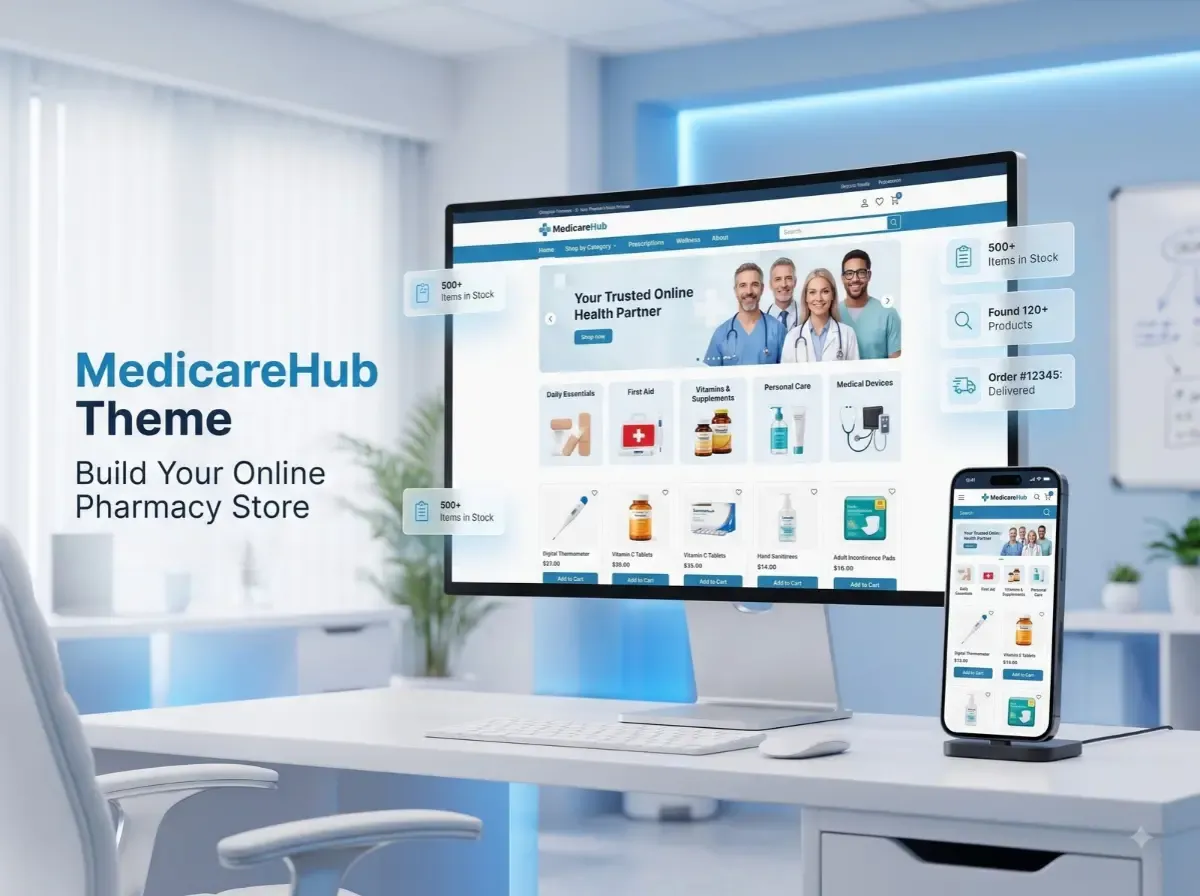
How to Build an Online Pharmacy Store with the MedicareHub nopCommerce Theme

Opening an online pharmacy looks simple until you start on the catalog. A typical medical store sells hundreds or thousands of products: vitamins, first-aid supplies, personal care items, medical devices, and other permitted healthcare goods. Customers need to find the right one quickly, read clear product details, and check out on a phone without friction. Behind the scenes, you still have to manage stock, orders, and customer data securely.

The MedicareHub Theme is a healthcare-focused nopCommerce theme that can give you a starting point for that storefront. According to the nopCommerce Marketplace listing, it is designed for healthcare and medical stores, with a responsive design, product filtering, quick view, and navigation features.

Still, a good online pharmacy store needs more than attractive design. Product data, inventory, integrations, security, fulfilment, and local regulations all need careful planning. This guide covers what to plan, where a healthcare theme helps, and where you will need plugins or custom work.


What Is the MedicareHub Theme?

A nopCommerce theme controls how your store looks and feels. It shapes the homepage, category pages, product pages, navigation, colours, typography, and overall layout. It does not replace the platform's core commerce engine, and it does not automatically add business logic such as prescription checks.

It helps to separate three layers:

  • Core nopCommerce features: catalog, customers, cart, checkout, orders, and administration.

  • Theme design: the visual layout and storefront experience.

  • Plugins and custom development: extra workflows, integrations, and business rules.

The MedicareHub Theme was created by Shivaay Soft for healthcare and medical stores. The official Marketplace listing describes it as having:

  • A clean, responsive design

  • Advanced product filtering

  • Quick view

  • Seamless navigation

The listing is titled "MedicareHub Theme + 12 plugins," so the package includes a set of plugins alongside the theme. The listing also shows support for nopCommerce 4.70, 4.80, and 4.90. Because versions and pricing change, check the listing for current details before you buy. A user guide is available in the MedicareHub documentation, and you can review the theme on the official MedicareHub page.

Why Use nopCommerce to Build an Online Pharmacy Store?

nopCommerce is an established eCommerce platform, and many of its core capabilities suit a pharmacy eCommerce website:

  • Product catalog management: create products, attributes, images, and stock information.

  • Category organization: build a clear category tree for browsing.

  • Customer accounts: let shoppers save addresses and review past orders.

  • Shopping cart and checkout: support a familiar purchase flow.

  • Order management: track and process orders from the admin area.

  • Payments and shipping: connect through plugins and providers.

  • Store administration: manage content, users, and settings in one place.

  • Customization: extend the platform through plugins and themes.

Be realistic about pharmacy-specific needs. Prescription upload, pharmacist review, age or purchase-limit rules, batch and expiry tracking, and regulatory reporting are not something you should assume come by default. Depending on your model, they may need third-party plugins, integrations, or custom development.

Key Features an Online Pharmacy Website Should Have

Treat this section as an evaluation checklist for any online pharmacy website. It is not a list of guaranteed MedicareHub features.

Clear Product Categories

Group products in a way customers already think: personal care, wellness, medical devices, first-aid, baby care, and other permitted healthcare items. Keep the depth manageable. Three levels is often enough for a healthcare product catalog.

Search and Product Filtering

Shoppers rarely browse a long catalog page by page. They search by product name, brand, or need, then narrow results by category, price, brand, or attributes such as pack size or form. The listing mentions advanced product filtering for the theme, but the filters you can actually offer depend on the attributes you set up in your catalog.

Detailed Product Pages

A strong product page includes:

  • A precise product name and clear images

  • Pack size and variants

  • A useful description

  • Ingredients, where applicable

  • Usage information and warnings

  • Any legally required labelling

Accuracy matters more than volume here. Have a qualified person review medicine-related content.

Mobile-Friendly Shopping

Many customers shop for health products on their phones. Use readable text, large tap targets, simple forms, and a short checkout. Test on real devices, not only in a browser preview.

Inventory and Order Management

Show stock status accurately, send order confirmations, and give customers a way to track deliveries. If you already run a pharmacy management system, plan how stock and orders will sync with the store.

Customer Support

Make contact details, delivery times, and return and refund policies easy to find. Healthcare buyers often want reassurance before they order.

How the MedicareHub Theme Helps Shape Your Pharmacy Storefront

The main value of a healthcare-focused theme is a faster, more relevant starting layout. Instead of adapting a general fashion or electronics design, you begin with a structure meant for medical retail.

Confirmed by the official listing: a clean, responsive design, advanced product filtering, quick view, and seamless navigation. The listing also mentions 12 bundled plugins .

General design considerations (apply these whatever theme you choose):

  • Homepage layout: lead with category entry points, search, and trust information such as contact details and delivery policy.

  • Product listing pages: keep filters visible and product cards consistent.

  • Category navigation: use clear labels and avoid crowded mega menus.

  • Product detail pages: put the information customers need to make a safe choice near the top.

  • Promotional sections: use them sparingly and follow advertising rules for health products.

  • Responsive presentation: check every template on phones and tablets.

  • Brand consistency: apply your logo, colours, and tone throughout.

Review the live demo linked from the Marketplace listing to judge whether the layout fits your catalog.

Step-by-Step Guide to Building an Online Pharmacy Store

Step 1: Define Your Business Model

Decide what you will sell, who you will serve, and how you will fulfil orders. Clarify early whether prescriptions or regulated products are involved. This decision affects almost everything that follows.

Step 2: Review Applicable Regulations

Identify the licensing, prescription-handling, product-sale, privacy, and delivery requirements in your jurisdiction. Do this before you build, not after.

Step 3: Set Up nopCommerce

Choose reliable hosting, install nopCommerce, configure store settings, and set up administrator accounts. Secure the environment from the start with HTTPS, restricted access, and a backup routine.

Step 4: Install and Configure the MedicareHub Theme

Confirm that your nopCommerce version matches the supported versions on the Marketplace listing. Then follow the official documentation. Install on a staging site first so you can test safely.

Step 5: Organize the Product Catalog

Plan categories, product attributes, descriptions, images, and inventory data before importing products. Clean data saves time later, and it improves search, filtering, and SEO.

Step 6: Configure Payments and Shipping

Choose providers that support your business model and product types. Some payment processors restrict health-related products, so read their policies first.

Step 7: Configure Required Plugins and Integrations

Identify what you need beyond the theme: ERP or inventory synchronization, customer notifications, analytics, and other workflows. Check plugin compatibility with your nopCommerce version.

Step 8: Test the Complete Customer Journey

Walk through the full path as a customer: navigation, search, product pages, cart, checkout, payment, order emails, inventory updates, and mobile use. Then test as an administrator.

Step 9: Launch and Monitor

After launch, watch for errors, speed problems, abandoned checkouts, customer feedback, fulfilment delays, and technical SEO issues. Fix small problems early.

Essential Integrations for an Online Pharmacy Store

Which integrations you need depends on your operations. Common categories include:

  • Payment gateways for card and local payment methods

  • Shipping and logistics for rates, labels, and tracking

  • ERP and inventory systems for stock and order synchronization

  • CRM and customer support tools for enquiries and follow-up

  • Accounting systems for invoicing and reconciliation

  • Analytics and reporting for traffic and sales insight

  • Email notifications for order and account messages

  • Product information management for large or frequently changing catalogs

Availability depends on the provider, your existing systems, version compatibility, and possible custom development. Do not assume any particular integration is part of the MedicareHub package unless the official documentation says so.

Security, Privacy, and Compliance Considerations

Pharmacies can handle sensitive personal and, depending on the model, prescription information. Security needs ongoing attention. Consider these basics:

  • Use HTTPS and a secure server configuration.

  • Require strong administrator authentication, ideally with multi-factor authentication where available.

  • Apply least-privilege access so staff only see what they need.

  • Keep nopCommerce, plugins, and the server up to date.

  • Handle customer information carefully and collect only what you need.

  • Plan backup and recovery, and test restores.

  • Follow your payment provider's security requirements.

  • Publish a clear privacy policy and define data-retention practices.

Installing a theme does not make a website secure or compliant. Those outcomes depend on configuration, hosting, processes, and people.

Legal Requirements for Selling Medicines Online

Rules for selling medicines online differ widely between countries, states, and product categories. What is allowed in one place may be prohibited in another.

Verify the following for your situation:

  • Pharmacy licences and business permissions

  • Prescription requirements

  • Rules for restricted or controlled medicines

  • Pharmacist involvement, where required

  • Product labelling and information requirements

  • Delivery and geographic restrictions

  • Customer privacy and data protection obligations

  • Advertising and promotional restrictions

This article is not legal advice. Consult the relevant regulator and qualified legal or pharmacy-compliance professionals before you accept orders.

SEO Best Practices for a Pharmacy eCommerce Website

A theme can support good SEO with clean markup and responsive layouts, but it will not rank a store on its own. Build the foundation deliberately:

  • Descriptive titles: write clear product and category titles for people first.

  • Unique descriptions: avoid copying manufacturer text across many products where practical.

  • Logical URLs: use short, readable paths that reflect the category structure.

  • Internal linking: connect related categories, products, and guides.

  • Breadcrumbs: help users and search engines understand hierarchy.

  • Images: compress them and add descriptive alt text.

  • Mobile responsiveness: check layouts on real devices.

  • Page speed and Core Web Vitals: measure them and fix slow templates or heavy scripts.

  • XML sitemap and crawlability: make sure important pages can be found.

  • Canonical URLs: reduce duplicate-content issues from filters and variants.

  • Structured data: use Product, BreadcrumbList, and Organization markup where appropriate.

Health content also benefits from clear authorship, accurate information, and reliable sources. No one can promise rankings, so focus on quality and technical health.

MedicareHub Theme vs a Generic nopCommerce Theme

Evaluation Area

Healthcare-Focused Theme

Generic Theme

Visual direction

Designed around healthcare-related storefronts

Broad, general-purpose design

Starting layout

May better match medical retail needs

May need more adaptation

Branding

Can be customized for the pharmacy

Can be customized for the pharmacy

Specialized workflows

May require plugins or development

May require plugins or development

Compatibility

Must be verified

Must be verified

Best fit

Depends on the store's requirements

Depends on the store's requirements

Neither option is automatically better. The right choice depends on your product catalog, required workflows, design preferences, technical requirements, and budget. A healthcare-focused theme can shorten the design phase, but a generic theme with heavy customization may suit unusual requirements.

When Should You Consider Customization?

The base theme may not cover everything. Consider additional work for:

  • Custom product attributes

  • Specialized search and filters

  • Inventory synchronization

  • ERP integration

  • Custom order workflows

  • Customer-specific pricing

  • Additional admin functionality

  • Custom reporting

  • Brand-specific storefront changes

These are examples of possible customization, not promises of built-in MedicareHub functionality. nopCommerce theme customization and nopCommerce plugin integration should be scoped, tested, and documented, particularly when they touch orders or customer data.

Why Consider Shivaay Soft for nopCommerce Development?

Shivaay Soft is the developer behind the MedicareHub Theme. Its nopCommerce partner profile describes a team that builds customized themes, plugins, APIs, and third-party integrations on .NET and ASP.NET, and that also handles nopCommerce upgrades.

Relevant services for a pharmacy project may include:

  • nopCommerce theme implementation and customization

  • nopCommerce plugin development 

  • Third-party integrations

  • Store customization

  • nopCommerce upgrades 

  • Technical support

Before starting, discuss your requirements, version compatibility, implementation scope, testing, and ongoing support. You can reach the team through the Shivaay Soft contact page. Ask for a clear scope and timeline, and compare it with your own feature list.

Conclusion

A healthcare-focused design can be a sensible starting point for an online pharmacy store, but design is only one layer. Strong product data, dependable integrations, mobile usability, security, SEO, and legal compliance decide whether the store works in practice.

Evaluate the MedicareHub Theme against your actual requirements and its verified specifications, including supported nopCommerce versions. A practical next step: review the official MedicareHub Theme details, explore the demo, and prepare a written list of required features before implementation begins.
Frequently Asked Questions

The MedicareHub Theme is a nopCommerce theme by Shivaay Soft, designed for healthcare and medical stores. The Marketplace listing describes a clean, responsive design with product filtering, quick view, and navigation features. It is sold as a theme with 12 plugins. Review the listing for current details.

Yes, it is intended for healthcare and medical retail storefronts, so it can serve as a starting point. However, the theme alone does not handle licensing, prescriptions, or compliance. You will still need suitable product data, integrations, and processes that meet your local regulations.

The Marketplace listing shows support for nopCommerce 4.70, 4.80, and 4.90. If you run a different version, confirm compatibility with Shivaay Soft before purchase, and test on a staging site. Supported versions can change, so always check the current listing and documentation.

At minimum, plan for clear categories, search and filtering, detailed product pages, mobile-friendly checkout, inventory and order management, and visible customer support and policy pages. Depending on your model, you may also need prescription handling and pharmacist review. These are requirements to evaluate, not guaranteed theme features.

Like other nopCommerce themes, it can be customized for branding, layout, and functionality through development work. Shivaay Soft lists theme customization among its services. Scope any changes carefully, test them, and confirm that customizations remain compatible with future nopCommerce and theme updates.

Often yes, through plugins, APIs, or custom development. Feasibility depends on your ERP or inventory system, the data you need to synchronize, and your nopCommerce version. Discuss stock, pricing, and order flows with a developer before you commit to a solution.

It can be. nopCommerce offers catalog management, customer accounts, checkout, order management, and extensibility. Healthcare stores usually add plugins or custom work for regulated workflows. Suitability depends on your product types, jurisdiction, and how well the setup meets legal and security requirements.

Use HTTPS, strong administrator authentication, least-privilege access, regular updates, and tested backups. Follow your payment provider's requirements and handle customer data carefully. Consider a security review by a qualified professional. No theme or plugin makes a site secure by itself.

In most jurisdictions, selling medicines requires licences or permissions, and rules vary by country and product category. Prescription medicines are often more heavily regulated. Check with your local regulator and a qualified legal or pharmacy-compliance professional before accepting orders.

Yes. nopCommerce lets you manage page titles, descriptions, URLs, and other on-page elements, and extensions can add more. Good results still depend on quality content, site speed, mobile usability, and technical health. No platform or theme can guarantee rankings.
Wednesday, September 30, 2026

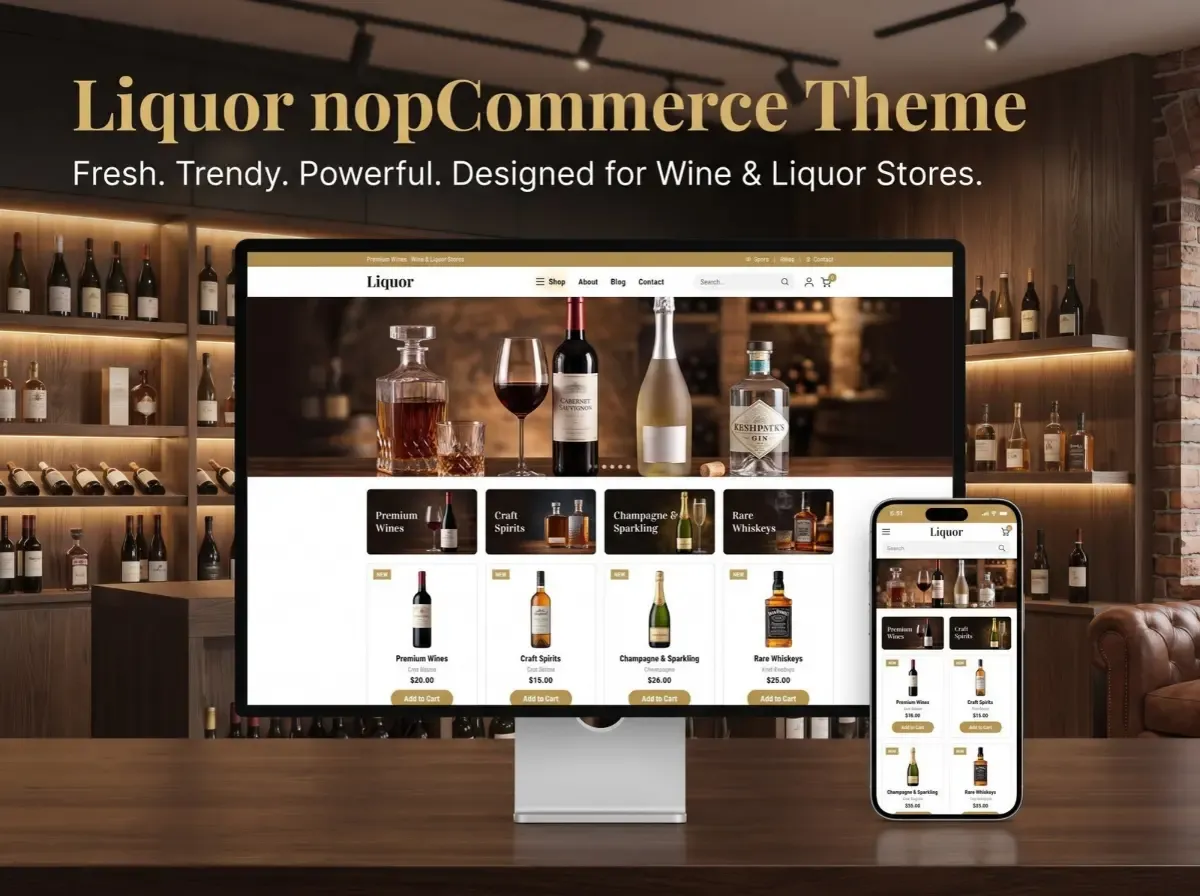
Liquor nopCommerce Theme - Fresh, Trendy & Powerful Theme for Wine & Liquor Stores

A wine or liquor store needs more than a basic product grid. Shoppers want to browse by type, compare bottles, read what is on the label, and move through the site without friction. Most of that experience is shaped by the storefront theme long before a customer reaches the checkout.

That is where a Liquor nopCommerce Theme comes in. It is a storefront design built around stores that sell wine, whisky, spirits, beer and related products. The goal is not just to make a website look different. A good industry-specific theme lines up the navigation, product presentation and branding with how a beverage retailer actually sells.

This guide explains what such a theme does, what to check before choosing one, how Shivaay Soft's Liquor theme fits in, and what a realistic customization path looks like.


What Is a Liquor nopCommerce Theme?

A nopCommerce theme controls how your store looks and how visitors move through it. It defines layouts, styling, navigation patterns, product cards, banners and the overall visual identity. It sits on top of nopCommerce itself.

That distinction matters. Core nopCommerce provides the commerce engine: catalog management, orders, customers, payments, shipping, discounts and more. The theme controls presentation. A theme does not automatically add features like age verification, ERP sync or special tax rules. Those come from nopCommerce settings, plugins or custom development.

A liquor-focused theme starts with a visual direction suited to wine and spirits retail. That can affect how categories are presented, how product imagery is treated, how promotions are placed, and how the brand feels from the first screen.

Why Use a Specialized Theme for Wine & Liquor Stores?

A generic eCommerce template is built to suit many industries. That flexibility is useful, but it often means you spend time reshaping the design to fit your catalog. A category-specific design starts closer to your needs.

Practical reasons a specialized theme can help:

  • Industry-appropriate visual identity. Wine and spirits buyers respond to a certain look and tone, and a fitting starting point saves design effort.

  • Product-focused layouts. Bottles are often photographed on plain backgrounds and shown in tall formats. Layouts should give them room.

  • Clearer category presentation. Beverage catalogs branch quickly by type, region, brand and price.

  • Easier discovery. Well-placed navigation and search reduce the effort to find a specific bottle.

  • Promotional merchandising. Seasonal collections, gift ideas and new arrivals need visible homepage space.

  • Responsive shopping. Many customers browse on phones.

  • Consistent branding. Typography, color and imagery should feel like one brand across every page.

None of these outcomes is automatic. They depend on how well the theme is configured and how good your product content is.

Key Things to Look for in a Liquor Store nopCommerce Theme


Product Presentation

Product images, prices, sizes, variants and descriptions need to be readable at a glance. A 750 ml bottle and a 1 L bottle of the same spirit should be easy to tell apart. Check that the product cards and detail pages handle long product names, multiple images and attribute selectors cleanly.

Category Navigation

Logical structure matters more than visual polish. Typical examples a retailer might organize include Wine, Whisky, Vodka, Rum, Gin, Beer, Champagne and Spirits, with sub-levels by brand, region or price band. These are examples of catalog structure, not features of any particular theme. Test whether the menu can handle your actual depth without becoming cluttered.

Search & Product Discovery

Stores with large catalogs live or die on search, filtering and sorting. Confirm that the theme styles these elements well, including filter panels, sort dropdowns and search suggestions. Remember that the underlying functionality often comes from nopCommerce or plugins, so check that both work together.

Promotional Sections

A liquor retailer may want to highlight new arrivals, featured bottles, seasonal collections, offers and popular categories. Look for flexible banner and homepage sections you can update without a developer.

Responsive Design

Test the theme on real phones and tablets. A layout that looks fine in a resized desktop browser can still have tap targets that are too small.

Branding

Typography, imagery, colors, banners and spacing should carry your identity. Check how easily you can change these without breaking the layout.

Liquor nopCommerce Theme by Shivaay Soft

(Documented information, based on the official nopCommerce Marketplace listing)

Shivaay Soft offers a Liquor theme for nopCommerce, also listed on the official nopCommerce Marketplace as "Liquor Theme + 07 plugins". The listing describes it as a fresh, trendy and powerful theme meant to help customers shop on any device, and suggests it suits online wine shops, whiskey and beer stores, wine stewards, and food and wine blogs.

Here is what the listing documents, and what it means for a store owner:

  • Seven bundled plugins. These are Anywhere Banner, Latest Blog, Latest News, Our Brand, Quick Info, Mega Menu and Newsletter Subscription. In practice, that points to flexible banner placement, content sections on the homepage, a brand showcase, a mega menu for larger catalogs, and email signup. Confirm the exact behavior in the documentation.

  • Designed pages beyond the homepage. The listing shows design previews for category, product detail, cart and checkout pages, so the styling covers the main shopping path.

  • Multi-store and multi-vendor support, useful if you plan more than one storefront or a marketplace model.

  • RTL (right-to-left) support and full localization, relevant for stores serving multiple languages.

  • Clean HTML and CSS structure, and openly modifiable public view (.cshtml) files, which make developer customization more straightforward.

  • Testing on major browsers.

  • One year of free support and upgrades from the purchase date, according to the listing.

Version compatibility needs a careful check. At the time of review, the listing's header showed supported versions 4.60, 4.70, 4.80 and 4.90, while the specifications list mentioned 4.60, 4.70 and 4.80. The listing was last updated in December 2025. Before buying, confirm which nopCommerce version you run and ask Shivaay Soft to confirm compatibility. Price and support terms can also change, so check the current listing.

The listing links to a live demo and to documentation at docs.shivaaysoft.com, both worth reviewing.

How the Liquor nopCommerce Theme Can Shape the Storefront Experience

Think of the storefront as a journey: Homepage → Category → Product Listing → Product Details → Cart → Checkout. A theme influences every step.

  • Homepage. Visual hierarchy decides what a visitor notices first. Promotional banners, featured collections and clear category entry points give people a direction.

  • Category and listing pages. Consistent product cards, readable pricing and sensible sorting help shoppers scan quickly.

  • Product details. Images, size options, descriptions and the add-to-cart button need clear prominence.

  • Cart and checkout. Simple, uncluttered styling reduces distraction.

  • Across all steps. Mobile behavior, consistent branding and clear calls to action tie the journey together.

Good layout supports these steps, but no layout guarantees higher conversions. Measure your own results with analytics and testing.

Important Features to Evaluate Before Choosing the Theme

Use this checklist before you commit to any nopCommerce theme:

Item

Why it matters

Responsive design

Shoppers use phones, tablets and desktops.

Product listing layout

Determines how quickly people can scan and compare.

Product detail layout

Handles images, variants and key buying information.

Category navigation

Must scale with your catalog depth.

Search and filtering

Critical for larger catalogs.

Banner and promotional areas

Let marketing update the store without code.

Homepage sections

Define how flexible your landing experience is.

Mobile usability

Tap targets, menus and checkout on real devices.

Browser compatibility

Avoids broken layouts in older or less common browsers.

Performance

Heavy scripts and images slow down the store.

SEO fundamentals

Heading structure, markup and image handling.

Customization options

Determines how far you can adapt it.

Plugin compatibility

Themes can conflict with plugins that override views.

nopCommerce version compatibility

Prevents upgrade surprises.

Documentation

Speeds up setup and developer handover.

Support and updates

Themes need maintenance as nopCommerce evolves.

Also plan for security and maintenance. Keep nopCommerce, plugins and the theme updated, and test upgrades on a staging copy first.

Liquor nopCommerce Theme vs Generic eCommerce Theme

Area

Industry-Specific Liquor Theme

Generic eCommerce Theme

Visual direction

Designed around a specific retail category

Broad, general-purpose

Product presentation

Can be tailored to category needs

Usually more generic

Branding

Industry-oriented starting point

Requires more adaptation

Store setup

Potentially faster starting point

May require more design adjustment

Customization

Depends on theme architecture

Depends on theme architecture

Use cases

Wine, liquor and beverage stores

Multiple industries

Neither approach is universally better. The right choice depends on your catalog, branding, integrations and how much customization you need. A specialized theme can shorten the path to a suitable design. A generic or fully custom theme can be the better fit when your requirements are unusual.

Mr. K's Liquor eCommerce Solution – nopCommerce Case Study

(Documented case-study information)

The official nopCommerce case study, Mr. K's Liquor Success Shifting Online with nopCommerce, is credited to Shivaay Soft. It describes an online craft beer platform founded in 2015 that moved online to reach customers beyond its local area, and to offer round-the-clock access, product recommendations and faster checkout.

Requirements documented in the study:

  • Payment gateway integration

  • Inventory control

  • Local and international shipping that follows differing regulations

  • Mobile responsiveness across screen sizes

Solution elements documented in the study: nopCommerce as the foundation, with PayPal and Stripe as payment options, nopCommerce's inventory management to reflect real-time availability, a mobile-optimized design, and a user-friendly interface for browsing and purchasing.

Outcomes as reported by the case study: a notable increase in online sales in high-demand categories, a 20% increase in traffic attributed to improved SEO capabilities and user experience, and a 12% increase in conversion rate attributed to checkout optimization. The study also says the store planned to add a blog and a customer forum.

Two points of balance are worth making. First, these figures are the case study's own claims, and the study does not publish the measurement period or baseline. Treat them as one documented example, not a prediction. Second, the page does not state that the Liquor theme was used on this project, so it should be read as evidence that nopCommerce can support liquor eCommerce, not as a result of the theme itself.

Customizing a Liquor nopCommerce Theme

(Potential customizations, depending on requirements and implementation)

Few stores launch with a theme exactly as delivered. Common customization areas include:

  • Brand colors and typography

  • Homepage sections and layout

  • Product card design

  • Category page layouts

  • Promotional banners

  • Custom landing pages, such as gift guides or seasonal campaigns

  • Product attributes, such as volume, ABV, region or vintage

  • Checkout experience

  • Integrations with ERP or CRM systems

  • Payment gateways and shipping systems

  • Analytics and marketing tools

What is feasible depends on the specific requirement, the theme's architecture, the nopCommerce version and any plugins involved. The listing notes clean HTML/CSS and modifiable view files, which generally makes developer-led changes easier. Scope custom work carefully and test on staging.

SEO Considerations for a Liquor eCommerce Website

(General recommendations)

The theme influences technical SEO, but it does not decide rankings. A theme alone cannot guarantee search visibility. Review these areas during selection and implementation:

  • Mobile responsiveness and usability

  • Page speed and Core Web Vitals, including image weight, scripts and layout shifts

  • Clean HTML structure and a logical heading hierarchy

  • Image optimization, with sensible file sizes, descriptive filenames and alt text

  • Product schema and breadcrumbs

  • Canonical URLs to avoid duplicate content from filters and sorting

  • Internal linking between categories, products and guides

  • Crawlability and indexable product and category pages

Unique product descriptions, useful category content and good site architecture matter at least as much as the theme.

Mobile Experience for Wine & Liquor Stores

Mobile shopping deserves its own review. Evaluate:

  • Responsive layouts that adapt cleanly

  • Touch-friendly navigation and menus

  • Product images that stay visible and clear

  • Search that is easy to use with a thumb

  • Filters that do not swamp a small screen

  • Add-to-cart buttons within easy reach

  • A checkout that works smoothly on a phone

  • Loading performance on average mobile connections

Test on real devices, not only a resized desktop browser. Emulators miss things like touch accuracy, keyboard behavior and real-world speed.

Legal & Compliance Considerations for Online Liquor Stores

Online alcohol sales are governed by jurisdiction-specific laws and regulations, which can differ significantly by country, state and locality. This section is general information, not legal advice.

Areas a business may need to review:

  • Age verification

  • Licensing

  • Delivery restrictions

  • Geographic restrictions

  • Tax requirements

  • Payment provider policies

  • Shipping regulations

  • Responsible marketing requirements

A theme does not make a store compliant. Check the rules that apply to you, and get professional legal or compliance advice where needed.

Who Should Consider a Liquor nopCommerce Theme?

It can be a sensible fit for:

  • Existing liquor retailers moving online

  • Wine stores launching eCommerce

  • Spirits retailers

  • Beverage businesses

  • Businesses replacing an outdated storefront

  • nopCommerce stores that want an industry-focused visual foundation

A generic or fully custom theme may be a better choice if you have highly unusual workflows, a heavily customized UX, or a design language that differs sharply from a typical beverage storefront.

Why Choose Shivaay Soft for nopCommerce Theme Customization?

Shivaay Soft is listed on the official nopCommerce site as a Gold solution partner and describes its work as nopCommerce themes, plugins, APIs, third-party integrations, upgrades and custom eCommerce development. It is also the publisher of the Liquor theme and the author of the Mr. K's Liquor case study, so there is a documented link between the theme, the platform and liquor eCommerce experience.

That is useful when you need changes beyond the base theme: theme customization, plugin work, integrations, upgrades or ongoing technical support. Judge any agency on its documented work, references and how well its process fits your project.

Conclusion

A Liquor nopCommerce Theme gives wine and spirits retailers a category-focused starting point for their storefront. Its value shows up in how well it supports navigation, product presentation, promotions and branding, not in the label on the box.

Before you choose, check responsive behavior on real devices, search and filtering, version compatibility, plugin conflicts, performance and SEO fundamentals. Confirm how much customization you need and who will handle it. Review the legal requirements for your market. The Mr. K's Liquor case study shows that nopCommerce can support a liquor business online, with its reported results as one example rather than a promise.

The practical next step is simple: open the demo, review the documentation, and test the storefront against your own catalog and workflow.


Frequently Asked Questions

It is a storefront design for nopCommerce made for wine, liquor, and beverage retailers. It controls layout, styling, navigation, and product presentation. It works on top of nopCommerce, which supplies the commerce features.

It can be. nopCommerce offers catalog, order, payment, and shipping tools, and the Mr. K's Liquor case study documents a beverage store built on it. Suitability still depends on your regulations, integrations, and requirements.

Look for responsive layouts, clear product cards, scalable category navigation, search and filter styling, promotional banner areas, mobile usability, clean markup, plugin compatibility, documentation, and ongoing support. Confirm each on a live demo.

The Marketplace listing for Shivaay Soft's Liquor theme says it is designed to help customers shop on any device. Still, test the demo on your own phones and tablets, and check your own customizations after they are applied.

Yes, generally. The listing notes clean HTML and CSS and modifiable .cshtml view files. How far you can go depends on the theme architecture, your nopCommerce version, and the specific changes you want.

nopCommerce supports payment and shipping through plugins and integrations. The Mr. K's Liquor case study mentions PayPal and Stripe. Availability depends on your region, provider, and the alcohol policies of the provider.

Usually yes. Homepage sections, banners, and featured areas can be adjusted through theme settings, included plugins, or developer customization. The extent depends on how the theme is built and what you want to change.

Not always. A specialized theme can give a closer starting point for wine and spirits stores. A generic or custom theme may suit complex requirements better. Compare based on catalog, branding, integrations, and customization needs.

Yes, nopCommerce includes SEO-related capabilities, and the theme and content also matter. Focus on speed, mobile usability, clean markup, unique descriptions, and structure. No platform or theme guarantees rankings.

Start with brand colors, typography, and homepage sections, then move to product cards, category layouts, and integrations. Work on a staging copy, keep changes in a maintainable structure, and involve a nopCommerce developer for deeper work.
Monday, September 28, 2026

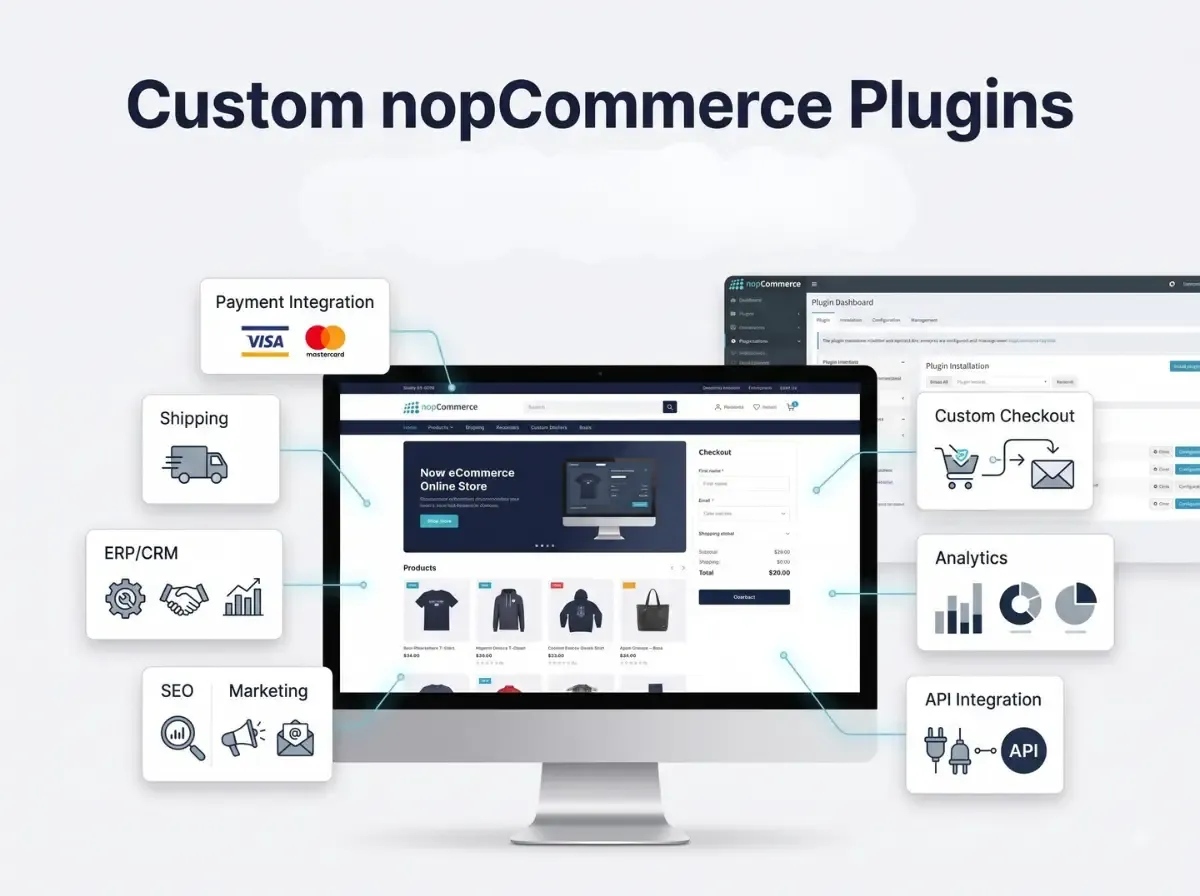
Ready-to-Use & Custom nopCommerce Plugins for Modern eCommerce Stores

A B2B distributor needs customer-specific pricing that changes based on order volume and account tier. A fashion retailer needs its store to talk to a warehouse system that was never designed with eCommerce in mind. A subscription business needs a checkout flow that doesn't match anything in a standard plugin. None of these are edge cases; they're the normal shape of a growing nopCommerce store, and they all run into the same wall: the platform's default features and generic marketplace plugins can only go so far.

This is where two very different tools come in. nopCommerce's plugin architecture lets you extend the platform without touching its core, and you can do that in two ways: install a ready-to-use plugin from the marketplace, or commission Custom nopCommerce Plugins built around your exact requirement. Neither approach is automatically better; the right choice depends on how standard or how specific your requirement actually is. This article breaks down both options, when each makes sense, what custom plugin development involves in practice, and how to evaluate a nopCommerce plugin development company before you commit a budget to one.

What Are nopCommerce Plugins?

A nopCommerce plugin is a self-contained module that adds or modifies functionality in a store without changing the platform's core source code. nopCommerce was built with a pluggable architecture specifically so that new features, a payment method, a shipping calculation, a reporting widget could be dropped in, configured, and removed independently of the main codebase.

This separation matters more than it sounds. When functionality lives in a plugin rather than in modified core files, upgrading nopCommerce to a newer version is far less risky, because you're not untangling custom code from the platform's own files during every update. It also means multiple plugins can, in principle, coexist on the same store without one plugin's code overwriting another's.

nopCommerce plugins are commonly used to add:

  • Payment gateway integrations

  • Shipping carrier integrations and rate calculations

  • SEO tools such as sitemap or redirect management

  • Marketing features like promotions, loyalty points, or abandoned cart tools

  • Checkout improvements, including custom fields or validation steps

  • Product customization options, such as configurators or personalization

  • ERP and CRM integrations for order and customer data

  • Marketplace functionality for multi-vendor stores

  • Custom reporting and analytics dashboards

  • Customer account and B2B management tools

Some of this functionality is already covered by third-party plugins on the nopCommerce marketplace. Some of it isn't and that gap is exactly where custom plugin development becomes relevant, which the next section covers in more detail.

Ready-to-Use nopCommerce Plugins vs Custom nopCommerce Plugins

Both approaches solve the same underlying problem of extending nopCommerce without modifying its core but they differ in how they're built and what they can realistically do for your store.

Ready-to-Use Plugins

Ready-to-use nopCommerce plugins are pre-built modules, typically distributed through the official marketplace or a solution partner. They're designed to solve a common problem for a broad range of stores, which is exactly what makes them fast to implement: you install, configure, and go live, often within days rather than weeks.

The trade-off is that a ready-to-use plugin is built for the average case, not your specific case. Configuration options are usually limited to whatever the developer anticipated other merchants would need. Compatibility with your nopCommerce version, with your theme, and with other installed plugins isn't guaranteed and should always be checked before purchase. Support and update frequency also vary significantly between vendors; some plugins are actively maintained across nopCommerce releases, others are effectively abandoned after the first version.

Custom nopCommerce Plugins

Custom nopCommerce plugins are built from a specification written around your business, not around a general market. That means custom workflows approval chains, tiered pricing, order routing rules can be coded exactly as your operations require, rather than approximated through a generic plugin's settings panel.

Custom development also opens the door to integrations that don't exist as off-the-shelf connectors: a proprietary ERP, an internal API, a legacy warehouse system. It allows for admin-side tools built specifically for how your team works, and frontend experiences that match your actual customer journey instead of a template one. The cost of that flexibility is that custom plugins require a proper development process; they don't exist until someone builds them.

Factor

Ready-to-Use Plugin

Custom Plugin

Development

Pre-built by a vendor

Built specifically for your requirements

Setup

Usually faster

Requires a development cycle

Customization

Depends on the plugin's settings

High, built around your workflow

Unique workflows

Limited to what the plugin supports

Suitable, since logic is written for your case

Integrations

Limited to available connectors

Custom integrations are possible

Maintenance

Vendor-dependent

Depends on your developer or support partner

Best for

Common, well-defined requirements

Specific or non-standard business needs

Neither option is universally superior. A ready-to-use plugin handling standard shipping rates is often the more sensible choice than commissioning custom nopCommerce plugins for something the marketplace already solves well. The decision should follow the requirement, not a general preference for one approach.

When Should You Use a Ready-to-Use nopCommerce Plugin?

Ready-made plugins are a reasonable starting point when your requirement is close to what most other stores also need. That typically includes:

  • Standard payment gateway or shipping carrier connections

  • Common marketing tools newsletters, basic loyalty programs, review widgets

  • Quick implementation needs, where time-to-launch outweighs fine-grained customization

  • Budget-conscious projects where a one-time plugin cost is preferable to a development engagement

  • Functionality that already exists as a mature, well-reviewed option in the nopCommerce ecosystem

Before installing any plugin, it's worth checking a short list of things that determine whether it will actually work well on your store:

  • Compatibility with your exact nopCommerce version

  • General plugin quality code structure, if source is available, and user reviews

  • Whether the developer or vendor still provides active support

  • How recently the plugin was updated, and whether it tracks new nopCommerce releases

  • Any known security concerns or advisories

  • Performance impact, particularly for plugins that run on every page load

  • Quality of documentation and setup instructions

  • How configurable the plugin actually is versus how configurable it claims to be

  • Licensing terms, including whether updates are included or sold separately

  • Compatibility with plugins you already have installed

When Do You Need Custom nopCommerce Plugins?

Custom development becomes worth considering once a requirement stops being generic. A few realistic scenarios illustrate where that line usually sits.

Unique Business Rules

Pricing and discount logic is one of the most common reasons businesses move to custom plugins. Examples include custom pricing tiers by customer group, negotiated discounts tied to specific accounts, B2B approval workflows before an order is confirmed, and minimum order quantity or value rules that don't map cleanly onto nopCommerce's built-in discount engine.

Custom Integrations

Connecting nopCommerce to systems outside the eCommerce stack an ERP, a CRM, a warehouse management system, a PIM, an accounting platform, or an internal company API almost always requires custom plugin work, because these integrations depend on each business's specific systems and data structures rather than a standard connector.

Specialized Checkout Requirements

Some stores need checkout logic that goes beyond standard flows: conditional payment methods based on order value, shipping rules tied to customer location or product type, or checkout steps that only apply to specific customer roles. These scenarios are usually too specific for a general checkout plugin to cover cleanly.

Industry-Specific Functionality

Certain industries regulated products, made-to-order manufacturing, rental or subscription models, wholesale distribution have operational requirements that simply don't appear in generic eCommerce plugins, because those plugins are built for the broadest possible audience rather than one vertical.

Automation

Automating repetitive operational work is another common driver: automated order processing rules, internal or customer-facing notifications tied to specific triggers, data synchronization between systems, inventory workflows across warehouses, and customer segmentation that feeds into marketing or pricing decisions.

Benefits of Custom nopCommerce Plugins

The practical benefits of custom development follow directly from the flexibility it provides, rather than from any inherent superiority over ready-made plugins:

  • Functionality matches your actual business process instead of an approximation of it

  • Greater control over how a feature behaves, fails, and reports errors

  • Integration flexibility with systems that have no existing connector

  • Architecture that can scale alongside your catalog, order volume, or customer base

  • Better alignment with existing internal workflows, reducing manual work-arounds

  • Reduced dependency on stacking several unrelated plugins to approximate one workflow

  • Admin-side tools built for how your team actually operates

  • Frontend customization tailored to your customer journey

  • Long-term maintainability, provided the plugin is properly architected from the start

That last point matters. Custom development is not a one-time task it requires proper requirement analysis, testing, documentation, and a plan for maintaining the plugin as nopCommerce itself is updated. A custom plugin built without this discipline can become as hard to maintain as an unsupported marketplace plugin.

What Does nopCommerce Plugin Development Involve?

Custom plugin development follows a fairly consistent process, regardless of the specific feature being built:

  1. Requirement analysis understanding the business problem, not just the requested feature

  2. Functional specification documenting exactly what the plugin should do and where its boundaries are

  3. Technical architecture deciding how the plugin will fit into nopCommerce's structure

  4. Plugin project setup scaffolding the plugin according to nopCommerce's plugin conventions

  5. Backend development services, business logic, and data handling

  6. Admin panel development configuration screens and management tools

  7. Frontend integration storefront views and customer-facing behavior

  8. API or third-party integration development, where external systems are involved

  9. Database considerations schema design, data access, and query performance

  10. Security implementation input validation, permissions, and safe data handling

  11. Testing  functional testing against the specification

  12. Compatibility testing checking behavior alongside your existing theme and other plugins

  13. Deployment installing and configuring the plugin on staging, then production

  14. Maintenance and updates keeping the plugin working through future nopCommerce upgrades

This isn't a coding tutorial, and the steps above aren't meant to be exhaustive engineering documentation, they're meant to show that a properly built custom plugin goes through the same discipline as any other piece of production software, rather than being a quick patch.

How Custom Plugins Integrate With nopCommerce

At a technical level, nopCommerce plugins fit into the platform's existing MVC and dependency injection structure rather than sitting outside it. A plugin typically defines its own controllers to handle requests, services to contain business logic, and models to represent data the same pattern nopCommerce itself uses internally, which is part of why plugins can extend the platform cleanly.

Dependency injection is used to register a plugin's services with the rest of the application, so a custom plugin can call on existing nopCommerce services customer data, order processing, product catalog - without duplicating that logic. Views render the plugin's frontend or admin screens, and a plugin generally ships its own configuration settings so it can be adjusted without a redeploy.

Database entities allow a plugin to store its own data alongside nopCommerce's schema, and where a plugin needs to talk to outside systems, this is where API and integration code lives. nopCommerce also supports events and hooks in several areas of the platform, letting a plugin react to actions like an order being placed without modifying the core code that triggers them. Scheduled or background tasks are used for anything that needs to run independently of a user request, such as periodic data synchronization with an external system. None of this requires touching nopCommerce's own source files, which is precisely the point of the plugin architecture.

Examples of Custom nopCommerce Plugin Solutions

ERP Synchronization Plugin :- Keeps product, pricing, or inventory data consistent between nopCommerce and an ERP system, removing the need for manual updates in two places.

Custom Shipping Rules Plugin :- Applies shipping logic based on conditions a standard carrier plugin doesn't support product weight combinations, delivery zones, or customer-specific shipping agreements.

B2B Pricing Plugin :- Applies account-specific pricing tiers, volume discounts, or negotiated rates that don't fit into nopCommerce's default discount rules.

Advanced Product Customization Plugin :- Lets customers configure a product dimensions, materials, add-ons with pricing that updates dynamically based on their choices.

Custom Payment Workflow :- Handles payment scenarios outside a standard gateway integration, such as partial payments, deposits, or approval-based invoicing for B2B orders.

Customer Approval Plugin :- Routes certain orders or account actions through an internal approval step before they're finalized, common in B2B and procurement-driven businesses.

Vendor Management Functionality :- Extends marketplace-style stores with vendor-specific dashboards, commission rules, or onboarding workflows.

Inventory Synchronization :- Keeps stock levels accurate across multiple warehouses or sales channels in near real time.

Custom Reporting Dashboard :- Surfaces business metrics that matter to a specific store - margin by category, customer lifetime value by segment - that standard reports don't show.

External API Integration :- Connects the store to a service outside the eCommerce stack, such as a logistics provider's tracking API or a tax calculation service.

Order Automation :- Automates repetitive order-handling steps, such as routing orders to fulfillment partners based on product type or location.

Marketplace-Specific Functionality :- Adds features specific to running a multi-vendor marketplace on nopCommerce, such as split payments or per-vendor shipping rules.

Ready-to-Use Plugins + Custom Development: Can You Use Both?

Most mature nopCommerce stores end up running a mix rather than choosing one approach exclusively. It's common to combine existing third-party plugins for standard needs, nopCommerce's native functionality where it's sufficient, custom-developed plugins for business-specific requirements, direct API integrations for particular systems, and theme customization for presentation.

The main thing to manage carefully is overlap. Two plugins that both try to handle the same area discounts, for instance can conflict in ways that are hard to diagnose later. Before adding a custom plugin alongside existing ones, it's worth reviewing what each installed plugin actually touches, so the custom development doesn't duplicate or collide with functionality that's already in place.

How to Choose the Right nopCommerce Plugin Solution

A practical way to approach the decision is to evaluate the requirement itself before looking at solutions:

  • What exactly is the business requirement, in plain terms?

  • How functionally complex is it a simple toggle, or a multi-step workflow?

  • What budget is realistically available for this feature?

  • What's the development timeline, and how firm is it?

  • Which nopCommerce version are you running, and does that limit your options?

  • Are there compatibility concerns with plugins already installed?

  • What security review does this requirement need?

  • Could this affect store performance, and how will that be tested?

  • Will this need to scale as order volume or catalog size grows?

  • Who will maintain this after launch?

  • Does the vendor or developer offer ongoing support?

  • What integration requirements exist now, and what might come later?

  • Is there a realistic path for future expansion of this feature?

The core principle is straightforward: evaluate the requirement first, then decide whether a ready-made plugin genuinely satisfies it or whether custom nopCommerce plugin development is the more honest answer. Installing a plugin because it's available, rather than because it fits, is one of the more common sources of long-term store maintenance problems.

Common Mistakes When Using nopCommerce Plugins

Installing Too Many Plugins :- Every additional plugin is another dependency to maintain and test. Review whether a new plugin is genuinely necessary or whether existing functionality already covers most of the need.

Ignoring Compatibility :- Installing a plugin without checking its compatibility with your nopCommerce version is one of the most common causes of store errors after installation. Always verify version support first.

Choosing Plugins Only by Price :- The cheapest option isn't necessarily the most maintainable one. Factor in support quality, update history, and documentation, not just the listed price.

Not Testing on Staging :- Installing or updating a plugin directly on a live store risks downtime. A staging environment lets you catch conflicts before customers see them.

Ignoring Performance :- Some plugins run code on every page load. Test performance impact under realistic traffic before rolling a plugin out broadly.

Poor Plugin Documentation :- Sparse or outdated documentation is a warning sign it usually indicates the plugin, or its support, isn't actively maintained.

Overlapping Functionality :- Running multiple plugins that manage the same feature area can create conflicting behavior that's difficult to trace back to its source.

Skipping Security Review :- Third-party plugins can introduce vulnerabilities if they're not reviewed. This applies to both marketplace plugins and custom code.

Modifying Core Files Unnecessarily :- Editing nopCommerce's core files instead of building a plugin defeats the purpose of the plugin architecture and makes future upgrades far more difficult.

Not Planning for Future nopCommerce Upgrades :- A plugin that works today but wasn't built with upgrade paths in mind can become a blocker when it's time to move to a newer nopCommerce version.

How Shivaay Soft Helps With nopCommerce Plugin Development

Shivaay Soft is a nopCommerce-focused development team based in Surat, India, working primarily with .NET and ASP.NET on nopCommerce projects. Its work spans custom nopCommerce plugin development, plugin customization, third-party integrations, API development, and B2B and B2C functionality, alongside theme and storefront customization.

A relevant part of this work is handling nopCommerce version upgrades in a way that avoids taking a live store offline, while introducing improvements that are meant to scale without disrupting existing functionality or performance. For businesses that need functionality beyond what's available on the marketplace, this kind of custom plugin development extends a store's software capabilities to display content and features that weren't part of its original setup.

As with any development partner, the right fit depends on your specific requirement, your nopCommerce version, and your timeline. It's worth discussing the scope of your project directly before committing to an engagement.

Conclusion

Ready-to-use nopCommerce plugins solve common, well-defined requirements quickly and at a predictable cost, provided you check compatibility, support, and security before installing one. Custom nopCommerce Plugins exist for the requirements that fall outside that common ground specific pricing logic, non-standard integrations, or workflows built around how your business actually operates rather than how a generic plugin assumes it does.

Neither approach is the automatic right answer. The more useful question is what your requirement actually needs, and whether a ready-made plugin genuinely satisfies it or whether it only approximates the outcome. Compatibility, security, performance, and long-term maintainability matter regardless of which path you take. A poorly maintained custom plugin causes the same problems as a poorly maintained marketplace one. The practical takeaway is to evaluate the requirement honestly before choosing the tool, rather than starting from a preference for one approach.

Frequently Asked Questions

Custom nopCommerce plugins are modules built specifically for a store's requirements rather than downloaded from a marketplace. They typically handle unique pricing rules, integrations with internal systems, specialized checkout logic, or admin tools that no ready-made plugin covers in the same way.

A ready-to-use plugin is pre-built and installed with limited configuration, while a custom plugin is developed from a specification written around your business logic. Ready-made plugins suit common needs; custom plugins suit workflows, integrations, or rules that off-the-shelf options don't support.

Consider custom development when you need business-specific pricing or discount rules, integration with an ERP, CRM, or internal API, a non-standard checkout or approval flow, or functionality tied closely to how your operations already work rather than how a generic plugin expects them to work.

Cost depends on the complexity of the requirement, the number of integrations involved, admin panel work, testing needs, and ongoing support. There is no fixed price for custom plugin development; a development partner should scope your requirement before providing an estimate.

Yes. Custom nopCommerce plugins can be built to synchronize data with ERP, CRM, PIM, warehouse, or accounting systems through APIs or scheduled data exchange. The exact approach depends on the external system's API capabilities and how frequently data needs to sync.

Custom plugins can be built or updated to work with current nopCommerce versions, since nopCommerce's plugin architecture is designed to extend the platform without altering core files. Compatibility should always be verified against the specific nopCommerce version your store runs.

In many cases, yes - especially if the plugin's source code is available and its architecture allows extension. Some marketplace plugins are distributed as compiled packages with limited customization options, so the ability to modify an existing plugin depends on how it was originally built.

A well-architected plugin, built following nopCommerce's coding and database practices, should have minimal performance impact. Poorly optimized queries, unnecessary background processes, or unoptimized frontend assets are the usual causes of performance issues, not custom development itself.

Timelines vary with scope a simple admin feature may take days, while a plugin with multiple integrations, complex business logic, and thorough testing can take several weeks. Duration depends on requirements, integration complexity, and the testing and review process.

Look for demonstrated nopCommerce experience, a clear development and testing process, transparency about timelines and scope, and a track record of maintaining plugins across version upgrades. Ask how they handle compatibility testing, documentation, and post-launch support before committing.
Friday, September 18, 2026

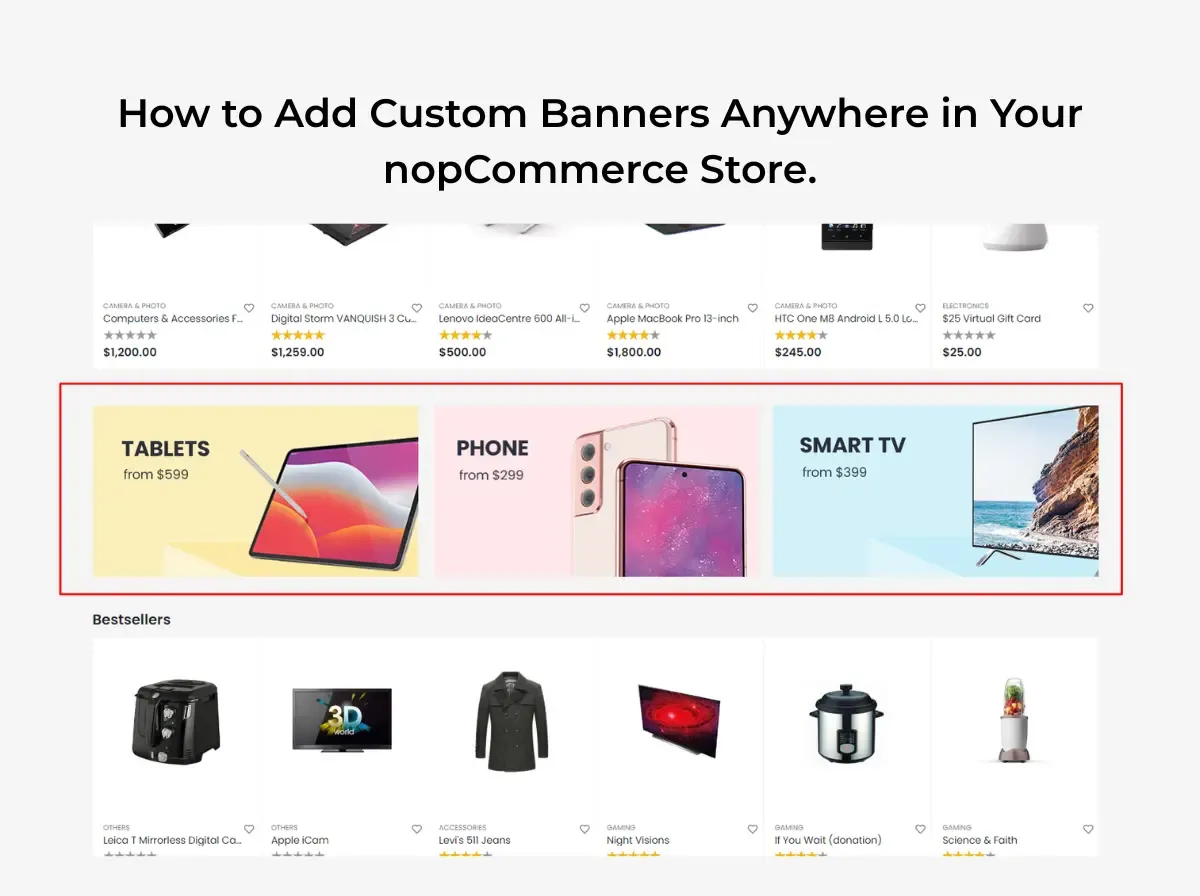
How to Add Custom Banners Anywhere in Your nopCommerce Store

Banners are one of the simplest tools a store owner has for communicating with shoppers. A well-placed banner can announce a seasonal offer, introduce a new product line, promote a specific category, or simply remind visitors that orders over a certain amount ship free. Retailers use banners for limited-time offers, brand campaigns, and trust messaging  things like return policies or delivery timelines  because a banner sits in the shopper's field of view without requiring them to read a full page of copy.

The trouble most nopCommerce store owners run into isn't whether to use banners. It's how to place them. In a typical nopCommerce setup, adding a banner to a new spot on the site, a footer zone, a category page, a specific widget zone, often means asking a developer to touch the theme templates. That's fine for a one-time change. It becomes a bottleneck when a marketing team wants to run five campaigns a month across different sections of the store.

This is where a nopCommerce banner plugin becomes relevant. Instead of hardcoding banner markup into .cshtml files every time a campaign changes, a banner plugin gives store administrators a way to manage banner content from the admin panel and place it in supported areas of the store. Shivaay Soft - own contribution to this space is the nopCommerce Anywhere Banner Plugin, a plugin included across several of its nopCommerce theme packages. This article walks through where banners are commonly used in a nopCommerce store, how to approach adding them, and where a banner plugin fits into that workflow. It won't claim that banners automatically drive more sales that depend entirely on relevance, design, and where a banner sends the visitor. What it will do is lay out a practical, technically grounded approach to banner placement in nopCommerce.

Why Custom Banners Matter for a nopCommerce Store

Banners serve more than one purpose, and it helps to be specific about which job a given banner is doing before deciding where to put it.

  • Promotions a discount, bundle offer, or flash sale.

  • Merchandising drawing attention to a specific product line or collection without redesigning the homepage.

  • Product discovery surfacing items a shopper might not find through normal browsing or search.

  • Category navigation helps shoppers understand what a category contains or how it's organized.

  • Seasonal campaigns aligning the storefront with a holiday, event, or time-limited push.

  • Brand communication reinforcing tone, values, or a brand story.

  • Customer education explaining shipping policies, return windows, or how a loyalty program works.

It's worth distinguishing between banner types, because they behave differently:

  • Decorative banners exist mainly to make a page feel finished. They carry little or no call to action.

  • Promotional banners exist to drive a specific action tied to a specific offer.

  • Informational banners communicate policy or service details, shipping thresholds, return windows, security badges.

  • Navigation banners help shoppers move toward a category, collection, or curated set of products.

  • Campaign banners are time-bound and tied to a specific event, launch, or seasonal push.

The common thread across all five is that banner placement should support the shopping journey, not interrupt it. A banner that competes with the product grid for attention, or sends a shopper somewhere unrelated to what it promised, works against the store rather than for it.

What Is a nopCommerce Banner Plugin?

A banner plugin, in general terms, is an admin-manageable tool for creating and placing banner content across a storefront without editing the underlying theme code for every change. Typical functionality found in this category of plugin includes:

  • Creating banner records (image, and often a linked destination).

  • Managing that content from the admin panel rather than a code editor.

  • Selecting where a banner appears, depending on what the plugin supports.

  • Linking a banner to a relevant internal or external page.

  • Where supported, scheduling a campaign to start and end automatically.

  • Where supported, managing separate visuals for desktop and mobile.

  • Updating or swapping a campaign without a developer editing theme templates.

It's important to be clear that not every banner plugin supports every item on that list. Scheduling, device-specific visuals, analytics, and drag-and-drop placement are advanced features that some banner tools offer and others don't. The general description above is what the category of plugin typically aims to do; it isn't a feature list for any one specific product, including Shivaay Soft.


What Is the nopCommerce Anywhere Banner Plugin?

The Nop Anywhere Banner plugin is developed by Shivaay Soft and is included as part of several of the company's nopCommerce theme packages, including themes such as Loom, ShopJunction, Store Box, Cosmetic, Liquor, SuperMarket, and Jewellery. According to Shivaay Soft, it functions as a widget for placing promotional banners in configurable zones across the storefront, and banner placement can be adjusted without touching the store's core theme logic.

The underlying problem it addresses is a familiar one for anyone who has run a nopCommerce store for more than a few months: a marketing team wants to introduce a banner in a new area of the site, and doing that safely usually means a developer opening theme files, adding markup, and redeploying. Multiply that across a handful of campaigns a month, on a handful of theme sections, and it turns into a steady stream of small development tickets.

An "anywhere" banner concept is useful precisely because it decouples banner placement from template editing. Rather than a banner being hand-coded into one specific spot, the plugin exposes configurable zones where a banner can be placed and swapped through the admin panel. That's a meaningfully different workflow from asking a developer to insert an <img> tag into a Razor view every time a campaign changes.

To be precise about scope: this article is not claiming the plugin can place a banner in literally every conceivable location in a nopCommerce store. Its exact list of supported zones, and which specific nopCommerce versions each theme bundle supports, should be confirmed directly with Shivaay Soft or through the plugin's own documentation before it's used to plan a specific campaign calendar.


Where Can You Use Custom Banners in nopCommerce?

Homepage

The homepage is the most common banner location because it's the first thing most visitors see. Typical uses include a seasonal campaign hero, a new collection announcement, a sitewide promotional offer, or a simple free-shipping message near the top of the page.

Category Pages

Category pages benefit from banners that are specific to what's actually in that category: a category-specific promotion, a collection campaign tied to that category's products, a short buying guide, or a seasonal push relevant to that category (winter coats in a clothing category, for example).

Product Pages

Product pages can carry a related promotion, shipping information specific to that product type, a campaign tied to that individual product, or a cross-sell message pointing toward complementary items. These banners work best when they're short; a product page's primary job is still to sell the product in front of the visitor.

Shopping and Cart Areas

Cart and checkout-adjacent areas are a natural place to communicate shipping thresholds ("Free shipping over $75"), active promotional codes, or other purchasing information the shopper needs before completing an order. Whether a specific plugin supports placement in these exact areas depends on that plugin's supported zones, so this should be verified against the plugin's own documentation rather than assumed.

Content and Informational Pages

Blog posts, brand story pages, and other content pages can use banners to promote related blog content, highlight a brand campaign, share a store announcement, or point toward educational material like a sizing guide or care instructions.


How to Add a Custom Banner in nopCommerce

Step 1: Create the banner design. Start with correct dimensions for the intended zone, a message that can be read in a few seconds, clear visual hierarchy (headline, supporting text, CTA), readable typography at the banner's actual display size, and a CTA that matches the offer.

Step 2: Prepare the destination URL. Decide exactly where the banner should send visitors - a specific product page, a category page, a curated collection, or a dedicated promotional landing page. This should be settled before the banner goes live, not after.

Step 3: Upload or configure the banner. In a plugin-managed workflow, this generally means uploading the banner image and entering its destination through the admin panel rather than editing template files directly. The exact screens and labels will depend on the specific plugin in use.

Step 4: Select the required placement. Which zones are available depends entirely on what the plugin supports. Some zones are widget-based and configurable through the admin; others may require developer involvement if they fall outside the plugin's supported areas.

Step 5: Configure the campaign. If the plugin supports scheduling or visibility rules, this is where they'd be set. If it doesn't, campaigns will need to be manually activated and deactivated on the intended dates.

Step 6: Preview and test. Check the banner on desktop, mobile, and tablet breakpoints, in more than one browser, and confirm the link destination, image quality, and that the surrounding page layout hasn't shifted or broken.

Step 7: Publish and monitor. Once live, keep an eye on the banner for the duration of the campaign; broken links and expired offers left running are more common than they should be.


Best Practices for Designing nopCommerce Banners

Keep the Message Clear

A visitor should understand the offer within a second or two of seeing the banner. If it takes longer than that, the message is too dense for a banner format.

Use One Primary CTA

Pick one action Shop Now, Explore Collection, View Products, Learn More and build the banner around it. Multiple competing CTAs dilute the whole thing.

Match the Banner to the Destination

If the banner promises 20% Off Summer Collection, it should send the visitor to that collection, not the general homepage. Mismatched banners create friction and erode trust quickly.

Optimize Banner Images

Compress images before upload, use dimensions appropriate to the zone rather than oversized originals, use modern formats where the store's setup supports them, serve responsive images where possible, and avoid unnecessarily large file sizes that slow down page load.

Design for Mobile

A banner that looks sharp on a 1920px desktop screen can be unreadable or awkwardly cropped on a phone. Mobile layouts need their own design pass, not an assumption that the desktop version will scale down cleanly.

Avoid Banner Overload

Stacking multiple promotional banners on the same page competes for attention and can make a store feel cluttered rather than helpful. A page with one clear banner usually outperforms one with three fighting for the same eyeballs.


How Banner Placement Can Improve the Shopping Experience

Good banner placement follows a simple chain: banner → message → relevant page → customer action. Each link in that chain needs to hold up.

For example, a banner reading "20% Off Summer Collection" should lead directly to the Summer Collection category page - not the store's homepage, and not an unrelated category. Sending a visitor to a generic landing page after a specific promise forces them to search for what was advertised, and some will simply leave instead.

Relevance matters more than volume. One well-targeted banner that sends shoppers to exactly what it promised will generally serve the shopping experience better than several loosely related banners scattered across a page.


Manual Banner Development vs. nopCommerce Banner Plugin

Factor

Manual Theme Development

Banner Plugin

Development Effort

Higher each new placement or layout change typically needs a developer

Lower for standard placements within the plugin's supported zones

Flexibility

Very high any custom layout or logic is possible

Bound by the plugin's supported zones and configuration options

Marketing Team Control

Limited usually requires a dev request

Higher for changes within supported zones

Theme Code Changes

Required for most changes

Reduced for placements the plugin already supports

Campaign Management

Manual, often ad hoc

More centralized, depending on plugin capabilities

Maintenance

Can accumulate technical debt if banners are hardcoded across many templates

Centralized banner records are generally easier to maintain

Developer Dependency

High

Lower for supported placements, still needed for anything outside plugin scope

Long-Term Management

Can become harder to track as more one-off banners are added over time

Easier to audit and update from a single admin area

Neither approach is universally better. Manual development still makes sense for highly customized placement logic, complex conditional display rules, or layouts that fall outside what any general-purpose banner plugin supports. A banner plugin tends to be the more practical choice when a store team needs reusable banner management and doesn't want every placement change to become a development ticket.


Benefits of Using the nopCommerce Anywhere Banner Plugin

Based on Shivaay Soft own description of the plugin, and consistent with what an anywhere banner concept is designed to solve, the plugin is positioned around a few specific advantages:

  • Reduced dependence on theme code changes banner placement can be adjusted without touching the store's core theme logic, according to Shivaay Soft.

  • Configurable placement zones the plugin is described as a widget for placing promotional banners in configurable zones across the storefront.

  • Consistency across theme packages the plugin ships as part of multiple Shivaay Soft theme bundles, which means stores built on those themes get a consistent banner-management approach out of the box.

Beyond these specific, verifiable points, the broader benefits of adopting any appropriately matched banner-management approach faster campaign turnaround, less developer back-and-forth, more centralized oversight of active banners are general advantages of moving away from hardcoded banners, not claims specific to this plugin's feature set. Anyone evaluating the plugin for a specific use case should confirm its exact supported zones and configuration options directly with Shivaay Soft.


Common Banner Management Mistakes to Avoid

  • Oversized images  slow page loads and hurt Core Web Vitals.

  • Too many text banners aren't the place for paragraphs; save detail for the landing page.

  • Weak CTA vague or missing calls to action reduce clarity about what to do next.

  • Poor mobile design, a banner that only works on desktop fails a large share of visitors.

  • Sending users to irrelevant pages breaks the promise made by the banner's message.

  • Too many banners competing messages dilute attention rather than adding value.

  • Forgetting expired campaigns and a live banner for a sale that ended two weeks ago damages trust.

  • Not testing links broken destination URLs is an easy, avoidable mistake.

  • Ignoring page speed, unoptimized banner images are a common, overlooked source of slow page loads.

  • Depending on hard-coded theme changes for every campaign turns routine marketing updates into recurring development work.


How to Use Banners for Seasonal eCommerce Campaigns

Seasonal campaigns are one of the most common reasons stores add or swap banners. A few examples of where banner messaging needs to line up with the actual campaign and landing page:

  • Black Friday :- a clear discount message linking straight to the discounted collection, not the general homepage.

  • Christmas :- gift-guide or holiday-collection banners linking to curated gift categories.

  • New Year :- clearance or "new arrivals" messaging depending on the store's actual New Year strategy.

  • Valentine's Day :- banners tied to relevant gift categories rather than the whole catalog.

  • Summer Sale :- seasonal category banners linking to summer-specific collections.

  • Back-to-School :- banners aligned with relevant product categories (stationery, electronics, apparel, depending on the store).

  • Product Launches :- a dedicated banner pointing to the new product or collection page.

  • Clearance Sales :- banners linking directly to the clearance category, not a general sale page that requires further filtering.

None of this requires inventing performance numbers to justify it the logic is simply that a banner's message and its destination should match the actual campaign being run.


Banner SEO and Performance Considerations

Banners sit on pages that still need to perform well in search and load quickly for visitors. A few technical points worth keeping in mind:

  • Image ALT text - every banner image should have descriptive ALT text, both for accessibility and because banners often carry meaningful visual information.

  • Image compression - banners are frequently among the largest images on a page; compress them properly before upload.

  • Page speed - an unoptimized banner can meaningfully affect Largest Contentful Paint, especially when it appears above the fold.

  • Lazy loading where appropriate - banners further down the page can be lazy-loaded; a hero banner above the fold generally should not be, to avoid delaying its render.

  • Responsive design - banners should adapt to different screen sizes rather than relying on a single fixed-size image.

  • Accessible text - where possible, keep key messaging as real text rather than only baked into the image, which also helps with any assistive technology reading the page.

  • Avoiding text embedded entirely inside images - this limits accessibility and means the message can't be indexed as text.

  • Descriptive links - the destination link behind a banner should point somewhere genuinely relevant to its message.

  • Relevant landing pages - the page a banner sends visitors to should be optimized in its own right; a banner cannot compensate for a weak or thin landing page.

Banners support a page's presentation, but they aren't a substitute for solid page content and technical SEO underneath them.


How to Test a New Banner Before Publishing

Before a new banner goes live, run through a short checklist:

  • ✓ Correct image

  • ✓ Correct placement

  • ✓ Correct destination URL

  • ✓ Mobile display

  • ✓ Desktop display

  • ✓ CTA visibility

  • ✓ Image loading correctly

  • ✓ No layout shift where avoidable

  • ✓ Accessibility (ALT text, contrast, readable type)

  • ✓ Campaign dates, if scheduling is supported

  • ✓ No overlap with navigation or product content

A few minutes spent on this checklist catches most of the common mistakes listed earlier before they reach live traffic.


When Should You Use a nopCommerce Banner Plugin?

A banner plugin tends to make sense when a store:

  • Runs frequent promotional campaigns.

  • Needs banners across multiple sections of the store, not just the homepage.

  • Has a marketing team that needs to update content faster than a development queue allows.

  • Regularly requires multiple banners live at once.

  • I want more flexible, self-service banner management.

  • Has developers who are repeatedly asked to change banner placements as a routine task.

Custom development may still be the better fit when a store needs:

  • Highly specialized placement logic that doesn't map to a plugin's supported zones.

  • Complex personalization (banners that change based on customer segment, browsing history, or other conditional logic).

  • Advanced targeting requirements beyond what a general banner plugin offers.

  • Custom business workflows tied to banner display.

  • Integrations that go beyond what the plugin's functionality covers.

The right choice depends on matching the store's actual requirements to what a given plugin documents, rather than assuming either approach is automatically correct.


Why Choose Shivaay Soft for nopCommerce Customization?

Shivaay Soft is a nopCommerce development and customization company with experience across nopCommerce Development, Custom nopCommerce Development, nopCommerce Plugin Development, nopCommerce Theme Development, nopCommerce Upgrade, eCommerce Customization, API Integration, Performance Optimization, and Technical Support.

For stores evaluating banner-management options, the Nop Anywhere Banner Plugin is a relevant option when its documented functionality of configurable banner zones and reduced dependence on theme code changes matches what the store actually needs. It's included as part of several Shivaay Soft theme packages, so stores already running on one of those themes have it available without a separate installation.

For requirements that fall outside a bundled plugin's scope, Shivaay Soft plugin development and custom nopCommerce development services can address more specific placement logic, custom widget zones, or banner behavior tied to other parts of the store.


Conclusion

Custom banners are a practical tool for merchandising, promotions, and communicating store information but only when placement is intentional. A banner's value comes from matching its message to a relevant landing page, working properly on mobile, and loading quickly, not from simply adding more of them to a page.

For nopCommerce stores that run frequent campaigns across multiple sections of the site, a nopCommerce banner plugin can reduce the repetitive development work that comes with hardcoding banners into theme templates. Shivaay Soft nopCommerce Anywhere Banner Plugin is one option worth evaluating for stores already using a Shivaay Soft theme, provided its supported zones match what the store needs. As with any plugin decision, it's worth reviewing the store's actual banner-management requirements: how often campaigns change, how many sections need banners, and how much control the marketing team needs  before choosing between manual development and a plugin-based approach.

If you're weighing banner placement options for your nopCommerce store, or need a placement that goes beyond what a bundled plugin supports, Shivaay Soft development team can help assess the right approach for your setup.


Frequently Asked Questions

It's an admin-manageable tool that lets store owners create and place banner images across a nopCommerce storefront without editing theme template code for every change.

It's a plugin developed by Shivaay Soft, included in several of its nopCommerce theme packages, described by Shivaay Soft as a widget for placing promotional banners in configurable zones across the storefront without requiring core theme code changes.

Common areas include the homepage, category pages, product pages, cart or checkout-adjacent zones, and content pages such as blog or brand pages—though exact supported zones depend on the theme and any plugin in use.

Yes, category-page banners are a common use case for promoting category-specific offers, collections, or seasonal campaigns relevant to that category.

Product-page banners are commonly used for cross-sell messages, shipping information, or product-specific promotions, provided the theme or plugin supports that placement.

When a banner's message matches a relevant landing page, it helps shoppers find what they're looking for faster. Mismatched or overloaded banners tend to hurt the experience rather than help it.

Yes. A banner designed only for desktop can display poorly, get cropped awkwardly, or become unreadable on smaller screens, so mobile layouts need their own design consideration.

Compress images before upload, use dimensions appropriate to the display zone, use modern image formats where supported, and consider lazy loading for banners that appear below the fold.

It depends on the store's requirements. A plugin is often more efficient for standard, repeatable banner placements, while custom development suits highly specific placement logic or advanced personalization that a general plugin doesn't support.

Start with the goal of the banner - promotion, information, or navigation—match its message to a genuinely relevant landing page, and confirm the placement is supported by your theme or plugin before building the campaign around it.
Wednesday, September 16, 2026

How to Improve the nopCommerce Checkout Experience with One Page Checkout

Checkout is the moment where interest turns into revenue. A customer has already chosen a product, added it to the cart, and decided to pay. The only thing left is to get out of their own way and let them finish. Yet checkout is also where many stores unintentionally introduce friction: extra clicks, repeated fields, unclear shipping options, or a payment step that feels disconnected from the rest of the order.

Customers generally expect checkout to be predictable and quick. They want to see what they're buying, know what it costs, choose how it ships, pay, and get confirmation without having to guess what happens next. When a checkout process adds unnecessary steps or forces customers to navigate between disconnected screens just to complete a straightforward order, that complexity becomes friction, even if every step is technically necessary.

One Page Checkout is one approach nopCommerce store owners can consider when looking to simplify this journey. Rather than moving customers through several separate pages, a one-page approach consolidates the key checkout steps into a single, structured view. This article looks at what that means in practice, how it compares to a traditional multi-step nopCommerce checkout, and what to evaluate including Shivaay Soft's Instant One Page Checkout plugin before making a change to your live checkout flow.

Why the Checkout Experience Matters for nopCommerce Stores

Checkout is where design decisions have the most direct business impact. A product page can be mediocre and still convert if the offer is strong; a confusing checkout can stall an otherwise motivated buyer at the last step.

A few areas deserve particular attention on any nopCommerce store:

  • Purchase flow clarity customers should always know which step they're on and what comes next.

  • From complexity every additional field is something a customer has to stop and think about, especially on mobile.

  • Shipping selection, unclear delivery options or late-appearing shipping costs create hesitation.

  • Payment selection the available payment methods and how they're presented affect completion.

  • Order review customers want to double-check quantities, pricing, and totals before committing.

  • Mobile usability: a large share of nopCommerce traffic now completes checkout on a phone, where layout and input friction matter more.

  • Trust and transparency, clear totals, policies, and confirmation messaging reduce hesitation at the final step.

The goal of checkout optimization isn't to strip the process down to the bare minimum. It's to remove friction that doesn't serve a purpose while keeping the information, validation, and business logic the store actually needs.

What Is One Page Checkout?

One Page Checkout describes a checkout experience that consolidates the core purchase steps of customer information, billing, shipping, shipping method, payment method, order summary, and confirmation into a more streamlined page or flow, rather than spreading them across several separate screens with full page reloads in between.

In a typical multi-step layout, a customer might move through distinct pages for billing address, shipping address, shipping method, payment method, and a final confirmation page before the order is placed. A one-page approach groups these into organized sections on a single screen (or a single scrollable/tabbed flow), so the customer can see more of the process at once.

The exact implementation of One Page Checkout varies depending on the platform, theme, and plugin configuration. Some approaches use collapsible sections, others use a single scrollable form, and the level of customization available depends on the specific plugin and how it integrates with the store's existing checkout logic.


What Is Instant One Page Checkout for nopCommerce?

Instant One Page Checkout is a checkout plugin built by Shivaay Soft for the nopCommerce platform. According to Shivaay Soft's official product page, the plugin is designed to make the checkout process simpler, more flexible, and more user-friendly, with the aim of saving customers time when completing a purchase.

Based on the verified product documentation, Instant One Page Checkout includes the following features:

  • Reduces the standard six-step nopCommerce checkout to a single page.

  • Customers can remove items or edit quantities directly on the checkout page, without returning to the cart.

  • Quick selection of shipping and billing addresses from the same view.

  • Support for displaying checkout attributes on the one-page layout, such as gift wrapping options.

  • The ability to enter coupon codes and gift card codes directly during checkout.

  • Support for both guest checkout and registered customer checkout.

  • A mobile-friendly, fully responsive layout.

On the specification side, the plugin is listed as supporting nopCommerce versions 4.70, 4.80, and 4.90, includes RTL (right-to-left) language support, is built with a clean HTML and CSS structure intended to make customization easier, is fully localizable, has been tested across major browsers, and comes with one year of free support and upgrades from the purchase date.

In the context of checkout optimization, Instant One Page Checkout is positioned as a way to reduce the number of distinct steps and page transitions a nopCommerce customer has to go through, while keeping core checkout functionality addresses, shipping, payment, discounts available on one screen.

Traditional Multi-Step Checkout vs One Page Checkout

Aspect

Traditional Multi-Step Checkout

One Page Checkout

Checkout Navigation

Sequential pages, one step at a time

Consolidated into a single page or flow

Number of Visible Steps

Typically several distinct pages

Reduced to one primary page

Customer Information

Entered on a dedicated step

Entered within a section of the same page

Shipping Selection

Separate page/step

Selected within the same page

Payment Selection

Separate page/step

Selected within the same page

Order Summary

Often shown only at the end

Can remain visible throughout

Page Transitions

Multiple full page loads

Fewer transitions between steps

Mobile Experience

Depends on theme and step design

Depends on plugin's responsive implementation

Customization Requirements

Standard nopCommerce checkout logic

May require additional configuration and testing

Business Suitability

Suited to complex, multi-stage workflows

Suited to more linear purchase journeys

There is no universal answer to which model is better. The right checkout structure depends on product type, typical customer behavior, shipping requirements, available payment methods, store design, the proportion of mobile traffic, and internal business workflows. A store selling configurable B2B products with multiple approval steps has different needs than a direct-to-consumer store selling a handful of SKUs.

How One Page Checkout Can Improve the Customer Experience

1. Reduces Unnecessary Navigation

Consolidating checkout steps can reduce the amount of clicking and page-loading a customer has to do to complete an order. Fewer transitions mean fewer moments where a customer has to reorient themselves on a new page. This is about clarity and flow, not a guaranteed increase in completed orders - results still depend on the store's traffic and offer.

2. Gives Customers a Better View of Their Order

An order summary that stays visible throughout checkout helps customers keep track of products, quantities, unit pricing, shipping charges, and the running total. When customers can see this information without switching screens, they're less likely to second-guess what they're paying for.

3. Creates a More Continuous Checkout Flow

Rather than treating billing, shipping, and payment as isolated steps, a one-page structure presents them as parts of one connected process. Customers can move between sections without losing context, which can make the overall experience feel more coherent.

4. Can Improve Mobile Checkout Usability

Mobile checkout has its own constraints: limited screen space, on-screen keyboards, and the need for clearly separated form sections. A well-built one-page checkout can group information into clear, collapsible or scrollable sections, use touch-friendly controls for shipping and payment selection, and keep the order summary accessible. It's worth noting that not every one-page checkout implementation is automatically mobile-optimized; that depends on how the specific plugin and theme handle responsive layout.

5. Helps Identify Checkout Friction

Reviewing your existing checkout whether or not you change its structure is a useful exercise on its own. It often surfaces repeated form fields, steps that don't add value, confusing navigation between pages, shipping costs that appear late in the process, or a payment selection step that's harder to use than it needs to be.

Key Elements of an Effective One Page Checkout

Regardless of which plugin or approach a store uses, a few elements consistently matter:

  • Clearly separated sections for customer information, address, shipping, payment, and order summary

  • Accurate, real-time order totals that update as options change

  • Visible shipping method options with associated costs

  • Available payment methods presented clearly

  • Inline validation and error messages that tell customers exactly what to fix

  • Mobile-appropriate input types and spacing

  • Transparent pricing with no costs that appear unexpectedly at the final step

  • Trust indicators where appropriate, such as secure payment badges or clear policy links

Simplifying the interface should never mean removing information customers need to make a confident decision. The goal is to organize that information better, not hide it.

How Instant One Page Checkout Fits into a nopCommerce Store

Introducing any checkout plugin into an existing nopCommerce store is a technical change, not just a visual one. Before deployment, it's worth thinking through:

  • Store theme compatibility how the plugin's markup and styling interact with your current theme

  • Existing checkout workflows any custom logic already built into your checkout

  • Payment methods  which gateways your store uses and how they render within the new layout

  • Shipping methods how shipping rules and rates are calculated and displayed

  • Guest checkout configuration whether guest checkout is enabled and how it should behave

  • Customer accounts how returning customer data (saved addresses, order history) is handled

  • Custom plugins whether other checkout-related extensions are installed

  • Store-specific customization any bespoke fields or business rules already in place

Shivaay Soft's documentation specifies supported nopCommerce versions (4.70, 4.80, 4.90) and notes that the plugin uses a clean HTML/CSS structure intended for easier customization. It does not claim compatibility with every theme, every payment gateway, or every custom workflow and it shouldn't be assumed to. As with any checkout-level change, testing in a staging environment before production deployment is the responsible approach.

Step-by-Step Checklist Before Implementing One Page Checkout

1. Review Your Current Checkout Journey Look at the number of steps, where customers seem to drop off, how checkout performs on mobile, how many form fields are required, and which shipping and payment methods are offered.

2. Review Store Customizations Identify any custom checkout code, existing checkout-related plugins, theme-level modifications, and current payment or shipping integrations that a new plugin will need to coexist with.

3. Review Plugin Compatibility Confirm your nopCommerce version against the plugin's supported versions, check the plugin version itself, and consider theme compatibility and existing customizations. Only rely on compatibility details confirmed in the official product documentation.

4. Test on Staging Before touching your live store, test guest checkout, registered customer checkout, address selection, shipping calculation, payment processing, discount and gift card codes, order totals, and the experience across multiple mobile devices.

5. Monitor After Launch Once live, keep an eye on checkout errors, customer feedback, payment failures, shipping calculation issues, and overall order completion behavior for at least the first few weeks.

One Page Checkout and Mobile Commerce

Mobile checkout carries its own set of constraints that deserve dedicated attention: smaller screens limit how much information can be shown at once, on-screen keyboards can obscure form fields, address entry is more error-prone on a touchscreen, and page speed has a more noticeable impact on smaller connections.

Practical considerations for mobile checkout include:

  • Large, touch-friendly buttons and form controls

  • Clear, legible form labels

  • Only the fields that are actually required

  • Validation errors that are visible without scrolling

  • An order summary that's easy to review without excessive scrolling

  • A genuinely responsive layout, not just a scaled-down desktop design

Payment and Shipping Considerations

Checkout improvements only matter if they work correctly with how the business actually operates.

Payment:

  • Which payment methods are available and how they're displayed

  • How the plugin integrates with your existing payment gateway(s)

  • How payment errors are communicated to the customer

  • How payment confirmation is handled

  • Ensuring payment processing remains secure throughout the flow

Shipping:

  • Which shipping methods are offered and how rates are calculated

  • How delivery information is presented to the customer

  • How shipping costs are displayed relative to the rest of the order

  • Address validation

  • How the checkout handles multiple shipping scenarios, such as different delivery options or split shipments

Compatibility with a specific gateway or shipping provider should always be confirmed against the plugin's documentation rather than assumed.

Common One Page Checkout Mistakes to Avoid

Too Many Form Fields :- Consolidating steps onto one page doesn't mean every field from every step should stay. Review whether each field is actually necessary.

Overloading the Page with Information :- A single page can still feel cluttered if sections aren't visually separated.

Poor Mobile Design :- A one-page layout that isn't properly responsive can be harder to use on mobile than a well-designed multi-step flow.

Unclear Validation Errors :- Customers need to know exactly what went wrong and where, especially when everything is on one screen.

Hidden Costs :- Shipping fees or taxes that appear only at the final total undermine trust, regardless of checkout structure.

Poor Order Summary Visibility :- If customers can't easily see what they're paying for, consolidation doesn't help.

Ignoring Payment Errors :- Failed payments need clear, actionable messaging, not a generic error.

Ignoring Shipping Scenarios :- Edge cases like split shipments or unavailable delivery options need to be handled gracefully.

Skipping Plugin Testing :- Deploying a checkout change directly to production without staging tests risks disrupting live orders.

Not Monitoring Checkout Performance :- Launching a new checkout isn't the end of the process; ongoing monitoring catches issues real customers encounter.

How to Measure Checkout Experience Improvements

Rather than assuming a checkout change has improved things, measure it using your own store's analytics. Useful metrics include:

  • Checkout starts vs. checkout completions

  • Payment failure rates

  • Form validation error frequency

  • Mobile vs. desktop checkout performance

  • Direct customer feedback

  • The full cart-to-order journey, not just the final step

It's worth being clear that no checkout structure guarantees a specific improvement in conversion rate. Results depend on traffic quality, pricing, available payment options, overall UX, shipping costs, and other store-specific factors. Checkout structure is one variable among many.

Instant One Page Checkout vs Custom Checkout Development

Aspect

Instant One Page Checkout (Plugin)

Custom Checkout Development

Implementation Time

Generally faster to deploy

Longer, based on scope

Customization

Available within the plugin's structure

Built entirely around specific requirements

Business-Specific Workflow

Suited to standard checkout workflows

Suited to specialized or complex workflows

Maintenance

Handled through plugin updates

Requires ongoing in-house or vendor maintenance

Integration Requirements

Works within existing store setup, tested per documentation

Built to integrate with any required system

Cost Considerations

Lower upfront cost

Higher upfront investment

Plugin Updates

Includes update support per license terms

No vendor update cycle; managed internally

Long-Term Flexibility

Bound by plugin architecture

Fully flexible, built to spec

A ready-made plugin like Instant One Page Checkout can be a good fit for stores whose checkout requirements align with its available functionality. Custom development becomes more relevant when a store has specialized workflows, complex pricing logic, or integrations that a general-purpose plugin isn't built to handle. Neither approach is inherently superior the right choice depends on what the store actually needs.

When Should a nopCommerce Store Consider One Page Checkout?

One Page Checkout is worth evaluating when:

  • The current checkout journey feels unnecessarily long or complex

  • Mobile checkout usability needs improvement

  • Customers need a clearer, more visible purchase flow

  • The store wants to reduce navigation between checkout steps

  • Existing business requirements are compatible with a streamlined, single-page structure

Additional analysis is usually warranted when a store has complex B2B purchasing workflows, multiple fulfillment processes, highly customized checkout logic, complex pricing or discount rules, or specialized third-party integrations that need to be preserved.

Why Choose Shivaay Soft for nopCommerce Checkout Customization?

Shivaay Soft works across the nopCommerce ecosystem, including nopCommerce development, custom development for stores with specific requirements, nopCommerce plugin development, checkout customization, payment gateway integration, shipping integration, API integration, nopCommerce theme development, nopCommerce version upgrades, and ongoing technical support.

For stores whose checkout needs align with its documented functionality, Instant One Page Checkout offers a structured way to consolidate the checkout process without building a solution from scratch. For stores with more specific or complex requirements, Shivaay Soft's development team can also scope custom checkout work directly.

Conclusion

Checkout experience is one of the most consequential parts of eCommerce usability it's the last interaction before a customer makes an order. Before making changes, it's worth identifying where real friction exists in your current flow, rather than assuming any particular checkout structure is the fix.

One Page Checkout can help create a more connected, easier-to-follow purchase flow by consolidating steps that would otherwise be spread across multiple pages. Whether that structure is right for your store depends on your mobile traffic, payment and shipping setup, existing customizations, and how your customers actually shop.

For nopCommerce stores whose requirements fit its documented functionality, Instant One Page Checkout is one option worth evaluating and thorough staging testing should come before any live rollout, regardless of which solution you choose.

Frequently Asked Questions

It's a checkout approach that consolidates the standard multi-step checkout process customer information, shipping, payment, and order review into a single page or flow, rather than spreading them across separate pages.

Instant One Page Checkout is a plugin by Shivaay Soft that reduces the standard six-step nopCommerce checkout to a single page, with features including quick address selection, editable cart items on the checkout page, coupon and gift card entry, and support for both guest and registered checkout.

It can reduce navigation between pages, keep the order summary visible throughout the process, and create a more continuous flow though actual impact varies by store and audience.

Instant One Page Checkout is documented as mobile-friendly and fully responsive. As with any checkout plugin, mobile usability should still be tested on real devices before launch.

Payment method support depends on how the plugin integrates with your store's existing payment gateways. Confirm compatibility with specific gateways against the plugin's documentation.

Shipping method support depends on your store's existing shipping configuration and how the plugin displays and calculates shipping options. This should be verified during staging tests.

Yes. Any checkout-level change should be tested in a staging environment first, covering guest and registered checkout, addresses, shipping, payments, discounts, and mobile devices.

Yes. Depending on the store's requirements, customization can range from configuring a plugin like Instant One Page Checkout to fully custom checkout development.

Track checkout starts versus completions, payment failure rates, form errors, mobile versus desktop performance, and customer feedback using your store's own analytics.

Not necessarily. It tends to suit stores with more linear purchase journeys. Stores with complex B2B workflows, multiple fulfillment processes, or highly customized checkout logic may need additional evaluation or custom development.
Monday, September 14, 2026

nopCommerce Security Hardening Guide 2026 - Protect Your Store from Real Threats

An eCommerce store is more than a website. It holds customer accounts, order histories, payment workflows, and often direct connections to ERP, CRM, and shipping systems. That combination of data and access makes security a permanent responsibility, not a one-time setup task you finish during launch week.

Following nopCommerce security best practices means thinking about the whole system: the application itself, the server it runs on, the database behind it, the plugins installed on top of it, and the people who manage all of it day to day. A secure nopCommerce store isn't the result of a single setting or plugin it's the result of consistent, layered decisions made over time.

This guide walks through the practical steps that reduce risk across a nopCommerce deployment. It's written for store owners, developers, and technical teams who want a working reference, not a scare tactic. Security hardening lowers the likelihood and impact of an incident. It does not, and cannot, guarantee that a store will never be compromised no honest guide should claim otherwise.

Why nopCommerce Security Matters in 2026

A typical nopCommerce store manages several categories of sensitive assets:

  • Customer accounts and personal information

  • Order and transaction history

  • Store administration and configuration

  • Payment workflows and gateway credentials

  • API keys used by integrations

  • Shipping provider credentials

  • ERP and CRM connections

  • General business and operational data

Each of these represents a different kind of exposure if mishandled. A leaked API key is a different problem than an over-permissioned admin account, which is a different problem again than an unpatched dependency. Because the risks are varied, the response has to be varied too there's no single control that covers everything.

The most useful mental model is to treat security as an ongoing operational process: something reviewed on a schedule, adjusted as the store grows, and revisited every time a new plugin, integration, or team member is added.

1. Keep nopCommerce and Dependencies Updated

Outdated software is one of the most common sources of avoidable risk in any web platform, and nopCommerce is no exception. A reasonable update process looks like this:

Review → Backup → Test → Deploy → Monitor

In practice, that means:

  • Monitor official nopCommerce release notes and security announcements

  • Read what each release actually changes before applying it

  • Take a full backup before any update

  • Test updates in a staging environment that mirrors production

  • Deploy during a planned window, not reactively

  • Watch logs and store behavior closely after deployment

Not every release needs to be installed the moment it's published. What matters is having a repeatable process so updates don't get skipped indefinitely. Keeping the underlying .NET runtime and hosting environment currently matters just as much as updating nopCommerce itself, and third-party dependencies deserve the same periodic review.

2. Secure the nopCommerce Admin Area

The admin area is the highest-value target in any store, simply because of what it can control. Defensive practices worth prioritizing:

  • Require strong, unique passwords for every admin account

  • Enable multi-factor authentication where your authentication architecture supports it

  • Keep the number of administrator accounts as small as practical

  • Remove accounts for staff or vendors who no longer need access

  • Apply least privilege rather than granting full admin rights by default

  • Review administrator access on a recurring schedule

  • Watch for unusual login patterns or failed login clusters

  • Protect the infrastructure the admin area runs on, not just the login form

Restricting who can reach the admin area is a useful layer, but it's a supplement to strong authentication, not a substitute for it.

3. Apply Role-Based Access Control

Every person and system connected to the store should have access scoped to what their role actually requires - nothing more.

Role

Access Scope

Store Manager

Order Management

Catalog Manager

Product Management

Developer

Technical access required for assigned work

Vendor

Only authorized vendor resources

Administrator

Controlled full access

This applies to API permissions and vendor accounts too, not just human staff logins. Access should be reviewed periodically, roles and responsibilities change, and permissions tend to accumulate over time if nobody checks them.

4. Protect Your Server and Hosting Environment

Application-layer security only works if the server underneath it is sound. General practices to maintain:

  • Run a supported, actively patched operating system

  • Apply security updates on a regular schedule

  • Configure firewall rules to limit exposed services

  • Enforce HTTPS across the environment

  • Use secure methods for remote administration

  • Disable or remove services that aren't in use

  • Apply least privilege to service accounts

  • Enable server-level security monitoring

  • Maintain a documented backup strategy

These principles apply broadly across hosting platforms, whether you're on IIS, a Linux-based setup, or a managed cloud environment.

5. Enforce HTTPS and Secure Transport

HTTPS should be enforced across the entire store, not just the checkout pages. Practical steps include:

  • Installing a valid TLS certificate and renewing it before expiration

  • Redirecting all HTTP requests to HTTPS

  • Auditing the site for mixed-content issues (HTTP resources loaded on HTTPS pages)

  • Making sure login and checkout traffic is always encrypted

  • Tracking certificate expiration as part of routine operations, not as an afterthought

Certificate management is easy to overlook once it's set up, which is exactly why it belongs on a recurring operational checklist.

6. Secure the Database

Database hardening deserves the same attention as the application layer:

  • Use strong, unique database credentials

  • Restrict database access to only the accounts and services that need it

  • Isolate the database at the network level where possible

  • Apply least privilege to database accounts avoid using elevated accounts for routine application access

  • Encrypt backups where appropriate

  • Store backups securely, separate from the production environment

  • Test restores regularly, not just the backup job itself

  • Monitor access patterns for anything unusual

Credentials, connection strings, and other sensitive database details should never appear in documentation, tickets, or shared files outside a proper secrets management system.

7. Protect Sensitive Configuration and Secrets

Every nopCommerce store accumulates secrets over time: API keys, payment credentials, shipping credentials, database connection strings, OAuth secrets, webhook secrets, and SMTP credentials. These need deliberate handling:

  • Use environment-based configuration rather than hardcoding values

  • Store secrets in a proper secret management system

  • Restrict who can view or export secrets

  • Rotate credentials periodically and immediately after staff changes

  • Keep secrets out of source control entirely

Never commit production credentials to public repositories. This single habit prevents a large share of avoidable credential leaks.

8. Review Third-Party Plugins Before Installation

Plugins are one of nopCommerce's biggest strengths, but each one added expands what needs to be maintained and trusted. Before installing anything, check:

  • Whether the developer has a track record of maintaining the plugin

  • How recently it's been updated

  • Compatibility with your current nopCommerce version

  • What permissions and data access it requests

  • Whether it calls external APIs, and what data it sends

  • Whether you actually need it long-term

Install only the plugins your store actually needs. Remove plugins that are no longer required. This isn't a claim that third-party plugins are inherently risky most reputable ones are maintained carefully. It's a reminder that every plugin is something your team is now responsible for keeping current.

9. Secure Custom nopCommerce Plugins and Code

Custom development should follow the same secure coding discipline expected across the .NET and ASP.NET Core ecosystem:

  • Validate all input, including data from internal integrations

  • Enforce authorization checks on every controller and action, not just the UI

  • Encode output appropriately to prevent injection into rendered pages

  • Handle errors securely don't expose stack traces or internal details to end users

  • Keep dependencies used by custom code current

  • Require code review before merging changes that touch authentication, payments, or data access

  • Log meaningful events without capturing sensitive data like passwords or full payment details

  • Use secure patterns when calling external APIs

Code review catches problems that automated tools often miss, particularly around authorization logic.

10. Protect nopCommerce API Integrations

Most stores connect to payment gateways, shipping providers, ERP systems, CRM platforms, and sometimes mobile apps. Each integration needs its own security review:

  • Confirm authentication and authorization are enforced on every endpoint

  • Protect API keys the same way you protect other secrets

  • Apply rate limiting where it's supported and appropriate

  • Validate all incoming data, even from trusted partners

  • Log integration activity for troubleshooting and review

  • Verify webhook signatures before acting on incoming events

  • Handle integration errors without leaking internal details

11. Secure Payment and Checkout Workflows

Payment handling deserves particular care:

  • Use established, reputable payment providers rather than building custom payment handling

  • Avoid storing payment information you don't need to store

  • Protect payment credentials with the same rigor as other secrets

  • Test payment integrations thoroughly in staging before go-live

  • Monitor for unusual checkout failure patterns

  • Restrict refund permissions to authorized roles

  • Verify that payment callbacks and webhooks are authenticated correctly

Note that using a compliant payment provider doesn't automatically make your overall implementation compliant that depends on how the integration is actually built and assessed.

12. Protect Against Common Web Application Risks

At a defensive level, nopCommerce stores should be built and configured with awareness of common web application risk categories: broken access control, injection risks, cross-site scripting, authentication weaknesses, security misconfiguration, vulnerable dependencies, insecure file handling, and unnecessary data exposure. Mitigating these comes down to consistent practices already covered in this guide input validation, output encoding, authorization checks, dependency updates, and secure configuration applied consistently across every part of the store, not just the obvious entry points.

13. Secure File Upload Functionality

File upload features product images, customer attachments, vendor documents need careful implementation:

  • Restrict accepted file types to what's actually needed

  • Validate uploads on the server side, not just in the browser

  • Enforce reasonable file size limits

  • Never allow uploaded files to be executed

  • Store uploads outside of directly executable paths where possible

  • Scan uploaded files when the risk profile justifies it

  • Restrict access to uploaded content where appropriate

14. Monitor Logs and Security Events

Visibility into what's happening in the store is what turns a potential incident into a manageable one. Worth tracking consistently:

  • Failed login attempts, especially clustered ones

  • Unexpected administrative activity

  • Application errors and exceptions

  • Authentication failures

  • API errors

  • Unusual traffic patterns

  • Integration failures

  • Server-level events

Logs themselves need protection; they often contain operational details that shouldn't be broadly accessible.

15. Create a Reliable Backup and Recovery Plan

A backup strategy should cover:

  • Database backups

  • Application file backups

  • Configuration backups

  • Offsite storage, separate from the primary environment

  • Regular restore testing

A backup is only useful when you know it can be restored. Scheduling the backup job is the easy part. Testing that a restore actually works, on a regular basis, is what makes the plan trustworthy.

16. Create a Security Testing Process

A defensive development pipeline generally follows:

Development → Code Review → Security Testing → Staging → Production Deployment → Monitoring

This includes routine code reviews, dependency reviews, configuration reviews, authorized security assessments conducted by qualified professionals, and testing in staging before anything reaches production. Regular security reviews, not just one-time audits keep the process relevant as the store evolves.

17. Common nopCommerce Security Mistakes to Avoid

Using Outdated Software

Delaying updates indefinitely leaves known issues unaddressed longer than necessary.

Weak Admin Passwords

Simple or reused passwords remain one of the easiest access points to eliminate.

Too Many Administrator Accounts

Every unnecessary admin account is another account that needs to be secured and monitored.

Unused Plugins

Inactive plugins still need maintenance attention, even if nobody is using them.

Unprotected API Credentials

Credentials stored in plain text or shared informally are a common source of leaks.

Secrets in Source Code

Hardcoded secrets in a repository can persist in history long after they're removed.

Skipping Backups

A missing or untested backup turns a small incident into a major one.

Ignoring Logs

Logs that nobody reviews provide no early warning value.

Testing Directly in Production

Changes tested live risk exposing issues to real customers before they're caught.

Over-Permissioned Accounts

Accounts with more access than needed increase the potential impact of any single compromised credential.

nopCommerce Security Hardening Checklist

Application
✓ Keep nopCommerce updated
✓ Review dependencies
✓ Review custom code
✓ Remove unused plugins

Admin
✓ Strong passwords
✓ Limited admin accounts
✓ Least privilege
✓ Regular access review

Server
✓ Security updates
✓ Firewall controls
✓ HTTPS
✓ Secure remote administration

Database
✓ Restricted access
✓ Strong credentials
✓ Secure backups
✓ Restore testing

Integrations
✓ Protected API credentials
✓ Webhook verification
✓ Secure API configuration
✓ Integration monitoring

Operations
✓ Security logs
✓ Monitoring
✓ Incident response plan
✓ Regular reviews

When Should You Get Professional nopCommerce Security Help?

Some situations call for bringing in specialists rather than handling everything internally:

  • Large or high-traffic stores with complex operations

  • Custom plugins or custom API development

  • Payment or ERP integrations

  • Stores managing multiple administrator accounts across teams

  • Marketplace or multi-vendor functionality

  • Existing security concerns or unexplained anomalies

  • Major version upgrades

  • Stores handling high-value or sensitive customer data

  • Suspected security incidents

A qualified consultant can reduce risk meaningfully and help you build a stronger process, but no consultant can promise a store will be completely immune to every future threat. Anyone claiming otherwise isn't being straight with you.

Why Choose Shivaay Soft for Secure nopCommerce Development?

Shivaay Soft works with nopCommerce store owners and development teams on the technical work that underpins a well-secured store, including:

  • Secure nopCommerce development

  • Custom plugin development

  • Plugin review and customization

  • nopCommerce upgrade services

  • API integration

  • Payment gateway integration

  • Shipping integration

  • ERP integration

  • Performance optimization

  • Ongoing technical support

The goal is practical, well-implemented security work grounded in how nopCommerce, ASP.NET Core, and your specific integrations actually function, not marketing claims. No development team can promise a store is hack-proof or guaranteed secure, and any team that does should be treated with caution.

Conclusion

Securing a nopCommerce store isn't a project with an end date it's a continuous set of habits. Updates and patch management need a repeatable process. Access control has to be reviewed, not just configured once. Plugins and custom code deserve regular scrutiny. Secrets need proper storage and rotation. APIs and integrations require their own layer of controls. Backups and monitoring give you the visibility and recovery options you need when something does go wrong. And a defined testing and incident-response process turns a stressful event into a manageable one.

Following these nopCommerce security best practices consistently is what actually keeps a secure nopCommerce store secure over time not a single tool or setting, but a series of deliberate, maintained decisions.

If you'd like an experienced team to review your store's configuration, plugins, or integrations, Shivaay Soft is available to help you work through it with no pressure, no guarantees beyond what real engineering work can deliver.

Frequently Asked Questions

Focus on layered controls: keep the platform and dependencies updated, restrict and monitor admin access, review plugins and custom code, protect API secrets, enforce HTTPS, and maintain tested backups. No single step covers everything.

Update management, admin account hardening, role-based access control, secure secret management, plugin review, and consistent monitoring are the core practices that reduce the most risk.

Use strong unique passwords, enable multi-factor authentication where supported, limit the number of admin accounts, apply least privilege, and review access regularly. Restricting network access to the admin area adds a layer but shouldn't replace strong authentication.

Yes. Outdated plugins are a common source of avoidable risk. Review plugin update history before installation and keep active plugins current.

Many are well-maintained by reputable developers, but each one should be evaluated individually—check maintenance history, permissions requested, and whether it's still actually needed.

Store them using proper secret management rather than hardcoding or committing them to source control, restrict who can access them, and rotate keys periodically or after staff changes.

Use reputable payment providers, avoid storing unnecessary payment data, protect credentials like any other secret, verify webhook signatures, and test integrations thoroughly in staging before production.

Backup frequency depends on how often your store's data changes, but backups should be automated, stored securely offsite, and tested for successful restoration on a regular schedule.

Yes. Updates should go through a staging environment first, following a review-backup-test-deploy-monitor process, rather than being applied directly to production.

Yes, if they aren't built with proper input validation, authorization checks, and secure coding practices. Custom code should go through code review and follow the same security discipline as the rest of the ASP.NET Core application.
Wednesday, September 9, 2026

Advance Store Box Theme: One of the Best Feature-Rich nopCommerce Themes in 2026

A storefront is usually the first real interaction a customer has with a business. Before they read a product description or check a price, they form an impression from layout, navigation, and how easily they can find what they came for. For a nopCommerce store, that impression is shaped largely by the theme running underneath it.

Choosing the right nopCommerce theme is not just a design decision. It affects how customers browse categories, how quickly they locate products, and how comfortable they feel completing a purchase. Businesses evaluating nopCommerce themes 2026 are typically looking for something that already covers common storefront needs, so they are not rebuilding the same layout components - menus, product grids, cart pages  from zero.

This is where the Advance Store Box Theme by Shivaay Soft fits in. It is positioned as a feature-rich storefront theme for nopCommerce, built to give store owners a working, professional-looking foundation without starting from a blank canvas. This article looks at what the theme actually offers, based on its official listing and product page, and where it may or may not be the right fit for a given store. No claims here are guarantees of sales growth or conversion improvement a theme is one part of a much larger storefront equation.


What Is the Advance Store Box Theme?

The Advance Store Box Theme is a premium storefront theme built for the nopCommerce platform, developed by Shivaay Soft, a nopCommerce solution partner. According to its official marketplace listing, the theme is described as a premium online ecommerce store theme with a responsive design intended to let customers shop comfortably across devices.

Within a nopCommerce store, a theme controls the visual and structural layer, how the homepage is organized, how category and product pages are laid out, and how elements like the cart and checkout are presented. The Advance Store Box Theme is built around this role, aiming to provide a workable frontend for a store rather than requiring a business to design one from scratch.

The official listing notes that the theme is most suitable for clothing, fashion, furniture, electronics, and accessories shops. That does not mean it is restricted to only these categories, but it gives a reasonable indication of the retail-style catalog structures it was designed around.

For businesses that do not have an in-house design team or the budget for a fully custom build, a feature-rich, ready-made theme like this can reduce the initial groundwork significantly. Instead of specifying every layout component individually, a store owner starts with an existing structure and adjusts it which is often faster and less risky than a ground-up build, particularly for a first launch.


Why Choose the Advance Store Box Theme in 2026?

There are a few practical reasons a business might shortlist the Advance Store Box Theme when comparing nopCommerce themes 2026.

A ready-to-use storefront structure. Rather than assembling a homepage, category pages, and a cart flow individually, the theme provides these as a starting structure. This can shorten the time between deciding to launch and actually having a functioning storefront.

Bundled functionality instead of separate purchases. The official marketplace listing for this theme is titled with reference to included plugins, meaning some functionality that would otherwise need to be sourced and configured separately is already packaged with the theme.

A responsive layout out of the box. The listing explicitly describes the theme as having a responsive design intended to work across devices, which matters given how much shopping now happens on phones and tablets.

Documented, structured components. The theme's documentation covers specific areas such as the mega menu, category design, product detail pages, cart design, and checkout design suggesting these are treated as defined, supported parts of the theme rather than loose customizations.

It's worth being direct about the difference between "feature-rich" and "guaranteed better for every store." A feature-rich theme means more built-in components are available without custom development. It does not mean the theme will automatically outperform a competitor's setup, rank better in search engines, or convert better than a different theme. Those outcomes depend on many additional factors: product content, pricing, site speed, and how well the theme is configured for the specific store.


Key Features of the Advance Store Box Theme

Based on the official marketplace listing, the following features are confirmed as part of the theme package.

Responsive, Device-Friendly Design

The theme is described as having a beautiful responsive design built to help customers shop from any device. This matters for stores whose traffic mix spans desktop, tablet, and mobile a common reality for most retail categories.

Multi-Store and Multi-Vendor Support

The listing confirms multi-store and multi-vendor support. This is relevant for businesses running more than one storefront from a single nopCommerce installation, or for marketplace-style setups involving multiple vendors under one platform.

RTL (Right-to-Left) Language Support

RTL support is listed as a feature, which is useful for businesses serving markets where right-to-left languages, such as Arabic or Hebrew, are part of the customer base.

Clean, Modifiable HTML and CSS Structure

The theme is described as having a clean HTML and CSS structure intended to make customization easier, with the .cshtml view files open to modification. For businesses working with a developer, this means the underlying markup is accessible for adjustments rather than locked behind a closed system.

Full Localization Support

The listing states the theme is fully localizable and can be used in any language, which is relevant for stores operating in non-English markets or planning multilingual storefronts.

Cross-Browser Testing

The theme is listed as tested across major browsers, which reduces the risk of layout inconsistencies for customers using different browsers to shop.

Documented Interface Areas

The theme's documentation specifically covers the mega menu, category page design, product detail page design, cart design, and checkout design. Having these areas documented gives store owners and developers a reference point when configuring or adjusting these sections, rather than working purely by trial and error.

Included Support and Upgrade Window

The listing confirms one year of free support and upgrades from the date of purchase, which is a relevant consideration for stores planning their post-launch maintenance needs.


Plugins Included with the Advance Store Box Theme

The theme's official marketplace title identifies it as the Store Box Theme + 5 plugins, confirming that bundled plugin functionality ships alongside the theme rather than needing to be purchased and installed separately.

The theme's documentation maps to five corresponding functional areas that these bundled plugins support:

  • Mega menu functionality for the Advance Store Box theme, intended to help structure navigation for stores with larger catalogs and multiple categories.

  • Category page enhancements, covering how category listings are presented to shoppers.

  • Product detail page functionality, relevant to how individual product pages are structured and displayed.

  • Cart page functionality, covering how the shopping cart is presented during the buying process.

  • Checkout page functionality, covering the layout and structure of the checkout flow.

For a store owner, the practical benefit is straightforward: these are pieces of functionality that would otherwise need to be sourced individually from the marketplace, checked for compatibility, and installed one at a time. Having them bundled and documented as part of one theme package reduces that setup overhead, particularly useful for businesses that want a functional catalog, cart, and checkout experience without piecing together multiple third-party extensions.

For full plugin details, compatibility notes, and the official feature list, it is worth reviewing the Store Box Theme listing on the nopCommerce Marketplace directly before making a purchase decision.


Responsive Design for Modern eCommerce Stores

Responsive design is no longer optional for a storefront theme it is a baseline expectation. Customers move between devices constantly: browsing on a phone during the day, comparing products on a tablet, and sometimes completing checkout on a desktop. A theme that renders inconsistently across these devices creates friction at exactly the point where a business wants the least friction during the buying decision.

The Advance Store Box Theme's official listing explicitly states that it has a responsive design intended to let customers shop on any device. That is a meaningful baseline for a 2026 storefront, where mobile traffic frequently makes up a large share of overall visits for retail-style stores.

It's worth being careful about what responsiveness does and doesn't guarantee. A responsive layout means the theme adapts its structure to different screen sizes. It does not, by itself, guarantee a specific search engine ranking improvement rankings depend on many additional technical and content factors beyond theme responsiveness. What a responsive design does support is a more usable experience: readable text, tappable buttons, and layouts that don't require pinching and zooming, which matters directly for how comfortable a shopper feels navigating the site.


How the Advance Store Box Theme Can Improve the Storefront Experience

A theme's real value shows up in the details of daily browsing behavior. With features like a mega menu and structured category design, the Advance Store Box Theme is built to support clearer navigation, particularly for stores with several categories and subcategories where a simple dropdown menu might feel cramped.

Structured product detail and cart page design can also support a more predictable shopping journey. Customers generally respond well when a store's layout behaves the way they expect it to, without unexpected jumps in structure between browsing and checkout.

That said, a theme provides the framework, not the entire experience. How well a store actually performs for customers also depends on:

  • The quality and accuracy of product content

  • Product photography and imagery

  • Pricing and promotional strategy

  • Site performance and load times

  • How well the checkout process is configured

  • General store setup, including shipping and payment configuration

A well-structured theme makes it easier to present these elements clearly. It does not replace the need to get them right.


Advance Store Box Theme for Different eCommerce Businesses

The official listing indicates the theme is most suitable for clothing, fashion, furniture, electronics, and accessories shops. Based on that scope, here are some categories of businesses that may want to evaluate it framed as potential use cases rather than guaranteed fits for every store.

Retail Stores

General retail stores selling a range of physical products may find the category and product page structure useful for organizing a varied catalog.

Fashion & Lifestyle

Given the theme's stated suitability for clothing and accessories, fashion-focused stores are a natural category to evaluate it against, particularly where visual presentation of product variants matters.

Electronics

Electronics is listed among the suitable categories, where structured product detail pages can help present specifications and variants clearly.

Home & General Retail

Furniture is also named in the official description, making home and general retail categories worth considering, especially where category-based browsing is central to how customers shop.

Growing Online Businesses

For businesses moving from an early-stage store setup toward a more established storefront, a feature-rich theme with bundled plugins can offer a step up in functionality without requiring a full redesign or custom development project at that stage.

None of this should be read as the theme being purpose-built exclusively for these industries it is a general-purpose retail theme, and the categories above simply reflect what the official listing confirms as suitable use cases.


Advance Store Box Theme vs Building a Custom nopCommerce Theme

Choosing between a ready-made theme and a fully custom build usually comes down to timeline, budget, and how specific the store's requirements are.

Factor

Advance Store Box Theme

Custom nopCommerce Theme

Development Time

Faster to deploy since the structure already exists

Longer, as everything is designed and built from scratch

Initial Customization

Moderate — adjust branding, colors, and layout details

Extensive — every element is defined from the start

Design Flexibility

Works within the theme's existing structure

Full flexibility to match unique brand requirements

Ready-to-Use Features

Bundled plugins and documented components included

No built-in features until explicitly developed

Development Effort

Lower initial effort for standard storefront needs

Higher, requiring full design and development resources

Maintenance

Theme update policy applies as defined by the provider

Maintenance managed entirely by the business or its developer

Cost Considerations

Generally lower upfront cost than a full custom build

Typically higher investment due to scope of work

Best For

Stores needing a working storefront without building from zero

Stores with highly specific UX or workflow requirements

Neither option is universally better. A ready-made theme like Advance Store Box reduces initial development effort and gets a store trading sooner. A custom build offers more control when a business has requirements a standard theme structure can't accommodate unusual navigation logic, non-standard product configurators, or deeply specific brand experiences.


What Should You Check Before Choosing a nopCommerce Theme?

Before committing to any nopCommerce theme, it's worth working through a practical checklist:

  • nopCommerce version compatibility confirm the theme supports the exact version your store runs

  • Responsive design verify it's built to work across devices

  • Included plugins know exactly what's bundled and what isn't

  • Customization options check how easily branding and layout can be adjusted

  • Store requirements  match the theme's structure against what your catalog actually needs

  • Checkout compatibility confirm the checkout flow works with your configured payment and shipping methods

  • Third-party integrations check compatibility with any existing extensions

  • Performance test load times under realistic conditions

  • SEO requirements confirm the theme doesn't introduce structural SEO issues

  • Developer support know what support window and responsiveness to expect

  • Future maintenance understand who is responsible for updates going forward

  • Theme update policy check how long free updates are provided and what happens afterward

Version compatibility deserves particular attention. Installing a theme built for an older or newer nopCommerce release than the one your store runs can introduce layout issues or functional conflicts that are avoidable with a quick compatibility check beforehand.


How to Evaluate the Advance Store Box Theme for Your Store

A structured evaluation process helps avoid surprises after purchase.

Step 1: Identify storefront requirements. List what your store actually needs category structure, product variant handling, multi-store needs, and so on.

Step 2: Review theme features. Compare the Advance Store Box Theme's confirmed features against your requirements list.

Step 3: Check included plugins. Confirm the bundled plugin functionality covers what you'd otherwise need to source separately.

Step 4: Verify nopCommerce compatibility. Cross-check the theme's supported versions against the version your store is running or planning to run.

Step 5: Review customization requirements. Identify what will need branding or layout adjustments versus what works as-is.

Step 6: Test important store pages. Look closely at the homepage, category pages, product detail pages, cart, and checkout.

Step 7: Check mobile experience. Test the responsive behavior on actual devices, not just a browser resize.

Step 8: Evaluate integrations. Confirm compatibility with any payment gateways, shipping providers, or third-party tools your store relies on.

Step 9: Test checkout. Run a full test transaction to confirm the checkout flow behaves as expected.

Step 10: Make the final implementation decision. Weigh the findings from the previous steps against your budget and timeline before committing.


Advance Store Box Theme and nopCommerce Theme Customization

Even a feature-rich, ready-made theme rarely works perfectly out of the box for every business. Most stores still need some level of customization, commonly including:

  • Branding elements such as logos and color schemes

  • Typography adjustments to match brand guidelines

  • Homepage section rearrangement

  • Product layout tweaks for specific catalog needs

  • Custom widgets for promotions or featured content

  • Navigation adjustments beyond the default menu structure

  • Additional functionality not covered by the bundled plugins

  • Third-party integrations specific to the business

Because the theme's HTML and CSS structure is described as clean and open to modification, a nopCommerce developer can typically make these adjustments without needing to alter core nopCommerce functionality keeping the underlying platform stable while adapting the storefront layer to the business's needs.

It's worth being realistic here: not every customization request can be handled without development work, and complex changes, new layout patterns, non-standard integrations, or highly specific UX flows will usually require a developer's time regardless of how flexible the base theme is.


Why Choose Shivaay Soft for nopCommerce Theme Development?

Shivaay Soft operates as a nopCommerce solution partner, working across theme development, customization, and related storefront services. Relevant capabilities include:

  • nopCommerce theme development and customization

  • Plugin development and plugin customization

  • Custom storefront development for unique requirements

  • API integrations

  • Payment gateway integrations

  • Shipping provider integrations

  • ERP integrations

  • nopCommerce version upgrades

  • Performance optimization

  • Technical support

For a business that adopts the Advance Store Box Theme but later needs adjustments deeper customization, additional integrations, or an upgrade to a newer nopCommerce version working with a team already familiar with the theme's structure can simplify that process compared to bringing in a developer unfamiliar with the codebase.


Is Advance Store Box Theme Right for Your nopCommerce Store?

There's no single right answer here it depends on what a specific store needs.

The Advance Store Box Theme may be a reasonable fit for businesses that:

  • Want a ready-made storefront rather than building one from the ground up

  • Need multiple built-in capabilities without sourcing separate plugins individually

  • Want to reduce initial design and development effort

  • Are looking for a modern, responsive eCommerce presentation

  • Are open to customizing a base theme rather than starting from a blank design

A custom theme build may be more appropriate when:

  • The business has highly unique UX requirements that a standard theme structure can't accommodate

  • The brand requires a completely original visual design

  • Complex, non-standard workflows are part of the customer journey

  • Existing internal systems require specialized frontend behavior that a general-purpose theme isn't built for


Conclusion

The Advance Store Box Theme is a feature-rich nopCommerce theme built by Shivaay Soft, offering a responsive design, bundled plugin functionality, and documented storefront components covering navigation, categories, product pages, cart, and checkout. For businesses comparing nopCommerce themes 2026, it represents one option worth evaluating among the broader field of nopCommerce themes available on the official marketplace particularly for stores that want to reduce initial development effort without giving up core storefront functionality.

That said, "feature-rich" doesn't mean "automatically right for every store." Compatibility with your exact nopCommerce version, testing across devices, and confirming the bundled plugins match your actual requirements all matter before making a final decision. A ready-made theme like the Advance Store Box Theme can get a store to launch faster, while a fully custom build remains the better route for businesses with highly specific design or workflow needs.

If you're evaluating nopCommerce theme options for your store whether that's the Advance Store Box Theme, a different marketplace theme, or a custom build Shivaay Soft nopCommerce development team can help you assess compatibility, plan customizations, and implement the storefront your business actually needs. Get in touch with Shivaay Soft to discuss your nopCommerce theme requirements.


Frequently Asked Questions

It is a premium storefront theme for nopCommerce, developed by Shivaay Soft, built with a responsive design and bundled plugin functionality suited to retail-style stores such as clothing, fashion, furniture, electronics, and accessories.

Yes. It is listed on the official nopCommerce Marketplace as a theme built specifically for the nopCommerce platform.

It provides a ready-to-use storefront structure with bundled plugins, responsive design, and documented components for navigation, categories, product pages, cart, and checkout—reducing the need to build these elements individually.

Confirmed features include a responsive design, multi-store and multi-vendor support, RTL language support, clean and modifiable HTML/CSS, full localization, cross-browser testing, and documented mega menu, category, product detail, cart, and checkout designs.

According to its official marketplace listing, the theme is offered as "Store Box Theme + 5 plugins," covering functional areas including the mega menu, category design, product detail pages, cart, and checkout.

Yes, the official listing describes it as having a responsive design intended to work across desktop, tablet, and mobile devices.

It is built as a feature-rich, responsive storefront theme, which aligns with common expectations for modern nopCommerce stores. Suitability for a specific store still depends on that store's individual requirements.

Yes. Its HTML and CSS structure is described as clean and open to modification, allowing branding, layout, and functional adjustments. More complex customizations may still require development work.

Check version compatibility, responsive design, included plugins, customization flexibility, third-party integration support, performance, and the provider's update and support policy before deciding.

Tuesday, September 1, 2026

If You Like What You See, Let's Work Together.

I bring Rapid Solution To make life easier for my clients. Have any questions? Reach out to me from this contact form and I will get back to you shortly.