

A B2B distributor needs customer-specific pricing that changes based on order volume and account tier. A fashion retailer needs its store to talk to a warehouse system that was never designed with eCommerce in mind. A subscription business needs a checkout flow that doesn't match anything in a standard plugin. None of these are edge cases; they're the normal shape of a growing nopCommerce store, and they all run into the same wall: the platform's default features and generic marketplace plugins can only go so far.
This is where two very different tools come in. nopCommerce's plugin architecture lets you extend the platform without touching its core, and you can do that in two ways: install a ready-to-use plugin from the marketplace, or commission Custom nopCommerce Plugins built around your exact requirement. Neither approach is automatically better; the right choice depends on how standard or how specific your requirement actually is. This article breaks down both options, when each makes sense, what custom plugin development involves in practice, and how to evaluate a nopCommerce plugin development company before you commit a budget to one.
What Are nopCommerce Plugins?
A nopCommerce plugin is a self-contained module that adds or modifies functionality in a store without changing the platform's core source code. nopCommerce was built with a pluggable architecture specifically so that new features, a payment method, a shipping calculation, a reporting widget could be dropped in, configured, and removed independently of the main codebase.
This separation matters more than it sounds. When functionality lives in a plugin rather than in modified core files, upgrading nopCommerce to a newer version is far less risky, because you're not untangling custom code from the platform's own files during every update. It also means multiple plugins can, in principle, coexist on the same store without one plugin's code overwriting another's.
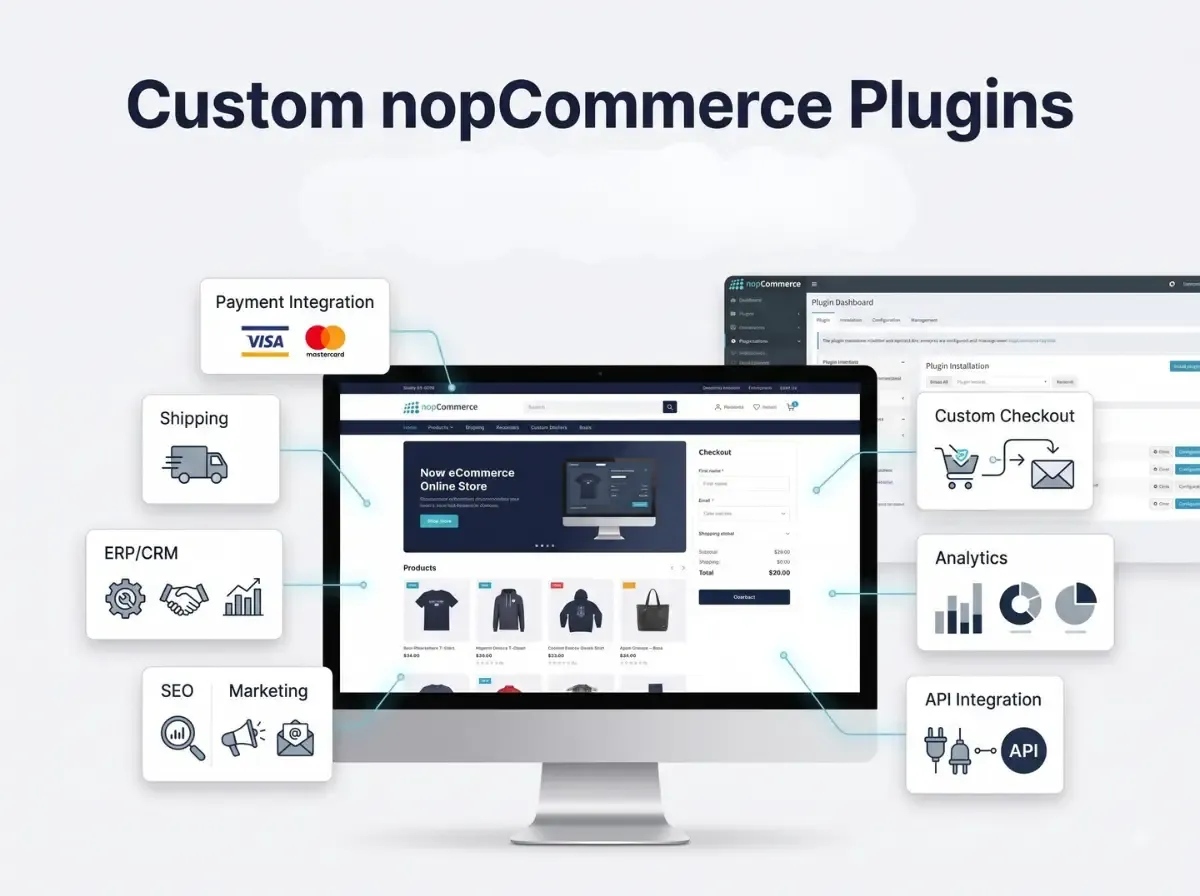
nopCommerce plugins are commonly used to add:
Payment gateway integrations
Shipping carrier integrations and rate calculations
SEO tools such as sitemap or redirect management
Marketing features like promotions, loyalty points, or abandoned cart tools
Checkout improvements, including custom fields or validation steps
Product customization options, such as configurators or personalization
ERP and CRM integrations for order and customer data
Marketplace functionality for multi-vendor stores
Custom reporting and analytics dashboards
Customer account and B2B management tools
Some of this functionality is already covered by third-party plugins on the nopCommerce marketplace. Some of it isn't and that gap is exactly where custom plugin development becomes relevant, which the next section covers in more detail.
Ready-to-Use nopCommerce Plugins vs Custom nopCommerce Plugins
Both approaches solve the same underlying problem of extending nopCommerce without modifying its core but they differ in how they're built and what they can realistically do for your store.
Ready-to-Use Plugins
Ready-to-use nopCommerce plugins are pre-built modules, typically distributed through the official marketplace or a solution partner. They're designed to solve a common problem for a broad range of stores, which is exactly what makes them fast to implement: you install, configure, and go live, often within days rather than weeks.
The trade-off is that a ready-to-use plugin is built for the average case, not your specific case. Configuration options are usually limited to whatever the developer anticipated other merchants would need. Compatibility with your nopCommerce version, with your theme, and with other installed plugins isn't guaranteed and should always be checked before purchase. Support and update frequency also vary significantly between vendors; some plugins are actively maintained across nopCommerce releases, others are effectively abandoned after the first version.
Custom nopCommerce Plugins
Custom nopCommerce plugins are built from a specification written around your business, not around a general market. That means custom workflows approval chains, tiered pricing, order routing rules can be coded exactly as your operations require, rather than approximated through a generic plugin's settings panel.
Custom development also opens the door to integrations that don't exist as off-the-shelf connectors: a proprietary ERP, an internal API, a legacy warehouse system. It allows for admin-side tools built specifically for how your team works, and frontend experiences that match your actual customer journey instead of a template one. The cost of that flexibility is that custom plugins require a proper development process; they don't exist until someone builds them.
Neither option is universally superior. A ready-to-use plugin handling standard shipping rates is often the more sensible choice than commissioning custom nopCommerce plugins for something the marketplace already solves well. The decision should follow the requirement, not a general preference for one approach.
When Should You Use a Ready-to-Use nopCommerce Plugin?
Ready-made plugins are a reasonable starting point when your requirement is close to what most other stores also need. That typically includes:
Standard payment gateway or shipping carrier connections
Common marketing tools newsletters, basic loyalty programs, review widgets
Quick implementation needs, where time-to-launch outweighs fine-grained customization
Budget-conscious projects where a one-time plugin cost is preferable to a development engagement
Functionality that already exists as a mature, well-reviewed option in the nopCommerce ecosystem
Before installing any plugin, it's worth checking a short list of things that determine whether it will actually work well on your store:
Compatibility with your exact nopCommerce version
General plugin quality code structure, if source is available, and user reviews
Whether the developer or vendor still provides active support
How recently the plugin was updated, and whether it tracks new nopCommerce releases
Any known security concerns or advisories
Performance impact, particularly for plugins that run on every page load
Quality of documentation and setup instructions
How configurable the plugin actually is versus how configurable it claims to be
Licensing terms, including whether updates are included or sold separately
Compatibility with plugins you already have installed
When Do You Need Custom nopCommerce Plugins?
Custom development becomes worth considering once a requirement stops being generic. A few realistic scenarios illustrate where that line usually sits.
Unique Business Rules
Pricing and discount logic is one of the most common reasons businesses move to custom plugins. Examples include custom pricing tiers by customer group, negotiated discounts tied to specific accounts, B2B approval workflows before an order is confirmed, and minimum order quantity or value rules that don't map cleanly onto nopCommerce's built-in discount engine.
Custom Integrations
Connecting nopCommerce to systems outside the eCommerce stack an ERP, a CRM, a warehouse management system, a PIM, an accounting platform, or an internal company API almost always requires custom plugin work, because these integrations depend on each business's specific systems and data structures rather than a standard connector.
Specialized Checkout Requirements
Some stores need checkout logic that goes beyond standard flows: conditional payment methods based on order value, shipping rules tied to customer location or product type, or checkout steps that only apply to specific customer roles. These scenarios are usually too specific for a general checkout plugin to cover cleanly.
Industry-Specific Functionality
Certain industries regulated products, made-to-order manufacturing, rental or subscription models, wholesale distribution have operational requirements that simply don't appear in generic eCommerce plugins, because those plugins are built for the broadest possible audience rather than one vertical.
Automation
Automating repetitive operational work is another common driver: automated order processing rules, internal or customer-facing notifications tied to specific triggers, data synchronization between systems, inventory workflows across warehouses, and customer segmentation that feeds into marketing or pricing decisions.
Benefits of Custom nopCommerce Plugins
The practical benefits of custom development follow directly from the flexibility it provides, rather than from any inherent superiority over ready-made plugins:
Functionality matches your actual business process instead of an approximation of it
Greater control over how a feature behaves, fails, and reports errors
Integration flexibility with systems that have no existing connector
Architecture that can scale alongside your catalog, order volume, or customer base
Better alignment with existing internal workflows, reducing manual work-arounds
Reduced dependency on stacking several unrelated plugins to approximate one workflow
Admin-side tools built for how your team actually operates
Frontend customization tailored to your customer journey
Long-term maintainability, provided the plugin is properly architected from the start
That last point matters. Custom development is not a one-time task it requires proper requirement analysis, testing, documentation, and a plan for maintaining the plugin as nopCommerce itself is updated. A custom plugin built without this discipline can become as hard to maintain as an unsupported marketplace plugin.
What Does nopCommerce Plugin Development Involve?
Custom plugin development follows a fairly consistent process, regardless of the specific feature being built:
Requirement analysis understanding the business problem, not just the requested feature
Functional specification documenting exactly what the plugin should do and where its boundaries are
Technical architecture deciding how the plugin will fit into nopCommerce's structure
Plugin project setup scaffolding the plugin according to nopCommerce's plugin conventions
Backend development services, business logic, and data handling
Admin panel development configuration screens and management tools
Frontend integration storefront views and customer-facing behavior
API or third-party integration development, where external systems are involved
Database considerations schema design, data access, and query performance
Security implementation input validation, permissions, and safe data handling
Testing functional testing against the specification
Compatibility testing checking behavior alongside your existing theme and other plugins
Deployment installing and configuring the plugin on staging, then production
Maintenance and updates keeping the plugin working through future nopCommerce upgrades
This isn't a coding tutorial, and the steps above aren't meant to be exhaustive engineering documentation, they're meant to show that a properly built custom plugin goes through the same discipline as any other piece of production software, rather than being a quick patch.
How Custom Plugins Integrate With nopCommerce
At a technical level, nopCommerce plugins fit into the platform's existing MVC and dependency injection structure rather than sitting outside it. A plugin typically defines its own controllers to handle requests, services to contain business logic, and models to represent data the same pattern nopCommerce itself uses internally, which is part of why plugins can extend the platform cleanly.
Dependency injection is used to register a plugin's services with the rest of the application, so a custom plugin can call on existing nopCommerce services customer data, order processing, product catalog - without duplicating that logic. Views render the plugin's frontend or admin screens, and a plugin generally ships its own configuration settings so it can be adjusted without a redeploy.
Database entities allow a plugin to store its own data alongside nopCommerce's schema, and where a plugin needs to talk to outside systems, this is where API and integration code lives. nopCommerce also supports events and hooks in several areas of the platform, letting a plugin react to actions like an order being placed without modifying the core code that triggers them. Scheduled or background tasks are used for anything that needs to run independently of a user request, such as periodic data synchronization with an external system. None of this requires touching nopCommerce's own source files, which is precisely the point of the plugin architecture.
Examples of Custom nopCommerce Plugin Solutions
ERP Synchronization Plugin :- Keeps product, pricing, or inventory data consistent between nopCommerce and an ERP system, removing the need for manual updates in two places.
Custom Shipping Rules Plugin :- Applies shipping logic based on conditions a standard carrier plugin doesn't support product weight combinations, delivery zones, or customer-specific shipping agreements.
B2B Pricing Plugin :- Applies account-specific pricing tiers, volume discounts, or negotiated rates that don't fit into nopCommerce's default discount rules.
Advanced Product Customization Plugin :- Lets customers configure a product dimensions, materials, add-ons with pricing that updates dynamically based on their choices.
Custom Payment Workflow :- Handles payment scenarios outside a standard gateway integration, such as partial payments, deposits, or approval-based invoicing for B2B orders.
Customer Approval Plugin :- Routes certain orders or account actions through an internal approval step before they're finalized, common in B2B and procurement-driven businesses.
Vendor Management Functionality :- Extends marketplace-style stores with vendor-specific dashboards, commission rules, or onboarding workflows.
Inventory Synchronization :- Keeps stock levels accurate across multiple warehouses or sales channels in near real time.
Custom Reporting Dashboard :- Surfaces business metrics that matter to a specific store - margin by category, customer lifetime value by segment - that standard reports don't show.
External API Integration :- Connects the store to a service outside the eCommerce stack, such as a logistics provider's tracking API or a tax calculation service.
Order Automation :- Automates repetitive order-handling steps, such as routing orders to fulfillment partners based on product type or location.
Marketplace-Specific Functionality :- Adds features specific to running a multi-vendor marketplace on nopCommerce, such as split payments or per-vendor shipping rules.
Ready-to-Use Plugins + Custom Development: Can You Use Both?
Most mature nopCommerce stores end up running a mix rather than choosing one approach exclusively. It's common to combine existing third-party plugins for standard needs, nopCommerce's native functionality where it's sufficient, custom-developed plugins for business-specific requirements, direct API integrations for particular systems, and theme customization for presentation.
The main thing to manage carefully is overlap. Two plugins that both try to handle the same area discounts, for instance can conflict in ways that are hard to diagnose later. Before adding a custom plugin alongside existing ones, it's worth reviewing what each installed plugin actually touches, so the custom development doesn't duplicate or collide with functionality that's already in place.
How to Choose the Right nopCommerce Plugin Solution
A practical way to approach the decision is to evaluate the requirement itself before looking at solutions:
What exactly is the business requirement, in plain terms?
How functionally complex is it a simple toggle, or a multi-step workflow?
What budget is realistically available for this feature?
What's the development timeline, and how firm is it?
Which nopCommerce version are you running, and does that limit your options?
Are there compatibility concerns with plugins already installed?
What security review does this requirement need?
Could this affect store performance, and how will that be tested?
Will this need to scale as order volume or catalog size grows?
Who will maintain this after launch?
Does the vendor or developer offer ongoing support?
What integration requirements exist now, and what might come later?
Is there a realistic path for future expansion of this feature?
The core principle is straightforward: evaluate the requirement first, then decide whether a ready-made plugin genuinely satisfies it or whether custom nopCommerce plugin development is the more honest answer. Installing a plugin because it's available, rather than because it fits, is one of the more common sources of long-term store maintenance problems.
Common Mistakes When Using nopCommerce Plugins
Installing Too Many Plugins :- Every additional plugin is another dependency to maintain and test. Review whether a new plugin is genuinely necessary or whether existing functionality already covers most of the need.
Ignoring Compatibility :- Installing a plugin without checking its compatibility with your nopCommerce version is one of the most common causes of store errors after installation. Always verify version support first.
Choosing Plugins Only by Price :- The cheapest option isn't necessarily the most maintainable one. Factor in support quality, update history, and documentation, not just the listed price.
Not Testing on Staging :- Installing or updating a plugin directly on a live store risks downtime. A staging environment lets you catch conflicts before customers see them.
Ignoring Performance :- Some plugins run code on every page load. Test performance impact under realistic traffic before rolling a plugin out broadly.
Poor Plugin Documentation :- Sparse or outdated documentation is a warning sign it usually indicates the plugin, or its support, isn't actively maintained.
Overlapping Functionality :- Running multiple plugins that manage the same feature area can create conflicting behavior that's difficult to trace back to its source.
Skipping Security Review :- Third-party plugins can introduce vulnerabilities if they're not reviewed. This applies to both marketplace plugins and custom code.
Modifying Core Files Unnecessarily :- Editing nopCommerce's core files instead of building a plugin defeats the purpose of the plugin architecture and makes future upgrades far more difficult.
Not Planning for Future nopCommerce Upgrades :- A plugin that works today but wasn't built with upgrade paths in mind can become a blocker when it's time to move to a newer nopCommerce version.
How Shivaay Soft Helps With nopCommerce Plugin Development
Shivaay Soft is a nopCommerce-focused development team based in Surat, India, working primarily with .NET and ASP.NET on nopCommerce projects. Its work spans custom nopCommerce plugin development, plugin customization, third-party integrations, API development, and B2B and B2C functionality, alongside theme and storefront customization.
A relevant part of this work is handling nopCommerce version upgrades in a way that avoids taking a live store offline, while introducing improvements that are meant to scale without disrupting existing functionality or performance. For businesses that need functionality beyond what's available on the marketplace, this kind of custom plugin development extends a store's software capabilities to display content and features that weren't part of its original setup.
As with any development partner, the right fit depends on your specific requirement, your nopCommerce version, and your timeline. It's worth discussing the scope of your project directly before committing to an engagement.
Conclusion
Ready-to-use nopCommerce plugins solve common, well-defined requirements quickly and at a predictable cost, provided you check compatibility, support, and security before installing one. Custom nopCommerce Plugins exist for the requirements that fall outside that common ground specific pricing logic, non-standard integrations, or workflows built around how your business actually operates rather than how a generic plugin assumes it does.
Neither approach is the automatic right answer. The more useful question is what your requirement actually needs, and whether a ready-made plugin genuinely satisfies it or whether it only approximates the outcome. Compatibility, security, performance, and long-term maintainability matter regardless of which path you take. A poorly maintained custom plugin causes the same problems as a poorly maintained marketplace one. The practical takeaway is to evaluate the requirement honestly before choosing the tool, rather than starting from a preference for one approach.