Blog posts of '2026' 'October'

nopCommerce 5.0 Beta Released - Major Features Explained

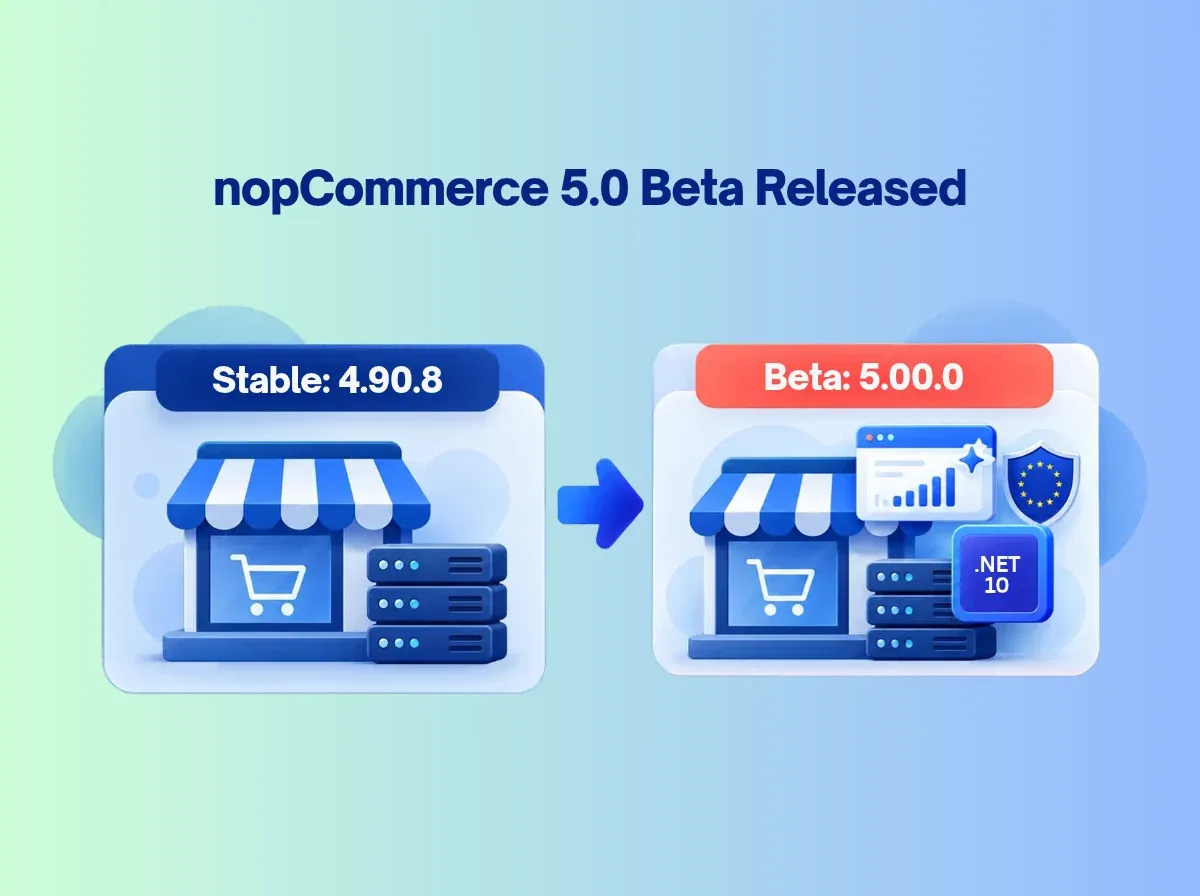
The nopCommerce team has published a beta of its next major version. The official announcement invites the community to test nopCommerce 5.00.0 and report bugs before the formal release.

That wording matters. nopCommerce 5.0 Beta is a testing build, not a final release. The release notes still list nopCommerce 4.90.8 as the latest stable version. Production stores should not treat the beta as an upgrade target.

Why watch it anyway? Major releases change the framework, the plugin surface and the feature set. The nopCommerce 5.0 features announced so far include a move to nopCommerce .NET 10, AI-assisted tools, B2B capabilities and multi-vendor changes. Developers need time to check compatibility. Business owners need time to decide what is relevant.

A beta is the right moment to evaluate features, test customizations, find issues and send feedback. It is not the moment to switch a live store.

What Is nopCommerce 5.0 Beta?

The nopCommerce 5.00 Beta is a pre-release package of version 5.00.0. The team offers a source-code package for developers and a no-source package for quick deployment. The GitHub release page marks it as a pre-release.

Software teams publish betas to collect real-world feedback. Community testers run the build against different databases, plugins, themes and hosting setups. They find problems the core team cannot reproduce alone.

Three terms are easy to confuse:

  • Beta: a feature-complete-enough preview. Behavior can still change.

  • Release candidate: a build the team believes is nearly final.

  • Stable release: the version intended for production.

Three feature statuses also differ:

  1. Announced for the beta: listed in the announcement.

  2. Implemented in the beta package: present in the downloadable build.

  3. Confirmed in the final release: documented in the final release notes.

These are not interchangeable. Check the official announcement and release notes for the latest status.

nopCommerce 5.0 Beta: Major Features at a Glance

Feature

What It Does

Potential Business Benefit

Upgrade to .NET 10

Moves the platform to the next .NET version

Aligns the store with a newer runtime; benefits depend on your environment

AI recommendation engines

Suggests products using AI

May improve product discovery when data and setup are sound

AI chatbots (Jotform)

Offers automated shopper assistance

May extend help outside business hours

ChatGPT Shopping feed

Exports product data as a feed

May make catalog data available to AI shopping surfaces

Reminders

Follows up on carts, registrations and orders

May help staff re-engage shoppers

Native price lists

Supports defined price sets

May simplify customer-specific pricing

EU Withdrawal Button

Supports a digital withdrawal function

May assist with EU consumer-law workflows

GSPR support

Supports product safety information

May help organize required product data

PunchOut (cXML)

Connects procurement systems to your store

May help serve enterprise buyers

Phone/SMS sign-in

Adds a login option beside email

May suit mobile-first shoppers

Vendor carts

Supports consolidated or separate carts

May fit different marketplace models

Delivery date selection

Lets customers request a date

May improve delivery planning

Product 3D images

Shows 3D product assets

May enrich product presentation

1. .NET 10 Upgrade: What It Means for nopCommerce Developers

nopCommerce runs on ASP.NET Core, so the .NET version shapes everything: SDK, runtime, hosting and every dependency. nopCommerce 4.90 uses .NET 9. The 5.00 beta announces .NET 10.

A framework upgrade is more than a version bump. Developers should check:

  • SDK and runtime requirements in the official changelog. Partner summaries report Visual Studio 2026, the .NET 10 SDK and a matching ASP.NET Core runtime. Verify exact versions in the PDF changelog.

  • Hosting support. Your server or host must support .NET 10.

  • Dependencies. Third-party NuGet packages may need updates.

  • Plugins and themes. Do not assume older extensions work unchanged. Partner summaries also mention refactoring, such as a mapper library change. Confirm in the changelog.

No benchmark is claimed here. Measure your own store.

2. AI-Powered Product Recommendation Engines

The announcement lists AI-powered recommendation engines. The goal is personalized product discovery: showing shoppers products that fit their browsing or buying context.

Results depend on implementation, configuration and data. Clean categories, accurate attributes and good product content generally help any recommendation system. Test relevance on real catalog samples and decide where recommendations should appear.

Do not assume AI recommendations raise conversions automatically. Also separate this announced platform capability from third-party AI recommendation tools, which carry their own setup and costs.

3. Intelligent AI Chatbots for 24/7 Sales Assistance

The announcement names Jotform for intelligent chatbots. Possible uses include answering common questions, helping shoppers find products, sharing store information and offering help outside staffed hours.

Plan for these risks:

  • Accuracy. Chatbots can answer incorrectly if product or policy content is thin.

  • Human escalation. Give customers a path to a person.

  • Privacy. Review what data is shared with the external service.

  • Integration. Expect account setup and configuration.

  • Monitoring. Review conversations and refine regularly.

Do not assume the chatbot completes every support or transaction task. Check the documentation.

4. ChatGPT Shopping and Product Feed Support

The announcement lists a ChatGPT shopping product feed. A feed supplies structured product data such as titles, descriptions, prices, availability and product URLs.

Accuracy matters because stale prices or stock status create poor experiences. Three ideas should stay separate:

  • Providing data through a supported feed.

  • Product discovery in AI-assisted shopping.

  • Guaranteed placement or ranking, which nobody can promise.

Verify the feed specification, activation steps and eligibility requirements in official documentation before planning around it.

5. Automated Reminders: Abandoned Carts, Pending Registration and Pending Orders

The announcement lists reminders for three situations. Partner summaries describe email-based reminders, but confirm supported channels and settings in the official implementation.

Abandoned Cart Reminders

These may help you reconnect with shoppers who left items in the cart. No recovered sales are guaranteed.

Pending Registration Reminders

These may prompt customers who started but did not finish registering.

Pending Order Reminders

These may help staff follow up on eligible unpaid or pending orders.

Test timing, frequency limits and duplicate messages. Review customer consent rules for your markets. Track results so you can tune the experience.

6. Native Price List Support for B2B eCommerce

The announcement lists native price list support. It is relevant to wholesale, distributor portals and business customers who have negotiated or customer-specific prices.

Stores previously used discounts, tier prices or plugins for such cases. A native feature may reduce that effort. Complex workflows, such as ERP-driven pricing, may still need configuration or customization. Test your real scenarios; do not assume specific rule types or quantity-break behavior until verified.

7. EU Withdrawal Button and Consumer Compliance

The announcement lists an EU Withdrawal Button tied to Directive 2023/2673. The directive concerns a simple digital way for consumers to withdraw from distance contracts. Partner summaries describe access from order details and an automatic confirmation. Verify in the official documentation.

A feature is not proof of compliance. Obligations depend on your business, markets and transactions. Test the workflow end to end, review notifications and obtain legal guidance.

8. General Safety and Performance Requirements (GSPR)

The official announcement uses the label GSPR. Many EU sellers discuss product safety obligations under the General Product Safety Regulation (GPSR). Do not assume the two names mean identical scope. Confirm the feature's actual fields and workflows in the changelog.

Product safety data can include manufacturer details, responsible-person information, traceability data and safety information. Software can help organize it. It does not make a business compliant by itself. Accurate product data and legal review remain your responsibility.

9. PunchOut Support Using cXML

PunchOut lets a buyer open a supplier's catalog from inside the buyer's procurement system. The buyer shops, then returns the cart to the procurement platform for approval. cXML is a common XML protocol for this exchange.

For suppliers serving enterprise buyers, this can matter. The announcement lists PunchOut (cXML) without supported-platform detail, so verify the documented scope. Plan integration testing with the buyer's system. Review authentication, credentials and security. Some requirements may need custom integration work.

10. Phone Number and SMS Sign-In

The announcement describes phone-and-SMS sign-in as an additional option beside email login. It may suit mobile-first shoppers.

Plan for:

  • OTP delivery and validation

  • Phone-number verification

  • SMS provider dependencies and costs

  • Rate limiting and abuse prevention

  • Account recovery

  • Security testing

SMS is not automatically more secure than other methods. Verify the supported flow and configuration first.

11. Vendor Support: Consolidated and Separate Carts

The announcement lists support for both consolidated and separate carts for vendors. Cart behavior shapes checkout, order splitting, fulfillment and the marketplace experience.

Think through vendor order handling and how customers check out across sellers. These cart options do not equal a full marketplace platform. Commission calculation, vendor settlements and advanced fulfillment should be treated as unsupported until verified.

12. Customer-Selected Delivery Dates

Customers can choose a desired delivery date, according to the announcement. This can support delivery planning and convenience.

A requested date is not a guaranteed date. Your carrier, warehouse capacity, regional restrictions and date validation all matter. Verify the interface and scheduling rules in the beta before planning around them.

13. Product 3D Images

The announcement lists product 3D images. This may enrich presentation for products where shape or detail matters.

Prepare assets carefully. Consider loading time, mobile usability, accessibility and browser compatibility. Displaying 3D assets is not the same as building a full interactive 3D configurator. Confirm supported formats and product types before committing.

How These nopCommerce 5.0 Features May Benefit eCommerce Businesses

Not every store needs every feature. Match them to your model:

  • AI and product discovery: recommendations, chatbot, ChatGPT feed. Needs clean data and external accounts.

  • B2B and procurement: price lists and PunchOut. Needs buyer-side coordination and testing.

  • Customer experience: SMS sign-in, delivery dates. Depends on providers and logistics.

  • Multi-vendor commerce: vendor carts. Does not replace marketplace workflows.

  • Operations and automation: reminders. Needs consent and frequency controls.

  • Product presentation: 3D images. Needs prepared assets.

  • Compliance workflows: withdrawal button and GSPR. Needs legal review.

nopCommerce 5.0 Beta: What Developers Should Test

Use an isolated development or staging environment. Do not test a beta on a live production store.

  1. Installation and startup: clean install and first run.

  2. .NET 10 SDK and runtime: versions match official requirements.

  3. Database compatibility: your provider and a copy of real data.

  4. Existing plugins: load, install and uninstall each one.

  5. Themes: views, overrides and layout.

  6. Custom code: build errors and runtime errors.

  7. Authentication: login, registration, SMS and recovery.

  8. Catalog behavior: products, categories, search and import.

  9. Cart and checkout: every checkout path.

  10. Payment integrations: sandbox transactions and refunds.

  11. Shipping integrations: rates, labels and tracking.

  12. Vendor workflows: cart modes and order splitting.

  13. B2B price lists: your pricing scenarios.

  14. AI integrations: accounts, data sharing and answer quality.

  15. Product feed: field accuracy and refresh behavior.

  16. Scheduled reminders: timing, duplicates and opt-outs.

  17. Security and permissions: roles and access.

  18. Performance and logging: measure under realistic load.

  19. Deployment and rollback: rehearse restoring your backup.

Should You Upgrade to nopCommerce 5.0 Beta?

Beta testing suits nopCommerce developers, plugin and theme developers, agencies, technical teams preparing for migration and businesses with dedicated staging environments.

Production stores should wait. They need to weigh stability, compatibility and support. Before any move, prepare full backups, a staging environment, plugin and theme audits, integration tests and a rollback plan. Then read the final release notes and confirm the final release status.

There is no blanket advice to upgrade every store. Many stores will do best on a stable 4.90.x release until 5.0 is final and their extensions are ready.

nopCommerce 5.0 Beta vs nopCommerce 4.90

Area

nopCommerce 4.90

nopCommerce 5.00 Beta

Framework version

.NET 9 (per 4.90 release notes)

.NET 10 announced

AI capabilities

AI product descriptions, SEO tools and translation (per release notes)

Adds announced recommendations and Jotform chatbot

Product discovery

Existing search and catalog features

AI recommendations and ChatGPT feed announced

B2B pricing

Request for quote, discounts, tier prices

Native price lists announced

Customer authentication

Existing options, including multi-factor

Phone/SMS sign-in announced as an extra option

Vendor cart behavior

Vendor features exist; verify cart behavior

Consolidated and separate carts announced

Delivery scheduling

Not listed in 4.90 release notes

Desired delivery date announced

Product visualization

Standard images and video

Product 3D images announced

Plugin compatibility

Compatible within 4.90.x minors

Re-test required; treat as unproven

Upgrade planning

Stable, supported path

Staging and compatibility assessment

Verify each row against current documentation. Earlier versions may have partial capabilities that the new release improves.

How to Prepare Your nopCommerce Store for Version 5.0

A major-version upgrade needs a compatibility assessment, not a package replacement.

  1. Audit the current store: version, database and hosting.

  2. Identify custom code: core changes and overrides.

  3. Inventory plugins and themes: vendor, version and support status.

  4. Review .NET dependencies: NuGet packages and libraries.

  5. Check third-party integrations: payment, shipping, ERP and APIs.

  6. Back up database and files: and test the restore.

  7. Prepare a staging environment: mirror production.

  8. Test core workflows: browse, cart, checkout, orders.

  9. Validate business-specific features: your pricing, rules and reports.

  10. Review performance and security: logs, permissions, load.

  11. Document issues: record each finding and owner.

  12. Plan the production migration: timing, rollback and sign-off.

How Shivaay Soft Can Help with nopCommerce 5.0 Readiness

Shivaay Soft is a nopCommerce Gold Solution Partner focused on nopCommerce and ASP.NET Core/.NET work. We can help with:

  • nopCommerce version assessment and upgrade planning

  • Plugin compatibility assessment

  • Custom nopCommerce, plugin and theme development

  • API, payment gateway, shipping and ERP integration

  • Performance optimization

  • Testing and technical support

We start with an audit of your store, plugins and customizations, then plan a staging test. Some customizations will need changes. We tell you which before production work begins.

Conclusion

The nopCommerce 5.0 Beta announcement points to a significant release: the move to nopCommerce .NET 10, AI-powered recommendations, an intelligent chatbot, a ChatGPT shopping feed, reminders, native price lists, PunchOut, vendor cart options, SMS sign-in, delivery dates and product 3D images.

These nopCommerce 5.0 features are announced for testing. Beta testing and production deployment are different things. Use the beta to test compatibility, learn what applies to your business and send feedback. Keep production stores on a stable version until the final release is confirmed and your extensions are ready.

Planning an upgrade, checking plugin compatibility or scoping custom development? Talk to Shivaay Soft about your nopCommerce 5.0 readiness.
Frequently Asked Questions

It is a pre-release build of nopCommerce 5.00.0 published for community testing and bug reports. It previews the next major version but is not the final release.

Yes, the beta has been released. As of 9 October 2026, the official release notes still list 4.90.8 as the latest stable version. Check the release notes for updates.

The announcement lists .NET 10, AI recommendations, an AI chatbot (Jotform), a ChatGPT shopping feed, reminders, native price lists, EU Withdrawal Button, GSPR, PunchOut (cXML), phone/SMS sign-in, vendor cart options, delivery date selection, and product 3D images.

The announcement lists an update to .NET 10 as a highlight. nopCommerce 4.90 uses .NET 9. Confirm exact SDK and runtime requirements in the beta changelog.

The announcement lists AI-powered recommendation engines and intelligent chatbots (Jotform). Some features may rely on external services, so check setup, data sharing, and costs.

It is announced as a product feed for ChatGPT shopping. It supplies structured product data. It does not guarantee that products will appear or rank. Verify eligibility in official documentation.

Native price list support is announced. Test your pricing scenarios in the beta. Complex rules may still need configuration or customization.

PunchOut lets buyers open a supplier's catalog from their procurement system. nopCommerce 5.0 announces PunchOut support using cXML. Verify supported workflows before relying on it.

No. Test the beta on a staging environment and wait for the final release before planning production changes.

Do not assume so. The release moves to .NET 10 and includes refactoring. Test each plugin and theme, and ask vendors about 5.0 support.
Friday, October 9, 2026

nGudgets Theme Review: Best Responsive MegaStore Theme for nopCommerce 2026

The theme is more than a coat of paint. It controls how shoppers find categories, compare products, read details and reach the cart. On a small catalog, a basic layout can do the job. In a store with thousands of products, dozens of categories and many brands, the storefront has to carry much more weight.

That is where a MegaStore-style layout earns its place. Large catalogs need deep navigation, clear product grids, promotional space and layouts that hold up on a phone. Many businesses also look for bundled plugins, so common storefront sections don't have to be built one by one.

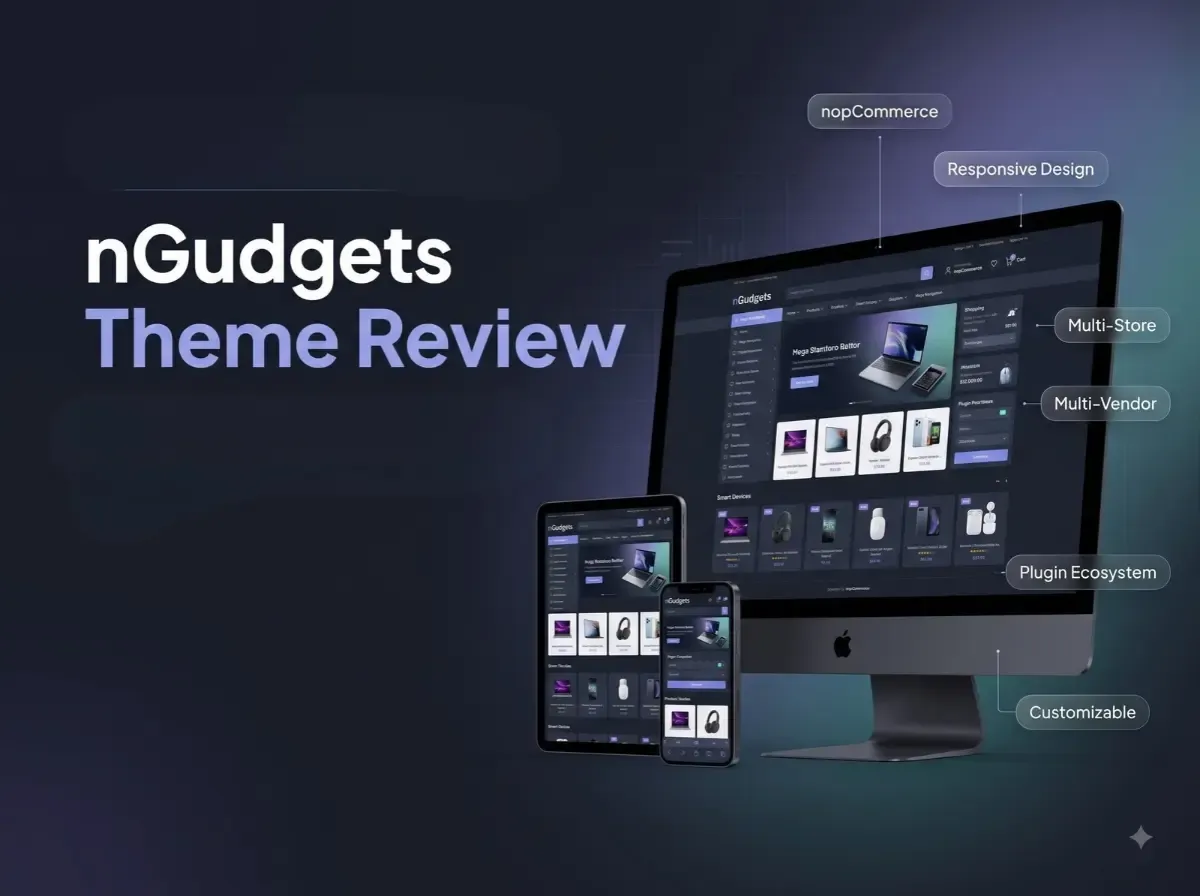
The nGudgets Theme by Shivaay Soft is a responsive theme built for this kind of store. This review looks at what the official product page documents, where the nGudgets responsive theme may fit, and what you should verify before you buy. We won't claim it will lift sales, rankings or conversions. No theme can promise that.

What Is the nGudgets Theme for nopCommerce?

According to the official product page, nGudgets is a full-width premium responsive theme for mega eCommerce stores. It is positioned as a modern, classy design, and the page names electronics, tools, mobile, auto parts and sports as suitable categories. It also states that the theme is integrated with a bundle of plugins.

Those industries are examples, not limits. Whether the nGudgets nopCommerce theme suits your store depends on your catalog, branding, required functionality and customization needs. A store selling home products or accessories could also evaluate it, as long as the layout matches the catalog.

Click for Demo

Why Choose a Responsive MegaStore Theme for nopCommerce?

A large storefront has a long list of practical needs:

  • Category-heavy navigation that stays usable

  • Product grids that scan quickly

  • Product detail pages with clear information

  • Promotional banners and featured product areas

  • Brand visibility

  • Content sections such as blog or news

  • A shopping experience that works well on mobile

A nopCommerce MegaStore theme gives you a stronger starting point than designing each of these pieces from scratch. You still need to configure, test and refine it. A theme alone does not fix slow hosting, messy category structures or poor product data. It gives you a foundation, nothing more.

Key Features of the nGudgets nopCommerce Theme

The list below separates what the product page documents from what depends on nopCommerce, plugins or custom work.

Responsive Design

The page describes nGudgets as a responsive theme. In practice, you should still check it on real phones and tablets, since responsive behavior varies with your content and plugins.

Full-Width Storefront Layout

The theme uses a full-width approach. This suits wide product grids and banner sections. Check how your own images and content sit inside that width.

MegaStore-Oriented Design

The page positions the theme for mega eCommerce stores. That is a design direction. Your navigation depth and catalog structure still need planning in nopCommerce.

Multi-Store Support

The product page lists multi-store support. Multi-store is a nopCommerce platform capability, where one installation runs several stores. The theme is documented as supporting that setup.

Multi-Vendor Support

Multi-vendor support is also listed. Vendor management is native to nopCommerce at a basic level. The theme supports the storefront side. It does not build a full marketplace on its own.

RTL Support

Right-to-left support is documented, which helps if you serve Arabic, Hebrew or similar language audiences.

Localization

The page says the theme is fully localizable and can be used in any language. Translations of your own content and resources still need to be added in nopCommerce.

Customizable HTML and CSS

The page lists a clean HTML and CSS structure for easy customization. This is helpful for developers adjusting branding and layout.

Modifiable .cshtml View Files

Public view (.cshtml) files are open to modification. That gives developers deeper control than CSS alone, though changes need care during upgrades.

Cross-Browser Testing

The theme is listed as tested with all major browsers. Test your final configuration yourself, especially with extra plugins.

Bundled Plugin Ecosystem

The theme comes integrated with a bundle of plugins. They are covered in the next section.

Support and Upgrade Policy

The page lists one year of free support and upgrades from the purchase date. Ask what happens after that period and how upgrades are delivered. Note too that the license is tied to the domain you enter at purchase.

10 Plugins Included with the nGudgets Theme

These are bundled plugins, not native nopCommerce features. The product page describes them only as a bundle with the required functionality, so the purposes below are inferred from the plugin names. Confirm exact behavior in the demo or with Shivaay Soft.

Nop Anywhere Banner

Likely used to place banners in different storefront positions. Useful for promotions and campaigns.

Nop Latest Blog

Likely displays recent blog posts on storefront pages. It can support content sections beyond products.

Nop Latest News

Likely shows recent news items. It may suit announcements or store updates.

Nop Our Brand

Likely a brand display section. For stores carrying many manufacturers, brand visibility matters.

Nop Quick Info

Likely a section for short store information such as services or highlights.

Nop Quick Tab

Likely a tabbed content area. Tabs can organize product groups on the homepage.

Nop Quick View

Likely lets shoppers preview product details without leaving a listing page.

Nop Sales Of the Day

Likely highlights time-based or daily offers.

Nop NewsLetter Subscription

Likely a subscription form for email sign-ups. Email delivery still depends on your nopCommerce and email service setup.

Nop Product Collection

Likely groups products into collections for display. (The name is spelled this way on the product page.)

nGudgets Theme Design and Storefront Experience

The product page shows three design areas: category design, product detail design and cart design. A reviewer should look at how they work together.

Category pages matter most for large catalogs. Look at the grid density, sorting area and how clearly products stand out.

Product detail pages should present images, price, availability and descriptions without clutter.

The cart should be simple and clear on every screen size.

Beyond those, check the navigation, promotional areas, brand presentation and content sections on the demo. A consistent design across these areas can make the store feel coherent. It does not guarantee better conversion rates. Real results depend on your products, pricing, traffic and checkout.

Is nGudgets a Good Theme for Large eCommerce Stores?

It may be a fit when your store has:

  • A large product catalog across many categories

  • Multiple product brands

  • Electronics, mobile, auto parts, sports or tools ranges

  • Multi-vendor or multi-store requirements

There is an important difference, though. A theme that suits a large catalog has the layout for it. A platform that scales a large catalog is an architecture matter. Actual performance depends on:

  • Hosting and infrastructure

  • Database design and tuning

  • Catalog size

  • Number of plugins

  • Customizations

  • Image sizes and formats

  • Caching

  • Search configuration

  • Traffic

nGudgets can give you the storefront. Scaling is a separate engineering task.

nGudgets Theme for Electronics and Mobile Stores

Electronics, phones, accessories, computer products and gadgets are product-heavy. Shoppers want to filter, compare and reach products quickly.

Useful storefront needs include category organization, brand navigation, quick product access, promotional banners and clear product detail presentation. The theme's bundled plugins, such as Quick View, Our Brand and Anywhere Banner, may help with some of these.

Product comparison is a different matter. It is not listed as a theme feature on the product page. nopCommerce has its own comparison functionality, but how it looks and behaves depends on configuration. Anything beyond that may need a plugin or custom development.

nGudgets Theme for Auto Parts, Tools and Sports Stores

Auto parts, tools and sporting goods stores share a few needs. They depend on:

  • A clear category hierarchy

  • Product filtering

  • Detailed product information

  • Brand organization

  • Mobile browsing

  • Easy product discovery

The product page names these industries as suitable, but it does not document industry-specific functionality. Auto parts stores, for example, often need vehicle fitment search (make, model, year). That is not listed for nGudgets, so treat it as a separate requirement that may need a plugin or custom work.

nGudgets Theme and Multi-Vendor / Multi-Store nopCommerce

Multi-store means running more than one storefront from a single nopCommerce installation, often with different branding, domains or catalogs.

Multi-vendor means several sellers list products in one store.

These matter for businesses with regional brands, separate product lines or marketplace plans. The theme is documented as supporting both. The underlying logic lives in nopCommerce itself. A theme controls how the storefront looks and behaves for shoppers.

The theme does not create a complete marketplace. Vendor onboarding, commissions, settlements, payouts and vendor dashboards may need platform configuration, plugins or custom development.

nGudgets Theme Customization Options

The official page documents clean HTML and CSS plus modifiable public .cshtml files. In practical terms, a developer can adjust:

  • Branding, colors and typography

  • Homepage sections

  • Layout details

  • Navigation

  • Custom storefront components

Simple customization covers logos, colors, fonts and spacing, mostly through CSS. View file changes go deeper and need nopCommerce knowledge. Custom development covers new functionality, such as special pricing displays or integrations. Complex needs to call for an experienced nopCommerce developer.

nGudgets Theme Version Compatibility

The product page lists support for nopCommerce 4.50, 4.60, 4.70, 4.80 and 4.90. No compatibility with future versions should be assumed unless Shivaay Soft confirms it.

Version matching matters because nopCommerce changes its view structure, plugin APIs and dependencies between releases. Before production, verify compatibility with:

  • Existing plugins

  • Customizations

  • Payment integrations

  • Shipping integrations

  • Third-party services

How to Evaluate the nGudgets Theme Before Buying

  1. Identify your nopCommerce version. Match it against the supported list.

  2. Review the demo. Browse it as a shopper would.

  3. Check the homepage layout. Look at banners, sections and loading order.

  4. Check category pages. Test grids, filters and sorting.

  5. Check product detail pages. Look at images, variants and descriptions.

  6. Review the cart. Make sure it is clear on all screens.

  7. Test responsive behavior. Resize and rotate.

  8. Review the bundled plugins. Decide which ones you will use.

  9. Check required integrations. List your payment, shipping and ERP needs.

  10. Review customization requirements. Mark what needs developer time.

  11. Test existing plugins. Look for conflicts.

  12. Confirm support requirements. Understand the one-year terms.

  13. Validate your deployment environment. Check hosting and server setup.

  14. Test on real devices. Emulators miss details.

  15. Run a staging implementation. Never go live untested.

nGudgets Theme vs Custom nopCommerce Theme Development

Factor

nGudgets (ready-made)

Custom theme

Development Time

Shorter starting point

Longer

Initial Cost

Typically lower

Typically higher

Customization

Within theme structure

Very high

Branding

Adaptable

Fully unique

Design Flexibility

Moderate

High

Existing Storefront Components

Pre-designed

Built from scratch

Plugin Integration

Bundled plugins included

Planned per project

Maintenance

Shared theme updates

Owned by your team

Development Effort

Lower

Higher

Best For

Fast, structured launches

Unique UX and workflows

Neither approach wins everywhere. A ready-made theme gives a faster start and lower design effort. A custom theme gives design freedom, business-specific UX and unique workflows, at the cost of more effort.

nGudgets Theme vs a Basic nopCommerce Theme

A basic theme can be enough for a small catalog. Consider these points when choosing:

  • Store size and product catalog

  • Navigation complexity

  • Branding needs

  • Responsive requirements

  • Plugin needs

  • Multi-store and multi-vendor needs

  • Customization needs

A more feature-oriented theme such as nGudgets can help businesses that need a stronger starting storefront structure, including promotional areas and content sections.

Performance Considerations for nGudgets and nopCommerce Stores

A responsive theme does not automatically mean a fast store. Performance depends on:

  • Image optimization

  • CSS and JavaScript management

  • Caching and CDN

  • Database optimization

  • Catalog size

  • Third-party scripts

  • Plugin count

  • Hosting and server configuration

  • Mobile performance

Test Core Web Vitals, page load behavior, mobile responsiveness, category pages, product pages, the cart and checkout. No specific scores or improvements should be promised.

Common Mistakes When Choosing a nopCommerce Theme

  • Choosing from screenshots only. Test the live demo.

  • Ignoring version compatibility. Confirm your version first.

  • Ignoring mobile UX. Use real phones.

  • Ignoring plugin compatibility. Test existing plugins together.

  • Overlooking customization needs. List them before buying.

  • Installing too many plugins. Keep only what you use.

  • Not testing checkout. Run complete test orders.

  • Skipping category navigation checks. Test deep category paths.

  • Not planning for growth. Think about future catalog and store counts.

  • Not using staging. Always test there first.

Who Should Consider the nGudgets Theme?

It may suit:

  • Electronics, mobile, auto parts, sports and tools stores

  • Businesses with large product catalogs

  • Multi-store and multi-vendor businesses

  • Businesses wanting a responsive storefront

  • Teams wanting a ready-made starting point

A custom theme may be more appropriate for highly unique UX, complex product configuration, highly customized checkout, brand-specific interaction patterns, custom marketplace workflows or advanced third-party integrations.

Why Choose Shivaay Soft for nopCommerce Theme Customization?

Shivaay Soft works across nopCommerce development, custom development, theme development and customization, and plugin development. The team also handles multi-vendor and multi-store builds, API, payment gateway, shipping and ERP integration, performance optimization, upgrades and technical support.

That range matters because theme work rarely stays only about design. It often touches plugins, integrations and upgrades. You can review the nopCommerce themes page for other options.

Conclusion

The nGudgets Theme is a full-width responsive theme for nopCommerce, documented for electronics, tools, mobile, auto parts and sports stores. The nGudgets responsive theme gives a mobile-friendly base. As a nopCommerce MegaStore theme, it may suit large catalogs that need structured navigation and promotional areas. It comes with a plugin bundle, lists multi-store and multi-vendor support, RTL, localization and editable HTML, CSS and .cshtml files.

Check version compatibility, test performance and verify integrations on staging. Choose a ready-made theme when you want a faster start. Choose custom development when your UX or workflows are truly unique.

Frequently Asked Questions

It is a full-width responsive premium theme by Shivaay Soft for mega eCommerce stores.

Yes. The official page describes it as responsive. Test it on your own devices.

The page names electronics, tools, mobile, auto parts, and sports. Other stores can evaluate it too.

The page lists multi-vendor support. Marketplace workflows may need extra configuration or development.

Yes, multi-store support is listed.

Ten bundled plugins, from Nop Anywhere Banner to Nop Product Colletion, are covered in this review.

Yes. It has clean HTML and CSS and modifiable .cshtml files.

This article lists 4.50, 4.60, 4.70, 4.80, and 4.90. Confirm on the product page.

It may suit the storefront needs of large catalogs. Performance depends on hosting, database, caching, and configuration.

Choose nGudgets for a faster, structured start. Choose custom for unique UX or workflows.
Wednesday, October 7, 2026

Top Technologies Used to Develop Mobile Apps

A founder once asked us to "just pick the best framework" for a booking app. Two questions later, the picture changed. Did they need Android and iOS on day one? Would the app use Bluetooth with a hardware device? Was the in-house team already writing C#? Each answer pointed to a different choice.

That is the honest starting point for any search for the best technology for mobile app development. Mobile apps can be built natively for each platform, or with cross-platform tools that share code across Android and iOS. Both approaches work. Each fits some products better than others.

So this guide does not crown a winner. It explains what each major option does well, where it struggles, and how to match it to your product. By the end, you should be able to judge a recommendation from any development team, including ours.

What Technology Is Used to Develop Mobile Apps?

A mobile app is built from a technology stack: the set of languages, frameworks, tools and services that work together. The stack usually includes:

  • Programming language for the app's logic

  • Framework that provides ready-made structure

  • SDK for platform features

  • UI technology for screens and interactions

  • APIs that move data in and out

  • Backend that runs business logic

  • Database for stored data

  • Cloud infrastructure for hosting, storage and notifications

  • Testing and deployment tools for quality and release

People often mix these terms up, so here is the difference:

  • A programming language (Kotlin, Swift, Dart, C#) is how developers write instructions.

  • A framework (Flutter, React Native, .NET MAUI) is a toolkit built on a language that speeds up app building.

  • An SDK is a package of libraries and tools for a specific platform, such as the Android SDK or Apple's iOS SDK.

  • A platform (Android, iOS) is the operating system the app runs on.

  • A development tool (Android Studio, Xcode, Visual Studio) is the software developers work in.

When someone says "we are building in Flutter," they are naming only one layer. The rest of the stack still needs decisions.

Native vs Cross-Platform Mobile App Development

This is the first big fork in the road. Almost every other choice follows from it.

What Is Native App Development?

Native development means building separately for each platform with the tools the platform owner supports. Android apps are typically written in Kotlin or Java. iOS apps are written in Swift.

Because native apps use the platform's own SDK and UI components, they get direct access to device APIs and new OS features. They also tend to feel familiar to users, since buttons, gestures and navigation follow each platform's conventions.

The trade-off is effort. Two platforms usually mean two codebases, and often two sets of specialists. Maintenance also happens twice.

What Is Cross-Platform App Development?

Cross-platform development lets a team write much of the app once and run it on both Android and iOS. Flutter, React Native and .NET MAUI are the best-known mobile app development frameworks in this group.

A shared codebase can reduce duplicated work, keep features consistent across platforms, and simplify updates. However, there is an important trade-off. Deep platform-specific features may still need native code, and the framework itself becomes a dependency you must keep up to date.

Native vs Cross-Platform: Which Should You Choose?

Factor

Native

Cross-Platform

Platform coverage

One platform per codebase

Android and iOS from a largely shared codebase

Code reuse

Limited between platforms

High for UI and business logic

Performance

Direct access to platform capabilities

Often good for typical business apps; demanding workloads need evaluation

Platform-specific features

Available as soon as the OS supports them

May need plugins or custom native code

Development efficiency

More effort across two platforms

Less duplicated effort

Maintenance

Two codebases to maintain

One main codebase plus framework upgrades

Best suited for

Platform-heavy, high-performance or single-platform apps

Multi-platform products with common features

Neither column wins everywhere. A single-platform app with heavy sensor use leans native. A content or commerce app on both platforms often leans cross-platform.

Kotlin for Android App Development

Kotlin is a modern language for Android and the one Google emphasizes for new Android development. Kotlin app development benefits from concise syntax, which means less boilerplate and code that is easier to read.

Two features matter in practice. Null safety helps catch a common class of crashes at compile time rather than in front of users. Java interoperability lets Kotlin and Java live in the same project, so teams can modernize gradually.

Kotlin also pairs with Jetpack Compose, Android's modern toolkit for building user interfaces with declarative code. Together they suit most Android products: consumer apps, marketplaces, FinTech apps, field-service tools and apps that rely on camera, GPS or biometrics.

Choose it when Android is your priority, or when you want the fullest access to Android capabilities. The limitation is obvious: Kotlin on its own does not give you an iOS app.

Swift for iOS App Development

Swift is Apple's language for building apps across its ecosystem, including iPhone and iPad. It is designed to be fast and safe, with a clean syntax and strong typing that helps prevent many common errors.

Swift app development works hand in hand with Apple's SDKs. That gives direct access to features such as Face ID, Apple Pay, HealthKit and the camera stack. SwiftUI, Apple's declarative UI framework, now handles a large share of interface work, though some projects still combine it with UIKit.

Native Swift is appropriate when your audience is mostly on Apple devices, when you need tight integration with Apple services, or when the experience depends on polish and platform detail. The trade-off is the same as Kotlin's in reverse: you will need another solution for Android.

Flutter for Cross-Platform App Development

Flutter is Google's open-source UI framework. Developers write in the Dart programming language and build interfaces from widgets. Flutter draws its own interface rather than relying on each platform's built-in components, which gives teams strong control over how the app looks.

That makes Flutter app development attractive for products with custom branding, animated interfaces, or a need for identical design on Android and iOS. A shared codebase can also improve development efficiency.

There are considerations. Features that depend on newer or unusual platform capabilities may require native integrations. Complex apps can need careful architecture to stay maintainable. And Dart is a smaller talent pool than JavaScript or Java in many markets.

Flutter is a strong candidate for many shared-code projects, but it should be evaluated against your feature list, not chosen by reputation.

React Native for Mobile App Development

React Native lets developers build mobile apps using JavaScript or TypeScript and the React component model. Instead of drawing everything itself, it renders real native UI components, which helps apps feel at home on each platform.

Its biggest practical strength is the ecosystem. Teams that already build web products in React can reuse skills, patterns and sometimes business logic. Component reuse across screens speeds up delivery, and there is a large library community.

What to watch: apps that need advanced device features may require custom native modules. Third-party packages vary in quality, so dependency choices deserve review. Upgrades between versions also need planning.

React Native fits SaaS products, marketplaces, content apps and business tools where web and mobile teams overlap.

Java for Android Development

Java was the original language of Android development, and it is still everywhere. Many existing Android apps, enterprise systems and libraries are written in it. Its ecosystem is mature, and many developers know it well.

For a new Android project, Kotlin is usually the stronger starting point. For an existing Java app, though, a full rewrite is rarely necessary. Because Java and Kotlin work together, teams can write new features in Kotlin while keeping stable Java code running.

Java remains relevant for maintaining and extending existing apps. The question is not Java versus Kotlin as a permanent verdict, but what modernization your product actually needs.

.NET MAUI for Cross-Platform Development

.NET MAUI is Microsoft's framework for building cross-platform apps with C# and the .NET ecosystem. A single project can target Android, iOS, macOS and Windows.

Its value is clearest for organizations already invested in Microsoft technologies. If your backend runs on ASP.NET Core and your developers write C#MAUI allows shared language, tooling and sometimes shared libraries across the stack.

That makes it useful for internal business apps and enterprise tools. For consumer-facing products with highly custom design, compare it carefully with Flutter and React Native, and check that the plugins and platform features you need are available.

Other Technologies Behind a Mobile Application

The app on the phone is only the visible part. Much of the real work happens elsewhere.

Backend Technologies

The backend handles business logic, user accounts, orders, permissions and data processing. Common choices include ASP.NET Core and Node.js. The app talks to the backend through APIs, usually REST or GraphQL. A well-designed API keeps the mobile app lighter and makes future platforms easier to add.

Databases

SQL databases (such as SQL Server or PostgreSQL) suit structured, relational data like orders and payments. NoSQL databases can fit flexible or fast-changing data. Apps also use local mobile storage so key features keep working when the connection is weak.

Cloud and Infrastructure

Cloud platforms provide hosting, file storage, authentication, push notifications and monitoring. They also help the system handle growth in users and traffic. Decisions here affect running costs and reliability long after launch.

APIs and Third-Party Integrations

Most apps connect to outside services: payment gateways, maps, social login, analytics, CRM, ERP and e-commerce systems. Each integration needs to be checked for SDK support on your chosen framework. This is a common place where a technology that looked ideal turns out to be a poor fit.

Technology Comparison at a Glance

Technology

Primary Platform

Language

Approach

Ideal For

Key Consideration

Kotlin

Android

Kotlin

Native

Android apps

Android only

Swift

iOS

Swift

Native

Apple-ecosystem apps

Apple devices only

Flutter

Android + iOS

Dart

Cross-platform

Shared-code apps with custom UI

Platform integrations

React Native

Android + iOS

JavaScript/TypeScript

Cross-platform

Multi-platform apps, React teams

Native modules and dependencies

Java

Android

Java

Native

Existing Android apps

Legacy codebase considerations

.NET MAUI

Android, iOS, macOS, Windows

C#

Cross-platform

.NET organizations

Ecosystem and plugin fit

How to Choose the Best Technology for Mobile App Development

A sound decision weighs several factors together. Here is how we walk clients through them.

1. Target Platforms

Start with who you are building for. If your audience is mainly on one platform, a native app may be the cleanest route. If you need Android and iOS together, shared-code frameworks become attractive.

2. Application Complexity

A simple catalog app and a banking app do not carry the same risk. E-commerce and on-demand apps often work well with cross-platform tools. FinTech and healthcare apps add security, compliance and device requirements that deserve deeper review. Enterprise apps often depend on integrations. Games usually call for specialized engines rather than the frameworks above.

3. Performance Requirements

Real-time processing, advanced graphics, heavy animation and intensive computation all put pressure on the stack. Many business apps run well on either approach. When performance is central to the product, build a small prototype of the hardest feature before committing.

4. Device Features

List what the app must do: camera, GPS, Bluetooth, biometrics, sensors, push notifications, NFC or in-app payments. Then confirm that each feature has mature support in your chosen framework. Gaps here are costly to discover late.

5. Development Timeline

Shared code can shorten delivery when both platforms must launch together, because features are built once. But testing across devices and platform-specific fixes still take time, so treat any timeline gain as an advantage to verify, not a guarantee.

6. Budget and Total Cost of Ownership

The build price is only part of the picture. Total cost includes development, testing, maintenance, updates, infrastructure and future features. A cheaper start can become expensive if the technology does not fit the roadmap.

7. Scalability

Think about the product two or three years out. More users, more features, more integrations, perhaps a web version or another platform. Choose a stack and architecture that can grow without a rebuild.

8. Existing Team Expertise

A team that already knows React will usually move faster with React Native. A C# team may prefer .NET MAUI. Skills you already have reduce risk, hiring effort and long-term support cost.

Which Mobile App Technology Is Right for Different Projects?

Project type

Technology to consider

Android-first application

Kotlin

iOS-first application

Swift

Android and iOS with shared code

Flutter or React Native

Microsoft/.NET-centric organization

.NET MAUI

Existing Java Android application

Java, with Kotlin added as modernization requires

Highly platform-specific application

Native development

Technology selection should ultimately be based on application requirements rather than popularity or trends.


What Is the Best Technology for Mobile App Development?

There is no single best choice for every app. Kotlin and Swift are strong native options for Android and iOS. Flutter and React Native suit businesses that want one codebase across both platforms. The right pick depends on platform needs, performance, features, budget, scalability and maintenance.

Common Mistakes When Choosing Mobile App Technologies

  1. Choosing based only on popularity. A popular tool can still be wrong for your features.

  2. Picking the cheapest option up front. Low initial cost can hide higher maintenance later.

  3. Ignoring platform-specific requirements. Check device features before you commit.

  4. Forgetting backend architecture. The app is only as reliable as the systems behind it.

  5. Underestimating security. Authentication, data storage and API protection need planning from the start.

  6. Ignoring long-term maintenance. Frameworks and operating systems keep changing.

  7. Overlooking developer expertise. The best tool is one your team can support well.

  8. Not planning for scale. Early shortcuts can limit growth.

  9. Skipping integration checks. Confirm payment, maps and CRM support early.

  10. Treating framework choice as the whole architecture. It is one decision among many.

Mobile App Technology Stack Example

Here is a conceptual flow for a typical application. It is an illustration, not a mandatory design.

Mobile App → API Layer → Backend → Database → Third-Party Services

  • The mobile app handles screens, taps and local interactions.

  • The API layer carries requests and responses between app and server.

  • The backend applies business rules such as pricing, permissions and order handling.

  • The database stores users, products, transactions and history.

  • Third-party services supply payments, maps, notifications and analytics.

For example, an ordering app might use a cross-platform front end, an ASP.NET Core API, a SQL database, and external services for payments and push notifications. Another team might choose entirely different parts and still build a good product.

Future Considerations When Selecting Mobile Technologies

Instead of predicting trends, evaluate what you can actually check:

  • Framework maintenance: Is it actively maintained and documented?

  • Developer ecosystem: Can you hire and support people who know it?

  • Platform evolution: How quickly does it support new Android and iOS releases?

  • Security updates: How are vulnerabilities patched?

  • OS compatibility: Will the app keep working with new OS versions?

  • Third-party dependencies: Are key packages maintained?

  • Long-term support and migration: What would an upgrade or move cost?

  • Scalability: Can the architecture grow with usage?

If you cite adoption figures or release details in your own planning, confirm them against official documentation first.

Choosing With the Right Partner

If you are planning a new mobile application, the right technology stack should be selected around your product requirements, target platforms, integrations and long-term roadmap. An experienced development team can evaluate these factors and recommend an architecture that balances performance, scalability, maintainability and development efficiency.

At Shivaay Soft, our mobile app development services cover native and cross-platform projects, supported by API development services and ASP.NET Core development for the backend. Teams with broader needs can also draw on our custom software development and web application development experience.

Share your requirements and we will help you compare options before you commit to a build.

Frequently Asked Questions

It depends on your product. Match the technology to your platforms, features, team, and long-term plans rather than looking for one universal answer.

Kotlin is a leading choice for new native Android apps, often with Jetpack Compose for the interface. Java remains common in existing projects.

Swift is the standard for native iOS apps, commonly used with SwiftUI and Apple's SDKs.

Yes, for many projects. It is well suited to shared-code apps with custom interfaces. Review your native integration needs and long-term maintenance plans first.

Often, yes. It works well for business apps, especially where teams already use React and TypeScript. Complex device features may need native modules.

Native apps are built separately for each platform with its own tools. Cross-platform apps share much of their code across Android and iOS.

Yes. Flutter, React Native, and .NET MAUI all target both platforms from a shared codebase, though some features may still need platform-specific work.

List your target platforms, must-have features, integrations, budget, timeline, and team skills. Then test the riskiest feature in a prototype before committing.

Common options include ASP.NET Core and Node.js, exposing REST or GraphQL APIs, backed by SQL or NoSQL databases and cloud services.
Monday, October 5, 2026

Best nopCommerce Theme for Selling Games, Consoles & Accessories

A gaming retailer rarely sells one kind of product. One shopper wants a new release for PlayStation. Another is comparing controllers. A third needs a headset that works with both a console and a PC. If your storefront treats all of these the same way, shoppers struggle to find what they came for.

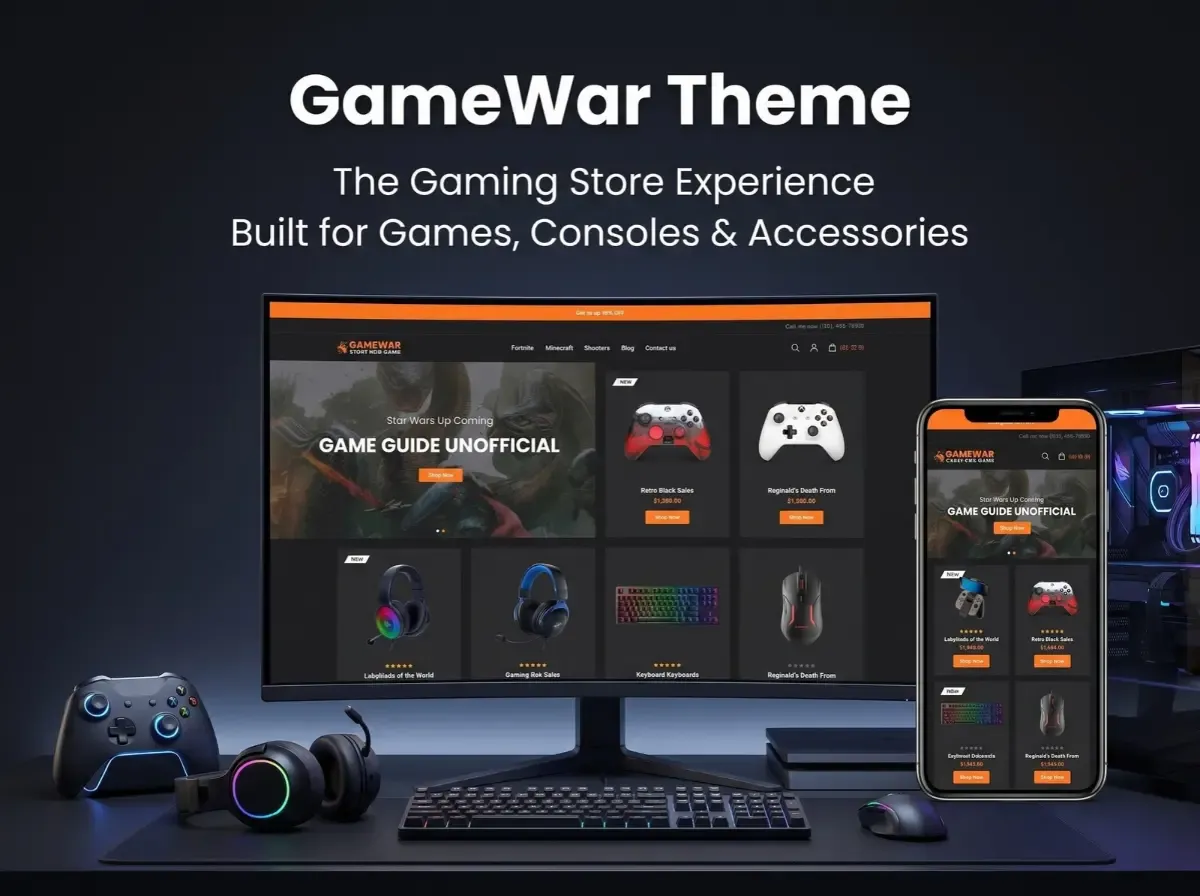
That is why theme choice matters for a gaming eCommerce website. The GameWar Theme is a gaming-focused option for nopCommerce that is worth evaluating if you are building or redesigning a video game online store.

Looks are only part of the decision. You also need to check product discovery, layout flexibility, version compatibility, performance and how easily the theme can be customized later. This guide covers each of these using details from the official product pages.


What Is the GameWar Theme?

A nopCommerce theme controls how your store looks and feels. It shapes layout, typography, navigation, product listings and branding. It does not replace the platform's core features, and it does not automatically add business logic like ERP sync or custom filters. Those come from nopCommerce itself, plugins or custom development.

According to Shivaay Soft, GameWar is a premium nopCommerce theme with a modern design, a dark mode layout and a customizer option. The official pages describe it as suitable for video games, puzzle and sports products, movies, PlayStation items, digital items, electronics, mobile products and other gaming accessories.

Here are the specifications confirmed on the official product page:

  • Supported nopCommerce versions: 4.60 and 4.70

  • Eight plugins included

  • Multi-store and multi-vendor support

  • RTL (right-to-left) support

  • Clean HTML and CSS structure

  • Public view (.cshtml) files open to modification

  • Fully localizable for any language

  • Tested with all major browsers

  • One year of free support and upgrades from the purchase date

The license is tied to the domain you enter at purchase, so confirm your production domain first. The nopCommerce Marketplace lists the theme as "Dark Digital Store-GameWar." The two pages show different prices (see the note at the end), so check the current price before budgeting.

Why Choose a Gaming-Focused nopCommerce Theme?

A generic retail theme can sell games. But a gaming storefront has different needs, and a purpose-built theme gives you a more relevant starting point.

Gaming shoppers tend to browse visually. They respond to bold product art, clear category paths and prominent promotional areas for launches and bundles. A dark layout also suits the category, and it can make cover art and hardware photography stand out.

A gaming-focused theme can help with:

  • Gaming-oriented branding that feels native to the audience

  • Product-focused layouts where imagery leads

  • Organized categories for platforms, genres and hardware

  • Promotional areas for releases, offers and seasonal campaigns

  • Consistent branding across desktop and mobile

A theme does not guarantee more sales or higher conversion. It gives you a stronger foundation. The results depend on your catalog, pricing, content and execution.

What Products Can You Sell With a Gaming eCommerce Store?

Here are common catalog categories for a gaming store website design. These are examples of what a store can sell, not features built into GameWar.

Video games. Organize by platform, genre, publisher and release date. Platform is usually the most important filter, because a PlayStation buyer should not wade through Xbox titles.

Gaming consoles. Console pages need clear specifications, storage size, included items and bundle details. Compatibility notes save support time.

Controllers and accessories. Think controllers, charging docks, cables and storage add-ons. Shoppers often buy these alongside a console, so related-product links matter.

PC gaming hardware. Keyboards, mice, headsets and other peripherals fit here. Listing connection type and platform support helps buyers avoid mistakes.

Gaming chairs and merchandise. A broader catalog can include furniture and branded goods. These products need different attributes, such as dimensions or materials.

Essential Features of a Gaming Store Website

When you evaluate any nopCommerce gaming theme, look at these areas. Note which come from core nopCommerce, which from the theme and which need plugins.

Product catalog and categories. Core nopCommerce supports category hierarchies. Your job is to design a logical tree: games, consoles, accessories and PC gaming, with sensible subcategories.

Search, filters and sorting. nopCommerce provides search and catalog filtering. Filters by platform, brand, price or compatibility depend on how you set up product attributes and specifications. Advanced filtering may need a plugin or custom work.

Product detail pages. Strong pages show multiple images, specifications, compatibility, availability, delivery information, warranty details and variations. The theme controls presentation. You supply the data.

Promotional merchandising. Banners and featured sections announce launches, bundles and offers. Check how the theme presents them and how easily your team can update them.

Mobile-friendly shopping. Look for readable product cards, easy tap targets and a simple checkout. Always test on real devices.

Cart and checkout. Hardware buyers want clarity on price, shipping and delivery. nopCommerce provides the checkout engine, and the theme styles it. The official page shows a dedicated cart design.

How the GameWar Theme Supports Gaming Store Design

Based on the official documentation, GameWar offers a dark-mode design and a customizer for adjusting the look of the store. Its clean HTML and CSS structure and modifiable .cshtml files give developers room to adapt layouts.

In practice, that supports several goals:

  • Product presentation: a dark layout suits cover art and hardware shots

  • Brand identity: the customizer lets you adjust the look to match your brand

  • Product browsing and category navigation: you can shape this through your catalog structure and layout edits

  • Responsive storefront experiences: confirm this on the live demo and on your own devices, since the official pages mention browser testing but do not detail responsive behavior

If you need something not listed above, such as a compatibility checker or a bundle builder, treat it as a customization or compatible plugin, not an included feature.

How to Build a Gaming eCommerce Store With GameWar

Here is a practical roadmap for gaming eCommerce website development.

Step 1: Define the product range. Decide whether you will focus on consoles, PC gaming, video games, accessories or a mix. This drives your categories and attributes.

Step 2: Set up nopCommerce. Arrange hosting, install the platform, configure store settings and set up administrator access.

Step 3: Check GameWar compatibility. The official page lists versions 4.60 and 4.70. Confirm your nopCommerce version matches before you buy.

Step 4: Install and configure the theme. Follow the official installation instructions, then set up the storefront to match your brand.

Step 5: Organize the catalog. Build categories, product attributes, images, specifications and related-product links. This step takes the most time and has the biggest effect on usability.

Step 6: Configure payments and shipping. Choose providers for your market and test each workflow.

Step 7: Add plugins and integrations. Evaluate ERP, inventory sync, marketing tools and reporting. Check each plugin's compatibility with your nopCommerce version and theme.

Step 8: Test the store. Run through search, navigation, product pages, cart, checkout, mobile layouts and order notifications.

Step 9: Launch and monitor. Watch performance, errors, customer feedback, inventory accuracy and technical SEO.

GameWar Theme vs a Generic nopCommerce Theme

Evaluation Area

Gaming-Focused Theme

Generic eCommerce Theme

Visual direction

Designed around gaming retail

General-purpose design

Product presentation

Can be tailored to gaming products

May need additional adaptation

Category organization

Depends on theme and configuration

Depends on theme and configuration

Branding

Gaming-oriented starting point

Requires brand-specific design

Customization

Depends on theme architecture

Depends on theme architecture

Best fit

Depends on business requirements

Depends on business requirements

Neither option wins in every case. The right choice depends on your catalog, brand, user experience needs, integrations and customization budget.

Customization and Integrations for Gaming Stores

Most serious gaming stores outgrow a theme's defaults. These are common areas where extra development may help. None are promised by GameWar by default.

  • Custom product filters

  • Console and accessory compatibility information

  • Product comparison

  • Bundle management

  • ERP and inventory integration

  • Shipping integration

  • Customer-specific pricing

  • Custom promotional landing pages

  • Product notifications

  • Custom reporting

nopCommerce's plugin architecture lets you add many of these without editing core files, which makes later upgrades easier. A good custom nopCommerce theme or nopCommerce theme customization project starts with a clear list of required features, so you only pay for what you need.

SEO Best Practices for a Gaming eCommerce Website

A theme gives you a clean front end. It does not guarantee rankings. Build the foundation yourself:

  • Descriptive titles for categories and products that include platform and product type

  • Unique product descriptions instead of copied manufacturer text

  • Clean URLs that reflect your category structure

  • Internal linking between related games, consoles and accessories

  • Breadcrumbs to show hierarchy to users and search engines

  • Optimized images in compressed formats with descriptive filenames

  • Descriptive alt text for product images

  • Mobile usability checked on real devices

  • Page speed and Core Web Vitals monitored regularly

  • XML sitemap submitted to search engines

  • Canonical URLs to handle duplicate or filtered pages

  • Product structured data that matches visible page content

Performance and Compatibility Considerations

Before you commit, work through this checklist:

  • Supported versions: the official page lists nopCommerce 4.60 and 4.70

  • Plugin compatibility: test every plugin together with the theme

  • Image optimization: gaming stores are image-heavy, so compress and size images properly

  • Page weight: limit heavy sliders, scripts and unused assets

  • Caching and performance settings: configure them for your hosting setup

  • Mobile and browser testing: the official page notes testing with major browsers, but run your own checks

  • Upgrade testing: retest the theme after every platform or plugin update

  • Staging environment: apply changes there first, never on the live store

  • Documentation and support: the official page mentions one year of free support and upgrades from purchase

We have not listed benchmark figures because none are published on the official pages. Measure your own store with your own data.

Who Should Consider the GameWar Theme?

GameWar may suit:

  • Video game retailers

  • Gaming console sellers

  • Gaming accessory businesses

  • PC gaming stores

  • Businesses launching a specialized gaming storefront

  • Existing nopCommerce stores planning a visual redesign

If your business has complex requirements, such as unusual workflows, heavy integrations or a very distinct brand, you may need extra development or a different theme approach.

Why Consider Shivaay Soft for nopCommerce Theme Customization?

Shivaay Soft is a Surat-based company that works with nopCommerce and is listed as a nopCommerce Gold Solution Partner. Its services include theme development and customization, plugin development, third-party integrations, store development and migration and upgrade work.

Before starting any project, confirm the scope, supported versions, compatibility, customization requirements and maintenance arrangements in writing. That protects both sides and avoids surprises later.

Conclusion

Theme selection shapes how shoppers find and judge your products. For a gaming store with games, consoles and accessories, a gaming-focused design can be a sensible starting point.

The GameWar Theme is worth evaluating as that kind of option. Final suitability still depends on verified features, version compatibility, your catalog needs, customization plans and budget.

Your next step: review the official GameWar product details, then list the features your store requires. Compare that list against what the theme includes and decide what needs plugins or custom work.

Frequently Asked Questions

GameWar is a premium nopCommerce theme from Shivaay Soft. It combines a modern design with a dark mode layout and a customizer option. It is aimed at stores selling video games, PlayStation items, digital products, electronics, mobile products, and gaming accessories.

Yes. Official sources describe it as suited to video games, gaming accessories, and related digital and electronics products. It uses a dark-mode design suited to gaming retail. Check the live demo to confirm it fits your brand and catalog before purchase.

You can sell video games, consoles, controllers, headsets, keyboards, mice, chairs, merchandise, and digital items. The catalog structure comes from nopCommerce, so you can create categories and attributes for each product type. The theme controls how those products look to shoppers.

Yes. The official page lists a customizer option, clean HTML and CSS, and public view (.cshtml) files that are open to modification. Developers can adjust layouts and styling. Larger changes, such as new features, usually need plugins or custom development.

The official Shivaay Soft page lists support for nopCommerce 4.60 and 4.70. If you run another version, confirm with the developer before buying. Always test the theme with your plugins on a staging site first.

Yes. nopCommerce handles physical product catalogs, variations, inventory settings, shipping, and checkout. For consoles and accessories, add clear specifications and compatibility details to each product page. A suitable theme then presents that information attractively.

Yes, though the approach varies. nopCommerce supports catalog filtering, and you can use product attributes and specifications to filter by platform, brand, or price. More advanced filters, such as compatibility-based filtering, may need a plugin or custom development.

Often yes. nopCommerce's plugin architecture supports integrations with inventory and ERP systems. The work depends on your software and its API. GameWar does not list ERP integration as a theme feature, so treat it as a separate integration project.

The official pages mention browser testing and multi-language and RTL support, but they do not describe mobile responsiveness in detail. Check the live demo on your phone and tablet, and confirm with Shivaay Soft before relying on specific mobile behavior.

Write unique product descriptions, use clean URLs and breadcrumbs, link related products, compress images, add descriptive alt text, and monitor Core Web Vitals. Submit an XML sitemap, set canonical URLs, and add accurate structured data. A theme alone will not guarantee rankings.
Friday, October 2, 2026

If You Like What You See, Let's Work Together.

I bring Rapid Solution To make life easier for my clients. Have any questions? Reach out to me from this contact form and I will get back to you shortly.