


How to Build a Custom Multi-Vendor Marketplace on nopCommerce in 2026
A practical, technical guide to planning and developing a nopCommerce multi vendor marketplace vendor management, commissions, payments, shipping, and security.

A storefront is usually the first real interaction a customer has with a business. Before they read a product description or check a price, they form an impression from layout, navigation, and how easily they can find what they came for. For a nopCommerce store, that impression is shaped largely by the theme running underneath it.
Choosing the right nopCommerce theme is not just a design decision. It affects how customers browse categories, how quickly they locate products, and how comfortable they feel completing a purchase. Businesses evaluating nopCommerce themes 2026 are typically looking for something that already covers common storefront needs, so they are not rebuilding the same layout components - menus, product grids, cart pages from zero.
This is where the Advance Store Box Theme by Shivaay Soft fits in. It is positioned as a feature-rich storefront theme for nopCommerce, built to give store owners a working, professional-looking foundation without starting from a blank canvas. This article looks at what the theme actually offers, based on its official listing and product page, and where it may or may not be the right fit for a given store. No claims here are guarantees of sales growth or conversion improvement a theme is one part of a much larger storefront equation.

The Advance Store Box Theme is a premium storefront theme built for the nopCommerce platform, developed by Shivaay Soft, a nopCommerce solution partner. According to its official marketplace listing, the theme is described as a premium online ecommerce store theme with a responsive design intended to let customers shop comfortably across devices.
Within a nopCommerce store, a theme controls the visual and structural layer, how the homepage is organized, how category and product pages are laid out, and how elements like the cart and checkout are presented. The Advance Store Box Theme is built around this role, aiming to provide a workable frontend for a store rather than requiring a business to design one from scratch.
The official listing notes that the theme is most suitable for clothing, fashion, furniture, electronics, and accessories shops. That does not mean it is restricted to only these categories, but it gives a reasonable indication of the retail-style catalog structures it was designed around.
For businesses that do not have an in-house design team or the budget for a fully custom build, a feature-rich, ready-made theme like this can reduce the initial groundwork significantly. Instead of specifying every layout component individually, a store owner starts with an existing structure and adjusts it which is often faster and less risky than a ground-up build, particularly for a first launch.
There are a few practical reasons a business might shortlist the Advance Store Box Theme when comparing nopCommerce themes 2026.
A ready-to-use storefront structure. Rather than assembling a homepage, category pages, and a cart flow individually, the theme provides these as a starting structure. This can shorten the time between deciding to launch and actually having a functioning storefront.
Bundled functionality instead of separate purchases. The official marketplace listing for this theme is titled with reference to included plugins, meaning some functionality that would otherwise need to be sourced and configured separately is already packaged with the theme.
A responsive layout out of the box. The listing explicitly describes the theme as having a responsive design intended to work across devices, which matters given how much shopping now happens on phones and tablets.
Documented, structured components. The theme's documentation covers specific areas such as the mega menu, category design, product detail pages, cart design, and checkout design suggesting these are treated as defined, supported parts of the theme rather than loose customizations.
It's worth being direct about the difference between "feature-rich" and "guaranteed better for every store." A feature-rich theme means more built-in components are available without custom development. It does not mean the theme will automatically outperform a competitor's setup, rank better in search engines, or convert better than a different theme. Those outcomes depend on many additional factors: product content, pricing, site speed, and how well the theme is configured for the specific store.
Based on the official marketplace listing, the following features are confirmed as part of the theme package.
The theme is described as having a beautiful responsive design built to help customers shop from any device. This matters for stores whose traffic mix spans desktop, tablet, and mobile a common reality for most retail categories.
The listing confirms multi-store and multi-vendor support. This is relevant for businesses running more than one storefront from a single nopCommerce installation, or for marketplace-style setups involving multiple vendors under one platform.
RTL support is listed as a feature, which is useful for businesses serving markets where right-to-left languages, such as Arabic or Hebrew, are part of the customer base.
The theme is described as having a clean HTML and CSS structure intended to make customization easier, with the .cshtml view files open to modification. For businesses working with a developer, this means the underlying markup is accessible for adjustments rather than locked behind a closed system.
The listing states the theme is fully localizable and can be used in any language, which is relevant for stores operating in non-English markets or planning multilingual storefronts.
The theme is listed as tested across major browsers, which reduces the risk of layout inconsistencies for customers using different browsers to shop.
The theme's documentation specifically covers the mega menu, category page design, product detail page design, cart design, and checkout design. Having these areas documented gives store owners and developers a reference point when configuring or adjusting these sections, rather than working purely by trial and error.
The listing confirms one year of free support and upgrades from the date of purchase, which is a relevant consideration for stores planning their post-launch maintenance needs.

The theme's official marketplace title identifies it as the Store Box Theme + 5 plugins, confirming that bundled plugin functionality ships alongside the theme rather than needing to be purchased and installed separately.
The theme's documentation maps to five corresponding functional areas that these bundled plugins support:
Mega menu functionality for the Advance Store Box theme, intended to help structure navigation for stores with larger catalogs and multiple categories.
Category page enhancements, covering how category listings are presented to shoppers.
Product detail page functionality, relevant to how individual product pages are structured and displayed.
Cart page functionality, covering how the shopping cart is presented during the buying process.
Checkout page functionality, covering the layout and structure of the checkout flow.
For a store owner, the practical benefit is straightforward: these are pieces of functionality that would otherwise need to be sourced individually from the marketplace, checked for compatibility, and installed one at a time. Having them bundled and documented as part of one theme package reduces that setup overhead, particularly useful for businesses that want a functional catalog, cart, and checkout experience without piecing together multiple third-party extensions.
For full plugin details, compatibility notes, and the official feature list, it is worth reviewing the Store Box Theme listing on the nopCommerce Marketplace directly before making a purchase decision.
Responsive design is no longer optional for a storefront theme it is a baseline expectation. Customers move between devices constantly: browsing on a phone during the day, comparing products on a tablet, and sometimes completing checkout on a desktop. A theme that renders inconsistently across these devices creates friction at exactly the point where a business wants the least friction during the buying decision.
The Advance Store Box Theme's official listing explicitly states that it has a responsive design intended to let customers shop on any device. That is a meaningful baseline for a 2026 storefront, where mobile traffic frequently makes up a large share of overall visits for retail-style stores.
It's worth being careful about what responsiveness does and doesn't guarantee. A responsive layout means the theme adapts its structure to different screen sizes. It does not, by itself, guarantee a specific search engine ranking improvement rankings depend on many additional technical and content factors beyond theme responsiveness. What a responsive design does support is a more usable experience: readable text, tappable buttons, and layouts that don't require pinching and zooming, which matters directly for how comfortable a shopper feels navigating the site.
A theme's real value shows up in the details of daily browsing behavior. With features like a mega menu and structured category design, the Advance Store Box Theme is built to support clearer navigation, particularly for stores with several categories and subcategories where a simple dropdown menu might feel cramped.
Structured product detail and cart page design can also support a more predictable shopping journey. Customers generally respond well when a store's layout behaves the way they expect it to, without unexpected jumps in structure between browsing and checkout.
That said, a theme provides the framework, not the entire experience. How well a store actually performs for customers also depends on:
The quality and accuracy of product content
Product photography and imagery
Pricing and promotional strategy
Site performance and load times
How well the checkout process is configured
General store setup, including shipping and payment configuration
A well-structured theme makes it easier to present these elements clearly. It does not replace the need to get them right.
The official listing indicates the theme is most suitable for clothing, fashion, furniture, electronics, and accessories shops. Based on that scope, here are some categories of businesses that may want to evaluate it framed as potential use cases rather than guaranteed fits for every store.
General retail stores selling a range of physical products may find the category and product page structure useful for organizing a varied catalog.
Given the theme's stated suitability for clothing and accessories, fashion-focused stores are a natural category to evaluate it against, particularly where visual presentation of product variants matters.
Electronics is listed among the suitable categories, where structured product detail pages can help present specifications and variants clearly.
Furniture is also named in the official description, making home and general retail categories worth considering, especially where category-based browsing is central to how customers shop.
For businesses moving from an early-stage store setup toward a more established storefront, a feature-rich theme with bundled plugins can offer a step up in functionality without requiring a full redesign or custom development project at that stage.
None of this should be read as the theme being purpose-built exclusively for these industries it is a general-purpose retail theme, and the categories above simply reflect what the official listing confirms as suitable use cases.
Choosing between a ready-made theme and a fully custom build usually comes down to timeline, budget, and how specific the store's requirements are.
Neither option is universally better. A ready-made theme like Advance Store Box reduces initial development effort and gets a store trading sooner. A custom build offers more control when a business has requirements a standard theme structure can't accommodate unusual navigation logic, non-standard product configurators, or deeply specific brand experiences.
Before committing to any nopCommerce theme, it's worth working through a practical checklist:
nopCommerce version compatibility confirm the theme supports the exact version your store runs
Responsive design verify it's built to work across devices
Included plugins know exactly what's bundled and what isn't
Customization options check how easily branding and layout can be adjusted
Store requirements match the theme's structure against what your catalog actually needs
Checkout compatibility confirm the checkout flow works with your configured payment and shipping methods
Third-party integrations check compatibility with any existing extensions
Performance test load times under realistic conditions
SEO requirements confirm the theme doesn't introduce structural SEO issues
Developer support know what support window and responsiveness to expect
Future maintenance understand who is responsible for updates going forward
Theme update policy check how long free updates are provided and what happens afterward
Version compatibility deserves particular attention. Installing a theme built for an older or newer nopCommerce release than the one your store runs can introduce layout issues or functional conflicts that are avoidable with a quick compatibility check beforehand.
A structured evaluation process helps avoid surprises after purchase.
Step 1: Identify storefront requirements. List what your store actually needs category structure, product variant handling, multi-store needs, and so on.
Step 2: Review theme features. Compare the Advance Store Box Theme's confirmed features against your requirements list.
Step 3: Check included plugins. Confirm the bundled plugin functionality covers what you'd otherwise need to source separately.
Step 4: Verify nopCommerce compatibility. Cross-check the theme's supported versions against the version your store is running or planning to run.
Step 5: Review customization requirements. Identify what will need branding or layout adjustments versus what works as-is.
Step 6: Test important store pages. Look closely at the homepage, category pages, product detail pages, cart, and checkout.
Step 7: Check mobile experience. Test the responsive behavior on actual devices, not just a browser resize.
Step 8: Evaluate integrations. Confirm compatibility with any payment gateways, shipping providers, or third-party tools your store relies on.
Step 9: Test checkout. Run a full test transaction to confirm the checkout flow behaves as expected.
Step 10: Make the final implementation decision. Weigh the findings from the previous steps against your budget and timeline before committing.
Even a feature-rich, ready-made theme rarely works perfectly out of the box for every business. Most stores still need some level of customization, commonly including:
Branding elements such as logos and color schemes
Typography adjustments to match brand guidelines
Homepage section rearrangement
Product layout tweaks for specific catalog needs
Custom widgets for promotions or featured content
Navigation adjustments beyond the default menu structure
Additional functionality not covered by the bundled plugins
Third-party integrations specific to the business
Because the theme's HTML and CSS structure is described as clean and open to modification, a nopCommerce developer can typically make these adjustments without needing to alter core nopCommerce functionality keeping the underlying platform stable while adapting the storefront layer to the business's needs.
It's worth being realistic here: not every customization request can be handled without development work, and complex changes, new layout patterns, non-standard integrations, or highly specific UX flows will usually require a developer's time regardless of how flexible the base theme is.
Shivaay Soft operates as a nopCommerce solution partner, working across theme development, customization, and related storefront services. Relevant capabilities include:
nopCommerce theme development and customization
Plugin development and plugin customization
Custom storefront development for unique requirements
API integrations
Payment gateway integrations
Shipping provider integrations
ERP integrations
nopCommerce version upgrades
Performance optimization
Technical support
For a business that adopts the Advance Store Box Theme but later needs adjustments deeper customization, additional integrations, or an upgrade to a newer nopCommerce version working with a team already familiar with the theme's structure can simplify that process compared to bringing in a developer unfamiliar with the codebase.
There's no single right answer here it depends on what a specific store needs.
The Advance Store Box Theme may be a reasonable fit for businesses that:
Want a ready-made storefront rather than building one from the ground up
Need multiple built-in capabilities without sourcing separate plugins individually
Want to reduce initial design and development effort
Are looking for a modern, responsive eCommerce presentation
Are open to customizing a base theme rather than starting from a blank design
A custom theme build may be more appropriate when:
The business has highly unique UX requirements that a standard theme structure can't accommodate
The brand requires a completely original visual design
Complex, non-standard workflows are part of the customer journey
Existing internal systems require specialized frontend behavior that a general-purpose theme isn't built for
The Advance Store Box Theme is a feature-rich nopCommerce theme built by Shivaay Soft, offering a responsive design, bundled plugin functionality, and documented storefront components covering navigation, categories, product pages, cart, and checkout. For businesses comparing nopCommerce themes 2026, it represents one option worth evaluating among the broader field of nopCommerce themes available on the official marketplace particularly for stores that want to reduce initial development effort without giving up core storefront functionality.
That said, "feature-rich" doesn't mean "automatically right for every store." Compatibility with your exact nopCommerce version, testing across devices, and confirming the bundled plugins match your actual requirements all matter before making a final decision. A ready-made theme like the Advance Store Box Theme can get a store to launch faster, while a fully custom build remains the better route for businesses with highly specific design or workflow needs.
If you're evaluating nopCommerce theme options for your store whether that's the Advance Store Box Theme, a different marketplace theme, or a custom build Shivaay Soft nopCommerce development team can help you assess compatibility, plan customizations, and implement the storefront your business actually needs. Get in touch with Shivaay Soft to discuss your nopCommerce theme requirements.
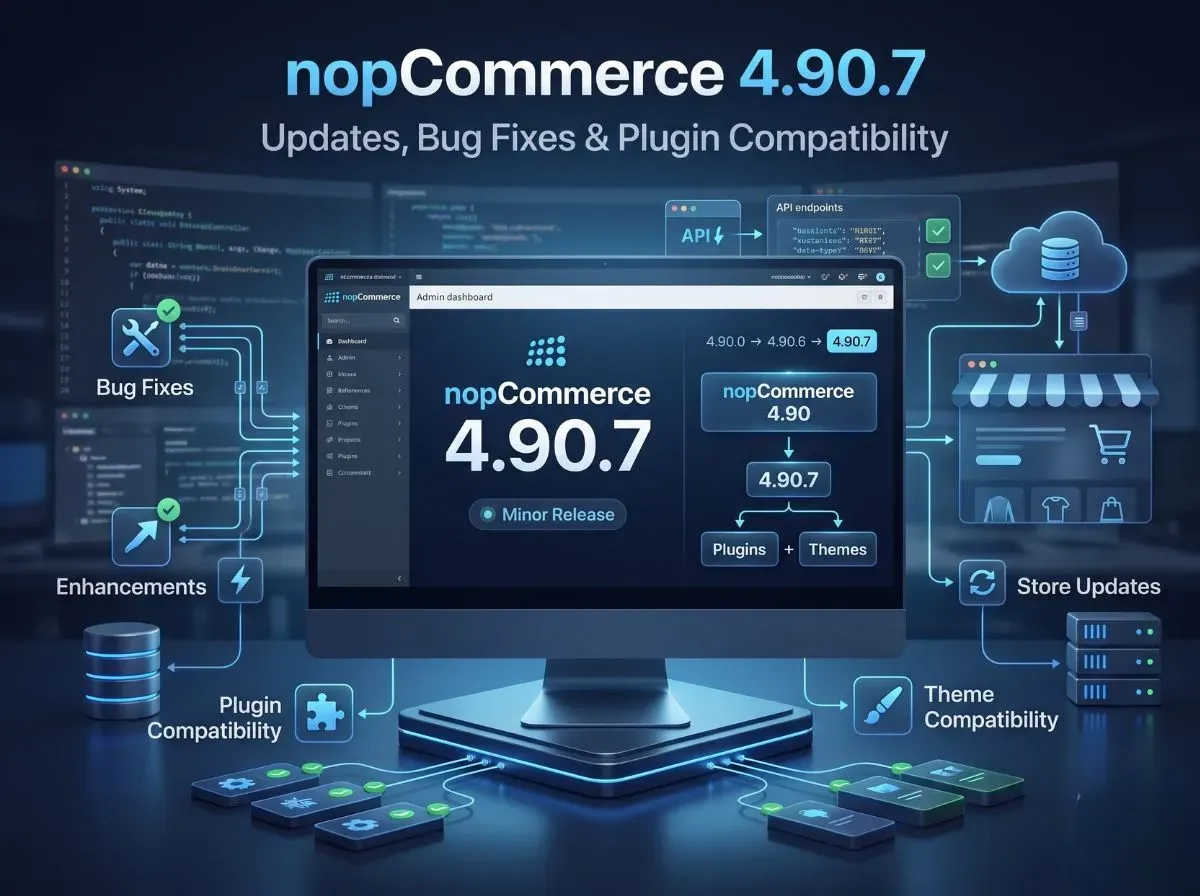
nopCommerce 4.90.7 came out on August 26, 2026. It's a small update, part of the 4.90 series, and it fixes a few bugs from earlier versions. Here's the good news if you already run nopCommerce 4.90: this update works smoothly with everything you have. Your version stays fully compatible with 4.90.0 through 4.90.6, so plugins and themes made for nopCommerce 4.90 will keep working on 4.90.7 too. No need to panic about broken extensions.
This article breaks down what's actually in this update, what "compatible" really means for your store, and what you should check before you go live with it.
Simply put, this update fixes bugs. That's it - no big new features this time. It's the kind of release nopCommerce puts out regularly to smooth out small issues found in earlier 4.90 versions.
For the full, detailed list of exactly what was fixed, check the official release notes page. It's worth a quick look before upgrading, just so you know if any fix applies to something you use.
This is the part store owners care about the most, so let's keep it simple.
nopCommerce's small updates follow a straight line, one version after another: 4.90.0 → 4.90.1 → 4.90.2 → and so on, all the way to 4.90.7.
nopCommerce 4.90.0
↓
nopCommerce 4.90.1
↓
nopCommerce 4.90.2
↓
nopCommerce 4.90.3
↓
nopCommerce 4.90.4
↓
nopCommerce 4.90.5
↓
nopCommerce 4.90.6
↓
nopCommerce 4.90.7
nopCommerce has confirmed that 4.90.7 works fine with everything from 4.90.0 to 4.90.6. In plain words: any plugin or theme made for nopCommerce 4.90 will still work on 4.90.7.
What this means for you as a store owner:
You don't have to rebuild or replace your existing plugins.
You won't need to chase down plugin updates every time a small version comes out.
This kind of small upgrade is far easier and safer than a big version jump (like going from 4.80 to 4.90), which usually does break things.
One honest note: "compatible" here means nopCommerce's own platform plays nicely across these versions. It doesn't mean every single plugin from every developer is guaranteed to work perfectly, especially older or heavily customized ones. So test your plugins before you upgrade your live store — better a few minutes of checking than an unexpected surprise.
Yes. Your theme will keep working, the same way your plugins do. Whatever storefront design you're currently using for nopCommerce 4.90 doesn't need to be touched or rebuilt.
That said, it's smart to click through your site after updating, just to be sure everything looks right. Check:
Homepage
Category pages
Product pages
Cart
Checkout
Customer account pages
Search
Custom widgets
Any theme-specific functionality (custom sliders, mega menu styling, RTL layouts, and similar customizations)
A small update like this shouldn't break your theme. But it takes only a few minutes to check these pages, and it saves you from customers noticing a problem before you do.
If your store already runs on any 4.90 version, upgrading is a safe, sensible move. You get the latest bug fixes, and nothing about your plugins or theme needs to change.
Before you upgrade, do this:
Take a backup of your database and your files, always. No skipping this step.
Skim the official release notes to see what exactly got fixed.
Check your custom code, especially anything you've built or modified yourself.
Test your plugins and theme on a test site first, not directly on your live store.
Test payment and shipping, since problems here directly hit your sales.
Walk through checkout yourself, start to finish.
Double-check the database after running the upgrade.
Use a staging site if you have one. Never experiment on your live store.
Back up the database
Back up application files
Review official release notes
Check custom plugins
Check third-party plugins
Check theme compatibility
Test payment gateways
Test shipping integrations
Test checkout
Test customer login and registration
Test important admin functions
Deploy after successful testing
You can download it from two official places:
nopCommerce website the main download page.
GitHub releases page where developers usually go.
On GitHub, you'll see a few different packages depending on what you need:
Source code package for developers who want to customize nopCommerce (needs Visual Studio).
Windows x64 / x86 packages ready-to-deploy builds, no coding needed.
Linux x64 package same idea, for Linux servers.
The upgrade scripts package is the one you need if you're upgrading an existing store rather than installing fresh.
Stick to these official sources only. Don't download nopCommerce from random third-party sites; it's your store's core software, not worth the risk.
For the exact list of what got fixed, check the official release notes page. This is the one place to trust for release details - this article (and any other blog) should just point you back to it, not replace it.
Minor-version compatibility at the platform level doesn't remove the need for application-level testing. After updating, developers should verify:
Plugin loading
Dependency injection
Database access
Custom controllers
Event consumers
Widget zones
Theme rendering
API integrations
Payment integrations
Shipping integrations
Scheduled tasks
Admin functionality
Logs
Cross-reference this checklist against the specific fixes listed in the official release notes, since some items may be more relevant than others depending on what nopCommerce addressed in this version.
Not every store needs outside help for a minor-version update, but professional support becomes useful when your setup includes:
Custom plugins
Custom themes
Complex integrations
Payment gateways
ERP integrations
Shipping integrations
Legacy customizations that predate several major versions
Upgrade testing across multiple environments
Performance issues that need diagnosis before or after an upgrade
Shivaay Soft works on nopCommerce development and upgrade projects, including plugin development and customization, theme development, API integration, payment and shipping integration, ERP integration, performance optimization, and ongoing technical support. If your store's upgrade involves more than a straightforward minor-version bump, custom plugins, legacy code, or integrations that need validation, that's the kind of work we handle directly.
To sum it up: nopCommerce 4.90.7 is a small bug-fix update released on August 26, 2026. It works perfectly with everything else in the 4.90 line, so your existing plugins and themes are safe, no rebuilding needed. Still, give the official release notes a quick read and test your own store's setup before going live with the update. For the details, check the official release notes and grab the update from the download page or GitHub. And if you'd rather have someone handle the upgrade and testing for you, Shivaay Soft is here to help.
.webp)

I bring Rapid Solution To make life easier for my clients. Have any questions? Reach out to me from this contact form and I will get back to you shortly.