

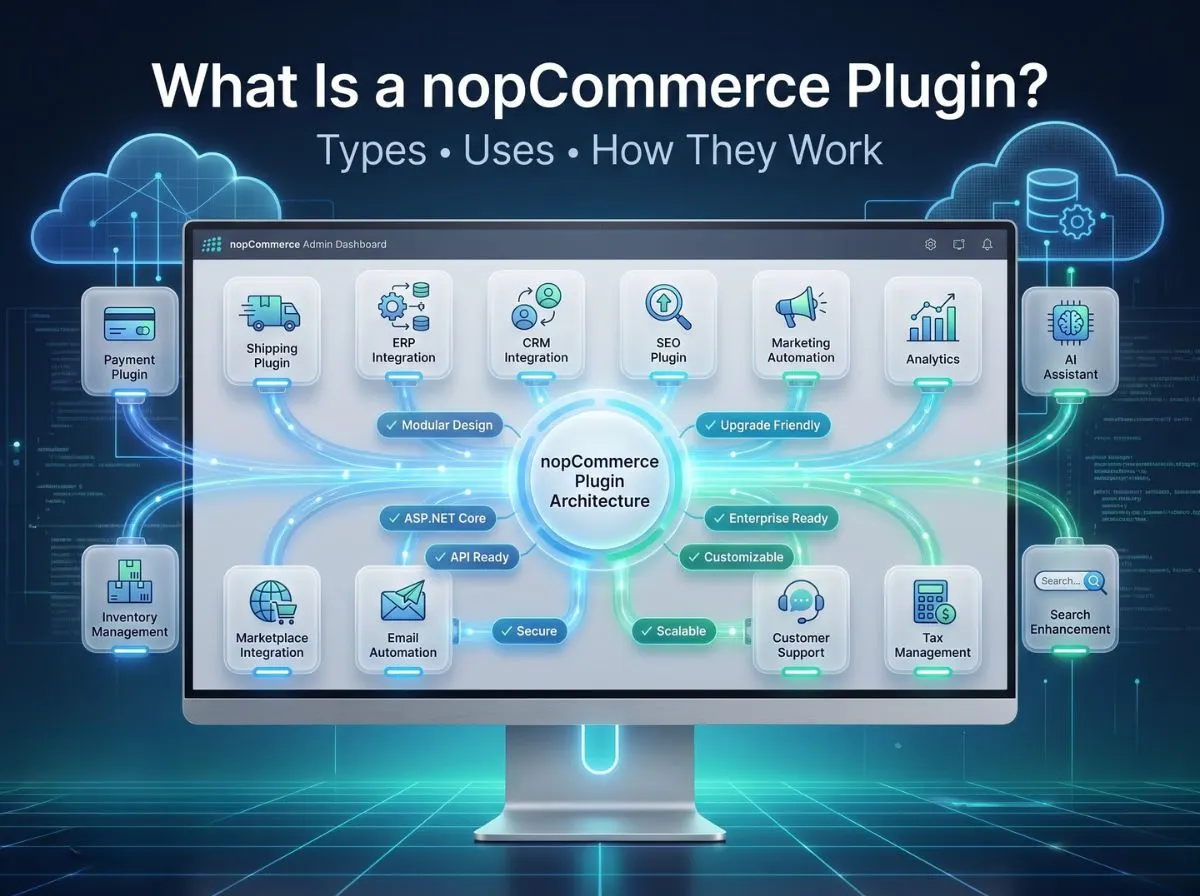
If you've spent any time running a nopCommerce store, you've probably noticed something: the platform rarely tells you no. Need a new payment method? There's a plugin for that, or one can be built. Want your store talking to an ERP system that was never designed with eCommerce in mind? Still doable, without touching a single line of nopCommerce's core code.
That's the whole point of a nopCommerce plugin. It's the mechanism that lets a store grow sideways adding capability after capability without the platform underneath ever becoming fragile or unrecognizable.
We've built, customized, and maintained plugins for stores ranging from small D2C brands to multi-warehouse B2B wholesalers, and the pattern is always the same. The businesses that scale comfortably are the ones that understand what a nopCommerce plugin actually is and use that architecture deliberately, instead of bolting on workarounds and hoping for the best.
This guide walks through what a nopCommerce plugin is, how it works under the hood, the different types you'll encounter, and maybe most usefully when a ready-made plugin is enough and when you genuinely need a custom one built for your business.
What Is a nopCommerce Plugin?
A nopCommerce plugin is a self-contained module that adds or modifies functionality in a nopCommerce store without altering the platform's core source code. Think of it as an attachment rather than a renovation. The core stays exactly as it was installed; the plugin sits alongside it, hooking into specific extension points to do its job.
This matters more than it sounds like it does. Plenty of eCommerce platforms tempt developers into editing core files directly because it's faster at the moment. nopCommerce was deliberately architected to discourage that, and plugins are the reason why.
A few defining traits of a well-built plugin:
Modular by design. Each plugin lives in its own folder under /Plugins, with its own assemblies, views, and configuration. It doesn't spill into unrelated parts of the codebase.
Independently deployable. You can install, enable, disable, or remove a plugin without redeploying the entire application.
Upgrade-friendly. Because the core is untouched, upgrading nopCommerce to a newer version doesn't mean untangling custom code from platform code first.
Lifecycle-aware. Plugins have defined install and uninstall routines; they can register their own settings, database tables, permissions, and localization strings, and clean those up when removed.
Compare that to editing core files directly. The moment you do that, every future nopCommerce update becomes a manual merge exercise, and any developer who touches the code afterward has to reverse-engineer what changed and why. We've inherited stores in that state, and it's rarely a quick fix. The plugin architecture exists specifically to prevent that outcome.
For a business owner, the practical translation is this: plugins let you add capability without adding risk to your existing store. For a developer, they enforce separation of concerns in a way that keeps the codebase maintainable years down the line.
How Does a nopCommerce Plugin Work?
It helps to picture the plugin as a checkpoint in a larger flow rather than a black box. Here's the general path data and requests take through a typical nopCommerce plugin:
Store → Plugin Installed → Configuration → Business Logic → Database → External APIs → Customer Experience
A customer action checking out, searching, viewing a product triggers a request. If a plugin is installed and enabled for that touchpoint, nopCommerce routes the relevant part of that request to the plugin's own logic. The plugin reads its configuration, executes its business rules, reads or writes to the database if needed, optionally talks to an external system, and returns something the customer actually sees: a shipping rate, a payment confirmation, a personalized recommendation. 
A few technical pieces make this possible:
Dependency Injection. nopCommerce is built on ASP.NET Core, so plugins register their services through the built-in DI container. This means a plugin can request access to nopCommerce's existing services: the product service, the order service, the customer service instead of reinventing them.
Events. nopCommerce publishes events throughout the request lifecycle (an order placed, a customer registered, a product updated). Plugins can subscribe to these through event consumers, reacting to things that happen elsewhere in the store without needing to be called directly.
Services. Plugins typically define their own service classes to encapsulate business logic: a shipping rate calculator, a loyalty points engine, a tax rule evaluator.
Controllers. For plugins that need their own admin pages or public-facing endpoints, standard ASP.NET Core MVC controllers handle the routing.
Views. Razor views render both the admin configuration screens and any storefront-facing UI the plugin introduces.
Widgets. nopCommerce defines "widget zones" throughout its themes spots in the header, footer, product page, checkout, and elsewhere where a plugin can inject content without touching the theme's template files.
Background Tasks. For anything that shouldn't run inline with a customer request syncing inventory every 15 minutes, pulling ERP updates overnight plugins can register scheduled tasks that run independently.
Put together, this is why a payment plugin can process a transaction, log the result, and hand control back to checkout, all without nopCommerce's core checkout logic knowing any implementation detail about that specific payment gateway.
Types of nopCommerce Plugins
Plugins tend to cluster around a handful of functional categories. Knowing the category you need clarifies whether a marketplace plugin will cover it, or whether you're looking at custom development.
Payment Plugins
These connect your store to a payment gateway or processor Stripe, PayPal, Authorize.Net, Razorpay, regional gateways specific to your target market. A payment plugin handles transaction initiation, capture, refunds, and often webhook handling for asynchronous payment confirmations. This is one of the most commonly customized plugin categories, because payment requirements vary heavily by country and industry.
Shipping Plugins
Shipping plugins calculate rates, generate labels, and sometimes handle real-time tracking updates by connecting to carriers like FedEx, UPS, DHL, or regional couriers. For businesses with complex logistics, multiple warehouses, zone-based pricing, freight shipping this is almost always an area where off-the-shelf plugins fall short of actual operational needs.
Tax Plugins
These calculate tax based on jurisdiction, product category, and customer type. Businesses selling across US states or EU countries often need tax logic well beyond a flat percentage, especially with rules like nexus thresholds or VAT exemptions for B2B buyers.
Authentication Plugins
Authentication plugins extend or replace nopCommerce's default login system adding SSO, OAuth providers, LDAP/Active Directory integration, or two-factor authentication for enterprise buyers.
Widgets
Widget plugins inject content into specific zones on a page: a promotional banner, a live chat launcher, a trust-badge strip near the Add to Cart button. They're lightweight, visual, and usually low-risk to add.
Discount & Promotion Plugins
Beyond nopCommerce's built-in discount rules, custom promotion plugins handle more elaborate logic: tiered volume discounts, loyalty-linked pricing, time-boxed flash sales with stacking rules.
Search Plugins
Search plugins replace or augment nopCommerce's default catalog search, often integrating Elasticsearch, Algolia, or a custom relevance engine to improve product discovery, especially for catalogs running into the tens of thousands of SKUs.
SEO Plugins
These manage structured data, canonical tags, XML sitemaps, redirect rules, and metadata templating at scale important for stores that rely heavily on organic traffic.
Analytics Plugins
Analytics plugins push storefront events into Google Analytics 4, server-side tagging setups, or custom data warehouses, often layering in eCommerce-specific event tracking that generic tag managers don't capture out of the box.
Marketing Plugins
These cover abandoned cart recovery, personalized upsells, and campaign trigger logic tied to customer behavior.
Email Plugins
Beyond nopCommerce's default transactional emails, email plugins integrate with providers like SendGrid, Mailchimp, or Klaviyo for richer templating, segmentation, and deliverability control.
CRM Integration Plugins
These sync customer and order data into Salesforce, HubSpot, Zoho, or a custom CRM, keeping sales and support teams working from the same customer record the storefront uses.
ERP Integration Plugins
ERP plugins are among the most requested custom builds we handle. They sync inventory, pricing, and order data bidirectionally between nopCommerce and systems like SAP, Microsoft Dynamics, NetSuite, or Odoo.
Inventory Management Plugins
These handle multi-warehouse stock tracking, low-stock alerts, and automated reorder triggers critical for businesses that can't afford overselling.
Marketplace Integration Plugins
Marketplace plugins push listings and sync orders with Amazon, eBay, Walmart, or regional marketplaces, keeping stock levels consistent across every channel a business sells through.
Accounting Plugins
These connect order and invoice data to QuickBooks, Xero, or Tally, reducing the manual reconciliation work finance teams would otherwise do by hand.
AI Plugins
A newer category, covering product recommendation engines, AI-driven search relevance, chatbot-based customer support, and dynamic content personalization based on browsing behavior.
Customer Support Plugins
These integrate helpdesk tools like Zendesk or Freshdesk, or add live chat and ticketing directly into the storefront experience.
Reporting Plugins
Custom reporting plugins build dashboards and exports tailored to a specific business's KPIs, beyond what nopCommerce's default admin reports cover.
Custom Business Workflow Plugins
This is the catch-all for logic unique to a specific business approval workflow for B2B purchase orders, custom quoting systems, dealer-specific pricing tiers, or subscription billing cycles that don't map to any generic plugin.
Real Business Use Cases
The theory is useful, but plugins earn their keep in specific, practical situations. Some patterns we see often:
Payment gateway integration. A retailer expanding into a new country needs a locally trusted payment method that no existing plugin supports. A custom payment plugin gets built to handle that gateway's specific API and webhook structure.
Shipping carrier automation. A store working with a regional carrier that isn't on nopCommerce's plugin marketplace needs live rate quotes and label generation — solved with a purpose-built shipping plugin.
ERP synchronization. A distributor running SAP needs stock levels and pricing to update in nopCommerce automatically, instead of someone manually exporting spreadsheets every morning.
CRM integration. A B2B seller wants every quote request and order captured in Salesforce automatically, so account managers aren't chasing order data across two systems.
Product feed automation. A brand selling on Google Shopping and multiple marketplaces needs product data formatted and pushed automatically, rather than maintained by hand in three different places.
Inventory synchronization. A multi-warehouse operation needs real-time stock visibility across locations to prevent overselling during high-traffic periods.
AI product recommendations. A fashion retailer wants personalized suggestions driven by actual browsing and purchase behavior, not a generic best-sellers list.
Wholesale pricing. A manufacturer selling to both retail customers and registered dealers needs different price tiers, minimum order quantities, and net payment terms shown only to the right customer group.
Marketplace synchronization. A seller active on Amazon and eBay needs orders and stock changes to flow back into nopCommerce automatically, so nothing gets sold twice.
When Should You Build a Custom nopCommerce Plugin?
This is usually the question that matters most, and it's worth answering honestly rather than defaulting to always building custom or always using marketplace plugins.A ready-made plugin is the right call when your requirements are close to standard, a well-known payment gateway, a common shipping carrier, a widely used analytics tool. In those cases, a marketplace plugin has already been tested across hundreds of stores, and building your own would just be reinventing something solved.
Custom development becomes the better path when:
Your business logic is genuinely unique. Pricing rules, approval chains, or customer segmentation that don't match how any off-the-shelf plugin was designed to work.
You're integrating with an ERP. ERPs vary enormously between vendors and even between installations of the same vendor, so integration logic is rarely a drop-in fit.
You need warehouse automation. Multi-location fulfillment logic tends to be specific to how a business actually operates its warehouses.
You run B2B workflows. Quote requests, credit terms, purchase order approvals, and dealer-specific catalogs are business-specific by nature.
You're integrating with a marketplace using non-standard rules. Categories, listing formats, and order sync behavior differ by marketplace and sometimes by seller account type.
You need a custom checkout experience. Multi-step checkouts, split payments, or industry-specific compliance steps often fall outside generic plugin scope.
You're building a loyalty system. Points structures, tier logic, and redemption rules tend to be tightly tied to a specific brand's customer strategy.
You offer subscriptions. Recurring billing cycles, proration, and plan changes usually need logic tailored to the exact subscription model a business runs.
The general rule we give clients: if you can describe your requirement using someone else's product name (I need Stripe or I need FedEx rates), a marketplace plugin probably exists. If you can only describe it using your own business's internal process, you're looking at custom development.
Plugin Architecture Explained
For the developers and CTOs reading this, here's what actually sits inside a well-structured nopCommerce plugin.
Plugin folders. Every plugin lives under /Plugins/[CompanyName].[PluginName], keeping its files fully isolated from core and from other plugins.
plugin.json. This manifest file declares the plugin's name, version, supported nopCommerce version, author, and a few other metadata fields nopCommerce uses to load and display it correctly in the admin panel.
Dependency Injection. Plugins register their services in a startup class implementing INopStartup, wiring their own services into the same DI container nopCommerce's core uses.
Controllers. Admin-side and storefront-side controllers handle plugin-specific routes, following standard ASP.NET Core MVC conventions.
Views. Razor views render configuration screens in the admin panel and any public-facing UI elements the plugin introduces.
Services. Business logic lives in service classes, keeping controllers thin and logic testable in isolation.
Repositories. Data access typically goes through repository patterns that wrap Entity Framework Core, keeping database logic separate from business logic.
Entity Framework. Plugins that need their own database tables define entities and mappings, and nopCommerce's plugin lifecycle handles running the necessary migrations on install.
Localization. Plugins register their own localization resources, so a store running in multiple languages doesn't have gaps in translated strings introduced by third-party functionality.
Permissions. Plugins can define their own permission records, letting store admins control exactly which staff roles can access specific plugin settings.
Scheduled Tasks. Recurring jobs data syncs, cleanup routines, report generation get registered as scheduled tasks that run independently of customer-facing requests.
Event Consumers. Plugins subscribe to nopCommerce's built-in events (order placed, customer registered, product updated) to react to store activity without being directly invoked by other code.
This structure is what makes it possible for a plugin built years ago to still function correctly after a platform upgrade, provided it was built to these conventions in the first place.
Plugin Development Best Practices
A plugin that works today isn't the same as a plugin built to last. A few practices separate the two:
Coding standards. Following .NET and nopCommerce's own coding conventions makes a plugin easier for any future developer including a different agency to pick up and maintain.
Performance. Avoiding N+1 database queries, batching API calls where possible, and profiling any logic that runs on high-traffic pages like checkout or product listing.
Caching. Using nopCommerce's built-in caching mechanisms for data that doesn't change often, rather than hitting the database or an external API on every request.
Security. Validating all inputs, using parameterized queries, securing any admin-facing configuration screens behind proper permission checks, and never storing API keys or credentials in plain text.
Logging. Structured logging around external API calls and critical business logic, so issues can be diagnosed from logs instead of guesswork.
Error handling. Graceful degradation matters a shipping plugin failing to reach a carrier's API shouldn't crash checkout; it should fail informatively and let the store recover.
Testing. Unit tests around business logic, and staging environment testing against real (or realistic sandbox) API responses before anything touches production.
Version compatibility. Explicitly targeting supported nopCommerce versions and testing against upgrades before they go live on a production store.
Maintainability. Clear naming, reasonable comments where logic isn't self-evident, and documentation that outlines what the plugin does and how it's configured.
Common Plugin Development Mistakes
We've inherited more than a few stores where these mistakes caused real, expensive problems:
Editing core files. The single most damaging habit. It turns every future update into a manual, error-prone merge.
Ignoring compatibility. Building against a specific nopCommerce version without checking whether APIs used will still exist in the next major release.
Poor database design. Skipping proper indexing or normalization on plugin-specific tables, which quietly degrades performance as data volume grows.
Weak error handling. Letting an external API failure bubble up and break an entire page instead of failing gracefully.
No caching. Hitting a database or third-party API on every single page load for data that barely changes.
Hard-coded settings. Baking API keys, URLs, or business rules directly into code instead of exposing them through the admin configuration screen, meaning every change requires a redeploy.
No documentation. Leaving the next developer sometimes a future version of the same developer to reverse-engineer what a plugin does and why.
How Businesses Benefit from Custom Plugins
Set aside the technical details for a moment. What does this actually mean for a business's bottom line?
Automation. Manual, repetitive tasks updating stock counts, re-keying orders into an ERP, exporting product feeds disappear once a plugin handles them automatically.
Scalability. A well-built plugin keeps working whether you're processing ten orders a day or ten thousand, without needing to be rebuilt as volume grows.
Lower maintenance. Modular plugins are easier to update, patch, or replace individually, instead of requiring changes across the entire codebase.
Competitive advantage. A checkout flow, pricing model, or customer experience unique to your business is difficult for competitors to replicate quickly.
Integration flexibility. Your store can talk to whatever systems your business already runs on ERP, CRM, accounting, marketplaces instead of forcing your operations to adapt to the platform.
Faster operations. Less manual data entry means fewer errors and faster order-to-fulfillment cycles.
Better customer experience. Accurate shipping rates, correct pricing, and relevant recommendations all come from plugins working correctly behind the scenes.
Why Businesses Choose Shivaay Soft
We approach nopCommerce plugin work the way a long-term technical partner should, not as a one-off project delivery shop.
Certified nopCommerce developers. Our team has hands-on experience across nopCommerce versions, plugin architecture, and the platform's underlying ASP.NET Core stack.
Custom plugin development. From payment gateways to entirely bespoke workflow tools, we build plugins scoped to how a business actually operates.
Plugin customization. Not every project starts from zero — we regularly extend or adjust existing plugins to match specific requirements.
Payment integrations. We've built payment plugins for regional and international gateways, including handling the compliance nuances that come with them.
Shipping integrations. Carrier-specific rate calculation, label generation, and tracking integrations across regions.
ERP integrations. Two-way sync between nopCommerce and systems like SAP, Dynamics, NetSuite, and Odoo.
CRM integrations. Keeping customer, order, and lead data flowing correctly between nopCommerce and CRM platforms.
Migration services. Moving stores onto nopCommerce, or between nopCommerce versions, with plugin compatibility handled as part of the process.
Long-term maintenance. Plugins we build come with the option of ongoing support, so they keep working correctly through future nopCommerce upgrades.
Performance optimization. Auditing and tuning existing plugins that have started to slow a store down as data volume or traffic has grown.
Real Example
Here's an illustrative scenario based on the kind of project we handle regularly (figures below are illustrative, not client-specific data).
A B2B wholesaler came to us running nopCommerce for both retail and dealer sales, but everything behind the scenes was manual. Their flow needed to become:
ERP Integration → Inventory Sync → Custom Pricing Rules → Dealer Portal → Automated Order Processing
Before the custom plugin, staff were manually checking ERP stock levels before confirming dealer orders, applying dealer-specific pricing by hand at invoicing, and re-entering every wholesale order into their ERP the next morning.
We built a custom integration plugin that synced inventory from their ERP into nopCommerce on a scheduled basis, applied tiered dealer pricing automatically based on customer group, and pushed confirmed orders back into the ERP without manual re-entry. A dealer-only portal area, gated behind the plugin's own permission rules, gave registered dealers visibility into their specific pricing and order history.
The result, illustratively, was a wholesale ordering process that used to take a staff member most of a morning to reconcile, now running with minimal manual intervention freeing that time for actual account management instead of data entry.
Conclusion
nopCommerce plugins are the reason the platform can support a small niche store and a multi-warehouse enterprise operation using the same core codebase. They let a business add exactly the functionality it needs: a payment method, an ERP connection, a loyalty program without ever touching the platform's foundation.
That architecture is what keeps a store upgradeable, maintainable, and genuinely scalable over years, not just at launch. Whether the right move is a proven marketplace plugin or a custom-built one depends entirely on how close your requirements sit to standard practice. Knowing the difference and building accordingly is what keeps a nopCommerce store flexible instead of fragile.