

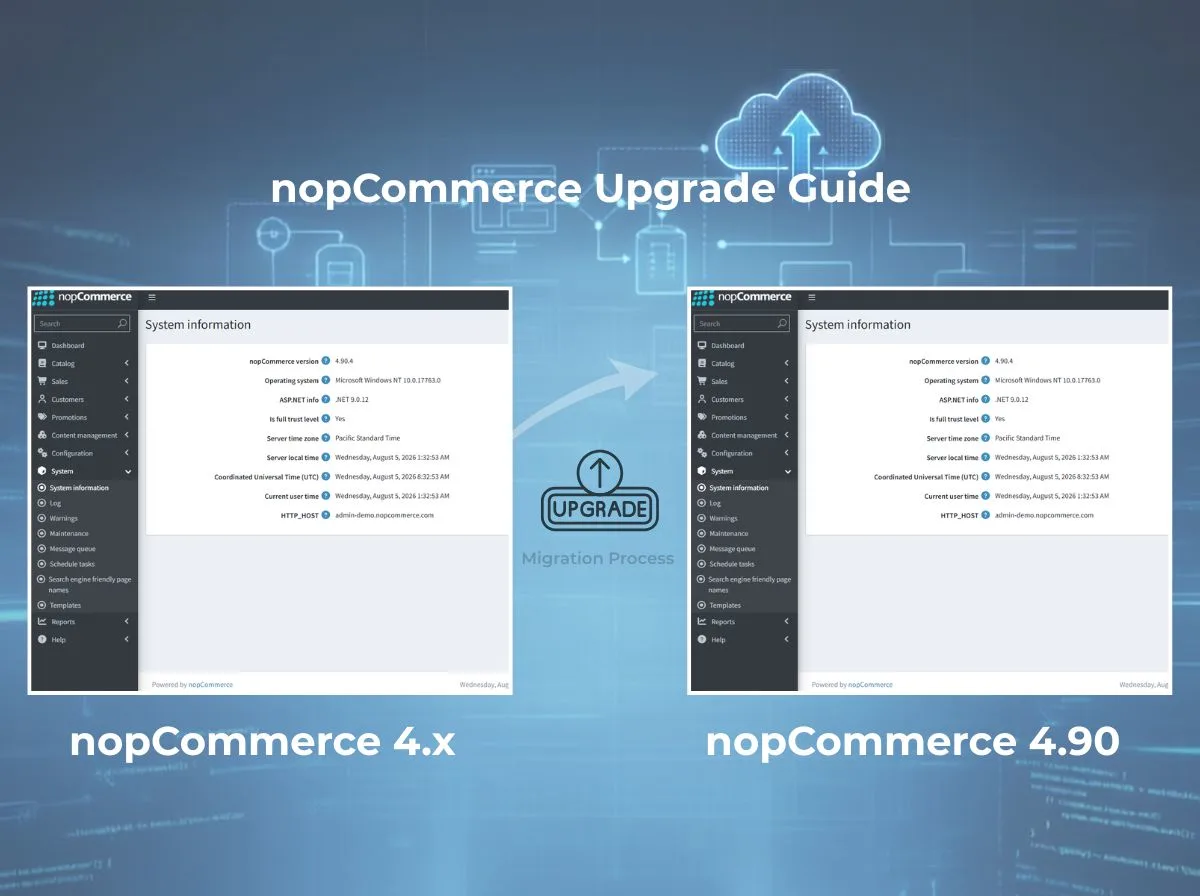
If you're running a nopCommerce store on 4.60, 4.70, or 4.80, you've probably noticed the version number in your admin dashboard nudging you toward something newer. That nudge isn't just nopCommerce being chatty. Each release carries security patches, performance work, and framework updates that quietly stop arriving once your version falls too far behind.
We've worked through enough of these migrations to know that the technical part - running migrations, rebuilding plugins - is rarely what causes the most stress. It's the uncertainty around customizations. A store with a stock theme and no custom plugins can move to nopCommerce 4.90 in an afternoon. A store with five years of custom widgets, a heavily modified checkout, and three third-party payment integrations needs a different kind of plan.
This guide walks through that plan. We'll cover what actually changed in nopCommerce 4.90, how to evaluate whether your store is ready, the step-by-step process for a 4.60, 4.70, or 4.80 to 4.90 migration, and the testing work that determines whether go-live day is uneventful or stressful. Think of this as a nopCommerce upgrade guide written the way we'd walk a client through it - with the caveats included, not glossed over.
What Is New in nopCommerce 4.90?
nopCommerce 4.90 was released in October 2025, and the development team described it as one of the largest feature releases in the platform's history. It's not a routine framework bump, it introduces genuinely new capabilities alongside the usual under-the-hood work.
Framework and runtime: The release runs on .NET 9, which means you'll need the .NET 9 SDK, ASP.NET Core Runtime 9.0, and Visual Studio 2022 (17.12 or later) in your development environment before you touch the upgrade.
AI-assisted content tools: Two additions stand out here: automatic generation of product descriptions and AI-assisted SEO optimization, both built directly into the admin panel. If your store has thousands of SKUs with thin product descriptions, this is one of the more practical reasons to prioritize the upgrade. There's also automated translation support for stores running multiple languages.
B2B and quoting workflows: nopCommerce 4.90 adds native "Request for Quote" functionality, letting B2B customers request custom pricing instead of checking out directly. This is a meaningful addition for wholesale and B2B-focused stores that previously needed a third-party plugin to cover this gap.
Navigation and catalog features: A mega menu option gives stores with large catalogs a more usable navigation structure. Automotive retailers get a new Year-Make-Model (YMM) filtering system, which is a niche but valuable addition if you sell parts or accessories.
Accessibility: The release includes compliance work aligned with the European Accessibility Act (EAA), which matters if you sell into the EU and want to stay ahead of the June 2025 compliance deadline that applies to many digital storefronts.
Customer experience additions: Multiple wishlists per customer, multiple newsletter list support, and Cloudflare Images integration for image hosting round out the customer-facing changes.
Performance and refactoring: A large share of the release is refactoring work async query optimization, database index improvements for product search and best-seller reports, and batched entity deletions to reduce transaction overhead. None of this is flashy, but it's the kind of change that shows up as a faster admin panel and quicker catalog pages once you're running on it.
One practical note: the 4.90.2 minor release included a significant performance fix to theme provider initialization that the nopCommerce team specifically flagged as highly recommended. If you're planning a 4.90 upgrade, target at least 4.90.4 or later rather than the original 4.90.0 build.

Why You Should Upgrade to nopCommerce 4.90
Security: Older nopCommerce versions stop receiving security patches once they're several releases behind. Running 4.60 in 2026 means you're relying on a codebase that's roughly three major versions and multiple .NET runtime generations out of date.
Performance: Between the theme provider fix, database indexing improvements, and the general shift to async operations across services, 4.90 is measurably faster in admin operations than 4.60 or 4.70, particularly on stores with large product catalogs.
Compatibility: Plugin and theme developers eventually stop testing against old versions. Staying current keeps your store within the range where the marketplace ecosystem still actively supports you.
Long-term maintenance costs: Every version you skip compounds the eventual migration effort. A 4.60 to 4.90 jump touches more schema changes, more deprecated APIs, and more plugin incompatibilities than a 4.80 to 4.90 jump would. Upgrading in smaller, more frequent steps is usually cheaper than delaying and doing one large leap.
New features that reduce third-party plugin dependency: The built-in quote system and AI content tools may let you retire paid plugins you were using to cover the same functionality, which is a real (if modest) reduction in ongoing licensing costs.
Developer productivity: .NET 9 and the refactored service layer make custom development faster once you're on the new codebase with better async patterns, cleaner dependency injection, and fewer workarounds for framework limitations that existed in older versions.
None of this means you should upgrade blindly. A stable 4.70 store that isn't facing security exposure or missing features it needs doesn't have to move today. But the gap between "nice to have" and "necessary" narrows every quarter you wait.
Before You Upgrade
Treat this as a pre-flight checklist. Skipping steps here is where most avoidable upgrade problems originate.
Current version and minor build. Know exactly which version and minor release you're on (e.g., 4.70.5, not just "4.70"). Some fixes only landed in later minor builds and matter for migration planning.
Hosting requirements. Confirm your hosting environment can run .NET 9 and the ASP.NET Core 9.0 hosting bundle. Shared or older VPS hosting plans sometimes need a plan change before upgrading.
.NET version on the server. Check installed SDK and runtime versions against what 4.90 requires.
Database version. Confirm your SQL Server, MySQL, or PostgreSQL version is still supported and has enough headroom for schema migrations.
Full plugin inventory. List every installed plugin built-in, third-party, and custom along with its current version and whether the vendor has published a 4.90-compatible release.
Theme compatibility. Identify whether your theme is a stock theme, a modified stock theme, or fully custom. Each category carries a different migration effort.
Custom code review. Audit any custom controllers, services, view overrides, or database changes made outside the plugin system.
Third-party integrations. ERP connections, payment gateways, shipping APIs, marketing tools confirm each one's compatibility status with 4.90.
Backups. Full database backup and full file system backup, stored somewhere outside the production server.
Rollback plan. A documented, tested way to revert to the pre-upgrade state if something goes wrong during or after deployment.
Supported Upgrade Paths
nopCommerce doesn't require you to install every intermediate version. Since version 4.40, upgrades run through automated database migrations rather than manual SQL scripts, which simplifies multi-version jumps considerably.
Heavily customized stores don't follow this table cleanly. A store on 4.80 with extensive custom checkout logic can take longer to migrate than a lightly customized 4.60 store. Version distance is one variable, customization depth is usually the bigger one.
Step-by-Step nopCommerce Upgrade Process
Backup Database
Take a full database backup and verify it restores cleanly in a separate environment before proceeding. An untested backup isn't a real backup.
Backup Website
Copy the entire site directory, including the /Plugins, /Themes, and /App_Data folders, along with any custom configuration files outside the default structure.
Review Release Notes
Read through the release notes for every version between your current build and 4.90, not just the target version. Breaking changes and required manual steps are often called out in the minor releases, not just the major ones.
Prepare Development Environment
Set up a clean development environment with .NET 9 SDK, the ASP.NET Core 9.0 hosting bundle, and Visual Studio 2022 (17.12+). Doing the initial upgrade work locally, not on staging or production, gives you room to fail safely.
Upgrade Source Code
Download the nopCommerce 4.90 source and merge your customizations. If you're on a heavily modified codebase, this is typically done with a three-way merge against your version control history rather than a manual file-by-file comparison.
Update NuGet Packages
Update package references to match 4.90's dependency versions. Some packages were replaced entirely in recent releases (QuestPDF was swapped for PdfRpt.Core, for example, and TinyMCE was replaced with Summernote), so a simple version bump won't always be enough to check for API surface changes in replaced libraries.
Run Database Migrations
Start the application against a copy of your production database. Migrations run automatically on first launch. Watch the logs closely; a failed migration partway through is easier to diagnose immediately than after you've moved on to plugin testing.
Upgrade Plugins
Update each plugin to its 4.90-compatible version. For plugins without an official 4.90 release, you'll need to either wait for the vendor, migrate the plugin code yourself, or find a replacement.
Upgrade Themes
Rebuild or update your theme against 4.90's view structure. Widget zones, Razor view changes, and any JavaScript library swaps (Nivo Slider to Swiper, Shepherd.js to driver.js in recent versions) often require theme-level adjustments.
Resolve Build Errors
Work through compilation errors methodically, starting with core project errors before moving to plugin and theme errors, since plugin issues often cascade from unresolved core references.
Test Functionality
Run through your full test matrix (covered in detail below) against the local build before moving anywhere near staging.
Deploy to Staging
Push the upgraded build to a staging environment that mirrors production as closely as possible, including similar data volume if feasible.
Production Deployment
Schedule the deployment during low-traffic hours, take a final backup immediately before deployment, and have your rollback plan ready to execute if needed.
Post-Deployment Verification
Run your test checklist again against the live environment, monitor error logs closely for the first 24–48 hours, and keep the previous version's backup accessible for at least a full business cycle.
Plugin Compatibility
Plugin compatibility is usually the single largest variable in how long a nopCommerce upgrade takes.
Built-in plugins (the ones shipped with nopCommerce core) are updated automatically as part of the core upgrade, so they rarely cause problems.
Custom plugins need direct code review. Interface changes, renamed methods, and namespace refactoring between versions (which happen in nearly every nopCommerce release) can break custom plugins even when the plugin's logic hasn't changed at all.
Third-party marketplace plugins are the wild card. Some vendors release 4.90-compatible versions within weeks of a major nopCommerce release; others lag by months or stop maintaining older plugins entirely. Check the plugin's marketplace page for a 4.90 compatibility tag before assuming it will work.
Breaking changes to watch for in the 4.80 to 4.90 range include renamed helper classes, event system changes, and the shift away from certain synchronous methods in favor of async equivalents. If your custom plugin calls internal nopCommerce services directly, expect some rework.
Dependency updates matter to plugins that reference older versions of shared libraries (AutoMapper, FluentValidation, Newtonsoft.Json, and others) can conflict with the versions nopCommerce 4.90 itself depends on.
Best practice: don't try to upgrade all plugins simultaneously. Get the core upgraded and stable first, then bring plugins back one at a time, testing after each addition. It's slower, but it makes isolating problems dramatically easier.
Theme Migration
Theme migration effort depends heavily on how far your theme has drifted from the stock DefaultClean theme.
View changes. Razor views change between versions as new fields are added to models or existing markup is restructured. Compare your theme's overridden views against the new stock versions to catch anything you need to merge in.
CSS. Stock CSS classes occasionally change names or get removed entirely (footer menu CSS classes changed in recent minor releases, for example). A visual regression pass across key pages catches most of these.
JavaScript. Watch for library replacements: recent versions swapped Nivo Slider for Swiper and Shepherd.js for driver.js. If your theme has custom JavaScript that hooks into these libraries directly, it will need updating.
Razor views and widget zones. New widget zones are sometimes added in major releases. If your theme relies on specific widget zone names for custom content blocks, confirm those zones still exist and still fire in the same place.
Responsive testing. Run your theme across mobile, tablet, and desktop breakpoints after migration RTL layout fixes and mobile-specific CSS changes are common in recent release notes, and they can shift your custom layout in ways that aren't obvious on desktop alone.
Database Migration
nopCommerce has used automated code-based migrations (via FluentMigrator) instead of manual SQL scripts since version 4.40, which removes a lot of the manual risk that older nopCommerce upgrades used to carry.
Schema updates run automatically the first time the upgraded application starts against your database. This includes new tables, new columns, and index changes introduced since your current version.
Data migration happens as part of the same process for most changes, though a few historically significant releases (like the 4.50 customer data restructuring) shipped separate scripts for large datasets to avoid excessive migration runtime check release notes for anything similar between your version and 4.90.
Backups before running migrations are non-negotiable. Migrations are largely one-directional; reversing a partially completed migration without a backup is a much harder problem than restoring one.
Indexes added in recent versions target product search and reporting performance specifically. If your store has a large product catalog, these indexes alone can produce a noticeable admin panel speed improvement.
Performance during the migration itself scales with your database size. A store with a few thousand orders migrates in minutes; a store with millions of historical records and years of activity logs can take considerably longer. Test the migration timing against a production-sized copy before your live deployment window.
Validation after migration should include row counts on key tables, spot checks on recent orders and customer records, and a review of the migration log for any warnings that didn't halt the process but might indicate a partial issue.
Testing Checklist After Upgrade
Work through each of these areas methodically rather than doing a quick click-through. A missed issue here becomes a customer-facing problem later.
Homepage loads correctly, featured products display, sliders and widgets render
Search standard search, filters, and any custom search provider return expected results
Checkout full purchase flow across guest and registered customer paths
Payment every enabled payment method processes a test transaction correctly
Shipping rate calculation, carrier integrations, and pickup point selection
Customer login registration, login, password reset, and multi-factor authentication if enabled
Admin panel core CRUD operations across products, orders, and customers
Plugins each active plugin's core functionality, not just that it loads without error
Emails order confirmations, password resets, and marketing emails sent with correct content
API any Web API or headless integrations return expected data structures
Performance page load times and admin responsiveness compared against pre-upgrade baselines
SEO URL structures, meta tags, sitemap generation, and canonical tags remain intact
Common Upgrade Challenges
Compilation errors are usually the first hurdle, typically from renamed methods, moved namespaces, or removed obsolete code that your customizations still reference.
Plugin incompatibility shows up either as build failures or, more subtly, as plugins that compile fine but fail silently at runtime because an interface contract changed.
Missing assemblies occur when NuGet package references aren't fully updated or when a plugin references a package version that conflicts with core.
Database issues most often come from migrations that partially succeed against unusual data states, orphaned records, unexpected null values, or custom columns added outside the standard schema.
Theme conflicts typically surface as visual breakage rather than errors - misaligned elements, missing styles, or JavaScript console errors from library version mismatches.
API changes can break integrations that call nopCommerce's Web API or internal services directly, particularly if those integrations were built against internal methods rather than the public API surface.
Caching issues sometimes appear after upgrade because cache keys or cache invalidation logic changed between versions, leading to stale data appearing intermittently.
Performance bottlenecks can emerge if you're running an older database engine version that doesn't take full advantage of new indexing, or if custom code added inefficient queries that newer core optimizations don't cover.
Best Practices for a Successful Upgrade
Version control. Every step of the upgrade should happen in a branch, which commits granular enough that you can bisect issues if something breaks partway through.
Staging environment. Never treat production as your first real test. A staging environment with production-representative data catches issues that a mostly-empty development database won't.
Incremental testing. Test after each meaningful change core upgrade, then each plugin, then theme rather than making every change and testing once at the end.
Documentation. Keep a running log of every customization you touch, every plugin you update, and every manual fix you apply. This becomes your reference for the next upgrade.
Monitoring. Set up error logging and uptime monitoring before go-live so you catch issues in the first hours rather than waiting for a customer complaint.
Backup strategy. Maintain backups at multiple checkpoints = pre-upgrade, post-migration, pre-production-deploy not just one single backup at the start.
Rollback plan. Know exactly how long a rollback takes and who's authorized to trigger it, decided before deployment day, not during an incident.
Why Businesses Choose Shivaay Soft
We approach nopCommerce upgrades as .NET engineers first, not just plugin installers. That distinction matters when a store has years of custom development behind it.
Our team works across the full scope of a migration reviewing custom plugin code line by line rather than assuming compatibility, rebuilding themes against the new view structure instead of patching around errors, and validating API integrations against the updated codebase before they reach production.
Beyond the upgrade itself, we handle the surrounding work that determines whether it actually holds up: performance tuning after migration, cloud deployment adjustments for the new .NET 9 runtime, and ongoing maintenance so the next upgrade cycle is smaller and less disruptive than this one.
If your store's customizations go beyond what a generic upgrade checklist can safely cover, that's the kind of project we take on regularly.
Illustrative Upgrade Case Study
The following is a composite, illustrative scenario built from common patterns we see across nopCommerce upgrade projects. It doesn't represent a specific client engagement, but it reflects a realistic upgrade path.
A mid-sized B2B distributor was running nopCommerce 4.60 with a customized checkout flow, six third-party plugins, and a modified version of the stock theme with custom widget zones for account-specific pricing.
Upgrade planning started with a full plugin and customization audit, which identified two plugins without any 4.90-compatible release and one custom payment integration that called deprecated internal methods directly.
Plugin migration involved replacing one abandoned plugin with a comparable actively maintained alternative, and rebuilding the second in-house since its functionality was simple enough to bring in-house rather than wait on the vendor.
Theme migration required rebuilding several custom views against the new Razor structure and replacing a slider library reference that had changed between versions.
Testing ran across three cycles of local development, staging with a production data copy, and a final pre-launch pass focused specifically on the custom checkout and pricing logic.
Go live happened during a low-traffic window with the previous version's backup on standby. In this type of scenario, businesses moving from 4.60 to 4.90 commonly see meaningfully faster admin panel load times and improved catalog search responsiveness, largely attributable to the indexing and caching improvements introduced across the 4.70–4.90 release cycle though actual results vary by store size, hosting environment, and customization depth.
Conclusion
Upgrading to nopCommerce 4.90 isn't only about the new AI content tools or the B2B quoting system, useful as those are. It's about keeping your store on a codebase that's still receiving security patches, still compatible with the plugin ecosystem, and built on a runtime that isn't approaching end of support.
The technical steps, backups, migrations, plugin updates are well documented and, since nopCommerce moved to automated migrations, considerably less risky than they used to be. What still requires real judgment is everything specific to your store: which customizations need rework, which plugins need replacing, and how much testing your particular checkout flow or integration set actually needs before it's safe to go live.
Plan the upgrade in proportion to how customized your store is, test before you assume something works, and keep a rollback plan you've actually verified rather than just written down. That's the difference between an upgrade that goes smoothly and one that turns into a multi-week fire drill.