

Online storefronts used to be simple: pick a platform, apply a theme, and let the platform render every page on the server. That model still works well for a large share of stores. But over the last several years, more technical teams have started asking a different question: what if the part customers see and the part that runs the business doesn't have to be the same application?
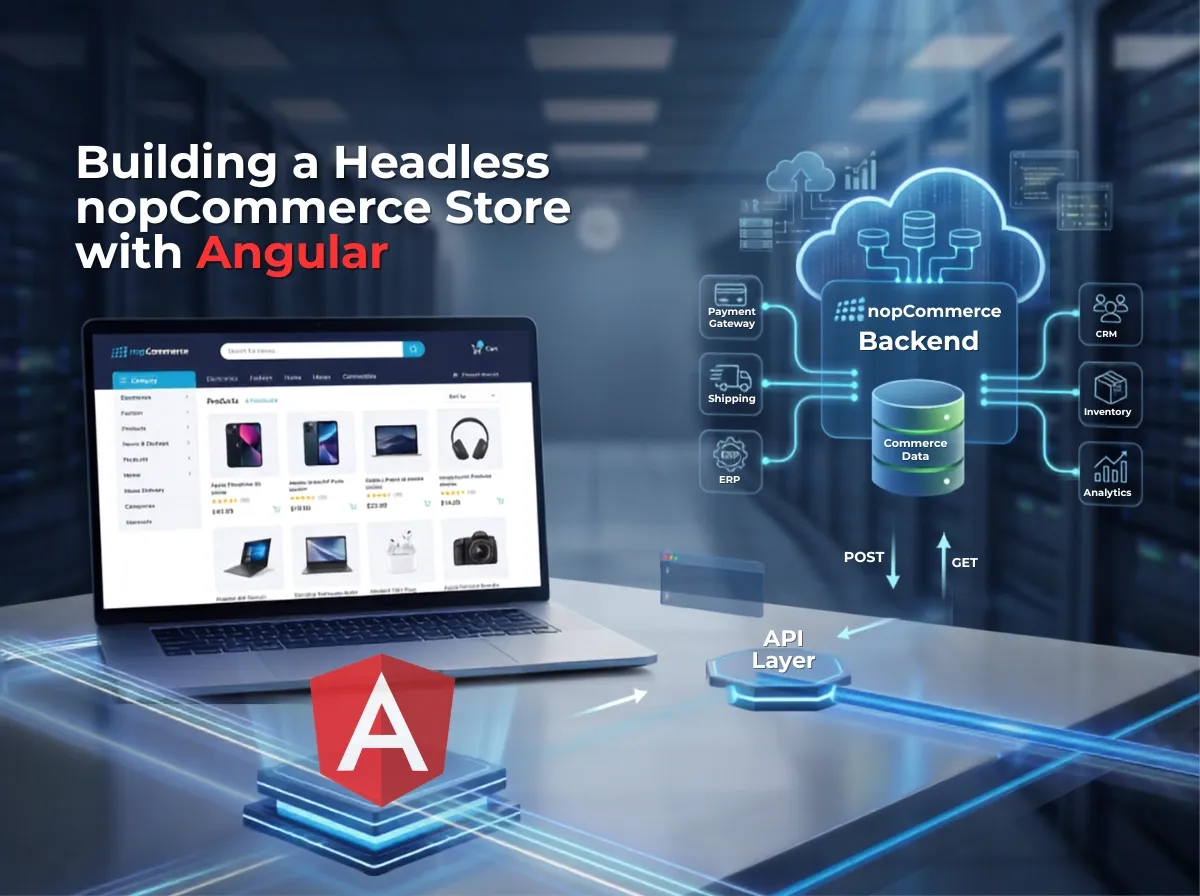
That question is the starting point for headless nopCommerce. Instead of relying on nopCommerce's built-in Razor-based theming engine to render every page, a headless setup keeps nopCommerce as the commerce engine handling products, pricing, inventory, customers, and orders while a separate application, commonly built in Angular, handles everything the customer actually sees and interacts with. The two communicate through APIs.
This isn't a trend that fits every business, and it isn't automatically "better." It's an architectural decision with real trade-offs. A nopCommerce Angular frontend gives development teams more control over the user interface, more flexibility to build custom experiences, and the option to serve multiple channels web, mobile, kiosk from the same backend. It also introduces more moving parts, more engineering overhead, and new considerations around SEO and authentication that a traditional theme handles for you out of the box.
This article walks through what headless nopCommerce actually means in practice, how Angular and nopCommerce communicate, what a realistic architecture looks like, and just as importantly when this approach makes sense and when it doesn't.
What Is Headless Commerce?
Headless simply describes a separation between the layer that presents content to the customer and the layer that manages commerce data and business logic. Nothing more exotic than that.
Traditional nopCommerce architecture looks like this:
Browser
↓
nopCommerce Theme (Razor views, .cshtml, server-rendered HTML)
↓
nopCommerce (business logic, services, controllers)
↓
Database
In this model, when a customer requests a product page, nopCommerce's controllers pull the data, its Razor views render the HTML on the server, and the browser receives a complete, ready-to-display page. The theme and the commerce engine are part of the same application.
Headless architecture separates those two layers:
Browser
↓
Angular Frontend (renders UI, manages state, handles interactions)
↓
API / Integration Layer
↓
nopCommerce Backend (business logic, services, order processing)
↓
Database
Here, the browser loads an Angular application. That application calls APIs to fetch product data, submit orders, or authenticate a customer. nopCommerce no longer renders HTML for the customer-facing store; it exposes data and processes commerce operations, and Angular decides how that data is displayed.
The key distinction is between the Presentation Layer (how the store looks and behaves owned by Angular) and the Commerce Layer (how the store actually functions owned by nopCommerce). Decoupling them means each can change independently, but it also means someone has to build and maintain the bridge between them.
What Is a Headless nopCommerce Store?
A headless nopCommerce store is not a different version of nopCommerce. It's the same platform, used differently.
In this setup:
nopCommerce remains the commerce engine. Product catalog management, pricing rules, tax calculation, discount logic, order processing, and customer records still live in nopCommerce.
Angular handles the customer-facing storefront. Everything a shopper sees the homepage, product listings, cart, checkout is rendered by an Angular application rather than nopCommerce's Razor views.
APIs connect both systems. Angular requests data and submits actions through an API layer rather than through server-rendered pages.
Core business logic stays on the backend, where it's centralized, auditable, and reusable across any frontend that might consume it later.
The frontend and backend can evolve independently. A developer can redesign the checkout flow in Angular without touching nopCommerce's core, and a developer can add a new pricing rule in nopCommerce without redeploying the frontend.
Underneath, the commerce concepts don't change:
Products and Categories - still managed and structured within nopCommerce, just retrieved via API instead of rendered directly.
Customers - registration, profiles, and addresses still live in nopCommerce's customer entities.
Cart - still tracked as a commerce object on the backend, even though the UI for interacting with it is built in Angular.
Checkout and Orders - order creation, validation, and processing logic remain in nopCommerce, which is important for data integrity.
Pricing, Inventory, and Discounts - calculated by nopCommerce's existing services, so the storefront never has to duplicate that logic on the frontend.
The commerce rules don't move. What moves is who renders the interface around them.
Why Use Angular as the Frontend for nopCommerce?
Angular is a reasonable choice for a nopCommerce storefront for a few concrete reasons, not because it's inherently faster or better than any alternative.
Component-based architecture. UI elements product cards, filters, cart drawers can be built as self-contained, reusable components, which helps consistency across a large storefront.
TypeScript by default. Type safety catches a category of bugs before they reach production, which matters more as an application's API surface grows.
Structured, opinionated framework. Angular enforces patterns for modules, services, and dependency injection. For teams building a large commerce application with many contributors, that structure reduces architectural drift over time.
Mature state management options. Whether through Angular services, RxJS, or a dedicated state library, Angular applications have established patterns for handling cart state, user sessions, and cached product data.
Strong fit for API-driven applications. Angular's HttpClient and RxJS observables are built around asynchronous, API-first data flows, which lines up naturally with how a headless frontend needs to talk to nopCommerce.
Enterprise development suitability. Larger organizations often already have Angular expertise in-house, and its structured nature tends to suit teams that need long-term maintainability over rapid prototyping.
It's worth being direct about what Angular does not automatically guarantee: it does not make a store faster than a server-rendered nopCommerce theme. Performance is a function of how the application is architected, how much data is fetched, how efficiently it's cached, how rendering is handled, and how well the API layer is designed. A poorly built Angular storefront can be slower than a well-optimized traditional theme. The framework is a tool, not a performance guarantee.
Headless nopCommerce Architecture
A realistic headless nopCommerce architecture has more moving parts than a single Angular app talking to a single nopCommerce instance. Here's the core request path:
Customer
↓
Angular Storefront
↓
API / Integration Layer
↓
nopCommerce
↓
Database
Around that core, nopCommerce typically continues to coordinate with the systems it already talks to:
nopCommerce
↔ Payment Gateway
↔ Shipping Provider
↔ ERP
↔ CRM
↔ Search
↔ Analytics
Angular Storefront :- the customer-facing application. It's responsible for rendering pages, managing UI state, and calling APIs. It should not contain business logic like tax calculation or discount rules; those decisions belong in nopCommerce, where they're already implemented and tested.
API / Integration Layer :- this may be nopCommerce's own Web API capabilities, a custom API layer built on top of nopCommerce's services, or a combination of both, depending on the nopCommerce version and what out-of-the-box API support it provides. This layer is where authentication, request validation, and data shaping typically happen.
nopCommerce :- continues to own catalog management, pricing, promotions, order processing, and customer data, and continues to integrate with payment gateways, shipping providers, ERPs, and CRMs the way it would in a traditional deployment.
Search, Analytics, and other services :- in more advanced setups, a dedicated search service (for faster, more flexible product search) or an analytics platform may sit alongside nopCommerce, called either from the API layer or directly from Angular, depending on the requirement.
The important architectural principle: nopCommerce doesn't stop being the system of record for commerce data just because there's a new frontend in front of it. It becomes a service that other things consume.
How Angular Connects to nopCommerce
Angular communicates with nopCommerce over HTTP, typically using REST APIs that exchange JSON. The Angular application sends requests to fetch a product list, submit a login, or create an order and nopCommerce's API layer responds with structured data that Angular renders into the UI.
A simplified, illustrative request/response pattern looks like this:
Request (from Angular)
GET /api/products?categoryId=15&page=1
Response (from nopCommerce API layer)
{
"products": [
{
"id": 1024,
"name": "Running Shoes",
"price": 79.99,
"inStock": true
}
],
"totalCount": 42
}
This example is illustrative only if it is not a documented nopCommerce API endpoint. The actual endpoint paths, request formats, and response shapes depend on the nopCommerce version in use and on whether the project relies on nopCommerce's native API capabilities, a custom-built API layer, or a mix of both. Before writing frontend code against any endpoint, the exact contract needs to be confirmed against the specific nopCommerce version and API implementation being used.
At a conceptual level, the kinds of operations Angular typically needs to perform include:
Retrieving product and category data
Authenticating and retrieving customer session information
Reading and updating cart contents
Submitting orders during checkout
Retrieving order history and account details
Each of these needs a corresponding, well-defined API contract and defining that contract accurately is one of the more significant engineering tasks in a headless nopCommerce project.
Key Features of an Angular-Based nopCommerce Store
Every feature a customer expects from a modern store still needs to be built in Angular and backed by a corresponding API call into nopCommerce:
Homepage pulls featured products, banners, and promotional content from nopCommerce via API.
Product catalog retrieves paginated product and category data.
Category pages reflect nopCommerce's category structure and associated products.
Search queries either nopCommerce directly or a dedicated search service, depending on catalog size and performance needs.
Filtering applies attribute, price, or category filters, typically passed as query parameters to the API.
Product details fetches full product data, including variants, attributes, and pricing.
Customer registration and login submits credentials to nopCommerce's authentication endpoints and manages the resulting session.
Wishlist reads and writes wishlist data tied to the customer record.
Shopping cart synchronizes cart state between the Angular UI and the cart object nopCommerce maintains.
Checkout walks the customer through address, shipping, and payment steps, submitting the final order to nopCommerce.
Payment hands off to a payment gateway, with the result reconciled back into the nopCommerce order.
Shipping retrieves shipping rates and options from nopCommerce's configured shipping providers.
Order history and account management surfaces past orders and account details stored in nopCommerce.
Reviews fetches and submits product reviews through the API.
Promotions reflect discount and coupon logic calculated by nopCommerce.
Notifications order confirmations and account emails, typically still triggered from the backend.
Every one of these features depends on a stable, well-tested API contract. None of them can be purely frontend the data and business rules behind each one live in nopCommerce.
How Product Data Flows from nopCommerce to Angular
Database
↓
nopCommerce Services (business logic, pricing, inventory rules)
↓
API (exposes data as JSON)
↓
Angular Service (HTTP calls, data transformation)
↓
Angular Component (renders UI)
↓
Customer
Product data flowing through this chain typically includes:
Core product data name, description, SKU
Pricing including any tier pricing or discount logic already calculated by nopCommerce
Inventory stock levels and availability status
Images product photography, often served via CDN
Attributes and variants size, color, and other option combinations
Categories the taxonomy the product belongs to
One detail worth calling out: pricing and inventory calculations should generally happen in nopCommerce, not be recalculated in Angular. Duplicating that logic in the frontend risks the storefront showing a price or stock status that doesn't match what nopCommerce would actually process at checkout.
Managing Cart and Checkout in Headless nopCommerce
Cart and checkout look simple from a customer's perspective: add a product, enter an address, pay but they're the most operationally sensitive part of a headless build.
Core cart operations include:
Adding a product to the cart
Updating quantity
Removing a product
Applying a discount code
Selecting a shipping method
Selecting a payment method
Confirming the order
Checkout is more complex than simply displaying products because it involves a state that has to stay consistent between two systems, real financial transactions, and multiple points where something can fail partway through. A few things a headless implementation has to get right:
Authentication the checkout flow needs to know reliably whether the customer is logged in, and needs to attach that identity to the cart and order.
Session and state management the cart has to persist correctly whether the customer is browsing anonymously or logged in, and that state needs to match between what Angular shows and what nopCommerce has recorded.
Cart persistence carts should survive page refreshes, tab closures, and ideally return visits, which requires the cart to be tied to a backend record rather than just frontend memory.
Validation stock, pricing, and address validation should be enforced server-side, not just in the Angular UI, since a determined user could otherwise bypass frontend-only checks.
Payment security sensitive payment data needs to be handled by the payment gateway directly, not passed through custom application code unnecessarily.
Order creation the actual order record should be created by nopCommerce, keeping order integrity centralized in the system that already handles order processing, taxes, and fulfillment workflows.
Getting checkout right is largely about discipline: keep the business rules in nopCommerce, and use Angular for orchestration and presentation.
Authentication in a Headless nopCommerce Store
Authentication needs careful design in any headless architecture, because the browser and the commerce backend are no longer part of the same server-rendered application.
Broadly, a headless nopCommerce implementation needs to account for:
Customer registration
Login and logout flows
How authentication state (tokens, cookies, or sessions) is issued and stored
How that state is kept current across page reloads and browser sessions
Secure transmission of authentication data between Angular and the API layer
Authorization ensuring a customer can only access their own cart, orders, and account data
There isn't one universally correct authentication mechanism for a headless nopCommerce project. The right approach to token-based authentication, cookie-based sessions, or something else depends on the nopCommerce version in use, how the API layer is built, and the specific security and scalability requirements of the project. This is a decision that should be made deliberately during the API design phase, not defaulted into.
Payment Gateway Integration
Payment in a headless setup generally follows this flow:
Angular Checkout > Backend / Payment Integration > Payment Gateway > Payment Result > nopCommerce Order
Angular collects the checkout information and initiates payment, but the actual handling of sensitive payment details should go through the payment gateway's own secure mechanisms — not through custom code sitting in the Angular application. Depending on the gateway, this can involve:
Redirect-based payments, where the customer is sent to the gateway's own hosted page and returned afterward
Hosted payment pages or fields, embedded in a way that keeps card data out of the merchant's own application entirely
Payment APIs, where the gateway processes the transaction and returns a result to be reconciled with the order
Webhooks, where supported, to confirm payment status asynchronously and update the nopCommerce order accordingly
The specific implementation depends entirely on which gateway is being used and what integration methods it supports; there's no single pattern that fits every provider.
One principle that doesn't change regardless of gateway: card details and other sensitive payment information should never be stored or handled directly within the Angular application. Sensitive payment data should flow through the gateway's PCI-compliant mechanisms, with nopCommerce recording only the transaction result, not the underlying payment details.
Shipping and ERP Integrations
A headless architecture doesn't change how nopCommerce integrates with the systems around it; it just adds a frontend that consumes the results of those integrations.
Typical connections include:
Shipping providers for real-time rate calculation and label generation
ERP systems for inventory sync, order fan-out, and financial reconciliation
Inventory systems keeping stock levels accurate across channels
CRM platforms syncing customer data for marketing and support
Warehouse systems for fulfillment and order status updates
Tax services for jurisdiction-specific tax calculation
In most cases, it makes sense to keep this integration logic on the backend, inside nopCommerce or an adjacent service layer, rather than duplicating it in Angular. Angular's job is to display shipping options and let the customer choose one not to talk to the shipping provider's API directly. Centralizing integration logic on the backend keeps credentials and business rules out of the frontend, and means the same integration can serve any future frontend, not just the current Angular application.
SEO Challenges with Angular + nopCommerce
This is where a lot of headless projects run into trouble if it isn't planned for early, so it deserves a detailed look.
Client-side rendering :- Angular applications, by default, render in the browser. If a search engine crawler receives a nearly empty HTML shell with content injected later via JavaScript, that can create indexing problems, particularly for content that needs to appear quickly and reliably in search results, like product pages.
Server-side rendering and pre-rendering :- Angular supports server-side rendering and static pre-rendering approaches that generate fully-formed HTML before it reaches the browser or the crawler. For an eCommerce storefront, this is generally the more reliable path for SEO, since it removes the dependency on JavaScript execution for content to be visible.
Crawlability :- beyond rendering, crawlers need a clean, consistent way to discover pages. That means logical internal linking, working pagination, and URL structures that don't rely on client-side-only routing tricks that break outside the Angular app itself.
Metadata :- page titles, meta descriptions, and Open Graph tags need to be set dynamically per page (per product, per category) rather than defaulting to one static value across the whole application - a common and easy-to-miss mistake in single-page applications.
Canonical URLs :- important for avoiding duplicate content issues, especially where filtering or sorting parameters can generate multiple URLs for effectively the same content.
Structured data :- product, breadcrumb, and organization schema still need to be present in the rendered HTML for search engines to parse, which again ties back to how rendering is handled.
Product URLs, sitemaps, and robots.txt :- these need to be generated and maintained just as they would in a traditional nopCommerce setup, but now the responsibility for generating them (URL slugs, sitemap XML) may sit with the Angular application, the API layer, or a dedicated process, depending on how the project is architected.
Internal linking, pagination, and faceted navigation :- all need deliberate handling in Angular's routing, since a mismanaged faceted navigation system can generate a large number of thin, near-duplicate URLs that hurt SEO rather than help it.
To be clear: Angular does not automatically cause SEO problems. Plenty of Angular applications are well-indexed and rank effectively. The outcome depends entirely on the rendering approach and how deliberately SEO fundamentals are implemented -treating SEO as an afterthought is what causes problems, not the framework itself.
Performance Optimization for Headless nopCommerce
Performance in a headless architecture has to be addressed on both sides of the API boundary.
On the Angular side:
Lazy loading loading feature modules only when needed rather than shipping the entire application upfront
Code splitting breaking the application bundle into smaller chunks
Image optimization appropriately sized, compressed, and responsibly formatted product images
CDN delivery serving static assets and images from a CDN close to the customer
Browser caching caching static assets appropriately at the browser level
On the API and backend side:
API caching caching frequently requested, slower-changing data like category structures or product listings
Backend caching leveraging nopCommerce's own caching mechanisms where applicable
Efficient API calls designing endpoints that return exactly what the frontend needs, avoiding both over-fetching and excessive round trips
Pagination never returning entire catalogs in a single response
Compression enabling response compression for API payloads
Database optimization proper indexing and query efficiency on the nopCommerce side, since a slow database query is just as damaging to perceived performance as a slow frontend
A fast-loading Angular shell backed by a slow, uncached API will still feel slow to the customer. Performance work has to happen on both sides at once, not just in the frontend.
Security Considerations
A headless architecture expands the API surface area, which means security has to be treated as a first-class concern rather than something inherited automatically from the platform.
HTTPS enforced everywhere, for every request between Angular and the API layer
Authentication and authorization verifying not just who a customer is, but what they're allowed to access or modify
API security validating and sanitizing every request the API receives, since it's now a public-facing surface in its own right
CORS configured deliberately to allow only the origins that should be able to call the API
Input validation enforced server-side, regardless of what validation exists in the Angular forms
Rate limiting protecting APIs from abuse, scraping, or brute-force attempts
Secure cookies and tokens issued and stored using secure, appropriate mechanisms for the chosen authentication approach
Secrets management API keys, gateway credentials, and connection strings kept out of the Angular codebase entirely and managed on the backend
Payment security handled through the payment gateway's compliant mechanisms, not custom code
Dependency updates both the Angular application and the nopCommerce installation need to be kept current against known vulnerabilities
OWASP principles general web application security practices apply fully to the API layer, not just the traditional server-rendered application
One point worth stating plainly: private credentials, API secrets, and payment credentials should never be exposed in frontend code. Anything shipped to the browser is visible to anyone who opens developer tools sensitive operations belong on the backend, where they can be properly secured.
Headless nopCommerce vs Traditional nopCommerce Theme
Neither approach is universally correct. A traditional theme remains a strong, proven choice for a large share of nopCommerce stores. Headless makes sense when the flexibility it provides directly addresses a real business or technical requirement.
Advantages of Headless nopCommerce
Frontend flexibility the storefront isn't constrained by nopCommerce's theming engine, opening up UI patterns that would be difficult to build within it.
Modern UX possibilities Angular enables highly interactive, app-like experiences when that level of interactivity is actually needed.
Independent frontend development frontend and backend teams can work and deploy on separate schedules.
Reusable components - a well-built Angular component library can be reused across multiple pages or even multiple frontend projects.
Omnichannel potential the same API layer that serves the Angular storefront can, in principle, serve a mobile app or other digital touchpoint.
Integration flexibility: a dedicated API layer can be designed to support integrations that would be awkward to build directly into a Razor theme.
Specialized experiences support building distinct, purpose-built experiences for different customer segments or business units.
Separation of concerns presentation logic and commerce logic are cleanly divided, which can make long-term codebases easier to reason about.
These are genuine, achievable benefits but they require deliberate engineering investment to realize. They don't happen automatically just by choosing Angular.
Challenges of Headless nopCommerce
Higher development complexity - two applications, two deployment pipelines, and a contract between them that has to stay in sync.
API development overhead defining, documenting, and maintaining a stable API layer is a substantial engineering task in its own right.
Authentication complexity session and token handling across two systems requires careful design.
SEO implementation burden rendering strategy has to be planned early, not retrofitted later.
Deployment complexity more infrastructure to provision, configure, and monitor.
Additional maintenance updates to nopCommerce, Angular dependencies, and the API layer all need coordinated attention.
Monitoring overhead issues can now originate in the frontend, the API layer, or the backend, which makes root-cause diagnosis more involved.
Greater resource requirements headless projects generally need both .NET/nopCommerce expertise and Angular expertise on the team.
Integration challenges some existing nopCommerce plugins are built around server-rendered views and may not translate directly to a headless setup.
Practical mitigation strategies that help manage these challenges: invest in API documentation from day one, choose a rendering strategy for SEO before writing frontend code, build monitoring and logging across all three layers (frontend, API, backend), and involve both nopCommerce and Angular specialists in architecture decisions from the start rather than treating them as separate workstreams.
Step-by-Step: How to Build a Headless nopCommerce Store with Angular
Define Business Requirements clarify what the headless architecture needs to achieve that a traditional theme couldn't, and what channels the frontend needs to eventually support.
Analyze the Existing nopCommerce Store audit current plugins, customizations, and data structures before planning the API layer around them.
Review Plugins and Customizations identify which existing plugins depend on server-rendered views or widget zones and won't work unchanged in a headless model.
Define API Requirements map out exactly what data and operations the Angular frontend will need from nopCommerce.
Design Angular Architecture plan modules, routing, state management, and rendering strategy (including SSR, if SEO requires it).
Build UI Components develop the reusable component library the storefront will be assembled from.
Connect Angular to APIs implement the Angular services responsible for calling nopCommerce's API layer.
Implement Authentication build registration, login, and session handling appropriate to the chosen approach.
Build the Product Catalog to implement listing, filtering, and product detail views.
Implement the Cart build cart state management synced with the backend.
Build Checkout implements the full checkout flow, including address and shipping selection.
Integrate Payment connects the chosen payment gateway using its supported, secure integration method.
Integrate Shipping connects configured shipping providers and surface rates in checkout.
Implement SEO apply the chosen rendering strategy, metadata handling, structured data, and sitemap generation.
Optimize Performance apply frontend and backend performance practices before launch, not after.
Security Testing test authentication, authorization, and API endpoints for common vulnerabilities.
Functional Testing verifies catalog, cart, checkout, and account flows end to end.
Deploy releases the Angular application and API layer alongside the nopCommerce backend.
Monitor track performance, errors, and SEO indexing across all layers post-launch.
Recommended Project Structure for Angular Frontend
An illustrative Angular project structure for a nopCommerce storefront might look like this:
src/
app/
core/
shared/
features/
home/
catalog/
product/
cart/
checkout/
account/
services/
models/
core/ singleton services, guards, and interceptors used application-wide (e.g., authentication interceptors).
shared/ reusable UI components, pipes, and directives used across multiple features.
features/ feature modules organized by storefront area, each lazily loaded where appropriate.
services/ Angular services responsible for API communication.
models/ TypeScript interfaces representing product, cart, order, and customer data shapes.
The exact structure will vary depending on project scale, team conventions, and specific business requirements; this is a starting point, not a rigid template.
When Should You Choose Headless nopCommerce?
Headless nopCommerce tends to be a good fit when:
The business operates at an enterprise scale with dedicated engineering resources
The storefront requires highly customized UI/UX that would be difficult to achieve within nopCommerce's theming engine
The business is genuinely omnichannel, needing to serve web, mobile, or other digital touchpoints from shared commerce logic
Customer experience requirements are complex highly interactive configurators, personalized flows, or similar
The organization already has an established Angular development team
The frontend and backend teams need to develop and deploy independently
There's a realistic near-term need to support multiple frontend experiences from the same backend
When Should You NOT Choose Headless nopCommerce?
A traditional nopCommerce theme is often the better choice when:
Budget is limited and the added engineering cost of a headless build isn't justified by the business need
Time to market is critical and the store needs to launch quickly
Standard storefront functionality is sufficient for the business
The business has limited development resources and can't sustain two codebases
SEO simplicity is a priority and the team wants to avoid managing a rendering strategy
The store doesn't require a highly customized frontend experience beyond what theming already provides
A balanced way to frame it: headless nopCommerce solves specific problems for specific businesses. If those problems don't exist yet, a traditional theme is very likely the more efficient path and can always be revisited later if requirements change.
How Much Does a Headless nopCommerce Store Cost?
There's no fixed price that applies across projects; the final estimate depends entirely on project scope. That said, the factors that most commonly affect cost include:
Angular UI/UX design and development the complexity and originality of the frontend design
API development how much of nopCommerce's native API capability can be used versus how much custom API work is required
Existing plugin compatibility how many current plugins need to be re-implemented or adapted for headless use
Custom plugin development any new backend functionality required to support the new frontend
Authentication implementation
Checkout flow complexity
Payment gateway integrations number of gateways and their specific integration requirements
ERP integrations
Shipping integrations
SEO implementation, including rendering strategy
Testing across functional, performance, and security dimensions
Hosting and infrastructure
Ongoing maintenance for both the Angular application and the nopCommerce backend
A realistic scoping conversation should walk through each of these before any number gets attached to a project.
Why Choose Shivaay Soft for Headless nopCommerce Development?
Shivaay Soft works across the specific disciplines a headless nopCommerce project actually requires:
nopCommerce expertise, including custom development on the core platform
Angular development, for building the storefront application itself
Custom frontend development tailored to specific brand and UX requirements
API integration, connecting Angular to nopCommerce and to third-party services
Plugin development, including adapting or rebuilding plugins for headless compatibility
Theme development, for businesses that later want a hybrid or traditional approach alongside headless work
Payment gateway integration, following each provider's supported, secure integration methods
Shipping integration, connecting configured carriers and rate providers
ERP integration, keeping inventory and order data synchronized with backend business systems
Migration support, for businesses moving from an existing nopCommerce theme toward a headless architecture
Performance optimization, across both the Angular frontend and the nopCommerce backend
Long-term maintenance, keeping both applications current and secure over time
The combination of nopCommerce depth and Angular development experience is what makes headless projects viable. Either skill set alone isn't sufficient for this kind of architecture.
Illustrative Headless nopCommerce Use Case
The following scenario is illustrative and hypothetical - the numbers and details are for explanatory purposes only.
Consider a growing fashion retailer with:
An existing nopCommerce store
A catalog of roughly 20,000 products
An existing ERP system
An existing payment gateway
An existing shipping integration
An in-house Angular development team
As the business grows, it wants a more customized storefront experience and, eventually, a mobile app — without rebuilding its existing commerce operations from scratch. A headless approach lets the architecture evolve incrementally:
Existing nopCommerce
↓
API Layer
↓
Angular Storefront
↓
Mobile / PWA / Other Frontends
The retailer keeps its existing ERP, payment, and shipping integrations connected to nopCommerce exactly as they were. The API layer becomes the new connective layer, and the Angular storefront replaces the previous Razor-based theme. Later, the same API layer could support a mobile app or a progressive web app, without duplicating the commerce logic that already exists in nopCommerce.
Again - this is a representative scenario, not a specific client engagement, and actual project scope always depends on the real requirements involved.
Conclusion
A headless nopCommerce store separates the commerce engine from the customer-facing experience: nopCommerce continues to manage products, pricing, customers, and orders, while an Angular application handles presentation and interaction, with APIs connecting the two. This gives development teams meaningfully more control over the frontend and opens the door to supporting multiple channels from one commerce backend.
That flexibility comes with real trade-offs: more development complexity, more infrastructure to maintain, and SEO and authentication considerations that a traditional nopCommerce theme handles automatically. None of that makes a nopCommerce Angular frontend a bad choice; it makes it a deliberate one, suited to specific business needs rather than every storefront by default.
For enterprise retailers, businesses pursuing omnichannel strategies, or teams that already have Angular expertise and a genuine need for frontend flexibility, headless nopCommerce is a proven, technically sound path. For businesses that need to launch quickly, on a constrained budget, with standard storefront requirements, a traditional nopCommerce theme is very often still the more sensible choice.
If you're weighing whether headless nopCommerce fits your business, Shivaay Soft can help assess the trade-offs against your actual requirements and architect a solution whether headless, traditional, or a hybrid of the two that fits where your business actually is today.
Leave your comment