

More shoppers are browsing and buying from their phones than ever before, and for many of them, an app icon on the home screen carries more weight than a bookmarked website. If you're running your business on nopCommerce, your responsive website is doing its job but it wasn't built to send push notifications, work offline, or feel like a native part of someone's phone.
That's where a nopCommerce mobile app comes in. The good news is you're not starting from scratch. Your product catalog, customer accounts, pricing rules, and order history already live in nopCommerce. nopCommerce mobile app development is largely about connecting that existing system to a new front end not rebuilding your commerce platform. This guide explains what it actually takes to convert nopCommerce to mobile app form, from architecture to cost to a realistic development timeline.
Can You Convert a nopCommerce Store into a Mobile App?
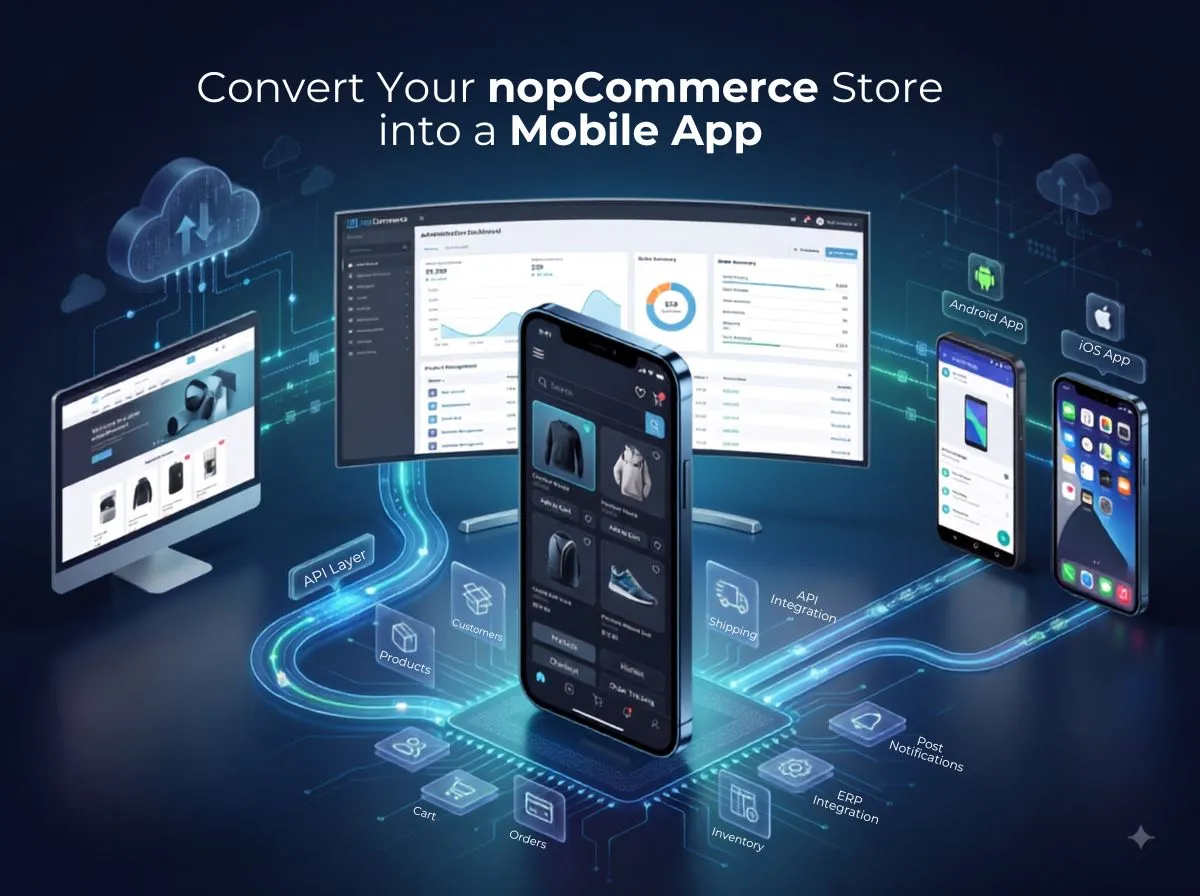
Yes. An existing nopCommerce store can be connected to a dedicated mobile application without rebuilding your backend. The mobile app communicates with your nopCommerce store through an API layer, which means your existing business data products, customers, orders, pricing can be reused rather than recreated.
That said, "connect" doesn't mean "automatic." Depending on your nopCommerce version, installed plugins, custom theme, and third-party integrations, some custom development is usually needed to expose the right data to the app in the right format.
The relationship generally looks like this:
Existing nopCommerce Store → API / Integration Layer → Mobile Application → iOS + Android
Your store remains the system of record. The API layer is the translator between that system and the mobile client. The mobile application is what your customers actually see and use, deployed to both platforms from either a shared codebase or separate native builds.
How Does a nopCommerce Mobile App Work?
The workflow behind a nopCommerce mobile app is more straightforward than it might sound:
Customer → iOS / Android App → API Layer → nopCommerce Backend → Database → Third-Party Integrations
When a customer opens the app, browses products, or places an order, the app sends a request through the API layer. nopCommerce processes that request using its existing business logic applying the right price, checking stock, validating a discount code and returns the result. The database is where all of this data actually lives, and third-party systems (payment gateways, shipping carriers, ERP platforms) are reached either directly by the API layer or through nopCommerce's existing integrations.
In practice, this means the app handles each of the following by talking to nopCommerce rather than managing its own separate logic:
Products and categories pulled live from the catalog
Customers and login authenticated through a token-based session
Cart and wishlist synced in real time as items are added or removed
Orders created and tracked through the same order engine used on the website
Payments processed through your existing gateway, typically via a mobile SDK
Shipping rates and tracking pulled from your configured carrier integrations
Notifications triggered by backend events like order status changes
Key Features of a nopCommerce Mobile App
Product Browsing Lets customers scroll through categories in a touch-optimized layout. Keeps the app fast and familiar for repeat visits.
Advanced Search Helps customers find specific products quickly, often with autocomplete. Reduces the effort needed to locate an item compared to menu navigation.
Customer Login Authenticates returning customers, often with biometric options for faster repeat access. Removes friction from account-based shopping.
Registration Allows new customers to create an account directly in the app. Supports building a recognizable customer base over time.
Product Filters Narrows results by price, size, brand, or other attributes. Speeds up decision-making for customers with specific needs.
Product Details Displays images, descriptions, pricing, and variants clearly. Gives customers the information they need without leaving the screen.
Shopping Cart Tracks selected items with live price and tax updates. Keeps the path to checkout short and clear.
Wishlist Lets customers save items for later without committing to a purchase. Encourages return visits and future conversions.
Checkout Guides customers through shipping, payment, and order review in a mobile-friendly sequence. A well-designed flow reduces drop-off at the final step.
Payment Processes transactions securely through your existing gateway's mobile SDK. Supports cards, digital wallets, and other configured methods.
Shipping Calculates rates and delivery estimates using your existing carrier setup. Gives customers clear expectations before they buy.
Order Tracking Shows real-time shipment status inside the app. Reduces support inquiries about "where's my order."
Push Notifications Delivers order updates and relevant alerts directly to the device. A native capability a website simply can't replicate.
Coupons Applies promo codes and discounts at checkout. Reuses your existing nopCommerce discount engine.
Customer Reviews Displays and collects product ratings and feedback. Builds trust for other shoppers browsing the same product.
Order History Lets customers view past purchases and reorder easily. Supports faster repeat buying.
Saved Addresses Stores shipping and billing details for future orders. Cuts down on repetitive data entry.
Profile Management Lets customers update personal details and preferences. Keeps account information accurate and current.
Personalized Offers Surfaces promotions relevant to a customer's browsing or purchase history. Can improve engagement when based on genuine behavioral signals rather than generic blasts.
Benefits of Converting nopCommerce to a Mobile App
A mobile app can offer real advantages over a website-only presence: a better mobile shopping experience, faster access to products customers already know, native push notifications, and the convenience of saved logins, addresses, and payment methods that make repeat purchases quicker.
It can also strengthen brand visibility. An app icon on a customer's phone is a form of passive presence a website simply doesn't have and it opens the door to more personalized engagement based on how a specific customer shops.
It's important to be direct about one thing: an app does not automatically increase sales. Whether it helps your business grow depends on the quality of the user experience, how well it fits your customers' actual shopping habits, how it's marketed and adopted, how fast and reliable it performs, and how competitively your products are priced. A mobile app is a channel, not a guarantee its impact comes from how well it's built and used.
Native vs Cross-Platform nopCommerce Mobile App
If your business needs advanced platform-specific capabilities, deep camera integration, augmented reality, or the latest OS features immediately on release native development on each platform is generally the stronger fit, despite the added cost and timeline. If your priority is reaching both iOS and Android efficiently with a consistent experience, Flutter or React Native typically offers a faster, more budget-friendly path without a major performance trade-off for most eCommerce use cases.
How nopCommerce APIs Connect with the Mobile App
The API layer is what makes the whole system work. It typically includes:
Authentication secure, token-based login rather than repeatedly sending credentials
Product APIs catalog, category, and pricing data
Customer APIs account details, addresses, and preferences
Cart APIs real-time cart updates as items are added or changed
Order APIs order placement, history, and status
Payment APIs transaction initiation and confirmation
Shipping APIs rate calculation and tracking data
Wishlist APIs saving and retrieving wishlist items
Notification services triggering push alerts based on backend events
API design and security matter more than they might seem to at first glance. A poorly structured API can make the app feel slow or unreliable even if the UI is well built, and weak authentication or unvalidated inputs can expose sensitive customer or payment data. Getting the API layer right early tends to save significant rework later.
What Happens to Your Existing nopCommerce Data?
One of the more common questions store owners ask is whether they need a separate database for the mobile app. In most cases, no. The app is designed to work with your existing products, categories, customers, orders, inventory, pricing, discounts, reviews, addresses, and shipping options all pulled through the API layer from your current nopCommerce store.
This matters because it means your product updates, price changes, and stock levels don't need to be entered twice. Whatever changes in your nopCommerce admin panel is reflected in the app through the same API calls used to display that data in the first place.
How to Convert a nopCommerce Store into a Mobile App
Analyze the Existing nopCommerce Store Understand your current setup, version, and configuration before planning the app.
Review Plugins and Customizations Identify which existing plugins expose APIs and which will need extension.
Define Mobile App Requirements Decide which features are essential for launch and which can come later.
Design Mobile UX/UI Create a mobile-specific interface rather than adapting the website layout directly.
Plan API Architecture Map out which endpoints already exist and which need to be built.
Develop iOS and Android Application Build the client app using your chosen native or cross-platform approach.
Connect APIs Integrate the app with nopCommerce's product, customer, cart, and order endpoints.
Integrate Payment and Shipping Connect your existing gateway and carrier integrations to the mobile checkout flow.
Implement Push Notifications Set up APNs and FCM, tied to relevant order and account events.
Test the Application Run functional, performance, and security testing across real devices.
Publish on App Stores Prepare listings and submit to the Apple App Store and Google Play.
Monitor and Maintain Track performance and usage after launch, and update the app as needed over time.
How Much Does nopCommerce Mobile App Development Cost?
There's no single fixed price for nopCommerce mobile app development, because it depends heavily on your specific store and requirements. The main cost factors include:
App design and number of screens
Native versus cross-platform development
API development and extension
Custom nopCommerce plugins
Payment gateway integration
Shipping integration
ERP integration, if applicable
Push notification setup
Testing across devices and scenarios
App Store deployment
Ongoing maintenance after launch
The final cost depends on what your existing nopCommerce store already supports through APIs versus what needs to be built from scratch, along with the specific feature set you choose. An accurate estimate requires reviewing your actual store rather than applying a generic number.
Common Challenges When Converting nopCommerce to a Mobile App
Legacy nopCommerce versions can lack modern API support. Solution: assess your version early and plan for upgrades or extensions where needed.
Custom plugins often don't expose their functionality through APIs by default. Solution: identify mobile-critical plugins and budget for custom endpoints.
Third-party integrations (payment, shipping, marketing tools) may need separate mobile configuration. Solution: confirm mobile SDK availability for each integration before development starts.
API limitations can leave gaps between what the website supports and what the app needs. Solution: build custom APIs as part of the project scope, not an afterthought.
Payment compatibility varies by gateway and mobile SDK maturity. Solution: verify mobile support directly with your payment provider.
Authentication needs to balance security with convenience. Solution: use token-based authentication with secure on-device storage.
Performance can suffer if APIs weren't designed for mobile payloads. Solution: optimize endpoints specifically for the app rather than reusing bulky website responses.
Data synchronization issues can arise when the same data is edited from multiple places. Solution: define clear rules for how conflicts are resolved.
App Store requirements from Apple and Google can be strict and specific. Solution: review current guidelines well before your planned submission date.
Mobile UX differences mean a direct website-to-app port rarely works well. Solution: design the app experience specifically for touch and mobile behavior.
How to Optimize a nopCommerce Mobile App for Better Sales
Fast loading, simple navigation, and a mobile-first checkout flow all reduce the friction that causes abandoned sessions. Personalized recommendations, wishlist reminders, and abandoned cart notifications can bring customers back to complete a purchase they didn't finish. Loyalty features and personalized offers give repeat customers a reason to keep coming back to the app specifically. One-tap reordering, strong product search, and secure checkout round out an experience built around convenience.
These features support conversion and retention, but they don't guarantee revenue growth on their own. Their impact depends on how well they're implemented, how relevant they are to your specific customers, and how consistently the app is maintained and improved after launch.
Why Choose Shivaay Soft for nopCommerce Mobile App Development?
Shivaay Soft works specifically within the nopCommerce platform, bringing that platform-specific knowledge into mobile app projects rather than treating it as a generic build. Our relevant capabilities include nopCommerce expertise, custom mobile application development, API development, plugin integration, payment integration, shipping integration, ERP integration, iOS and Android development, support for custom business workflows, and ongoing app maintenance and support after launch.
We focus on understanding your existing nopCommerce setup first, so the mobile architecture we recommend actually fits what you already have rather than requiring unnecessary rework.
Illustrative Example: Turning an Existing nopCommerce Store into a Mobile App
The following figures are illustrative only, used to demonstrate a typical scenario.
Existing nopCommerce Store → 15,000 Products → Existing Customers → Existing Payment Gateway → Existing Shipping Integration → API Layer → iOS + Android App
In this scenario, a store with an established catalog and customer base doesn't rebuild any of that infrastructure. The API layer connects the existing product data, customer accounts, payment gateway, and shipping setup to a new iOS and Android app, giving customers a mobile-native way to access the same commerce system that already powers the website.
Is a nopCommerce Mobile App Worth It?
A mobile app tends to make the most sense for businesses with a large repeat-customer base, frequent purchase cycles, an active loyalty program, a strong mobile traffic share, subscription or repeat ordering models, marketplace operations, or B2B ordering workflows that benefit from a dedicated interface.
A responsive website may be sufficient for newer businesses still validating their market, stores with low repeat purchase frequency, or businesses with limited mobile traffic. In those cases, it can make sense to strengthen the website experience first and revisit a mobile app once repeat engagement patterns become clearer.
Conclusion
An existing nopCommerce store doesn't need to be rebuilt to become a mobile commerce channel; it can be extended into iOS and Android applications through a well-designed API layer. That API layer is the bridge between your mobile app and your nopCommerce backend, allowing you to reuse existing products, customers, orders, and integrations wherever technically appropriate.
A successful nopCommerce mobile app requires more than wrapping your website in an app shell. Thoughtful UX, solid API architecture, proper security, real testing, and ongoing optimization all play a role in whether nopCommerce mobile app development delivers a genuinely useful experience for your customers.
If you're considering how to convert nopCommerce to mobile app form for your business, Shivaay Soft can help you evaluate your existing store and plan a mobile architecture that fits it.