

A store's design is the first thing a visitor judges, often before they've read a single product description. If a page loads slowly, if buttons feel cramped on a phone screen, or if the layout looks dated, shoppers form an opinion within seconds and that opinion is hard to undo. This is why storefront design isn't a cosmetic afterthought in eCommerce; it's part of how a business is perceived.
Mobile responsiveness makes this even more pressing. Shoppers switch between phones, tablets, and desktops within the same buying journey, and a theme that doesn't adapt cleanly across screen sizes creates friction at exactly the moment a customer is deciding whether to keep browsing or leave. On top of that, any theme a nopCommerce store owner picks has to actually work with the platform's existing checkout logic, plugin system, and admin configuration not fight against it.
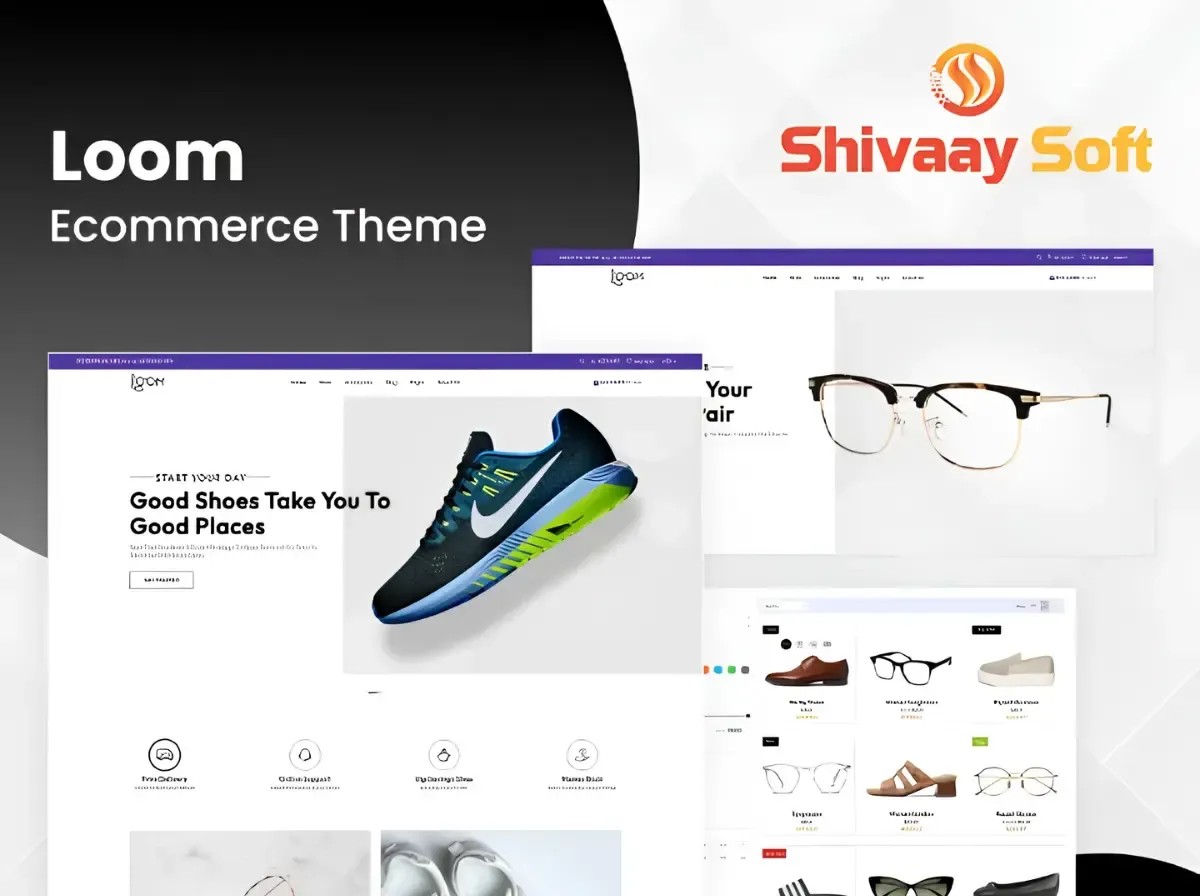
This is the context in which the Loom nopCommerce Theme, built by Shivaay Soft, is worth a closer look. It's positioned as a stylish, responsive, easy-to-use theme that comes bundled with a set of ready-made plugins, aimed at store owners who want a professional storefront without commissioning a theme from scratch. In this article, we'll go through what Loom actually includes, how it fits into a typical nopCommerce setup, and when it makes sense versus when a fully custom theme is the better route.
What Is the Loom nopCommerce Theme?
The Loom nopCommerce Theme is a premium storefront theme developed by Shivaay Soft, a nopCommerce Gold Solution Partner, and listed on the official nopCommerce Marketplace as "Loom Theme + 10 Plugins." According to its official listing, the theme is designed to be stylish, responsive, and easy to use, with the stated goal of giving customers a strong shopping experience, and it ships integrated with a bundle of plugins covering common storefront functionality.
Loom was first released for nopCommerce and has continued to receive updates since the marketplace listing shows it was created in February 2024 and last updated in December 2025, with current support for nopCommerce versions 4.60, 4.70, 4.80, and 4.90. That update history matters: a theme that isn't maintained against new nopCommerce releases eventually becomes a liability rather than an asset.
It's worth being clear about what Loom is and what it isn't. In nopCommerce terminology:
A theme controls the storefront's visual presentation: layout, typography, color scheme, header and footer structure, and how pages are arranged. It's the "front end" a shopper actually sees and interacts with.
A plugin adds functionality or business logic: a mega menu, a newsletter signup form, a payment gateway, a shipping calculator, or a marketing tool. Plugins can work independently of any specific theme, though they render their output through the active theme's layout.
Loom sits on the theme side of that divide, but as its marketplace name suggests it doesn't arrive alone. It's packaged together with 10 companion plugins built specifically to extend a Loom-based storefront, which we'll walk through next.

Key Features of the Loom nopCommerce Theme
Rather than list generic marketing adjectives, here's what's actually documented for Loom on its official nopCommerce Marketplace listing and Shivaay Soft's own product page.
Responsive, Stylish Storefront Design
Loom's own product description states it is built to be responsive and stylish. In practical terms, this means the layout is intended to adapt to different screen sizes rather than forcing a desktop-first design onto a phone browser, a baseline requirement for any modern nopCommerce theme, since a growing share of shopping sessions now start on a mobile device.
Easy-to-Use Storefront
The official description also emphasizes ease of use. For a store owner, this generally translates into a storefront that doesn't require a shopper to hunt for navigation, search, or the cart, the kind of straightforward layout that reduces cognitive load during browsing and checkout.
Ten Bundled Plugins
This is Loom's most concrete, verifiable feature set. According to Shivaay Soft's official release announcement on the nopCommerce community boards, the theme is packaged with the following 10 plugins:
Nop Mega Menu an expanded navigation menu that can display more categories, subcategories, or featured links than a standard dropdown.
Nop Anywhere Banner a widget for placing promotional banners in configurable zones across the storefront.
Nop Latest Blog displays recent blog posts on the storefront, useful for stores that publish content marketing or product guides.
Nop Latest News surfaces recent news or announcement posts to shoppers.
Nop Our Brand a widget for showcasing brand or manufacturer logos, helpful for stores carrying multiple brands.
Nop Quick Info is typically used to highlight short trust or service messages (shipping info, guarantees, support details) near the top or bottom of pages.
Nop Sales Of the Day a widget for featuring time-limited or daily deal products.
Nop Newsletter Subscription an email capture widget for building a marketing list.
Nop Product Collection lets store owners group and display curated sets of products outside standard category logic.
Nop Quick Tabs a tabbed widget for organizing content like featured, new, or best-selling products in one section.
For a store owner, the value here isn't the plugin count on its own; it's that these are common, genuinely useful storefront widgets (navigation, promotions, content, trust signals, email capture) bundled in rather than needing to be sourced, purchased, and configured individually.
Configurable Color Scheme
Shivaay Soft's official marketplace listing includes a demonstration of a color-switching feature, showing the storefront's color palette being changed directly through the admin-facing options. This points to at least a baseline level of visual customization being available without touching code.
Live Demo and Documentation
Loom is backed by a public live demo and dedicated documentation hosted by Shivaay Soft, which is useful for evaluating the actual look and navigation flow before purchase, rather than relying on screenshots alone.
If a specific feature you're evaluating such as a particular checkout flow detail or a specific page layout isn't listed above, it's best to confirm it directly against the live demo or documentation rather than assume it's included.
Why Responsive Design Matters for eCommerce
Responsive design isn't a nice-to-have anymore; it's closer to table stakes. A meaningful share of online shopping sessions now happen on phones, and shoppers move between devices researching on mobile during a commute, then finishing checkout on a laptop that evening.
A genuinely responsive theme adjusts more than just column widths. It should handle:
Touch-friendly navigation menus and buttons sized for fingers, not just mouse cursors.
Flexible product grids layouts that reflow from multi-column desktop grids to single- or double-column mobile views without breaking image proportions.
Readable typography at every size text that doesn't require pinch-zooming to read on a small screen.
Mobile-friendly checkout forms input fields and buttons that are easy to tap accurately, since a fumbled checkout form is a common point of frustration.
Responsive design also has an SEO dimension. Search engines evaluate mobile usability as part of how they crawl and rank pages, so a storefront that renders poorly on mobile isn't just a UX problem it can also work against a store's visibility in search results. This doesn't mean any single theme guarantees better rankings (more on that later), but a responsive foundation removes one common technical obstacle.
What Does Plugin Ready Mean in a nopCommerce Theme?

Plugin ready is a simple idea with real practical weight: it means a theme is built to properly render the widget zones and content areas that nopCommerce plugins hook into, without requiring custom code changes every time a new plugin is added.
Here's how that relationship works in practice:
Widget zones are predefined placeholders in a nopCommerce theme's layout in the header, homepage, sidebar, footer, and so on where plugins can inject their output.
Plugin-generated content (a banner, a mega menu, a newsletter box) renders inside those zones. A theme that properly supports widget zones displays this content cleanly, in line with the rest of the design, instead of looking bolted on.
Different plugin categories serve different jobs: payment plugins (gateway integrations), shipping plugins (carrier rate calculations), marketing plugins (email capture, promotions), search plugins (enhanced product search and filtering), SEO plugins (metadata and structured data management), and analytics integrations (tracking and reporting tools).
A theme described as plugin ready like Loom, with its 10 bundled plugins is one where this rendering relationship has already been tested and configured, rather than left for a developer to troubleshoot after installation.
This is also why avoiding modifications to nopCommerce's core files matters so much. When a theme or a customization is built using nopCommerce's intended view-overriding mechanisms rather than editing core files directly, it stays compatible with future plugin installations and platform upgrades. Editing core files directly tends to cause conflicts down the line either with new plugins or when the store is eventually upgraded to a newer nopCommerce version.
Loom Theme vs Building a Custom nopCommerce Theme
In short: Loom is a practical choice when a business wants a professionally designed, plugin-integrated storefront without commissioning original design work. A custom theme becomes the better option once a business's requirements go beyond what any pre-built layout Loom included can reasonably flex to fit.
How the Loom Theme Can Improve the Storefront Experience
A few concrete ways a theme like Loom shapes the shopping experience:
Consistent navigation :- with the Mega Menu plugin integrated, shoppers get a single, expanded navigation pattern across the store rather than an inconsistent mix of menu styles.
Easier product discovery :- features like Product Collection and Quick Tabs give store owners a way to surface curated or best-selling products without shoppers digging through category trees.
Responsive browsing across devices :- a consistent layout logic whether a shopper is on a phone or a desktop.
Trust-building elements :- the Quick Info widget is designed for exactly this: short, visible messaging about shipping, returns, or guarantees near key decision points.
Content-driven engagement :- The Latest Blog and Latest News widgets let stores that publish content keep it visible on the storefront rather than buried in a separate section.
None of this guarantees higher conversions or sales that depend on far more than a theme, including pricing, product quality, marketing, and customer service. What a well-built theme like Loom can reasonably be expected to do is remove friction: fewer confusing layouts, fewer broken mobile views, fewer moments where a shopper has to work harder than necessary to find what they want.
Can the Loom nopCommerce Theme Be Customized?
Yes, though it helps to understand the different levels of customization in a nopCommerce context, since the terms often get blurred together:
Configuration adjusting settings that are already exposed in the admin panel, such as the color scheme option shown in Loom's official demo materials, enabling or disabling bundled widgets, or rearranging homepage sections through existing settings.
Theme customization deeper visual changes: adjusting CSS, tweaking specific component styling, modifying header or footer structure, or altering how product cards are displayed. This typically requires developer involvement, even on a pre-built theme.
Custom development building new page templates, new layout sections, or storefront behavior that doesn't exist in the base theme at all.
Plugin development builds entirely new functionality (not just styling) that goes beyond what Loom's bundled plugins cover, such as a specialized product configurator or a custom loyalty program widget.
For a business that wants to keep Loom's core structure but adjust the branding colors, fonts, banner content, homepage arrangement that generally falls under configuration and light theme customization, which agencies like Shivaay Soft handle as part of standard nopCommerce theme customization work. For anything that requires genuinely new functionality, that shifts into custom or plugin development territory.
How Plugins Work with the Loom nopCommerce Theme
A simplified view of what happens when a shopper visits a Loom-powered store:
Customer visits the store → Loom Theme renders the storefront layout → nopCommerce handles core commerce logic (catalog, cart, checkout, orders) → Bundled and additional plugins add extra functionality (mega menu navigation, banners, product collections, newsletter capture) → Customer interacts with the combined result
A few real examples of how this plays out:
A shopper browses using the Mega Menu plugin's expanded navigation, rendered within Loom's header layout.
They see a Sales Of the Day widget on the homepage highlighting a time-limited offer.
They sign up through the Newsletter Subscription widget before leaving.
Behind the scenes, nopCommerce's own checkout, tax, and payment gateway logic separate from the theme handles the actual transaction.
Beyond the 10 bundled plugins, a nopCommerce store can also run independent plugins for payment gateways, shipping carriers, product reviews, marketing automation, analytics, or integrations with ERP and CRM systems. Loom, as a properly built theme, is designed to render this additional plugin content within its layout, but specific compatibility for any third-party plugin outside the bundled 10 should be verified directly rather than assumed.
Loom nopCommerce Theme for Mobile Commerce
Mobile shopping has become the default entry point for many customers, which puts real weight on how a theme behaves outside a desktop browser. Loom's official description commits to a responsive layout, which when properly implemented should mean:
Responsive product grids that reflow cleanly rather than shrinking desktop layouts down awkwardly.
Touch-friendly interactions with buttons and menu items sized appropriately for tapping.
Consistent mobile navigation, including how the Mega Menu plugin behaves once collapsed into a mobile menu pattern.
Product search accessible without excessive scrolling or hidden search bars.
A consistent visual identity across desktop, tablet, and mobile, so a customer's experience doesn't feel like a different store depending on their device.
The practical benefit for a store owner is that customers don't get a "lesser" version of the storefront on mobile; the same navigation logic, product presentation, and bundled features should carry across screen sizes.
SEO Considerations for the Loom nopCommerce Theme
It's important to be direct here: no theme, Loom included, can guarantee higher Google rankings on its own. A theme is one input into technical SEO, not the whole equation. What a well-structured, responsive theme can contribute:
Mobile usability, which search engines factor into how pages are evaluated for mobile search results.
Reasonable page structure, giving search engines a clean layout to crawl rather than cluttered or broken markup.
Consistent heading hierarchy, when configured correctly by whoever builds out the store's pages.
Support for standard nopCommerce SEO fundamentals that apply regardless of theme friendly URLs, meta tag management, canonical URLs, and breadcrumb navigation which are largely handled at the platform and content level in nopCommerce, not solely by the theme.
The rest of technical SEO quality product content, image optimization, internal linking strategy, structured data implementation, and page speed depends on how the store is built and maintained on top of the theme, not the theme alone. Treat Loom as a solid foundation, not a substitute for ongoing SEO work.
Performance Considerations
Storefront performance is shaped by several layers working together, and a theme is only one of them:
Image optimization properly sized and compressed images matter regardless of theme, since oversized images are one of the most common causes of slow page loads.
CSS and JavaScript delivery how efficiently these assets load affects perceived speed.
Plugin overhead every additional plugin, bundled or third-party, adds some processing weight; a well-integrated bundle like Loom's 10 plugins is designed to work efficiently together, but stacking many additional third-party plugins on top can still slow a store down if not managed carefully.
Caching and CDN usage server-side and delivery-layer optimizations that sit outside the theme itself.
Hosting and database performance ultimately, a fast store needs adequate hosting and a well-maintained database, not just a lightweight theme.
In short, overall store speed is a shared outcome of the theme, the plugins running on top of it, and the hosting environment underneath it not something any single theme can fully control on its own.
Who Should Choose the Loom nopCommerce Theme?
Small Businesses :- A fixed, lower price point and a bundled plugin set make Loom a practical way to launch a professional-looking store without a large upfront design budget.
Growing eCommerce Stores :- Stores that are scaling past a bare-bones setup benefit from Loom's built-in navigation, promotional, and content widgets without sourcing them separately.
D2C Brands :- The Our Brand and Product Collection widgets suit brands that want to curate how products are presented rather than relying purely on category browsing.
Retailers :- General retail stores selling varied product catalogs can use Mega Menu and Quick Tabs to keep navigation manageable as the catalog grows.
B2B Businesses :- Loom covers general storefront presentation well, though businesses with complex B2B workflows (tiered pricing, quote requests, approval chains) should evaluate whether those needs require custom development on top of the theme.
Businesses Launching a New nopCommerce Store :- Loom offers a faster path to a live, functioning storefront compared to a from-scratch design process.
Existing nopCommerce Stores :- Given its documented support for nopCommerce versions 4.60 through 4.90, Loom can be a relevant option for stores looking to refresh their storefront design during a version upgrade.
When Should You Choose a Custom nopCommerce Theme Instead?
Loom, like any pre-built theme, works within its own layout structure. A fully custom nopCommerce theme becomes the more appropriate choice when a business needs:
A completely unique UX that doesn't resemble any pre-built theme's structure, for strong brand differentiation.
Complex B2B workflows multi-tier pricing, custom quote and approval processes, or account-specific catalogs.
Custom product configurators, such as build-your-own product tools with dynamic pricing.
A highly specialized checkout flow that goes beyond standard nopCommerce checkout logic.
A distinctive brand experience where design is a core differentiator, not just a functional requirement.
Complex marketplace functionality, such as multi-vendor storefronts with vendor-specific dashboards.
Extensive custom integrations with internal systems that need to be reflected directly in the storefront UX.
If your requirements fall into several of these categories, it's worth having a direct conversation with a nopCommerce development team about a custom build rather than trying to stretch a pre-built theme to fit.
How to Install and Set Up the Loom nopCommerce Theme
At a high level, setting up any purchased nopCommerce theme including Loom generally follows this sequence. For exact, version-specific steps, always refer to Loom's official documentation, since installation specifics can change between nopCommerce versions.
Verify nopCommerce compatibility confirms your store is running one of Loom's supported versions (4.60, 4.70, 4.80, or 4.90).
Back up the existing store, always back up files and the database before installing a new theme.
Install the theme following the official installation instructions provided with the purchase.
Configure theme settings, set up the color scheme and any other exposed configuration options.
Configure the homepage arrange sections, banners, and featured product widgets.
Configure navigation set up the Mega Menu structure to match your catalog.
Configure the bundled plugins activate and set up the remaining plugins (Quick Info, Newsletter Subscription, Sales Of the Day, and the rest) as needed.
Test product pages confirm product listings and detail pages render correctly.
Test checkout walk through the full purchase flow to confirm nothing broke during theme installation.
Test mobile responsiveness check the storefront across phone, tablet, and desktop breakpoints.
Check performance and verify page load times are acceptable before going live.
Deploy pushes the live theme to production once everything has been verified.
For businesses that would rather not handle this process in-house, Shivaay Soft offers installation and configuration support as part of its nopCommerce theme development services.
Why Choose Shivaay Soft for nopCommerce Theme Development?
Shivaay Soft is a certified nopCommerce development company with more than a decade of experience building on the platform, working across nopCommerce theme development, custom development, plugin development, theme customization, API integration, payment and shipping integration, performance optimization, and nopCommerce upgrade and migration services.
The team builds themes and customizations using nopCommerce's intended view-overriding approach rather than editing core files directly, an approach that keeps stores stable and simplifies future upgrades. Beyond Loom, Shivaay Soft maintains a broader catalog of nopCommerce themes and plugins on the official marketplace, reflecting ongoing, hands-on experience with the platform's theming and plugin architecture.
For businesses that purchase Loom and want help with installation, deeper customization, or integrating additional plugins payment gateways, shipping carriers, or marketing tools Shivaay Soft nopCommerce customization and nopCommerce development services cover exactly that gap between an out-of-the-box theme and a fully tailored storefront.
Loom nopCommerce Theme: Is It Right for Your Store?
Loom may be a good fit if your business wants:
A professionally designed storefront without a lengthy build process
A genuinely responsive experience across desktop, tablet, and mobile
A faster path to launch than a from-scratch theme
A plugin-ready architecture with 10 useful widgets already integrated
Reasonable configuration-level customization without heavy development
A modern, easy-to-use eCommerce UX
A custom nopCommerce theme is likely the better investment if your business needs a completely unique design, complex B2B or marketplace workflows, advanced personalization, or a highly specialized customer journey that a pre-built layout can't accommodate.
For most small to mid-sized stores, and for existing nopCommerce stores looking to refresh their storefront without a full rebuild, Loom offers a practical, well-rounded starting point.
Conclusion
The Loom nopCommerce Theme, developed by Shivaay Soft, offers a responsive, stylish, and easy-to-use storefront design bundled with 10 integrated plugins from mega menu navigation and promotional banners to newsletter capture and curated product collections. It's built to support nopCommerce versions 4.60 through 4.90, and its plugin-ready structure means a store owner isn't starting from zero on essential storefront functionality.
Responsive design and a properly integrated theme-plugin relationship aren't just aesthetic choices; they directly affect how easily customers can browse, discover products, and check out, on any device. Customization is possible at the configuration and theme-styling level, while genuinely custom requirements are better served by dedicated development work.
Ultimately, whether the Loom nopCommerce Theme is the right choice comes down to how closely your business's requirements match what a pre-built, plugin-ready theme can offer versus what only a fully custom build can deliver. If you're weighing that decision, Shivaay Soft's team can walk through your specific requirements and help you choose or build the right storefront for your store.