

Picking an eCommerce platform is one of those decisions that looks simple from the outside and turns out to be anything but. You compare a few homepages, read a handful of reviews, maybe watch a demo video, and then you're expected to commit years of development time and marketing budget to whatever you pick. Get it wrong, and you spend the next three years fighting the platform instead of growing your business.
That's the situation a lot of business owners find themselves in when they outgrow Shopify's rigid templates, get frustrated with Magento's maintenance overhead, or realize their custom-built store has become a liability nobody wants to touch. The platform you choose doesn't just host your products it decides how fast you can launch new features, how well you rank in search, how much you pay in licensing fees, and whether your store can handle a 10x jump in traffic without falling over.
This is exactly why understanding nopCommerce features in detail matters before you commit. nopCommerce has quietly become one of the most capable open-source eCommerce platforms available, and the businesses that use it well tend to have one thing in common: they actually understand what it can do.
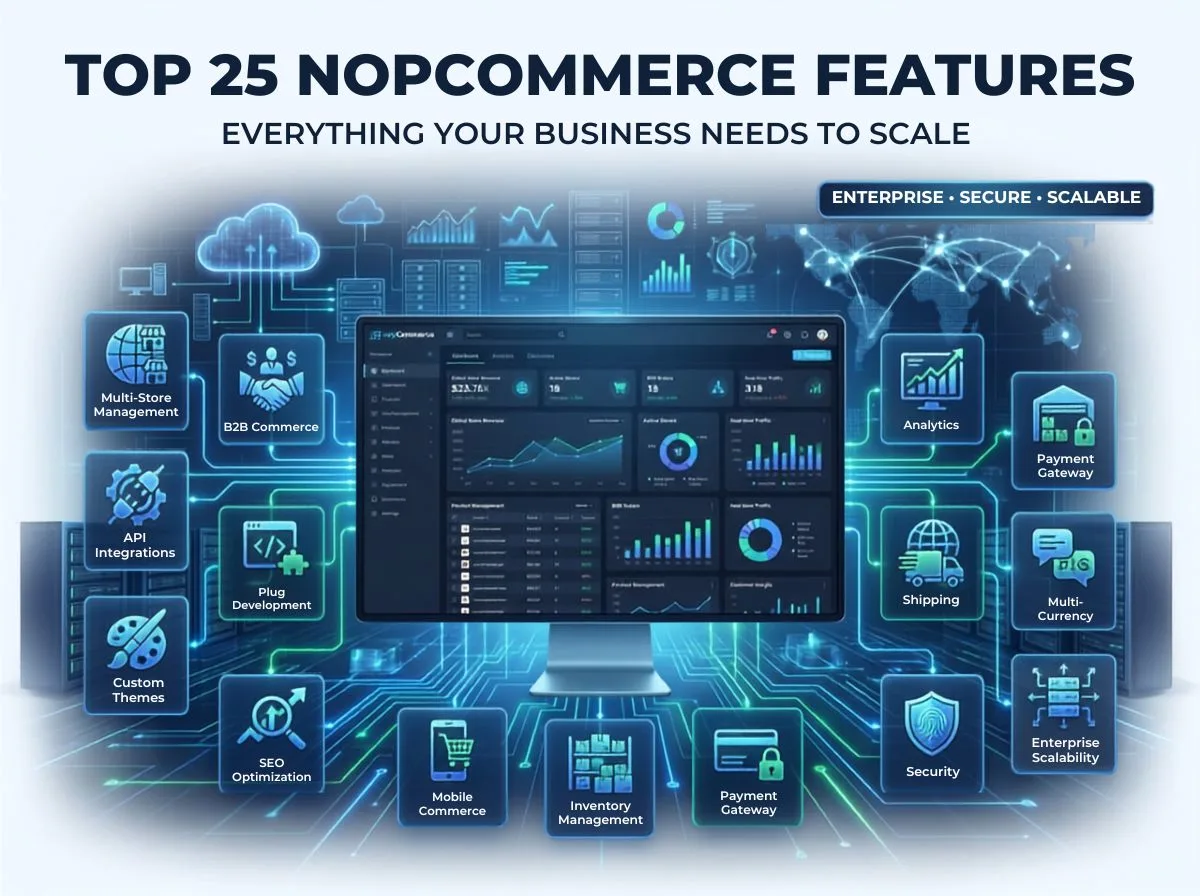
In this guide, we're walking through 25 of the most valuable features nopCommerce offers, not as a marketing checklist, but as a practical breakdown of what each feature does, why it matters, and how real businesses put it to work. Whether you're a startup founder evaluating platforms for the first time or a CTO trying to decide if a migration makes sense, this article should give you a clear, honest picture.
What Is nopCommerce?
nopCommerce is a free, open-source eCommerce platform built on ASP.NET Core. It first launched in 2008 and has since grown into one of the most widely deployed .NET-based commerce platforms in the world, with tens of thousands of live stores running on it across retail, wholesale, manufacturing, and B2B sectors.
Unlike SaaS platforms that lock you into a hosted environment and limited customization, nopCommerce gives you full access to the source code. You own your store outright no monthly licensing fees tied to revenue, no forced upgrades, no vendor holding your data hostage.
The ASP.NET Core foundation is what separates nopCommerce from many other open-source alternatives. It's fast, cross-platform, well-supported by Microsoft, and built with modern software practices like dependency injection and modular architecture baked in from the ground up. That technical foundation is why nopCommerce scales comfortably from a single-store startup catalog to an enterprise deployment running dozens of storefronts under one admin panel.
Businesses that gravitate toward nopCommerce tend to share a few traits: they need more flexibility than templated platforms allow, they have (or plan to hire) development resources, and they're thinking beyond the first year of the store's life. It's a strong fit for B2B distributors, multi-brand retailers, manufacturers selling direct, and any company that expects its eCommerce needs to get more complex, not less.
Why Businesses Choose nopCommerce
Flexibility. Because the source code is open, developers can modify almost any part of the platform checkout flow, pricing logic, admin workflows without fighting against the system's limitations. Most SaaS platforms simply don't allow this level of control.
Performance. Running on ASP.NET Core means nopCommerce benefits from a mature, actively optimized runtime. With proper server configuration and caching, stores handle high traffic volumes without the lag that plagues heavier platforms.
Security. nopCommerce ships with role-based access control, secure authentication, and regular security patches from an active development community. For businesses handling customer payment data, this matters as much as any feature on the storefront.
Scalability. The platform's modular structure supports everything from a single small store to a multi-store enterprise network serving different regions, brands, or customer segments all from one codebase.
Cost-effectiveness. There's no licensing fee for the core platform. Costs go toward hosting, development, and customization rather than a recurring percentage of revenue, which changes the economics significantly as a store scales.
These five factors are why nopCommerce keeps showing up on shortlists for businesses that have outgrown simpler platforms. Now let's get into the features that actually deliver on these strengths.
Top 25 nopCommerce Features
1. Multi-Store Management
What it is: A single nopCommerce installation can run multiple storefronts, different domains, brands, or regional sites from one shared admin panel and database.
Why it matters: Managing separate platforms for each brand or region multiplies your maintenance burden and development costs. Multi-store management collapses that into one system.
Business benefits: Centralized inventory, shared customer data where needed, one team managing everything, and consistent backend operations across all storefronts.
Real-world use case: A furniture retailer selling under three regional brand names each with its own design and currency runs all three from a single nopCommerce instance, updating stock levels once instead of three times.
Best practices: Plan your store-specific settings (currency, tax rules, shipping) early, and use store-level permissions to prevent staff from accidentally editing the wrong storefront.
2. Multi-Vendor Marketplace
What it is: nopCommerce supports marketplace functionality where multiple vendors can list and sell products through your platform, each managing their own catalog and orders.
Why it matters: Marketplaces generate revenue through commissions and expand product selection without your business holding inventory.
Business benefits: Faster catalog growth, diversified revenue streams, and reduced inventory risk since vendors manage their own stock.
Real-world use case: A specialty tools retailer opens its platform to independent toolmakers, taking a commission on every sale while expanding its catalog tenfold without warehousing a single extra item.
Best practices: Set clear vendor onboarding requirements and commission structures upfront, and use vendor-specific dashboards to keep sellers self-sufficient.
3. Unlimited Products & Categories
What it is: There's no artificial cap on how many products, SKUs, or category levels you can create — a common limitation on SaaS platforms tied to pricing tiers.
Why it matters: Growing catalogs shouldn't force you into a more expensive pricing plan or a platform migration.
Business benefits: Freedom to expand product lines without renegotiating licensing, and the ability to build deep, logical category structures that mirror how customers actually shop.
Real-world use case: An industrial parts distributor with over 200,000 SKUs organizes its catalog into nested categories by manufacturer, part type, and compatibility, something that would be unworkable on platforms with catalog limits.
Best practices: Design your category taxonomy before bulk-importing products; retrofitting structure into a large catalog later is far more time-consuming.
4. Advanced Catalog Management
What it is: Tools for organizing products with rich metadata, cross-sells, related products, product tags, and flexible category assignments.
Why it matters: A well-organized catalog directly affects conversion rates of customers who find what they need faster and buy more often.
Business benefits: Better product discoverability, higher average order value through cross-selling, and easier catalog maintenance at scale.
Real-world use case: An electronics retailer uses related-product and cross-sell rules to suggest compatible accessories at checkout, lifting average order value measurably within the first quarter.
Best practices: Regularly audit product tags and categories as your catalog grows stale metadata quietly erodes search and navigation quality over time.
5. Product Attributes & Variants
What it is: Support for configurable attributes like size, color, and material, with variant-specific pricing, stock, and images.
Why it matters: Most physical products come in variations, and customers expect to filter and select by those variations without friction.
Business benefits: Accurate inventory tracking per variant, flexible pricing by option, and a smoother shopping experience.
Real-world use case: A clothing brand sets different prices for premium fabric variants of the same shirt style, with independent stock counts for each size and color combination.
Best practices: Keep attribute naming consistent across the catalog so filtering and search behave predictably for customers.
6. Customer Roles & Permissions
What it is: A role-based system that controls what different customer types can see, purchase, and access from guests to registered retail buyers to approved wholesale accounts.
Why it matters: Not every customer should see the same prices, products, or content, especially in mixed B2B/B2C environments.
Business benefits: Tailored pricing and catalog visibility by customer segment, and tighter control over who can place certain types of orders.
Real-world use case: A wholesale food distributor restricts bulk pricing tiers to verified restaurant accounts while keeping retail pricing visible to the general public.
Best practices: Define your customer segments clearly before configuring roles retrofitting a role structure onto an existing customer base takes more effort than planning it upfront.
7. B2B & Wholesale Pricing
What it is: Built-in support for tiered pricing, minimum order quantities, quote requests, and account-specific price lists.
Why it matters: B2B buying behavior is fundamentally different from retail negotiated pricing and bulk discounts are often the deciding factor in winning a deal.
Business benefits: Automated pricing rules reduce manual quoting, and account-specific pricing builds trust with long-term wholesale clients.
Real-world use case: A packaging supplier sets volume-based discount tiers so a customer ordering 10,000 units automatically sees a lower unit price than one ordering 500.
Best practices: Combine tiered pricing with customer roles so discount structures apply automatically based on verified account status.
8. Responsive Mobile Commerce
What it is: Themes and templates built to adapt fluidly across desktop, tablet, and mobile screens.
Why it matters: Mobile traffic accounts for a majority of eCommerce browsing in most markets, and a clunky mobile experience directly costs conversions.
Business benefits: Wider reach across devices, better mobile search rankings, and consistent branding regardless of screen size.
Real-world use case: A beauty products retailer redesigns its mobile checkout flow to reduce steps, seeing a noticeable drop in mobile cart abandonment.
Best practices: Test checkout specifically on mobile devices that's usually where friction hides, even on otherwise responsive themes.
9. SEO-Friendly Architecture
What it is: Native support for clean URLs, meta tags, canonical tags, XML sitemaps, and structured data at the product and category level.
Why it matters: Organic search remains one of the most cost-effective acquisition channels, and platform-level SEO support reduces the technical debt of chasing rankings later.
Business benefits: Better crawlability, stronger indexing, and reduced reliance on paid traffic over time.
Real-world use case: A home goods brand restructures its URL slugs and meta descriptions using nopCommerce's built-in SEO settings, improving category page rankings within a few months.
Best practices: Set unique meta titles and descriptions for every category and top product page — don't leave platform defaults in place across the board.
10. Powerful Plugin System
What it is: A modular plugin architecture that lets developers add functionality payment methods, shipping calculators, marketing tools without modifying core code.
Why it matters: Businesses need custom functionality eventually, and a clean plugin system means those additions don't break with future platform updates.
Business benefits: Faster feature rollout, easier upgrades since core code stays untouched, and access to a large ecosystem of existing plugins.
Real-world use case: A subscription box company adds a custom recurring-billing plugin without touching the core checkout logic, keeping the store upgrade-safe.
Best practices: Favor well-maintained plugins or custom development over bolting on multiple overlapping third-party extensions, which can create conflicts.
11. Custom Theme Support
What it is: A theming engine that allows fully custom storefront designs separate from backend logic.
Why it matters: Brand identity matters in eCommerce, and generic templated storefronts struggle to differentiate in competitive markets.
Business benefits: Full design control, faster page load through optimized custom themes, and a storefront that reflects brand positioning rather than platform defaults.
Real-world use case: A premium skincare brand commissions a custom theme with tailored typography and layout that matches its print packaging identity, reinforcing brand recognition online.
Best practices: Build themes with performance in mind from the start heavy, unoptimized custom themes can undo the platform's underlying speed advantages.
12. API Integration
What it is: REST-based APIs that let nopCommerce connect with ERPs, CRMs, marketing platforms, and other business systems.
Why it matters: Modern businesses run on connected software. A store that can't talk to your accounting or fulfillment systems creates manual work and data errors.
Business benefits: Automated data sync, fewer manual entry errors, and the ability to build a genuinely connected tech stack around the store.
Real-world use case: A manufacturer integrates nopCommerce with its ERP system so inventory and order data sync automatically, eliminating manual stock reconciliation.
Best practices: Map out your integration needs before development begins retrofitting API connections into an already-live store is riskier than planning them in the architecture phase.
13. Payment Gateway Integrations
What it is: Native and plugin-based support for major payment gateways including Stripe, PayPal, Authorize.Net, and regional providers.
Why it matters: Payment friction is one of the top reasons for cart abandonment, and offering the right regional payment methods can make or break conversion in international markets.
Business benefits: Broader customer reach, reduced abandoned carts, and compliance support for handling transactions securely.
Real-world use case: A brand expanding into the UAE adds a regional payment gateway alongside its existing options, immediately improving checkout completion for local customers.
Best practices: Match your payment gateway choices to your actual target markets rather than defaulting to whatever's easiest to configure.
14. Shipping Provider Integrations
What it is: Built-in and plugin-supported connections to major carriers like UPS, FedEx, and DHL, along with custom shipping rule configuration.
Why it matters: Shipping cost transparency and delivery speed are major factors in purchase decisions, especially for larger or heavier goods.
Business benefits: Real-time shipping rate calculation, automated label generation, and flexible rules for free shipping thresholds or regional restrictions.
Real-world use case: A furniture retailer configures weight-based shipping rules so oversized items are quoted accurately instead of using a flat rate that erodes margin.
Best practices: Regularly audit shipping rules against actual carrier rate changes outdated shipping logic quietly eats into margins.
15. Marketing & Promotions
What it is: Built-in tools for email campaigns, newsletters, abandoned cart reminders, and product recommendations.
Why it matters: Acquiring a new customer costs significantly more than retaining an existing one, and built-in marketing tools reduce dependency on third-party platforms.
Business benefits: Lower customer acquisition costs, better retention through automated follow-ups, and a more cohesive marketing workflow.
Real-world use case: An outdoor gear retailer sets up automated abandoned cart emails, recovering a meaningful share of otherwise lost sales each month.
Best practices: Segment your email campaigns by customer behavior rather than sending identical messages to your entire list.
16. Discount & Coupon Engine
What it is: Flexible rules for percentage or fixed discounts, coupon codes, and conditional promotions based on cart contents or customer segment.
Why it matters: Promotions drive short-term sales spikes and can be used strategically to clear inventory or reward loyal customers.
Business benefits: Granular control over promotional rules, reduced reliance on blanket sitewide discounts, and better margin protection.
Real-world use case: A seasonal retailer sets category-specific discount rules ahead of a holiday sale, protecting margins on premium items while discounting overstocked lines.
Best practices: Set clear start and end dates on every promotion to avoid discounts running longer than intended and quietly eating into margin.
17. Inventory Management
What it is: Real-time stock tracking, low-stock alerts, and multi-warehouse inventory support.
Why it matters: Overselling damages customer trust, while poor stock visibility leads to missed reorder timing and lost sales.
Business benefits: Fewer stockouts and overselling incidents, better demand forecasting, and support for multi-location fulfillment.
Real-world use case: A grocery supplier tracks inventory across two regional warehouses, automatically routing orders to whichever location has stock closest to the customer.
Best practices: Set low-stock alert thresholds based on actual reorder lead times, not arbitrary round numbers.
18. Order Management
What it is: A centralized system for tracking order status, processing returns, managing refunds, and handling partial shipments.
Why it matters: Order fulfillment accuracy directly affects customer satisfaction and repeat purchase rates.
Business benefits: Streamlined fulfillment workflows, better visibility into order bottlenecks, and smoother handling of returns and exceptions.
Real-world use case: A multi-SKU electronics store uses partial shipment handling to send in-stock items immediately while backordered items ship separately, keeping customers informed at each stage.
Best practices: Standardize your order status workflow across staff so nothing falls through the cracks during high-volume periods.
19. Reporting & Analytics
What it is: Built-in dashboards covering sales trends, best-selling products, customer behavior, and conversion metrics.
Why it matters: Decisions based on actual data outperform decisions based on assumptions, especially when it comes to inventory and marketing spend.
Business benefits: Faster identification of underperforming products, clearer visibility into customer purchasing patterns, and data to support inventory planning.
Real-world use case: A home decor retailer identifies a declining product category through built-in reports and reallocates marketing budget toward better-performing lines before the quarter ends.
Best practices: Review reports on a consistent schedule rather than only when something feels off — trends are easier to catch early.
20. Localization & Multi-Language Support
What it is: Native support for multiple languages across the storefront, admin panel, and customer communications.
Why it matters: Businesses targeting international markets need content that speaks the customer's language literally to build trust and reduce bounce rates.
Business benefits: Expanded market reach, improved conversion in non-English-speaking regions, and better customer experience overall.
Real-world use case: A retailer expanding into Saudi Arabia adds Arabic language support alongside English, seeing improved engagement from the new regional audience.
Best practices: Use professional translation rather than automated tools for customer-facing content machine translation errors undermine brand credibility.
21. Multi-Currency Support
What it is: Built-in handling of multiple currencies with configurable exchange rates and region-specific display.
Why it matters: Customers convert better when they see prices in their local currency rather than doing mental math against a foreign one.
Business benefits: Reduced cart abandonment for international customers and a more professional, localized shopping experience.
Real-world use case: A brand selling across the US, UK, and Canada displays pricing automatically in USD, GBP, or CAD based on the customer's location.
Best practices: Keep exchange rates updated on a regular schedule, or connect to a live rate feed, to avoid pricing discrepancies.
22. Security & User Authentication
What it is: Role-based access control, secure password policies, two-factor authentication support, and encrypted data handling.
Why it matters: Data breaches are costly both financially and reputationally, and customers increasingly expect visible security practices.
Business benefits: Reduced risk of unauthorized access, better compliance posture, and increased customer trust in handling payment and personal data.
Real-world use case: A B2B distributor enables two-factor authentication for admin accounts after a security audit flagged single-password access as a risk.
Best practices: Apply the principle of least privilege — give staff accounts only the access level they actually need for their role.
23. Performance Optimization
What it is: Caching mechanisms, database query optimization, and support for CDN integration to keep page load times low.
Why it matters: Slow page loads directly correlate with higher bounce rates and lower conversion, particularly on mobile connections.
Business benefits: Faster storefronts, better search rankings (since page speed is a ranking factor), and improved customer experience during high-traffic events.
Real-world use case: A retailer preparing for a major sales event configures output caching and a CDN in advance, keeping the site responsive during a traffic surge that would have otherwise caused slowdowns.
Best practices: Load-test your store ahead of predictable high-traffic periods rather than discovering performance issues during the event itself.
24. Open-Source Customization
What it is: Full access to the platform's source code, allowing developers to modify core functionality beyond what plugins alone can achieve.
Why it matters: Businesses with unique operational workflows often can't force-fit their processes into a closed platform's limitations.
Business benefits: Complete control over the platform's behavior, no dependency on a single vendor's roadmap, and the ability to build genuinely differentiated store functionality.
Real-world use case: A manufacturer with a complex approval-based ordering process customizes the checkout flow to match its internal procurement rules — something not possible on a closed SaaS platform.
Best practices: Document custom code changes thoroughly so future developers (or upgrades) don't inadvertently break customizations.
25. Enterprise Scalability
What it is: Architecture that supports horizontal scaling, load balancing, and high-volume transaction processing as a business grows.
Why it matters: A platform that works well at launch but buckles under growth creates a costly migration problem down the line.
Business benefits: Confidence that the platform can grow alongside the business, reduced risk of downtime during peak periods, and a longer platform lifespan before any migration becomes necessary.
Real-world use case: A regional retailer expanding into three new countries scales its nopCommerce infrastructure across additional servers to handle the increased transaction volume without a platform change.
Best practices: Plan infrastructure scaling ahead of major growth events expansions, sales, or new market launches rather than reacting after performance issues appear.
How These Features Help Different Business Types
Startups benefit most from the platform's cost structure and flexibility. No licensing fees mean more runway, and open-source customization means the store can evolve as the business finds its footing without a costly re-platform down the line.
Small businesses get enterprise-grade tools, SEO architecture, marketing automation, discount engines without enterprise pricing. Features like unlimited products and responsive themes let a small operation look and perform like a much larger one.
B2B companies rely heavily on customer roles, tiered pricing, and wholesale-specific workflows. These features turn nopCommerce into something closer to a B2B ordering portal than a traditional storefront, which is exactly what distributors and wholesalers need.
Manufacturers use API integrations and inventory management to connect their storefront directly to production and warehouse systems, keeping online availability in sync with actual manufacturing output.
Enterprise retailers lean on multi-store management, performance optimization, and enterprise scalability to run complex, high-traffic operations across multiple brands or regions from one unified system.
Global brands depend on localization, multi-currency support, and multi-language capabilities to serve customers across different countries with a genuinely localized experience rather than a one-size-fits-all storefront.
Why Shivaay Soft Is the Right nopCommerce Development Partner
Knowing what nopCommerce can do is one thing. Implementing it correctly and getting real business value out of it is another. That's where the right development partner makes the difference between a store that just runs and one that actively drives growth.
Shivaay Soft works exclusively with businesses building and scaling on nopCommerce, which means our team isn't splitting attention across a dozen unrelated platforms. Our developers hold deep, hands-on experience with the platform's architecture, from core configuration to advanced customization.
We build custom plugins when off-the-shelf solutions don't fit your workflow, design custom themes that reflect your actual brand rather than a modified template, and handle API integrations that connect your store to the ERPs, CRMs, and fulfillment systems your business already runs on.
For businesses migrating from another platform, we manage the transition carefully preserving SEO equity, customer data, and order history so the switch doesn't cost you the ground you've already gained. And once your store is live, our performance optimization work keeps it fast under real-world load, not just in a demo environment.
Beyond the build, we stick around. Long-term support means your store keeps evolving as your business does, with a team that already understands your setup instead of starting from zero every time something needs to change.
Conclusion
Twenty-five features is a lot to take in, but the pattern across all of them is consistent: nopCommerce gives businesses control that most platforms simply don't offer. Whether it's the pricing flexibility that B2B companies need, the SEO architecture that drives organic growth, or the enterprise scalability that keeps a store running smoothly through rapid expansion, these nopCommerce features work together as a coherent system rather than a checklist of disconnected tools.
The businesses that get the most value from nopCommerce are the ones that treat it as a long-term platform decision rather than a quick fix investing in the customization, integrations, and optimization that turn a capable open-source foundation into a genuine competitive advantage.
If your current platform is holding your business back whether through rigid templates, rising licensing costs, or a catalog that's outgrown its limits it's worth taking a serious look at what nopCommerce can offer. The platform is built for exactly the kind of growth most businesses are chasing.